Garment Pattern Maker
Pattern Drafting Tool
Designed for iPad
Free · In-app purchases
- Age rating4+
- CategoryGraphics & Design
- Developer翔 周
- LanguagesEnglish+ 10 more
- Size22.4 MB
Links to the official App Store page
Download.org hosts no file of Garment Pattern Maker. The button opens its official App Store page, published by 翔 周. Listing last checked on Nov 23, 2026.
Screenshots



About
Core Features
1. Professional Drawing
Equipped with straight line, curve and freehand drawing tools to fulfill drawing requirements throughout the pattern-making workflow.
2. Precision Control
Supports millimeter-level length input and angle adjustment. Line lengths can be locked, with segment length and total length displayed in real time to meet the precision standards of professional pattern making.
3. Dimension Annotation
Total length and segment lengths can be shown or hidden independently. Annotations are available in two styles: inline along lines and curved arc.
4. Smart Snapping & Positioning
Automatically detects intersections and split points of lines. New lines can be drawn directly from nodes for clear and manageable complex pattern structures.
5. Canvas Management
Card-style multi-canvas management with grouping and categorization. Three preset canvas sizes (Large / Medium / Small) with 5 optional aspect ratios per canvas, plus fully custom canvas dimensions.
6. Import & Export
• Export formats: PNG, JPEG (3 resolution tiers), PDF, .gpattern
• Batch export multiple canvases or combine them into a multi-page PDF
• Two-way compatibility for the .gpattern format, convenient for backup and cross-device collaboration
7. Asset Library
• Save selected graphics as assets with naming, categorization, search and recycle bin management
• Import and export .gmaterial asset packages with no subscription restrictions
• Free version allows saving up to 3 assets; unlimited assets with subscription
8. Pattern-Making Specialized Tools
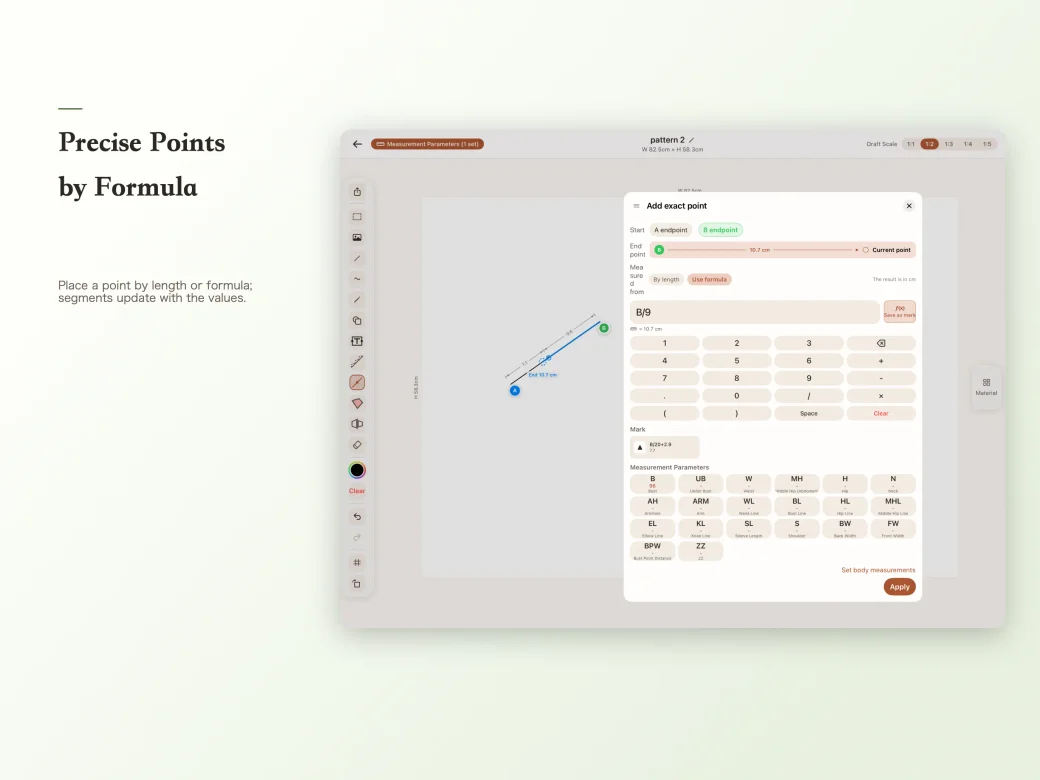
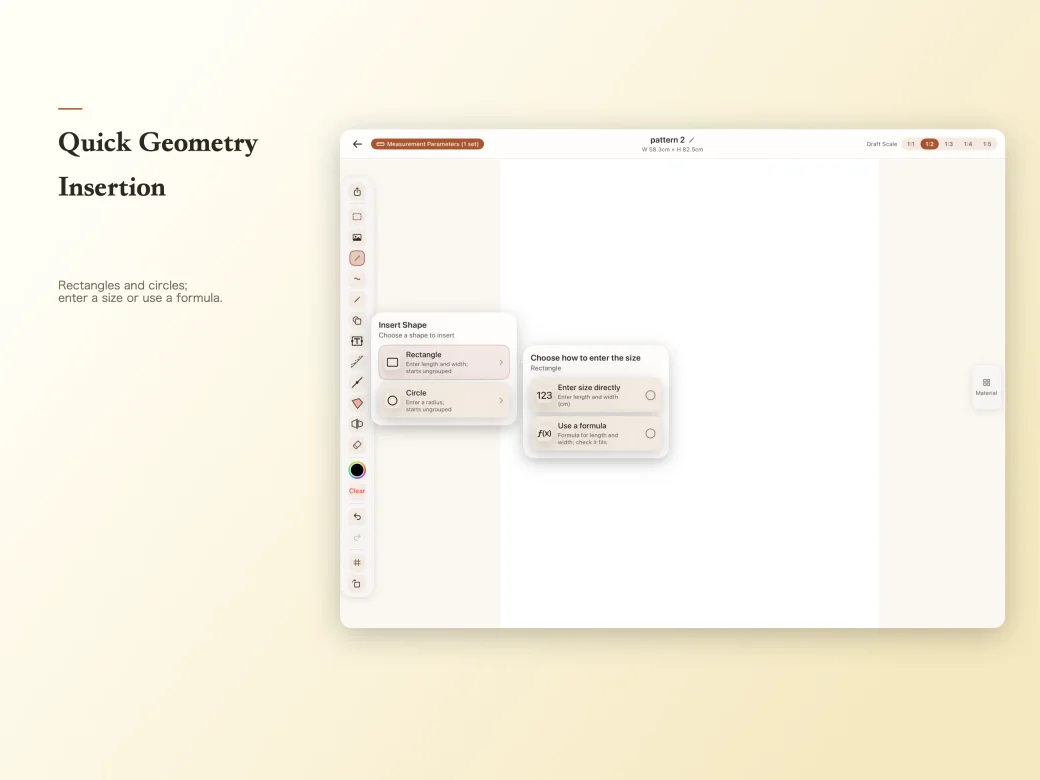
• Formula Calculation: Fixed-point and fixed-length formula annotations for marking positions, rectangle/circle dimensions, total line length and more
• Pattern Markers: Save formula/dimension data as notches in triangle, diamond, star and other shapes; formulas on other lines can reference these values
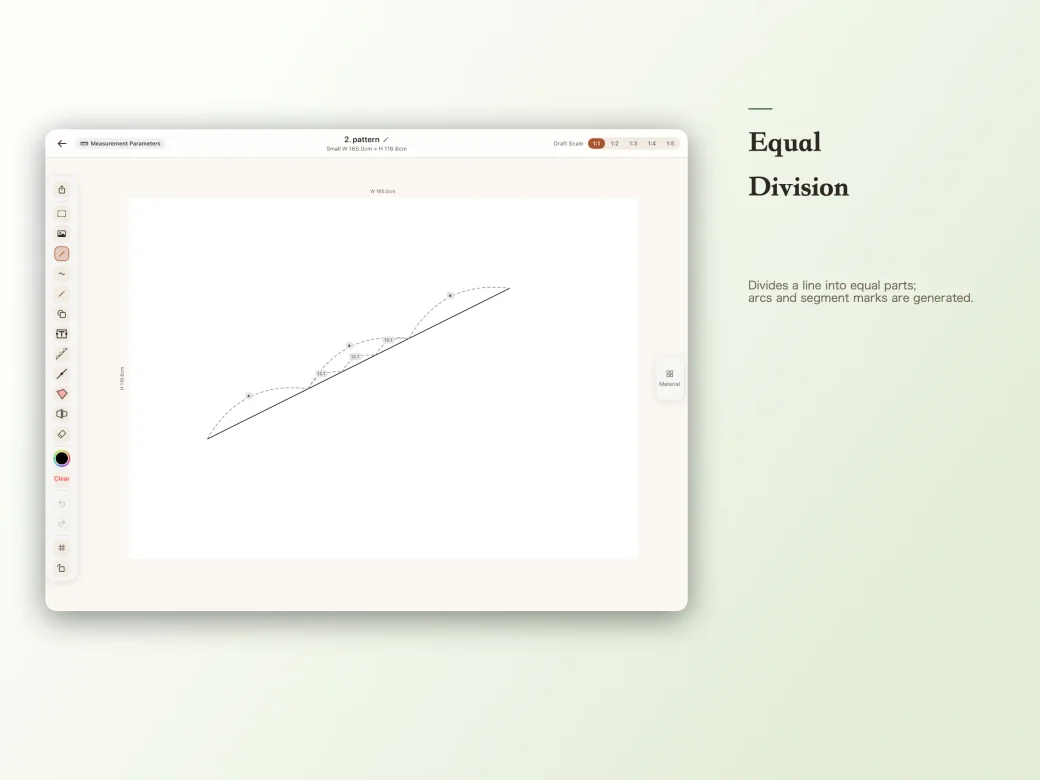
• Line Division: Divide a line or arc into 2–10 equal segments, with support for pattern notation or single-segment dimension labeling
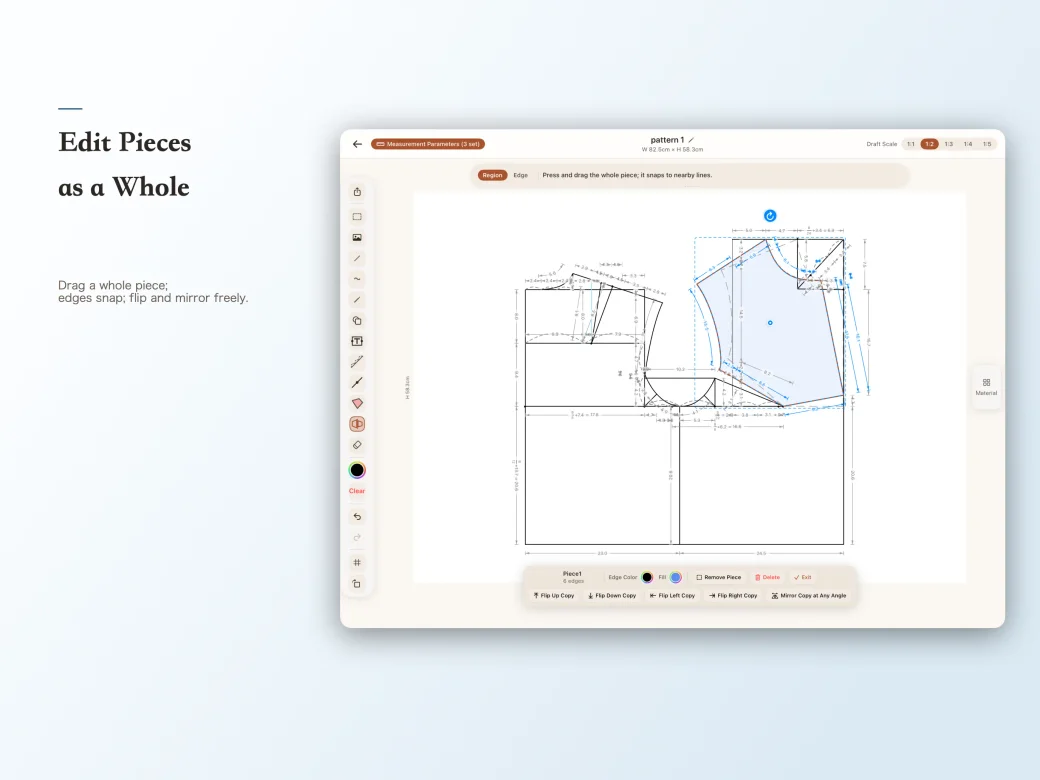
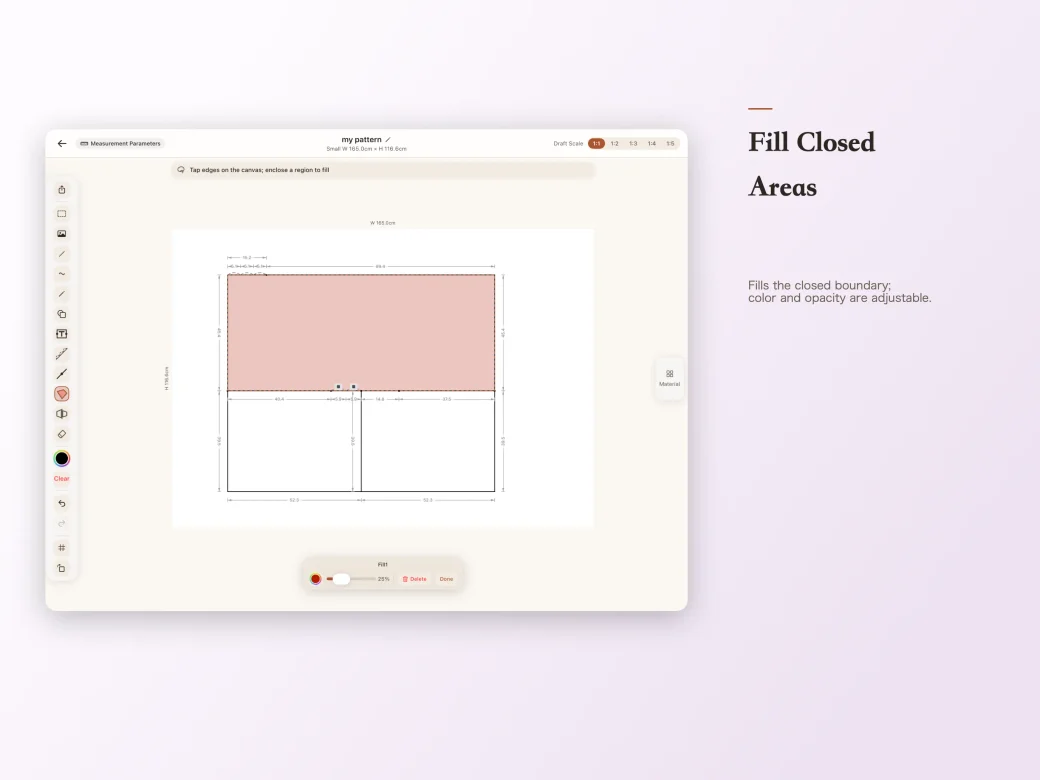
• Pattern Piece Extraction: One-click extraction of closed shapes to generate independent pattern pieces
9. Aids & Sync
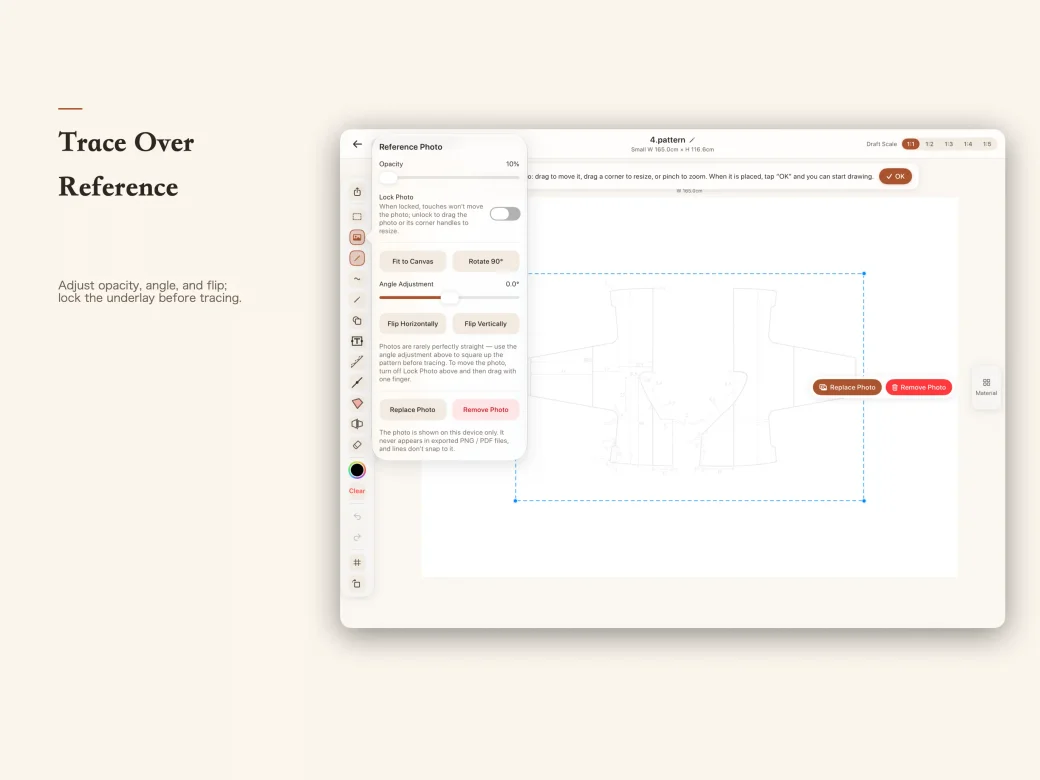
• Import photos as reference underlays; drag, scale and adjust with two fingers
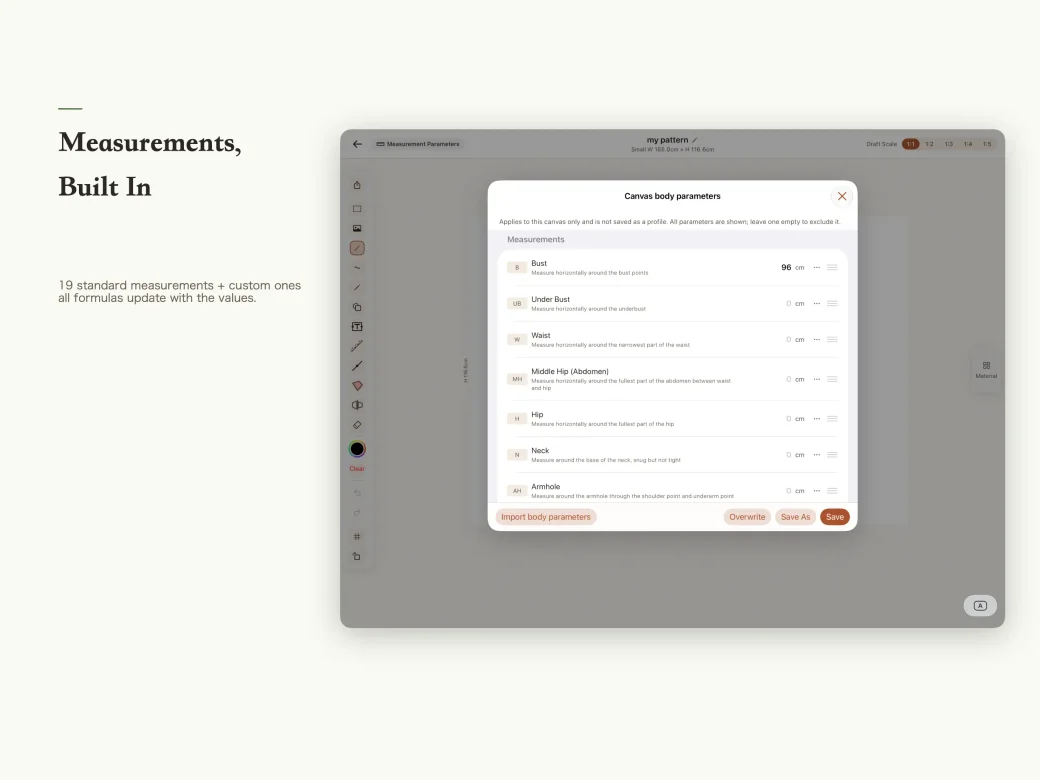
• Store multiple body measurement profiles; formulas can directly pull measurement data
• Auto-save for all work. Logged-in users can sync canvases, groups, assets and measurement profiles between iPads via iCloud
Terms of Use (EULA): https://www.apple.com/legal/internet-services/itunes/dev/stdeula/
Privacy Policy: https://my.feishu.cn/docx/Kli4d4KCQoW33Mxm2r7ciDxvnAd
What’s new
Version 2.1.1 · Nov 20, 2026
1. Bug fixes;
2. Feature optimizations.
App privacy
What 翔 周 declares on the App Store about how this app handles data.
-
Data not collected
The developer does not collect any data from this app.
Privacy practices may vary, for example with the features you use or your age.
Information
- Seller
- 翔 周
- Category
- Graphics & Design
- Version
- 2.1.1
- Updated
- Nov 20, 2026
- Released
- Sep 22, 2026
- Size
- 22.4 MB
- Requires
- iOS 17.0 or later
- Age rating
- 4+
- Price
- Free
- In-app purchases
- Yes
- Languages
- English, Arabic, French, German, Italian, Japanese, Korean, Portuguese, Simplified Chinese, Spanish, Traditional Chinese
- Copyright
- © 2026 zx
You might also like
-
 SewGrader: Pattern DraftingSewing patterns, graded to fit
-
 PatternPlot: Trace & GradeSewing pattern grading
-
 Tracevelle: Tracing LightboxEmbroidery, Stencils & Art
-
 Part2D: 2D CAD simplifiedSimplified 2D CAD anywhere
-
 Skeinworks: Cross StitchPhoto to cross stitch chart
-
 Tilework: Pattern MakerSurface design & print export
-
 Oekaki EmbroideryDigitize designs as you draw
-
 patanQDraft & print true-size PDFs
-
 TextileStudio.aiEmbroidery Design Generate
-
 Motaz Pattern DesignGraphics & Design