- Age rating4+
- CategoryPhoto & Video
- DeveloperChristopher Fenner
- LanguagesEnglish
- Size3.8 MB
Links to the official App Store page
Download.org hosts no file of Shadow Planner. The button opens its official App Store page, published by Christopher Fenner. Listing last checked on Nov 16, 2026.
Screenshots

About
Scout the light before you get there.
Shadow Planner puts a real sun on a real map. Drop your overheads on the actual
location, scrub the day from sunrise to sunset, and watch true cast shadows fall
across the ground in 3D — so you know what you're walking into before the truck
rolls, and so does everyone you hand the page to.
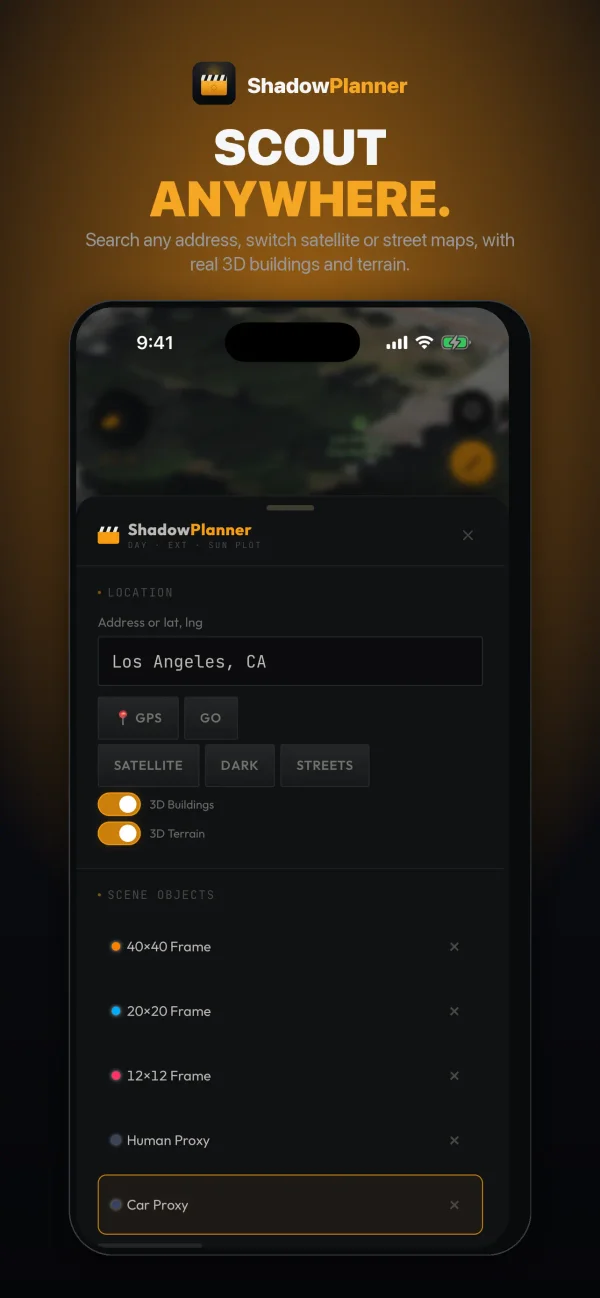
SCOUT ANY LOCATION
• Search an address or drop straight onto your GPS position
• Satellite, street and dark map styles
• Real 3D buildings and terrain, so shadows fall off the geometry that's
actually there
• Live sun compass with azimuth and altitude
KNOW WHEN YOU LOSE THE LIGHT
• Sunrise, solar noon, sunset, golden hour and civil dusk for any date and any
location, with the day's length
• Tap any spot for a shade timeline: when it holds direct sun and when it goes
into shade, across the whole day
• See the sun's path arced over the map — amber where your spot has sun,
blue-grey where something blocks it, so you can watch the moment the sun
clears a roofline
• Reads the buildings and terrain actually around it, plus your own overheads
BLOCK THE SHOT TO SCALE
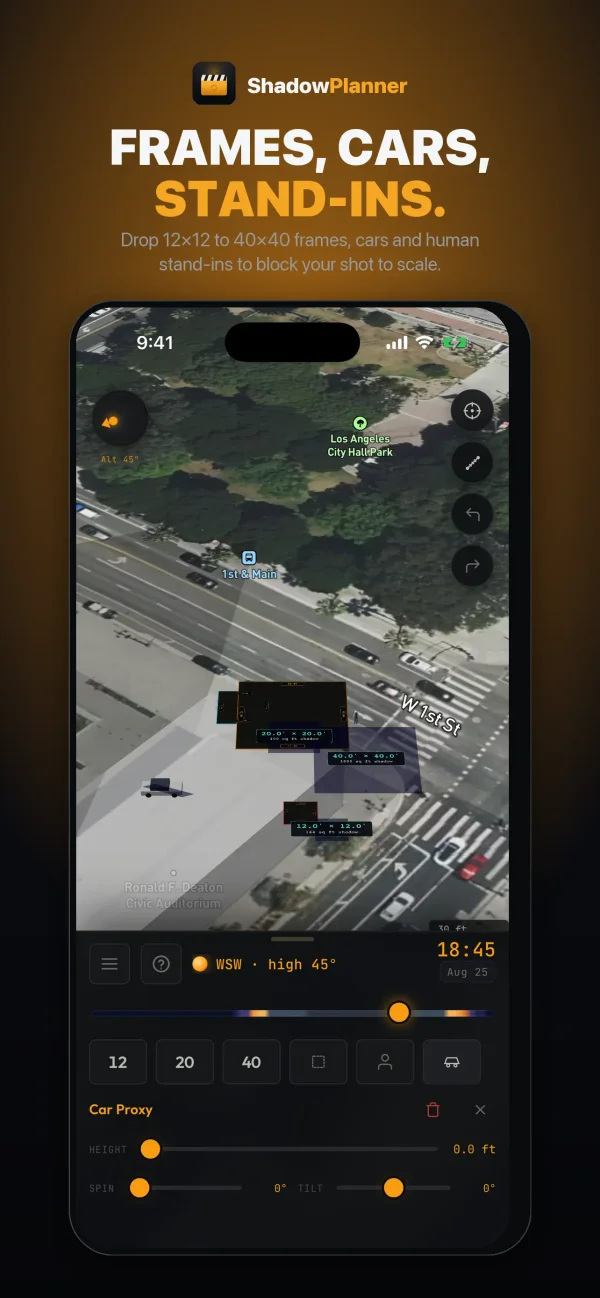
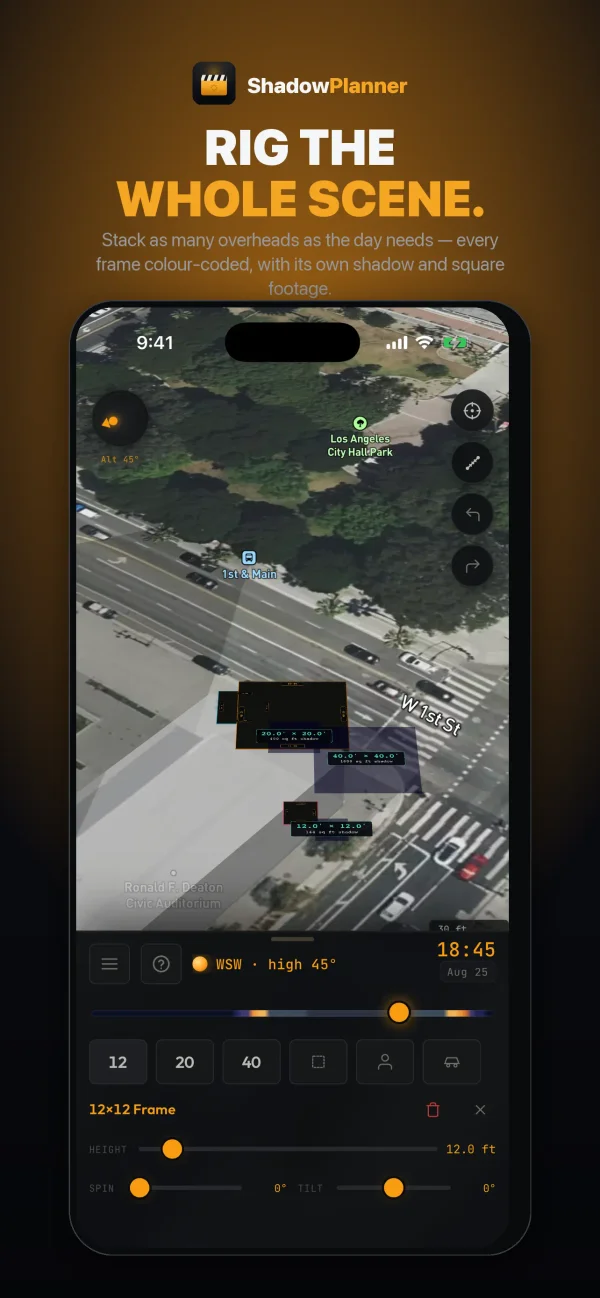
• Drop 12x12, 20x20 and 40x40 frames, or set your own custom size
• Dial height above ground, spin and tilt on every frame
• Add vehicles and human stand-ins for scale
• Stack as many objects as the day needs — each one colour-coded, with its own
cast shadow and the area it covers
SEE THE WHOLE DAY MOVE
• Scrub sunrise to sunset and watch every shadow track with the sun
• Pick any date and check the light for a shoot weeks out
• Stand-ins and vehicles dim when they fall inside a frame's shadow
MEASURE THE RIG IN 3D
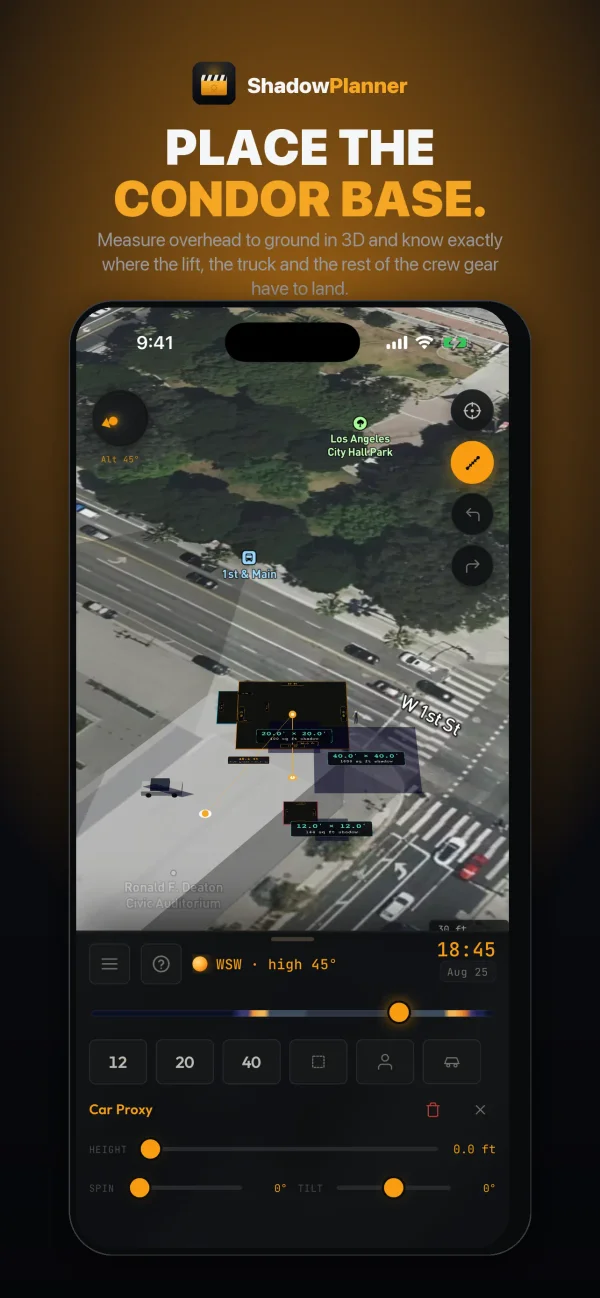
• Tap two points for a true diagonal distance — overhead down to ground
• Know exactly where the base, the truck and the crew gear have to land
• Measurements stay locked to a frame, so they update as you raise or move it
• Matching gear ranges for the distance you measured, from a PeeWee dolly to a
120' Condor
FEET OR METRES
• One switch converts every height, span, distance and shadow area, and the
gear ranges with them
• Gear and frame names stay as the industry says them — a 12x12 is still a
12x12, a Condor 40' is still a Condor 40'
• Your choice is remembered between sessions
TAKE IT BACK TO THE OFFICE
• Save a location by name with its camera angle, date, time, every frame, the
measurement and the shade you picked — long-press to rename
• Six stops in a day, all still there tomorrow
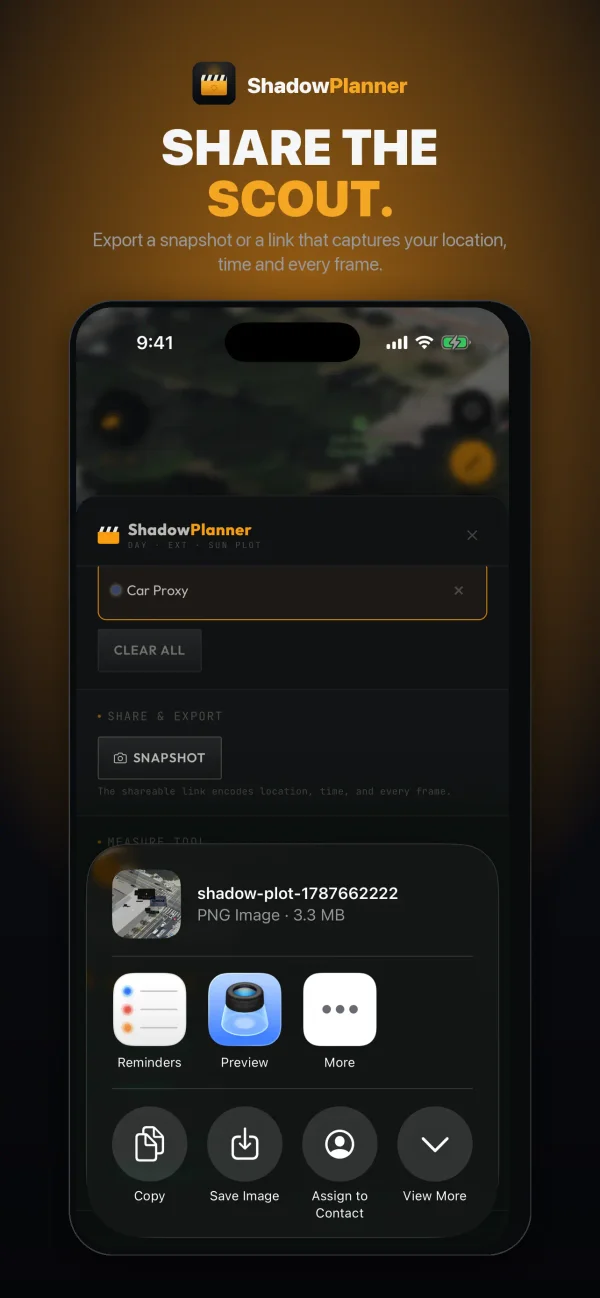
• Export a letter-size page carrying the location, date, time, sun position,
sunrise and sunset, the rig you had up, and the lift sizes that reach — so
the gaffer, the AD and the office are all reading the same sheet
• Same page on every device, straight to Photos, Files or Messages
• On iPad, drag the menu panels into the order you work in
• Full undo and redo
Built by a working cinematographer for tech scouts, gaffers, grips, DPs,
location managers and anyone who has ever guessed where the shadow would be.
No account. No subscription. No tracking.
What’s new
Version 1.6 · Nov 6, 2026
• Each overhead in Scene Objects now has an eye button. Tap it and that frame's dimension text disappears — the shadow readout and the size marks on the rails — while the frame and its shadow stay exactly where they are. Stack three frames on one spot and you can read the map again.
• It's per frame, so you can silence the big 40×40 and leave the 12×12 labelled. The setting is remembered with the scout, and undo covers it.
• Fixed: the snapshot hint named Photos, Files and Messages — It now describes where the image goes without naming apps.
• Fixed: the help page said the menu reorder was iPad only. It works on any tablet, and now says so.
App privacy
What Christopher Fenner declares on the App Store about how this app handles data.
-
Data not collected
The developer does not collect any data from this app.
Privacy practices may vary, for example with the features you use or your age.
Information
- Seller
- Christopher Fenner
- Category
- Photo & Video
- Version
- 1.6
- Updated
- Nov 6, 2026
- Released
- Aug 6, 2026
- Size
- 3.8 MB
- Requires
- iOS 17.0 or later
- Age rating
- 4+
- Price
- $29.99
- Languages
- English
- Copyright
- © sixtyfivexsixtyfivexsixtyfive
You might also like
-
 Lightframer ProFilm Viewfinder & Sun Tracker
-
 Stop CalculatorDesigned for Filmmakers
-
 Tech Scout CameraLUT Camera & Director's Finder
-
 LensKit: Lens ToolsSpecs, coverage and more
-
 CineTempColor Temp & Exposure Tool
-
 Freefly EmberWireless control and playback
-
 Streaming PlayerColorfront streaming player
-
 Prop ScreenPropScreen: Film & TV Phone UI
-
 Sun Surveyor (Sun & Moon)Your Personal Sun & Moon Guide
-
 Cadrage Director's ViewfinderViewfinder for Directors & DPs