- Classificação etária4+
- CategoriaFoto e vídeo
- DesenvolvedorChristopher Fenner
- IdiomasInglês
- Tamanho3,8 MB
Leva à página oficial na App Store
O Download.org não hospeda nenhum arquivo de Shadow Planner. O botão abre a página do app na App Store, onde Christopher Fenner o publica. Página verificada pela última vez em 16/11/2026.
Capturas de tela
Sobre
O desenvolvedor não forneceu este texto no seu idioma.
Scout the light before you get there.
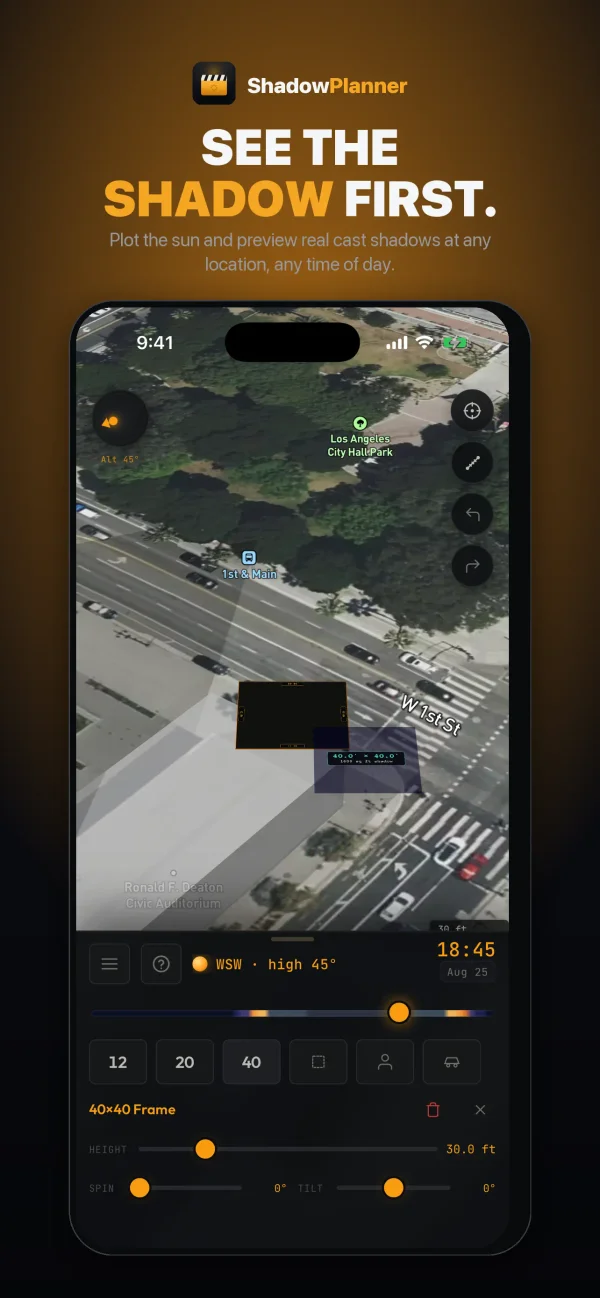
Shadow Planner puts a real sun on a real map. Drop your overheads on the actual
location, scrub the day from sunrise to sunset, and watch true cast shadows fall
across the ground in 3D — so you know what you're walking into before the truck
rolls, and so does everyone you hand the page to.
SCOUT ANY LOCATION
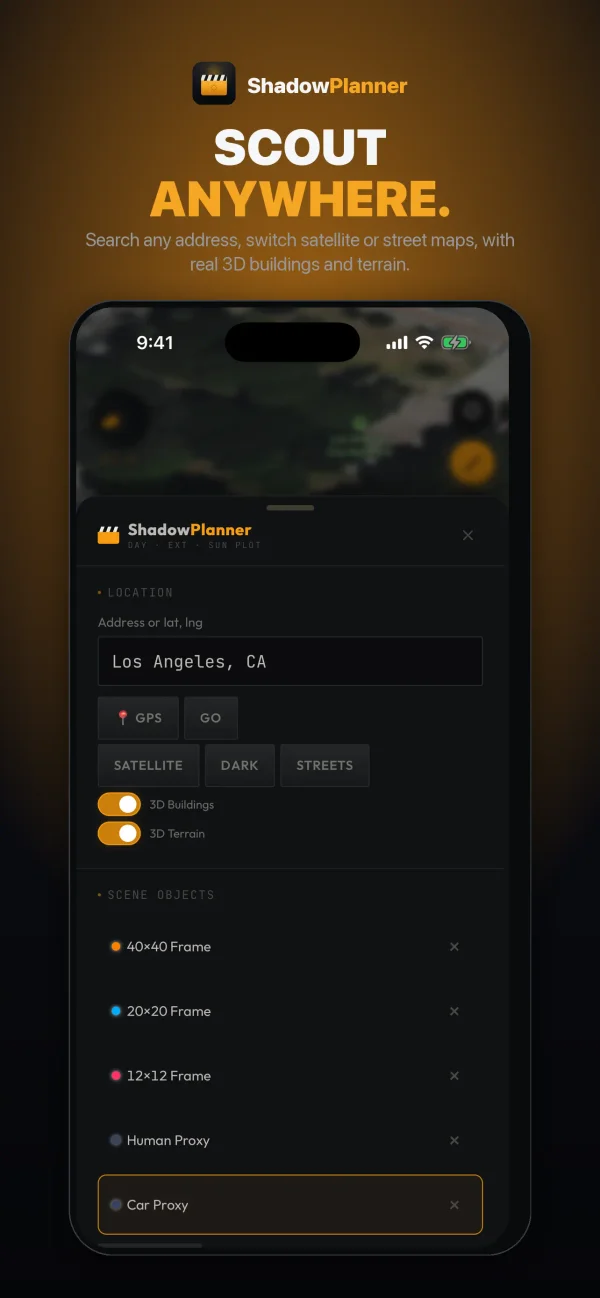
• Search an address or drop straight onto your GPS position
• Satellite, street and dark map styles
• Real 3D buildings and terrain, so shadows fall off the geometry that's
actually there
• Live sun compass with azimuth and altitude
KNOW WHEN YOU LOSE THE LIGHT
• Sunrise, solar noon, sunset, golden hour and civil dusk for any date and any
location, with the day's length
• Tap any spot for a shade timeline: when it holds direct sun and when it goes
into shade, across the whole day
• See the sun's path arced over the map — amber where your spot has sun,
blue-grey where something blocks it, so you can watch the moment the sun
clears a roofline
• Reads the buildings and terrain actually around it, plus your own overheads
BLOCK THE SHOT TO SCALE
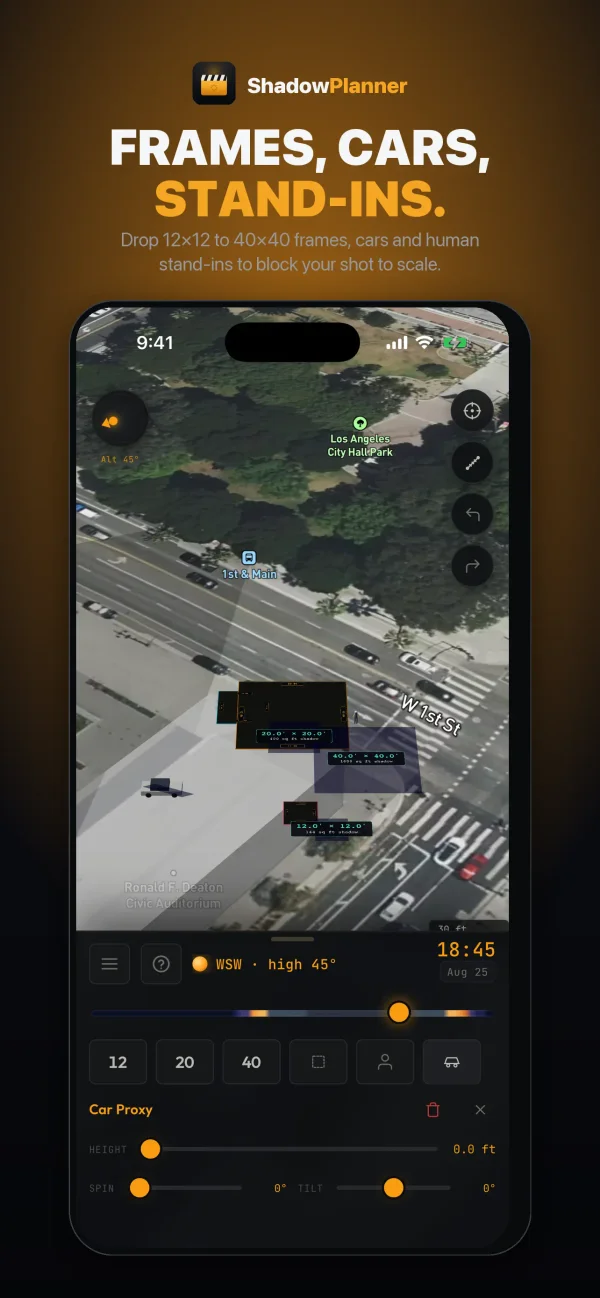
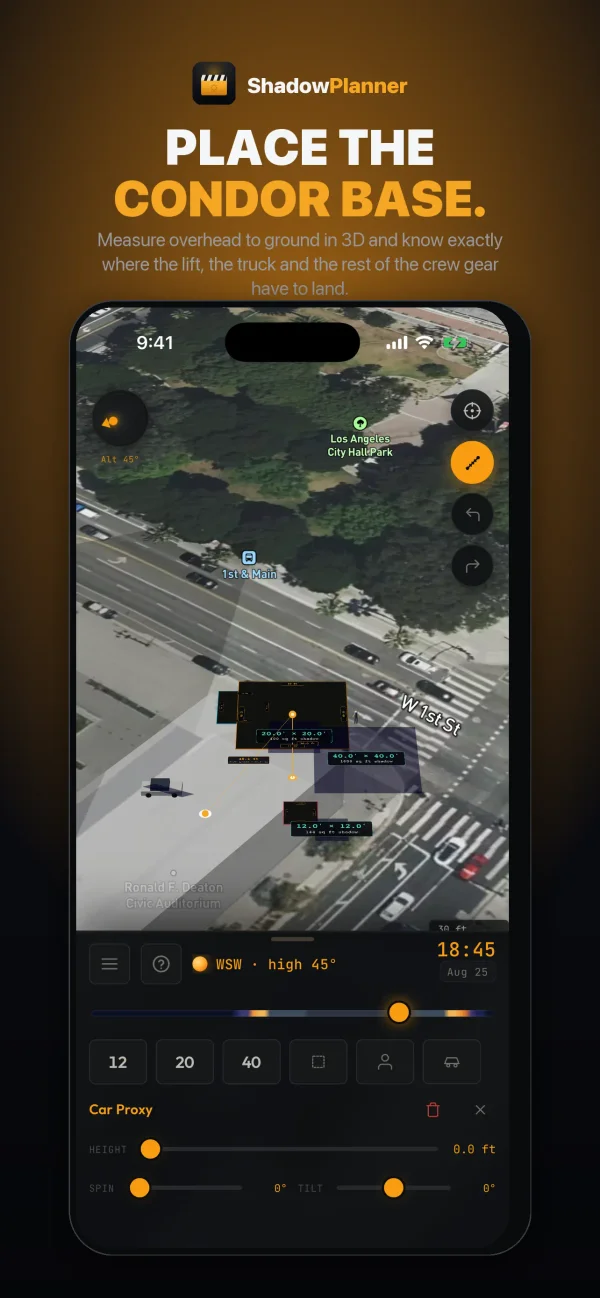
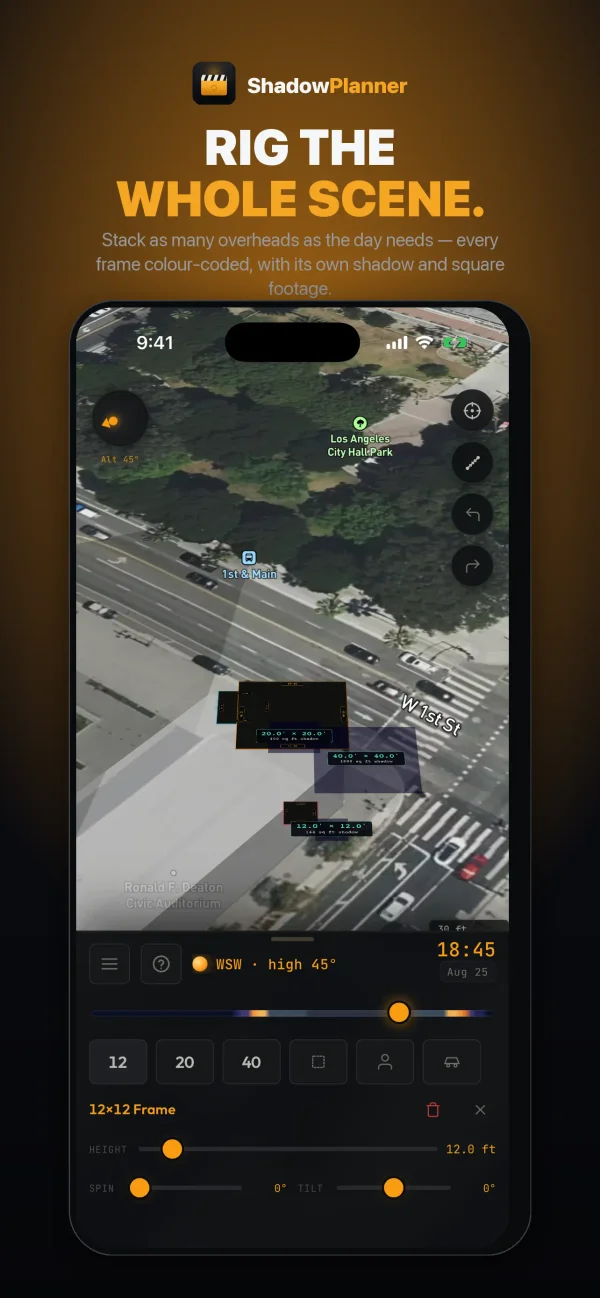
• Drop 12x12, 20x20 and 40x40 frames, or set your own custom size
• Dial height above ground, spin and tilt on every frame
• Add vehicles and human stand-ins for scale
• Stack as many objects as the day needs — each one colour-coded, with its own
cast shadow and the area it covers
SEE THE WHOLE DAY MOVE
• Scrub sunrise to sunset and watch every shadow track with the sun
• Pick any date and check the light for a shoot weeks out
• Stand-ins and vehicles dim when they fall inside a frame's shadow
MEASURE THE RIG IN 3D
• Tap two points for a true diagonal distance — overhead down to ground
• Know exactly where the base, the truck and the crew gear have to land
• Measurements stay locked to a frame, so they update as you raise or move it
• Matching gear ranges for the distance you measured, from a PeeWee dolly to a
120' Condor
FEET OR METRES
• One switch converts every height, span, distance and shadow area, and the
gear ranges with them
• Gear and frame names stay as the industry says them — a 12x12 is still a
12x12, a Condor 40' is still a Condor 40'
• Your choice is remembered between sessions
TAKE IT BACK TO THE OFFICE
• Save a location by name with its camera angle, date, time, every frame, the
measurement and the shade you picked — long-press to rename
• Six stops in a day, all still there tomorrow
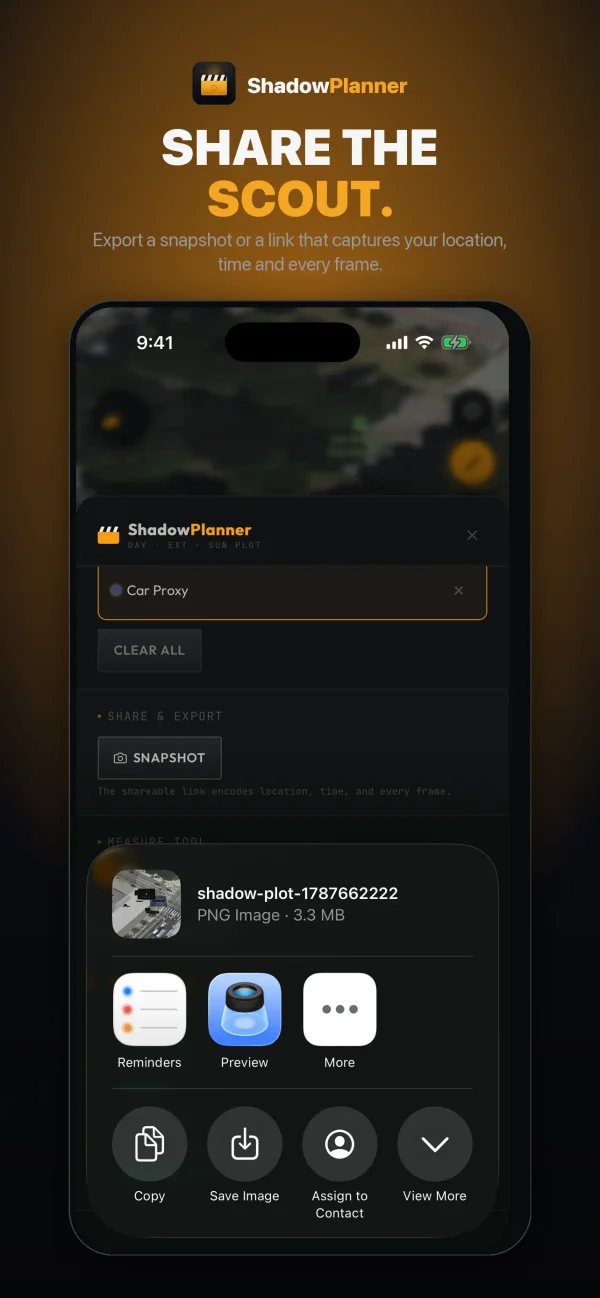
• Export a letter-size page carrying the location, date, time, sun position,
sunrise and sunset, the rig you had up, and the lift sizes that reach — so
the gaffer, the AD and the office are all reading the same sheet
• Same page on every device, straight to Photos, Files or Messages
• On iPad, drag the menu panels into the order you work in
• Full undo and redo
Built by a working cinematographer for tech scouts, gaffers, grips, DPs,
location managers and anyone who has ever guessed where the shadow would be.
No account. No subscription. No tracking.
Novidades
Versão 1.6 · 06/11/2026
• Each overhead in Scene Objects now has an eye button. Tap it and that frame's dimension text disappears — the shadow readout and the size marks on the rails — while the frame and its shadow stay exactly where they are. Stack three frames on one spot and you can read the map again.
• It's per frame, so you can silence the big 40×40 and leave the 12×12 labelled. The setting is remembered with the scout, and undo covers it.
• Fixed: the snapshot hint named Photos, Files and Messages — It now describes where the image goes without naming apps.
• Fixed: the help page said the menu reorder was iPad only. It works on any tablet, and now says so.
Privacidade do app
O que Christopher Fenner declara na App Store sobre como este app lida com os dados.
-
Dados não coletados
O desenvolvedor não coleta nenhum dado deste app.
As práticas de privacidade podem variar, por exemplo, com base nos recursos que você usa ou na sua idade.
Informações
- Vendedor
- Christopher Fenner
- Categoria
- Foto e vídeo
- Versão
- 1.6
- Atualizado
- 06/11/2026
- Lançamento
- 06/08/2026
- Tamanho
- 3,8 MB
- Requer
- iOS 17.0 ou posterior
- Classificação etária
- 4+
- Preço
- R$ 199,90
- Idiomas
- Inglês
- Copyright
- © sixtyfivexsixtyfivexsixtyfive
Você também pode gostar
-
 Lightframer ProFoto e vídeo
-
 Stop CalculatorFoto e vídeo
-
 Tech Scout CameraFoto e vídeo
-
 LensKit: Lens ToolsFoto e vídeo
-
 CineTempFoto e vídeo
-
 Freefly EmberFoto e vídeo
-
 Streaming PlayerFoto e vídeo
-
 Prop ScreenFoto e vídeo
-
 Sun Surveyor (Sol & Lua)Foto e vídeo
-
 Cadrage Director's ViewfinderVisor do Diretor