Shellby: SSH Client & Terminal
SFTP, tunnels & server monitor
Designed for iPhone, iPad, Mac
Free · In-app purchases
- Age rating4+
- CategoryDeveloper Tools
- Developer荟 马
- LanguagesEnglish+ 2 more
- Size17.3 MB
Links to the official App Store page
Download.org hosts no file of Shellby: SSH Client & Terminal. The button opens its official App Store page, published by 荟 马. Listing last checked on Nov 15, 2026.
Screenshots
About
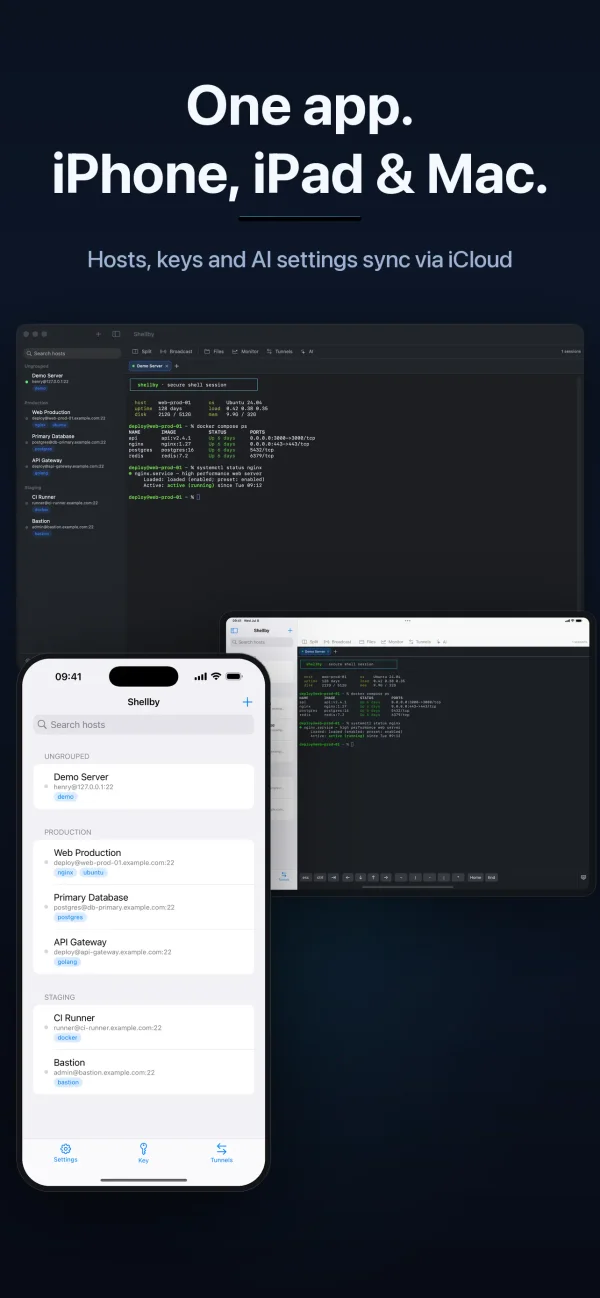
Shellby is a modern, native SSH client for iPhone, iPad, and Mac — one app, one experience across all your Apple devices. It does more than connect: a built-in AI agent turns plain-language ops tasks into commands you approve one by one, Mosh-compatible transport keeps sessions alive across network changes, and on Mac your AI coding tools reach your servers read-only, fully audited. Built for developers, sysadmins, and anyone who manages remote servers. No account, no tracking.
AI ASSISTANT & AGENT (BRING YOUR OWN KEY)
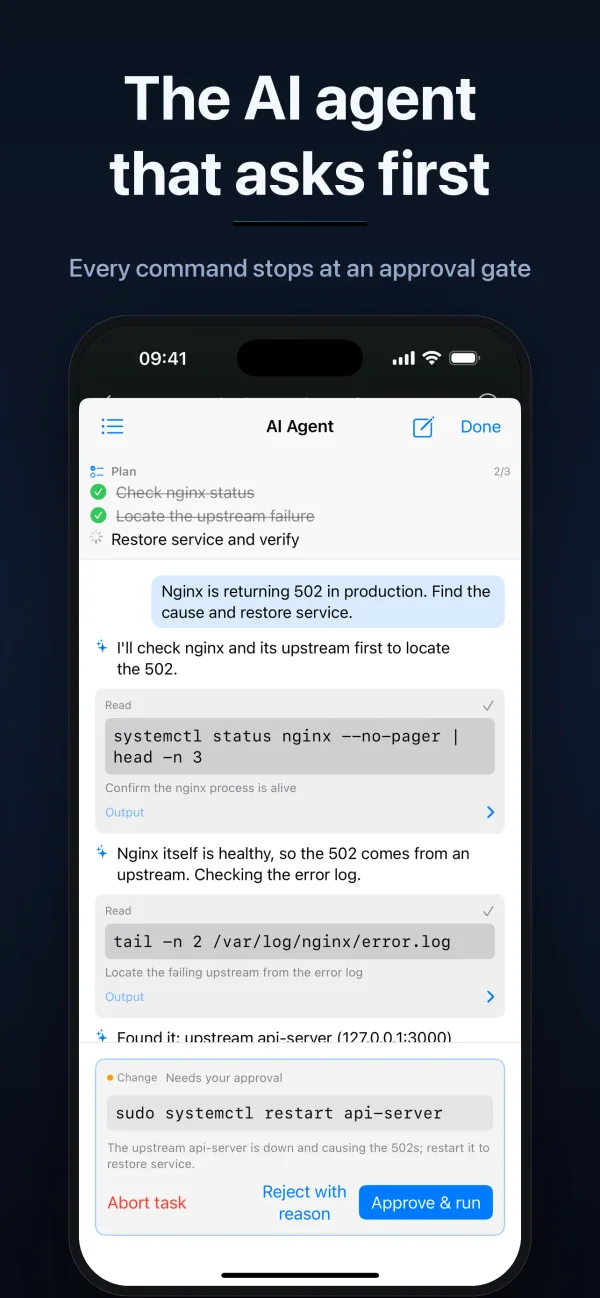
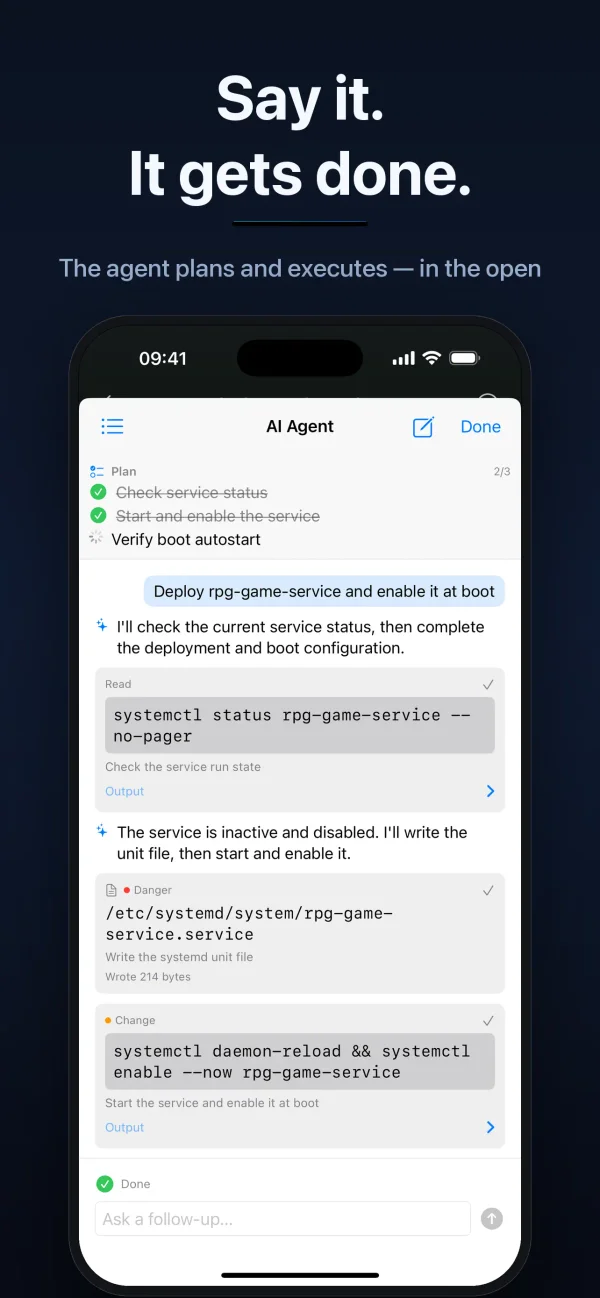
• Describe an ops task in plain language — the agent plans and runs it step by step
• Every command passes an approval gate; destructive ones need explicit confirmation — nothing runs behind your back
• Customizable allow/deny lists; approve & allowlist in one tap
• Standard chat-completion APIs, so you pick the service — DeepSeek, Kimi, GLM, Qwen, or a local Ollama model
• Off by default; bring your own key and endpoint — no AI service is built in
EXTERNAL AGENTS — MCP (macOS)
• Let claude-code, codex, and other MCP clients use hosts you already configured — no passwords, keys, or jump-host setup handed over
• Read-only: list hosts, run read-only commands, read files, fetch metrics; mutating commands are refused with a reason
• Loopback only, token-checked per request, token in the Keychain, every call audited
• Runs only while Shellby is open — no background daemon
MOSH-COMPATIBLE CONNECTIONS
• Switch Wi-Fi to cellular, roam, ride through a tunnel — the session survives and resumes instantly
• Typing stays responsive even on slow, high-latency links
• Connection test detects a missing mosh-server and gives install steps for your distro
TERMINAL
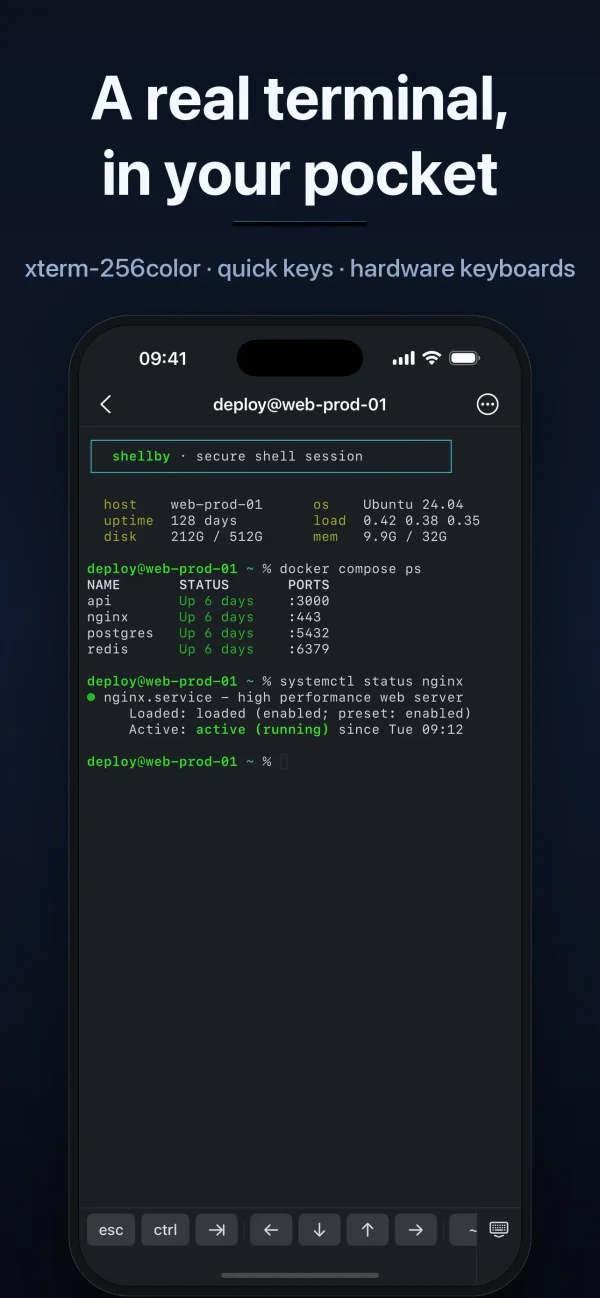
• Fast, standards-compliant terminal (xterm-256color)
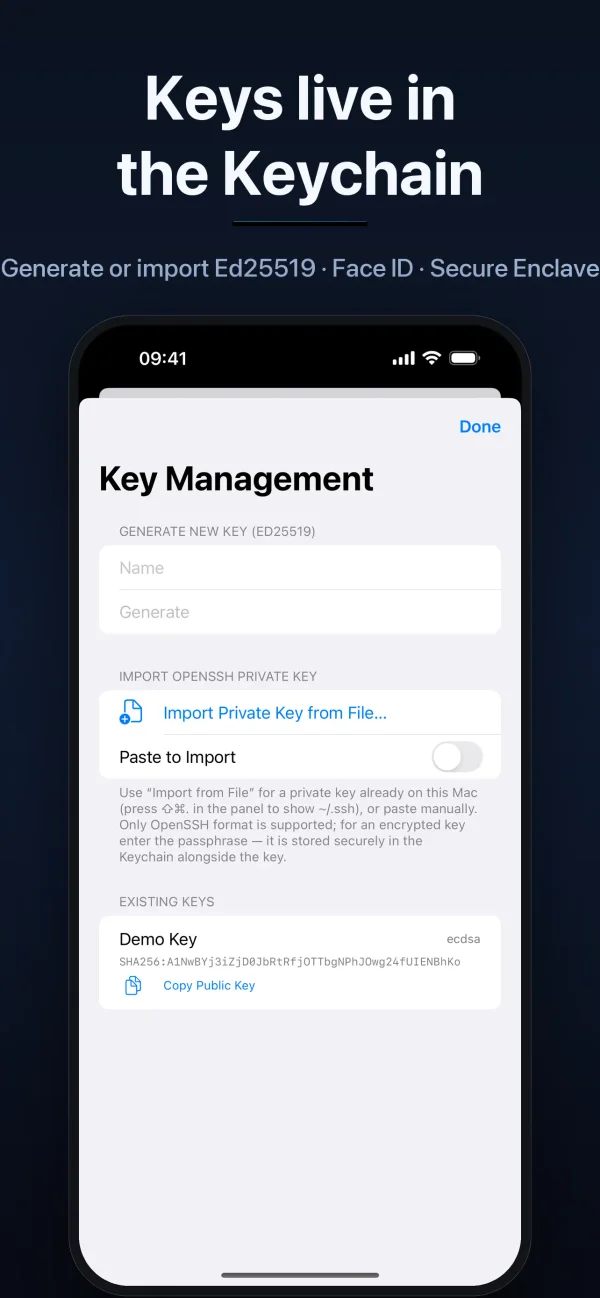
• Password and SSH key authentication (Ed25519 / RSA / OpenSSH)
• On-screen key bar: Esc, Tab, Ctrl combos, arrows, symbols
• Full hardware-keyboard mapping on iPad and Mac
• Terminal themes and font size
• Scrollback buffer up to 50,000 lines
SNIPPETS & COMMAND TOOLBAR
• Save commands you use daily; run, insert, or copy them from a toolbar above the terminal
• Shell syntax highlighting and line numbers; review before running
DESKTOP-CLASS ON MAC & iPAD
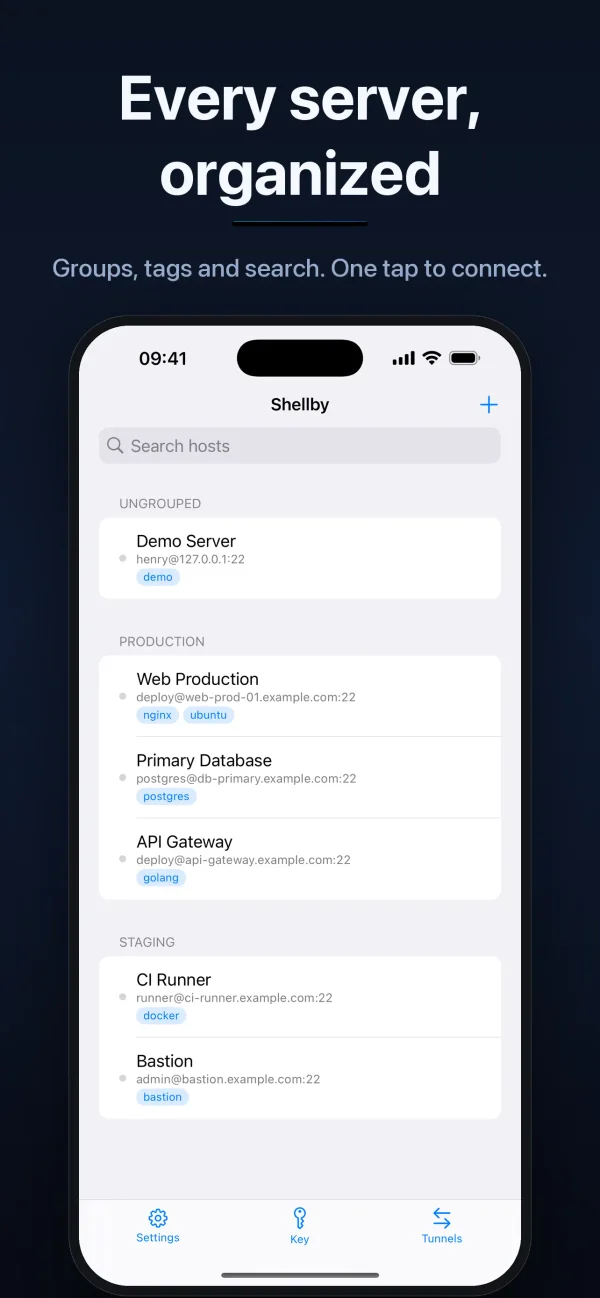
• Three-column layout: hosts, sessions, and content each in place
• Multiple windows and session tabs, with live terminal previews
• Split view, and command broadcast — type once, send to many sessions
• Native menu bar, shortcuts, and window toolbar on Mac
FILES (SFTP)
• Browse, upload, download, rename, move, delete, create folders
• One transfer queue both ways — progress, resume, choice of destination
• Drag & drop on Mac; notification when background transfers finish
• Integrates with the Files app
PORT FORWARDING & TUNNELS
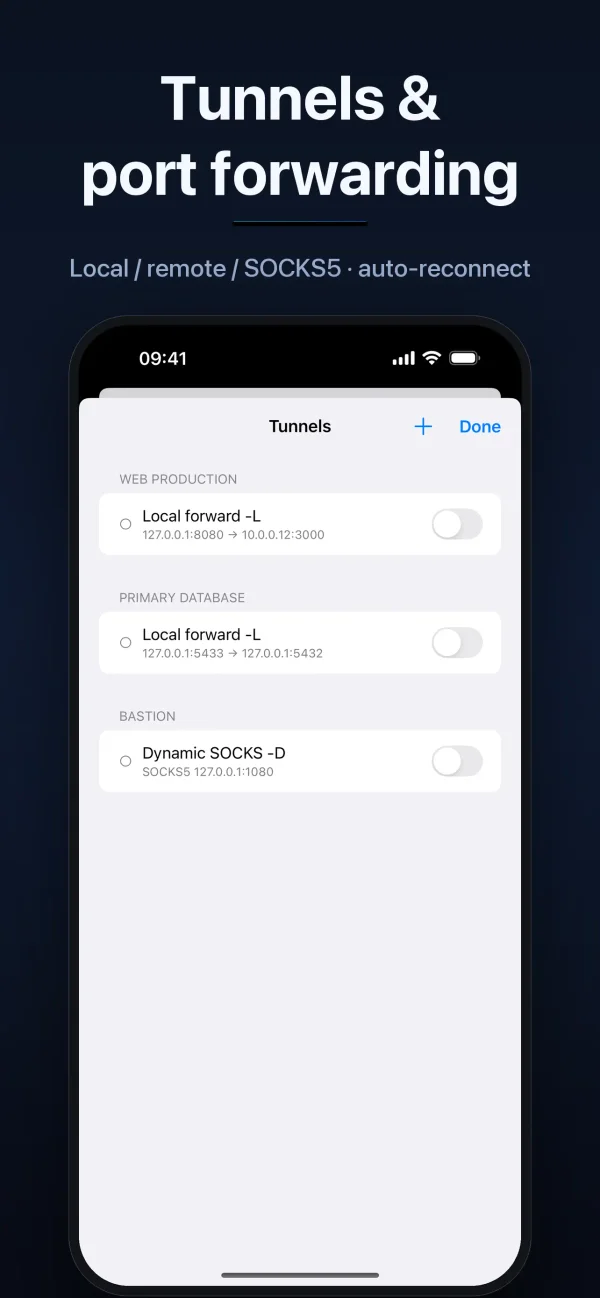
• Local (-L), remote (-R), and dynamic SOCKS5 (-D) forwarding
• Jump hosts / ProxyJump (-J) with multi-hop chains
• Standalone tunnels that stay up and auto-reconnect, with live bandwidth
• For reaching services inside your own server network (databases, internal dashboards) — not for bypassing network restrictions
SERVER MONITOR
• Live CPU, memory, swap, disk, load, and top processes
SYNC — YOUR DATA, YOUR STORAGE
• Optional iCloud sync of hosts, groups, and rules (CloudKit); passwords and keys only via the end-to-end-encrypted iCloud Keychain
• Or bring your own storage: hosts, keys, snippets, AI settings & chats via any WebDAV or S3-compatible service you control
• Pair a new device by scanning a QR code
SECURITY & PRIVACY
• Credentials stored only in the device Keychain — never in plaintext
• Host fingerprint verification (TOFU), with a strong warning if one ever changes
• Face ID / Touch ID app lock
• No account, no tracking, no data collection
You bring your own SSH servers; Shellby connects only to machines you own or are authorized to access.
Languages: English, 简体中文, 繁體中文.
Privacy Policy: https://shellby.app.mahui.me/privacy/
Terms of Use (EULA): https://www.apple.com/legal/internet-services/itunes/dev/stdeula/
What’s new
Version 2.1.1 · Nov 2, 2026
This update improves layout and session continuity when the available space changes.
• iPhone & iPad: layouts follow the available space; split-view preferences are retained when space is limited and restored when it becomes available
• Keep your current terminal, Settings page and unsaved snippet edits when switching between narrow and wide layouts
• Keep SFTP directories, transfer queues, monitoring history and AI drafts when file, monitoring and AI panels change presentation
• Separate panel state for each terminal, including multiple terminals connected to the same host
• Improved terminal resizing and size synchronization after reconnecting, with your scrollback reading position preserved
• Unfinished transfers keep their progress after reconnecting and can be resumed by the user
App privacy
What 荟 马 declares on the App Store about how this app handles data.
-
Data not collected
The developer does not collect any data from this app.
Privacy practices may vary, for example with the features you use or your age.
Information
- Seller
- 荟 马
- Category
- Developer Tools
- Version
- 2.1.1
- Updated
- Nov 2, 2026
- Released
- Jul 6, 2026
- Size
- 17.3 MB
- Requires
- iOS 17.0 or later
- Age rating
- 4+
- Price
- Free
- In-app purchases
- Yes
- Languages
- English, Simplified Chinese, Traditional Chinese
- Copyright
- © U&M Studio
You might also like
-
 SocketClaw: SSH TerminalSFTP, SSH Tunnel, SOCKS5
-
 ClaviTTYSSH Client & Terminal
-
 EmitSignalReal-time dev notifications
-
 Subnet NinjaDeveloper Tools
-
 DockPilot AIAI copilot for your servers
-
 VelotermSSH client with AI assistant
-
 AI Coding Focus - VibezBlock apps when code is done
-
 Telyrix: SSH & SFTP ClientTerminal, Files & ProxyJump
-
 AgentPortMonitor your tmux AI agents
-
 ProxyDeck — Network LabNetwork diagnostics & proxy