
- Age rating4+
- CategoryDeveloper Tools
- DeveloperZheng Jiang
- LanguagesEnglish
- Size1.2 MB
Links to the official App Store page
Download.org hosts no file of ProxyDeck — Network Lab. The button opens its official App Store page, published by Zheng Jiang. Listing last checked on Nov 20, 2026.
Screenshots
About
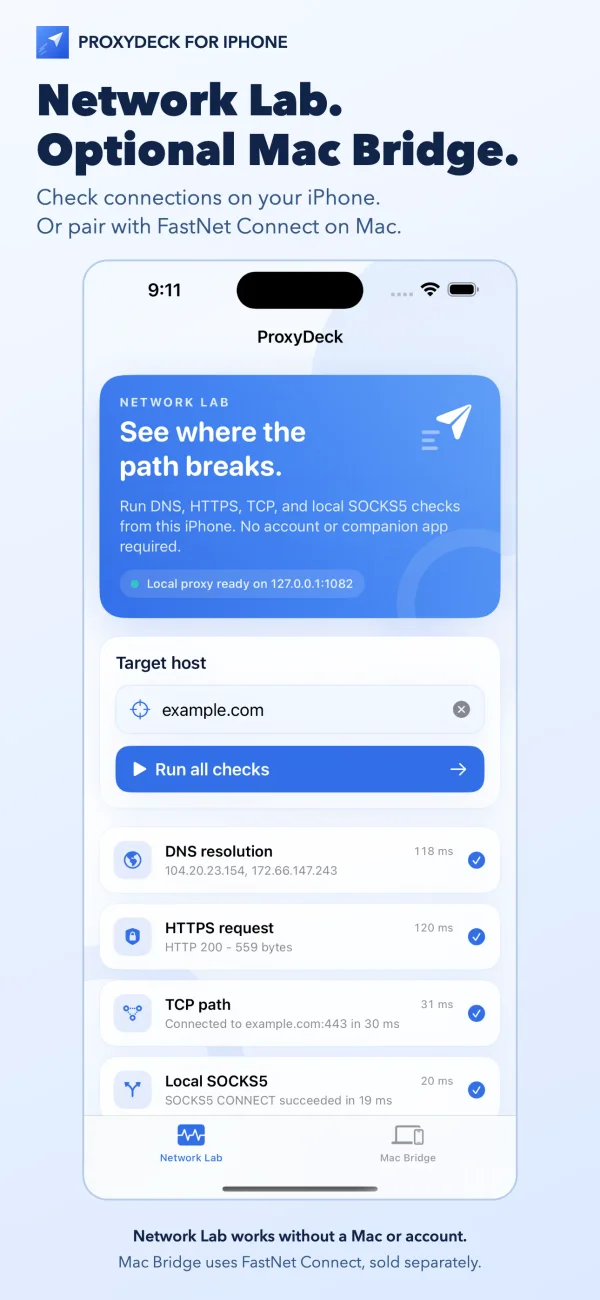
ProxyDeck is a free network lab and local proxy for iPhone. Check DNS, HTTPS, TCP, and local SOCKS5 paths directly on your device, without a Mac or account.
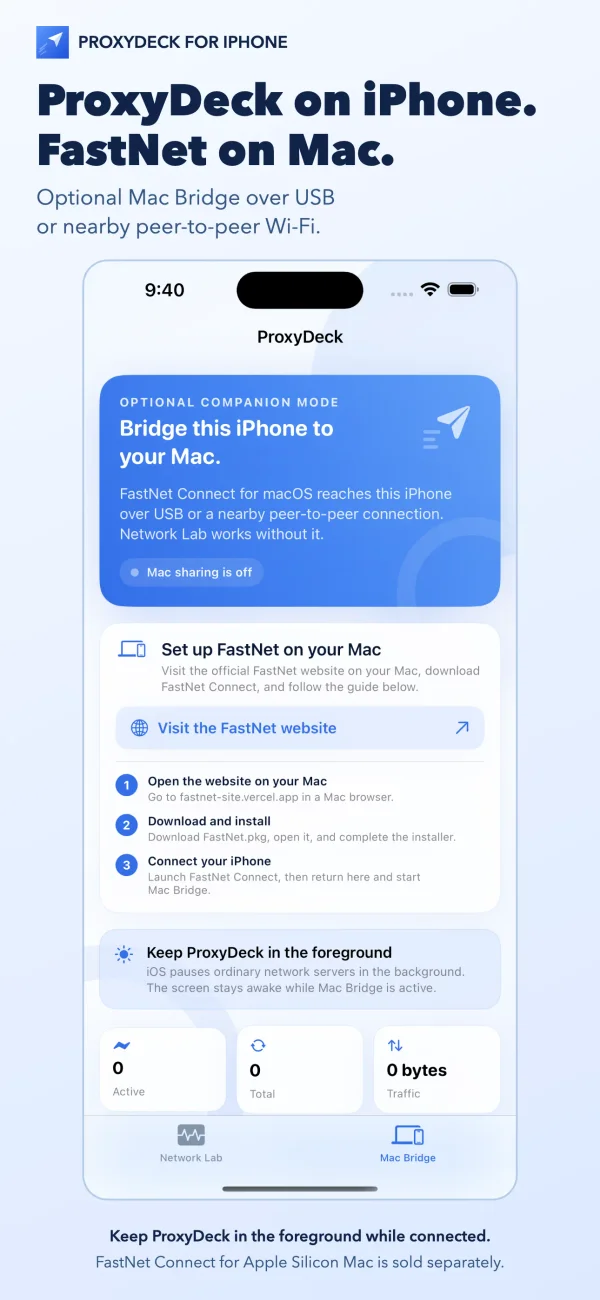
Looking for the iPhone app that works with FastNet Connect? This is it. ProxyDeck's optional Mac Bridge connects to the separately purchased FastNet Connect app on an Apple Silicon Mac over USB or nearby peer-to-peer Wi-Fi. Mac Bridge requires both apps and works only while ProxyDeck stays in the foreground. It stops when you leave the app.
Run four practical checks against any host:
• DNS resolution — inspect the addresses returned on the current network
• HTTPS request — verify an end-to-end secure request and response
• TCP path — measure connection setup to port 443
• Local SOCKS5 — prove the built-in 127.0.0.1 proxy with a real CONNECT request
Every proxy flow appears in a live connection inspector with its host, port, protocol, state, and traffic totals.
Optional Mac Bridge
If you use FastNet Connect for macOS, ProxyDeck can expose its proxy over USB or a nearby peer-to-peer connection. This companion mode is optional and starts only when you tap Start Mac Bridge. The standalone Network Lab requires no Mac or other app.
Private by design:
• No account
• No analytics or tracking
• No data collection
• No servers operated by us
• Diagnostic checks contact only the host you enter
Mac Bridge is a foreground-only tool and stops when ProxyDeck leaves the foreground.
What’s new
Version 1.0.5 · Nov 11, 2026
Mac Bridge stays responsive during heavy downloads: new connections no longer wait behind bulk traffic, so pages keep loading while a large transfer or speed test runs. Mac Bridge also answers the Mac companion's connection health check, and the Stop Mac Bridge button is readable in Dark Mode. Network Lab is unchanged.
App privacy
What Zheng Jiang declares on the App Store about how this app handles data.
-
Data not collected
The developer does not collect any data from this app.
Privacy practices may vary, for example with the features you use or your age.
Information
- Seller
- Zheng Jiang
- Category
- Developer Tools
- Version
- 1.0.5
- Updated
- Nov 11, 2026
- Released
- Aug 31, 2026
- Size
- 1.2 MB
- Requires
- iOS 16.0 or later
- Age rating
- 4+
- Price
- Free
- Languages
- English
- Copyright
- © 2026 Zheng Jiang
You might also like
-
 SocketClaw: SSH TerminalSFTP, SSH Tunnel, SOCKS5
-
 LogPulse – Logs & MonitoringSearch, alerts and uptime
-
 Keyframer PreviewBuild animations visually.
-
 Steer - Agent InboxUnblock your AI from anywhere
-
 Sidecar MLLocal AI server on your phone
-
 Bolt SSHSecure SSH & PowerShell client
-
 ShellCastTerminal control, reimagined.
-
 HTTrailNetwork proxy & API client
-
 Shellby: SSH Client & TerminalSFTP, tunnels & server monitor
-
 ProxyTunnel: Smart LAN Proxy1-Click Proxy Switch