
Shift Agent: Team Scheduler
AI scheduling, time & payroll
Designed for iPhone, iPad
Free · In-app purchases
- Age rating4+
- CategoryBusiness
- Developerdaniel lee
- LanguagesEnglish
- Size56.3 MB
Links to the official App Store page
Download.org hosts no file of Shift Agent: Team Scheduler. The button opens its official App Store page, published by daniel lee. Listing last checked on Nov 23, 2026.
Screenshots
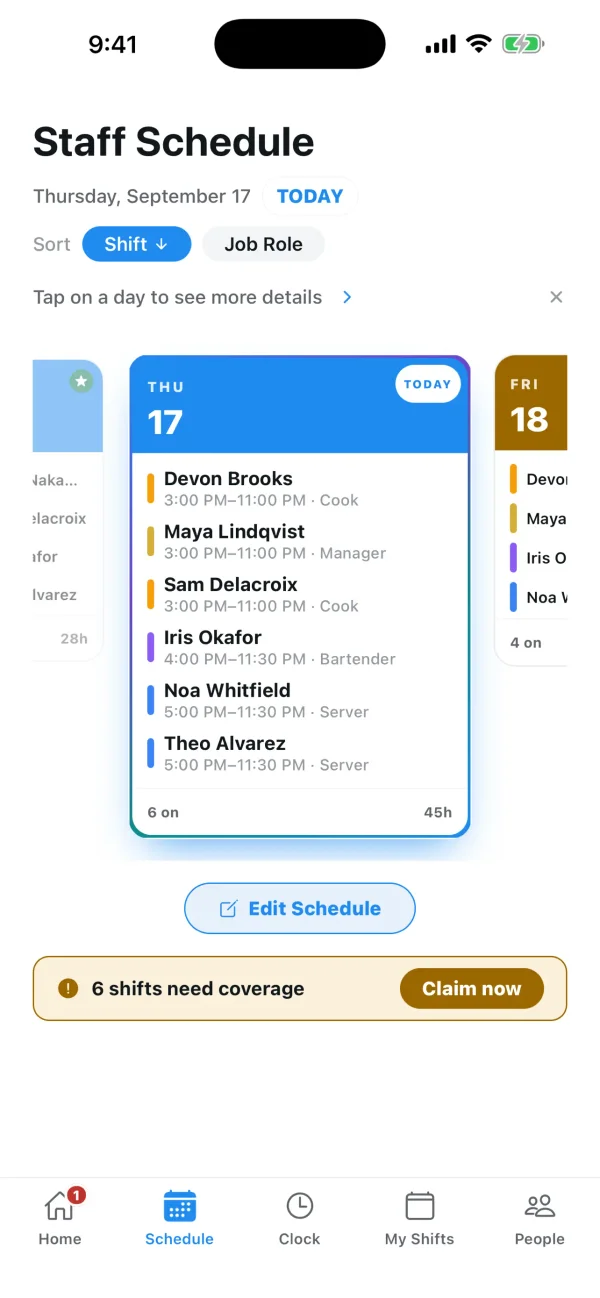
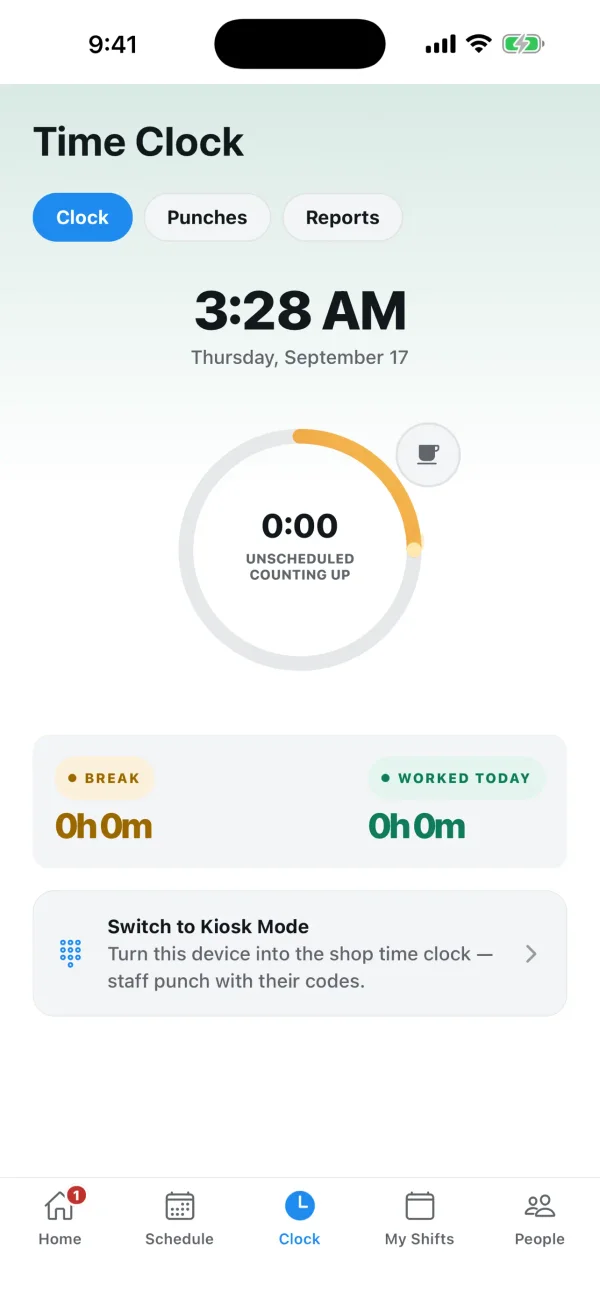
About
Shift Agent puts an AI assistant to work on the two jobs that eat a manager's week: building the schedule and getting payroll out the door. It's built for restaurants, cafes, bars, and any business that runs on shifts.
Tell it what you need in plain words. It does the legwork, shows you exactly what it did, and waits for your OK. Your team clocks in, picks up open shifts and requests time off from their phone.
WHAT MAKES SHIFT AGENT DIFFERENT
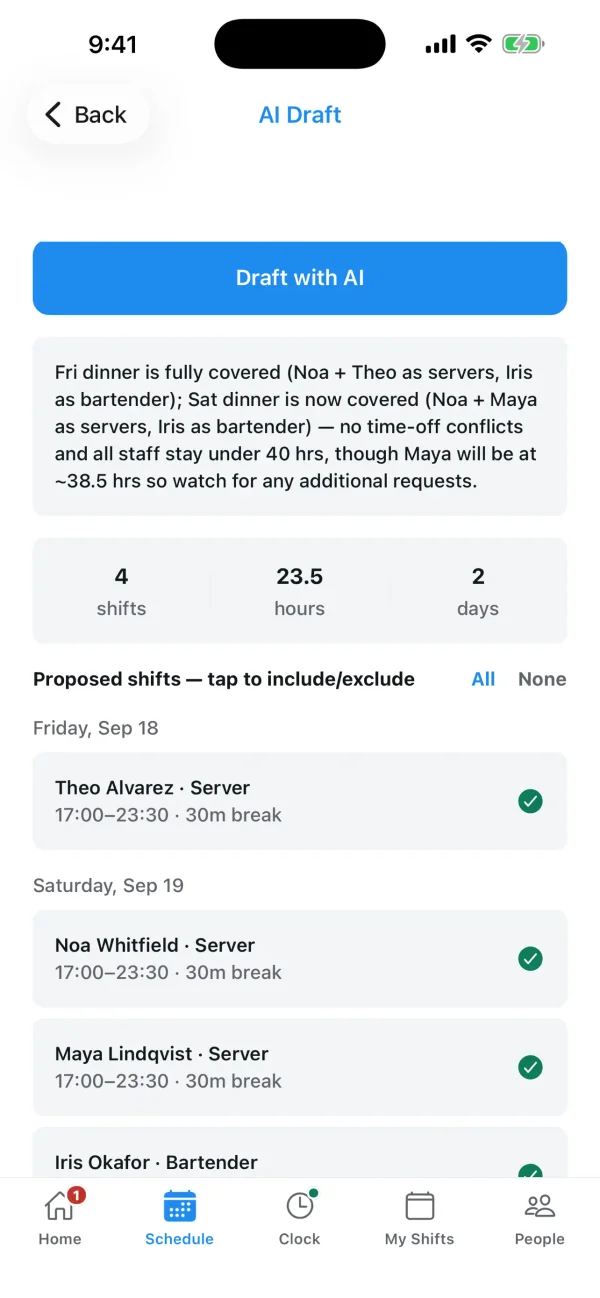
- AI scheduling - describe the week in plain language ("cover Fri-Sat dinner with two servers and a bartender, respect everyone's time off") and Shift Agent drafts it for you. Ask for changes the same way. Nothing is posted until you approve it. You can even speak your request out loud.
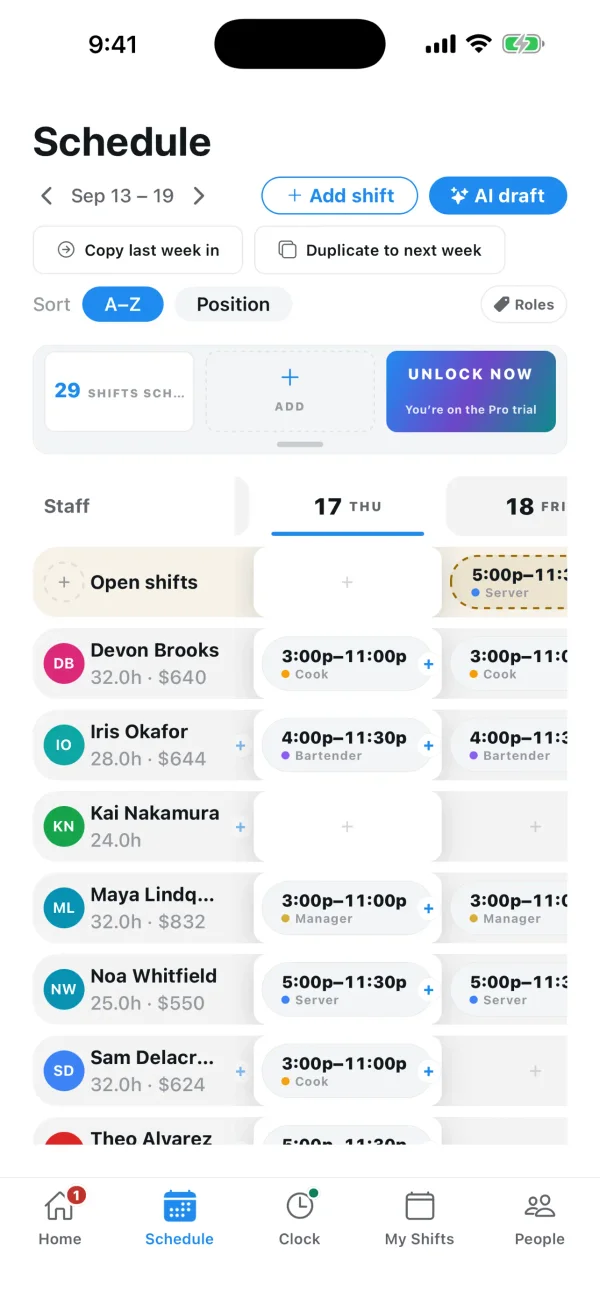
- A weekly grid built for real shifts - every person is a lane across the week, so you see who's on, spot the gaps, and tap to fill them. Rotate your phone or use an iPad for the full week at once.
- Kiosk Mode - turn a shared tablet at the shop into a time clock. Staff punch in and out with their own code; the device shows your logo and the posted week, and nothing else.
- Payroll for your accountant - upload your accountant's own spreadsheet once. The AI learns which column is which, then fills it in every pay period with hours, overtime and rates, keeping the CPA's own formatting and formulas. Anyone you pay by hand is flagged for you to fill in, never guessed.
SCHEDULING
- Week builder with roles, breaks, notes and repeat days
- Publish drafts when they're ready; copy last week in one tap
- Open shifts your team can claim or request; dropped shifts ringed on the schedule until someone covers them
- See who's in, who's late and who didn't show, right on the schedule
- Overtime, double-booking and time-off conflict warnings
TIME TRACKING
- One-tap clock in/out with breaks - on a phone or the shared kiosk
- Tap-to-clock NFC tags: stick one by the door and staff hold their phone to it
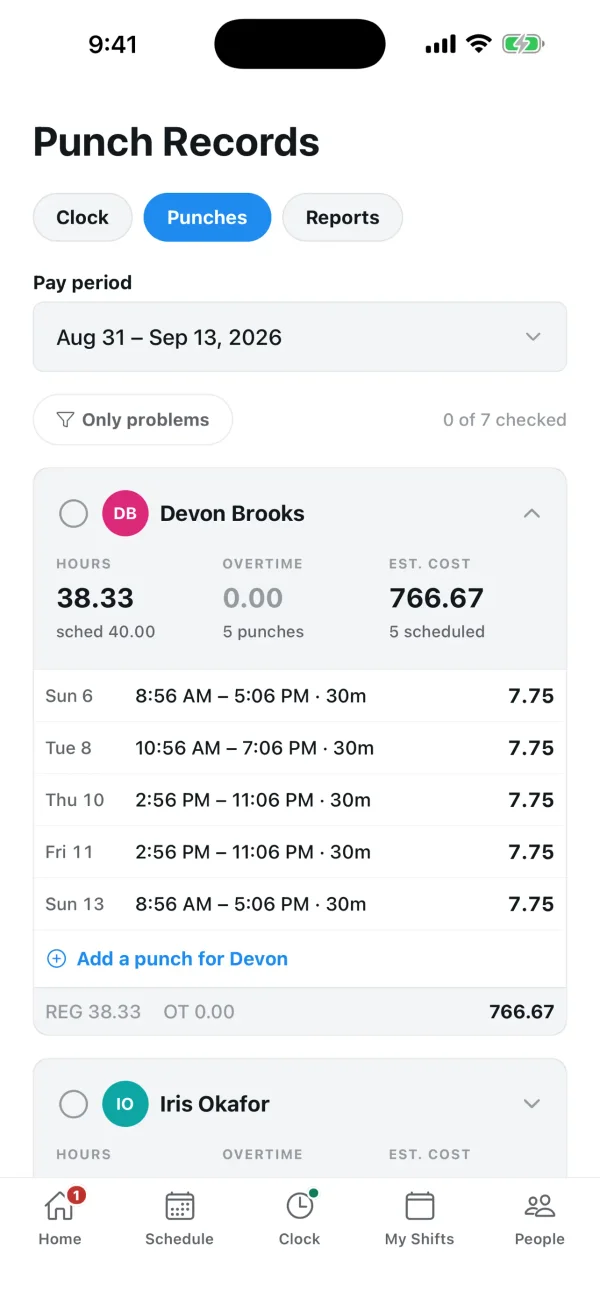
- Clock-in records by pay period: each person's hours, overtime and cost, with missed punches, forgotten clock-outs and mistaken taps named and fixable
- Accurate hours and weekly overtime, computed by the system, not guessed
- Audited manager edits - every change and deletion is logged for wage-dispute protection
- Tick off each pay period once it's sent to payroll
YOUR TEAM
- Staff see their schedule, clock in, swap shifts and request time off
- Bring your whole team over from a spreadsheet - check everyone before they're added, and invite them by email in one go
- Push notifications when schedules post and requests are decided
- Direct and group messaging between coworkers - replies, photos, pinned messages and mute
- Shared notes, team announcements, profile photos, and documents in folders shared by role or person
FOR MANAGERS & OWNERS
- Labor reports with hours, overtime and cost - and ask questions about a pay period in plain English
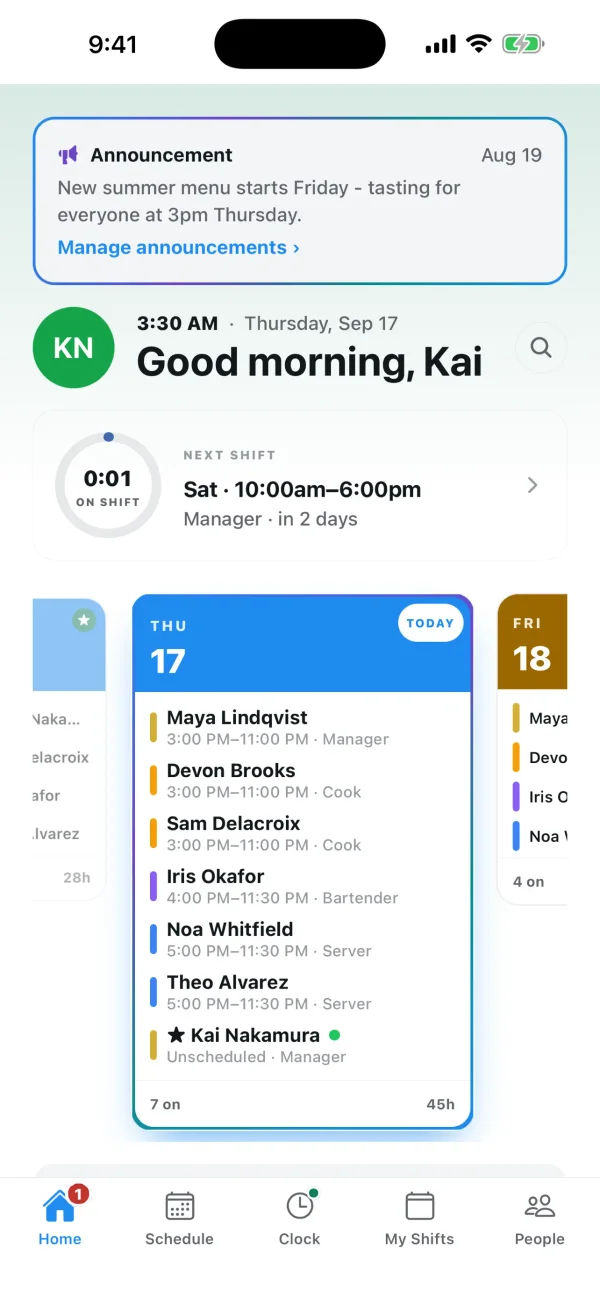
- A schedule dashboard you compose yourself from 20+ stat widgets
- Role-based permissions and store-wide rules (overtime, breaks, week start, payday)
- Nightly shift logs and one list of what needs your attention
Shift Agent is free to try for 30 days. Built to be powerful for managers and simple for staff.
Questions or feedback? Email support@moalab.ai.
SUBSCRIPTIONS
Shift Agent Standard is $39.99 per month and Shift Agent Pro is $89.99 per month, billed to your Apple Account. Only the business owner subscribes; staff logins are always free. Payment is charged at confirmation of purchase and renews automatically unless cancelled at least 24 hours before the end of the period. Manage or cancel in Settings > Apple Account > Subscriptions.
Terms of Use (EULA): https://www.apple.com/legal/internet-services/itunes/dev/stdeula/
Privacy Policy: https://moalab.ai/privacy
What’s new
Version 1.2.4 · Nov 20, 2026
- Shift Log: build your own end-of-shift form. Add questions where you want them, drag to reorder, and choose from ten kinds of answer.
- Paycheck estimates (Pro): owners can show staff their estimated take-home pay after taxes.
- Group chats: owners and managers can remove a member, and the People list shows everyone.
- Small fixes and polish.
App privacy
What daniel lee declares on the App Store about how this app handles data.
-
Data linked to you
May be collected and linked to your identity.
- Purchases
- Financial info
- Location
- Contact info
- User content
- Identifiers
- Other data
Privacy practices may vary, for example with the features you use or your age.
Information
- Seller
- daniel lee
- Category
- Business
- Version
- 1.2.4
- Updated
- Nov 20, 2026
- Released
- Sep 23, 2026
- Size
- 56.3 MB
- Requires
- iOS 16.4 or later
- Age rating
- 4+
- Price
- Free
- In-app purchases
- Yes
- Languages
- English
- Copyright
- © 2026 NS VENTURES LLC
You might also like
-
 Shift AgentScheduling and shift trading
-
 Fiduciary Financial AdvisorsFinance
-
 Waialua Federal Credit UnionFinance
-
 FHB Mobile BankingFinance
-
 Eze for iPhoneFinance
-
 GEONIX PROFleet management, maintenance
-
 Paraphrase: Rephrase Text ToolHumanizer, Rewritify, Grammar
-
 MicrotaskingEarn money with microtasks.
-
 MoneyMobileFinance
-
 Wallet - Digital Cards & IDsYour Cards & IDs, One Wallet