Shift Calendar: Hours & Widget
Rotation planner for nurses
Designed for iPhone, iPad
In-app purchases
- Age rating4+
- CategoryProductivity
- DeveloperDeokhyeon Kim
- LanguagesFrench+ 8 more
- Size6.6 MB
Links to the official App Store page
Download.org hosts no file of Shift Calendar: Hours & Widget. The button opens its official App Store page, published by Deokhyeon Kim. Listing last checked on Nov 23, 2026.
Screenshots

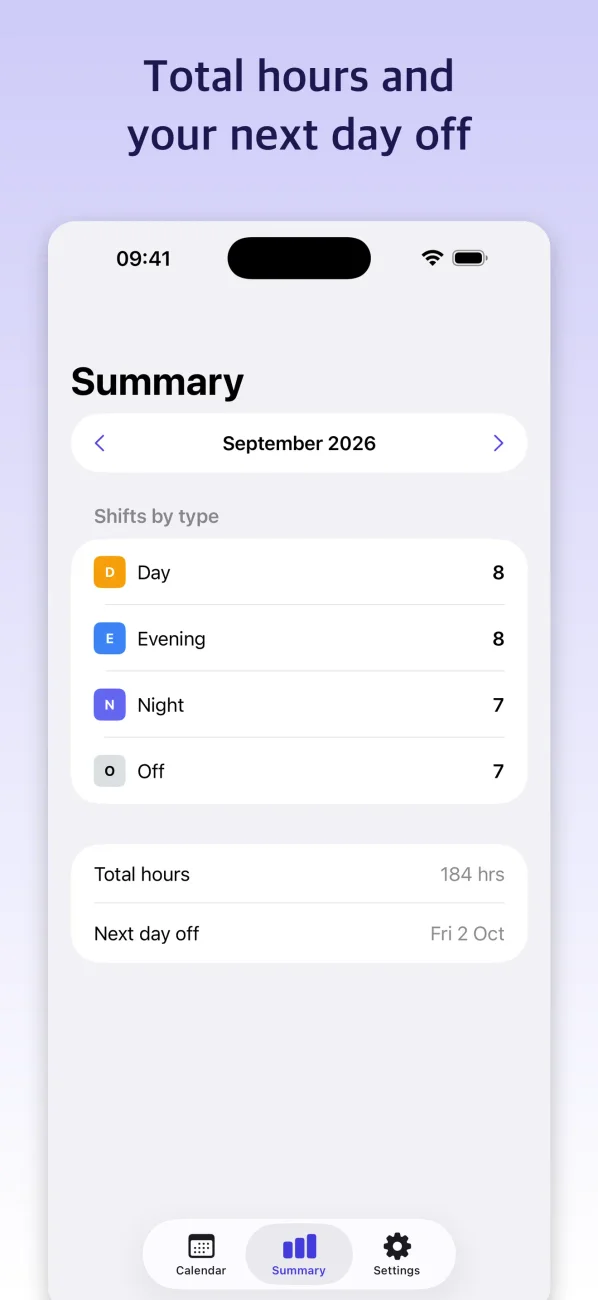
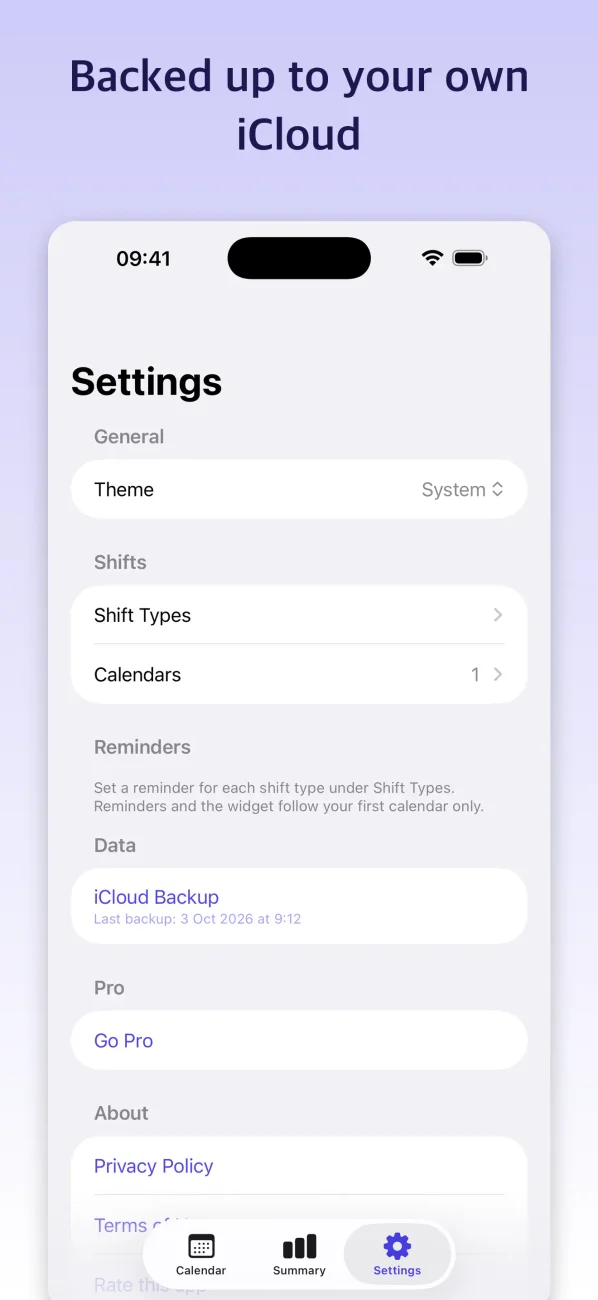
About
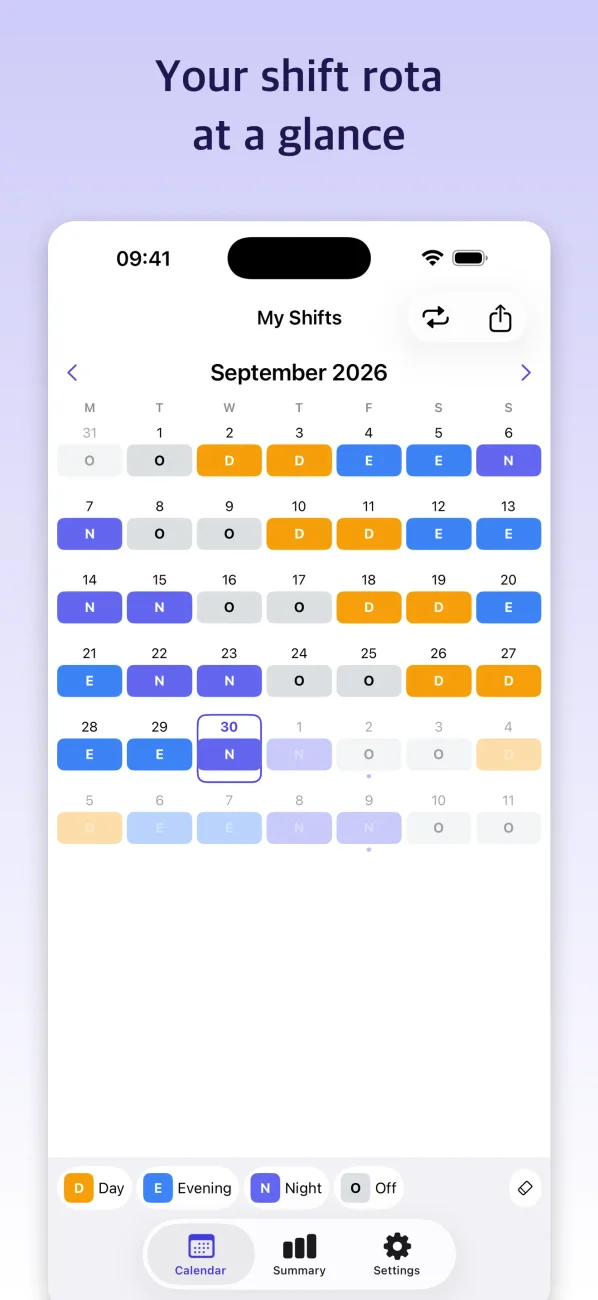
See your whole shift schedule on one calendar, and know at a glance when you work and when your next day off is.
Create your shift types – Day, Evening, Night and Off to start with – and tap days to paint them in. Fill a repeating rotation for months at a time, and set a reminder before a shift starts.
■ Made for
- Nurses and hospital staff on rotating shifts
- Shift workers in factories, services, police and fire departments
- Anyone who copies a rota into a diary by hand every month
■ Features
- Paint: pick a shift type and tap days; tap again to clear. There's an eraser too
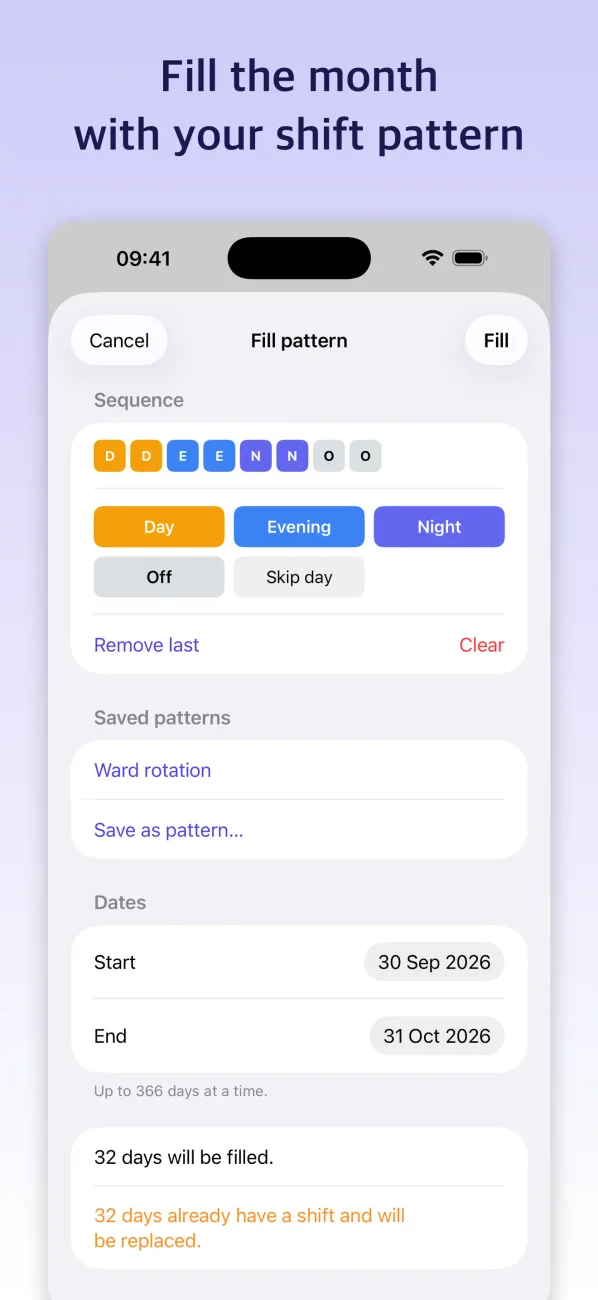
- Fill pattern: tap shift types in order to build a rotation, add "Skip day" for days left empty, and fill up to 366 days at a time from any start date. Save the patterns you use often
- Shift types with a name, a 2-character short label, a colour and set hours – including night shifts that end the next day
- A reminder for each shift type with set hours: at start time, or 15 minutes, 30 minutes, 1 hour, 90 minutes or 2 hours before
- A note for any day
- Summary for any month: shifts by type, total hours and your next day off
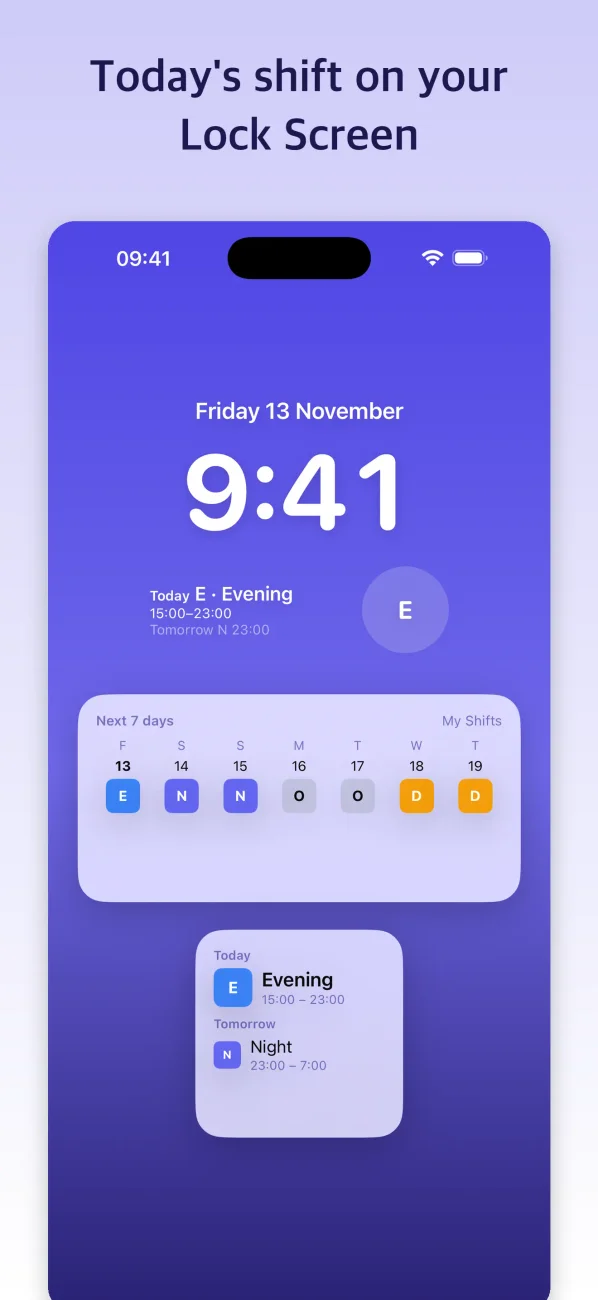
- Widgets: the next 7 days on your Home Screen, and today's and tomorrow's shift on your Lock Screen
- iCloud backup: automatic while you're signed in to iCloud; restore on a new device
Reminders and widgets follow your first calendar. Reminders are scheduled on your device, so open the app now and then to keep the later ones scheduled.
■ Privacy
Your shifts are stored on your device and never sent to our servers. While you're signed in to iCloud, a backup copy is kept in your own iCloud. No account needed. Where ad consent applies, you can change your choice under Ad privacy options in Settings.
■ Pricing
Free with ads and one calendar. Pro removes ads and unlocks multiple calendars (for family, colleagues or a second job), exporting your month as an image and a large widget with this month's shifts. Get Pro with a monthly or yearly subscription, or with a one-time lifetime purchase. Subscriptions renew automatically unless cancelled at least 24 hours before the end of the current period. Payment is charged to your Apple Account; manage or cancel your subscription in Settings.
Terms of Use (EULA): https://www.apple.com/legal/internet-services/itunes/dev/stdeula/
Privacy Policy: https://donald-deok.github.io/app-privacy/shift_calendar_ios.html
What’s new
Version 1.0.6 · Nov 13, 2026
Minor improvements.
App privacy
What Deokhyeon Kim declares on the App Store about how this app handles data.
-
Data used to track you
May be used to track you across apps and websites owned by other companies.
- Identifiers
- Usage data
-
Data not linked to you
May be collected but is not linked to your identity.
- Location
- Identifiers
- Usage data
- Diagnostics
Privacy practices may vary, for example with the features you use or your age.
Information
- Seller
- Deokhyeon Kim
- Category
- Productivity
- Version
- 1.0.6
- Updated
- Nov 13, 2026
- Released
- Oct 5, 2026
- Size
- 6.6 MB
- Requires
- iOS 17.0 or later
- Age rating
- 4+
- In-app purchases
- Yes
- Languages
- French, German, English, Simplified Chinese, Traditional Chinese, Korean, Spanish, Japanese, Portuguese
- Copyright
- © 2026 Deokhyeon Kim
You might also like
-
 Turno: Shift Rota PlannerWork Calendar, Hours & Pay
-
 Rotaro: Shift Work CalendarRota, cycles and reminders
-
 Jornea: Shift Work CalendarRota, swaps and work hours
-
 Turnavo: Shift CalendarWork Schedule: DuPont, Pitman
-
 Spunto: Smarter NotesNotes that organize themselves
-
 Hodie: Does It Fit TodayEmpty calendar ≠ free day
-
 Turnada: Shift Work CalendarShift planner, pay & hours
-
 Shiftora: Shift CalendarWork Schedule & Hours Tracker
-
 Shift Calendar: Work ScheduleRotation Planner for Nurses
-
 What to do? - Do what mattersPriority based on time passed