
Spunto: Smarter Notes
Notes that organize themselves
Designed for iPhone, iPad, Mac
Free · In-app purchases
- Age rating4+
- CategoryProductivity
- DeveloperEduardo Cedillo Martinez
- LanguagesEnglish+ 6 more
- Size40.1 MB
Links to the official App Store page
Download.org hosts no file of Spunto: Smarter Notes. The button opens its official App Store page, published by Eduardo Cedillo Martinez. Listing last checked on Nov 23, 2026.
Screenshots



About
Spunto is the notes app that organizes itself. Write “Lunch with Ana Friday at 2” and save. Spunto files the note with your other notes about Ana and gets the calendar event ready for you to add. Nothing reaches your calendar until you tap.
Spunto runs on Apple Intelligence. Reading your notes, suggested actions, organization, summaries and Ask need a compatible iPhone, iPad, Mac or Apple Vision Pro with Apple Intelligence turned on. Your notes are stored on your devices and in your own iCloud.
From a note to the next step
Write a plan, an idea, or something you want to remember. Apple Intelligence can suggest a reminder, calendar event, contact, place, message draft, music, and more. Tap the ones you want to use. Name a song with its artist and it’s ready to play, or to add to your Apple Music library. Ideas and observations can simply stay notes.
Find what you meant
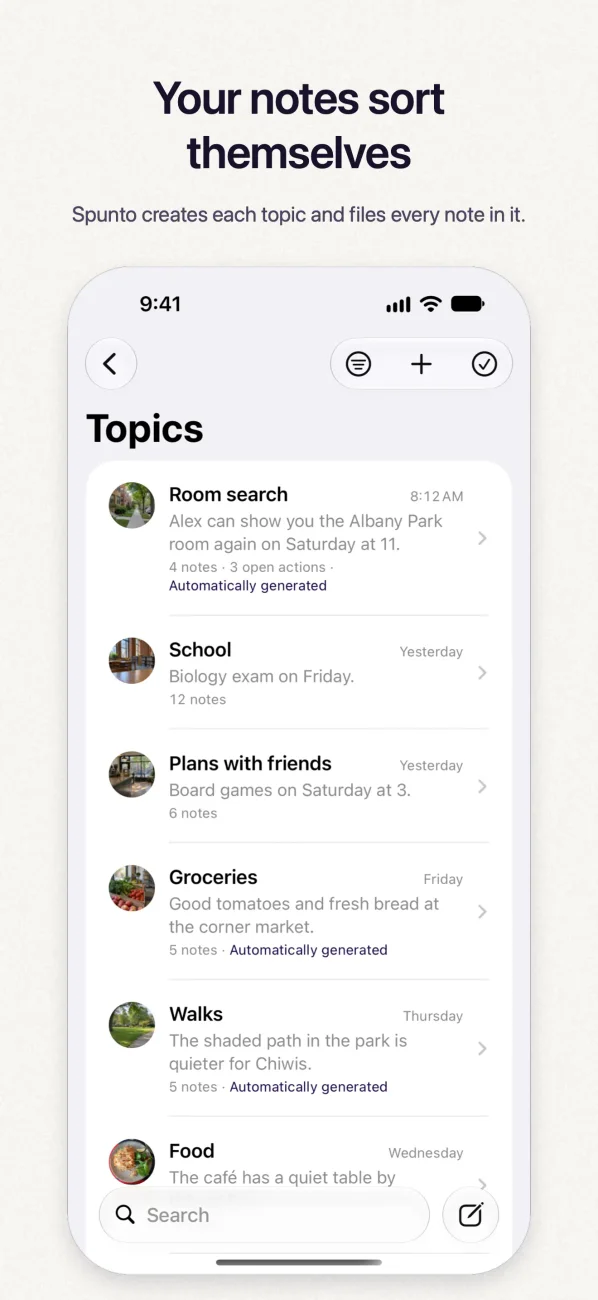
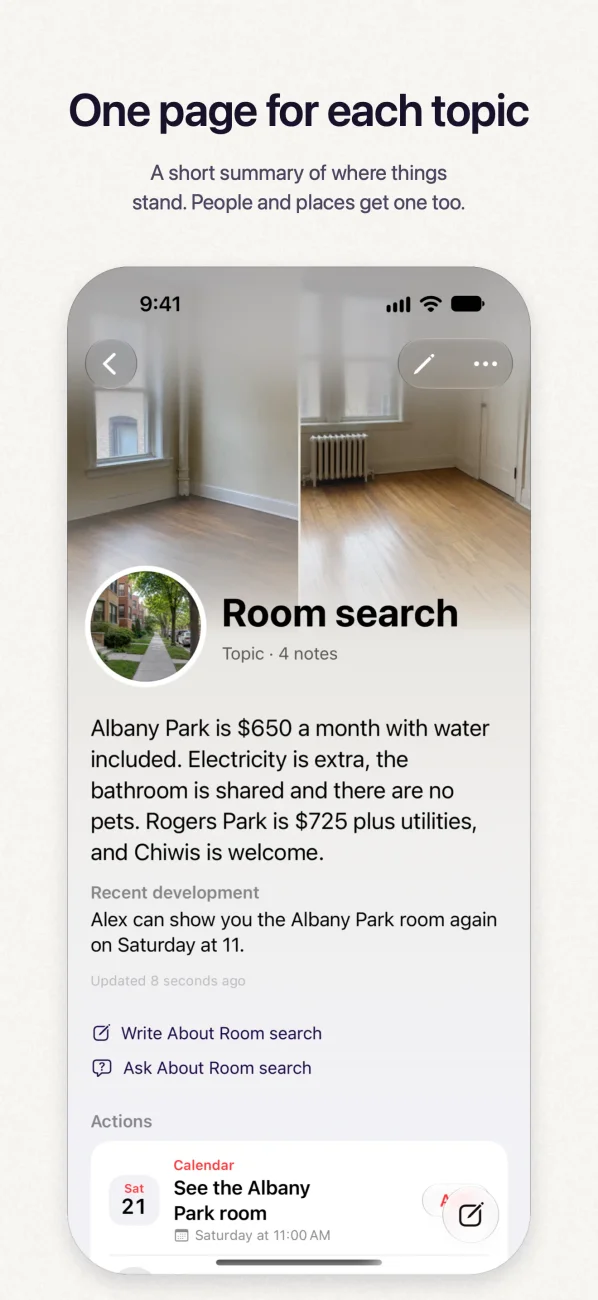
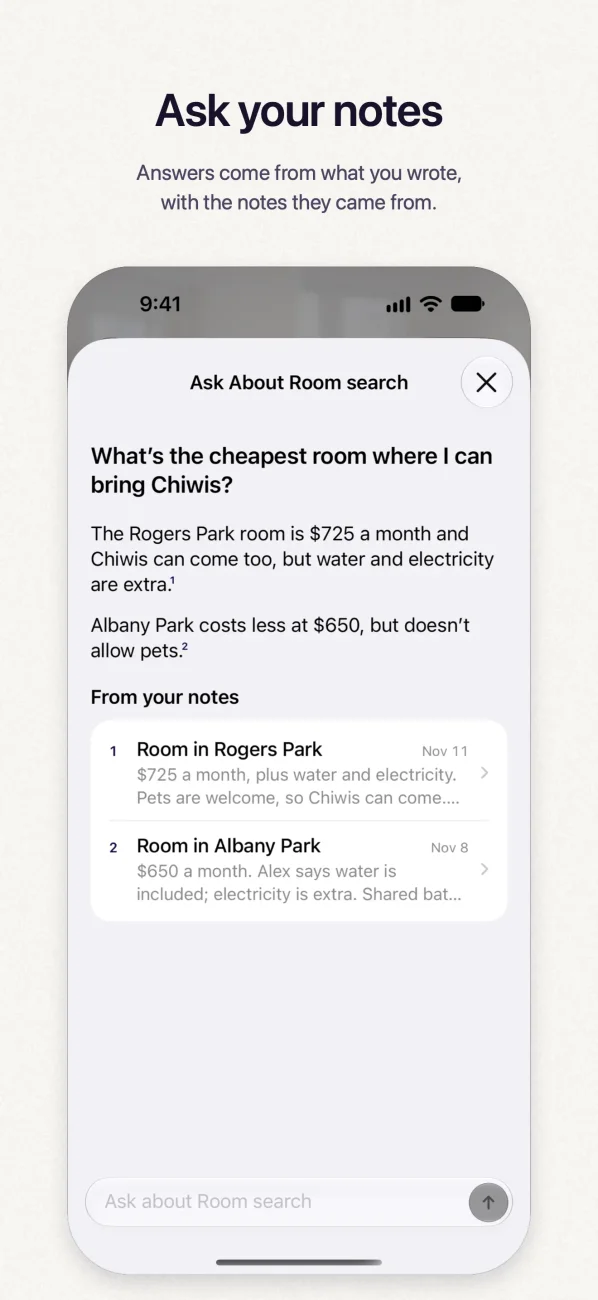
Your Library brings notes together around people, places, and topics. Return to a subject to see its notes and a summary with sources. Related notes help you pick up an earlier thread, and your filing corrections guide future organization. Search your notes or ask a question about them.
A sky of your own
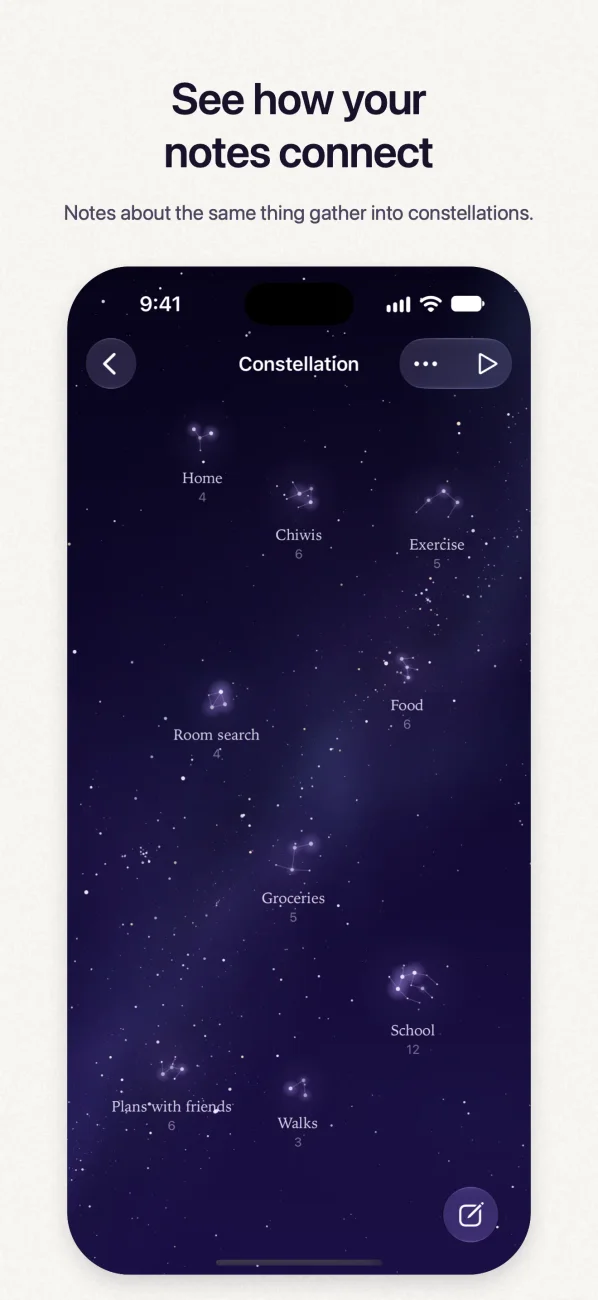
Notes about the same thing gather into constellations, and Spunto names each one. The newest notes shine brightest, and lines join notes that belong together. A note that answers, updates or disagrees with another says so. You can rename a constellation, merge two, or move a note to another. Share the sky as a star chart that shows stars and the month, never what your notes say. It uses Private Cloud Compute and starts once you have 50 notes.
Keep the context
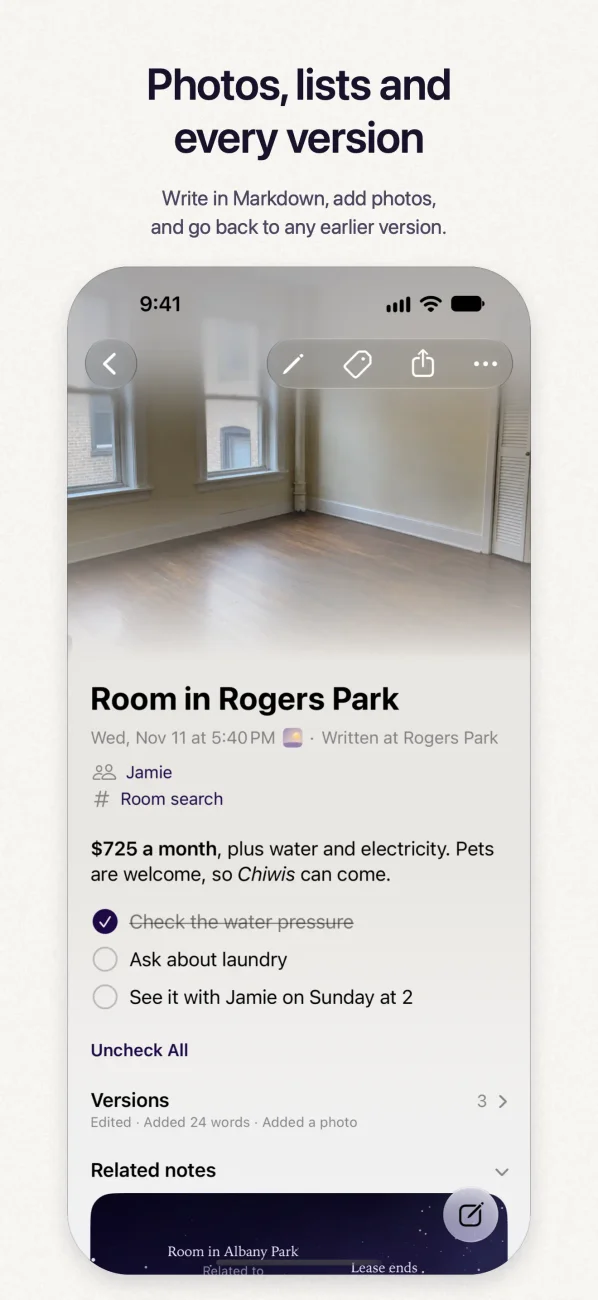
Add photos, scan a document, attach a file, or record a thought. Share a screenshot to Spunto and it waits beside the note you write for it; a shortcut can end in Spunto too, photos and PDFs included. Swipe through a note’s photos in Cover Flow.
See how your thinking changes
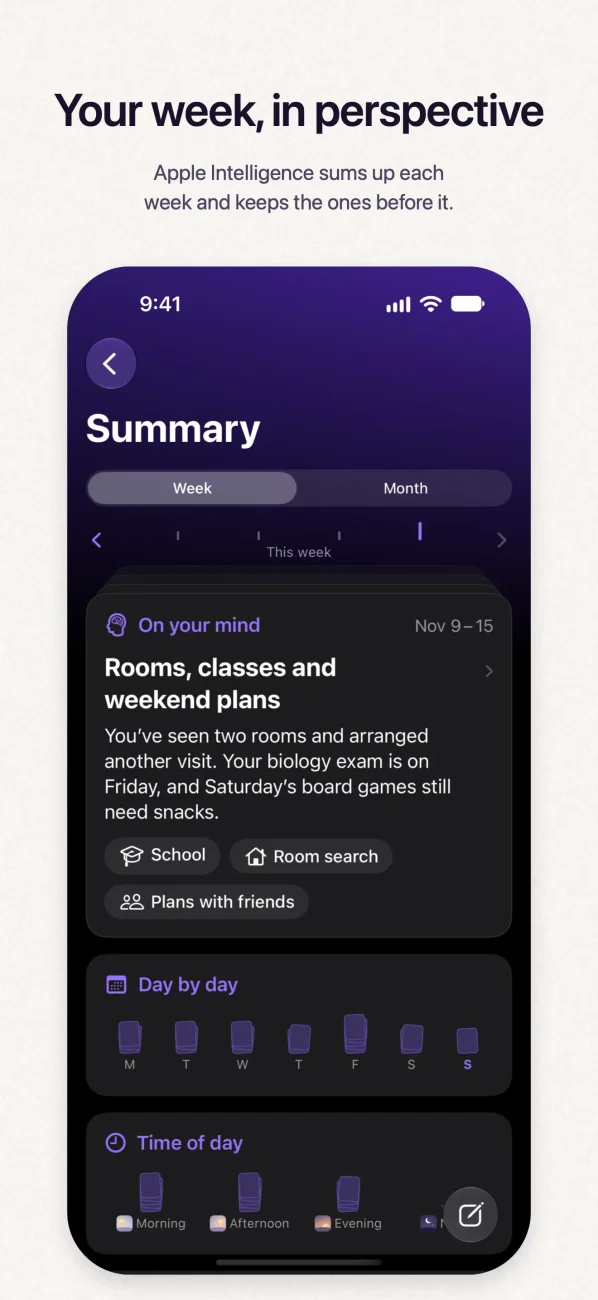
Browse earlier versions of your writing and restore one when you need it. Weekly and monthly summaries show what’s been on your mind, what’s settled, what’s still open and where you changed your mind. A map shows where you wrote them, if you choose to keep the place.
At home on your Apple devices
Write on iPhone, iPad, Mac, or Apple Vision Pro, and capture a quick thought on Apple Watch. Notes sync through your personal iCloud account. Widgets, Siri, Shortcuts, Spotlight, Handoff, and keyboard shortcuts keep capture and retrieval close at hand. Available features vary by device. On iPhone Duo, personalize the cover and open your week as a notebook.
Apple Intelligence, with your privacy in mind
Spunto uses Apple’s Private Cloud Compute when available, with the on-device model as backup. Private Cloud Compute processes requests without storing them or making them accessible to Apple. Ask requires Private Cloud Compute. Photo reading requires a vision-capable model. Apple Intelligence availability depends on your device, language, and region.
Try it free for 14 days
Spunto is a free download with a 14-day free trial. After that, a one-time in-app purchase unlocks it on your Apple devices. No subscription or note limit. Without the trial or the purchase, your notes stay readable, searchable and exportable, and you can still complete actions or delete content; creating and editing notes need an active trial or the purchase. Restore Purchases is in Settings and on the unlock screen.
Requires iOS 27, iPadOS 27, macOS 27, or visionOS 27. Apple Watch requires watchOS 26. Most features require a compatible device with Apple Intelligence turned on.
What’s new
Version 1.0.3 · Nov 19, 2026
A clearer start: the first screen shows a note becoming a calendar event, and the free trial comes right after the two short examples.
Browsing a large library is lighter on your device, and every language reads more naturally.
App privacy
What Eduardo Cedillo Martinez declares on the App Store about how this app handles data.
-
Data not collected
The developer does not collect any data from this app.
Privacy practices may vary, for example with the features you use or your age.
Information
- Seller
- Eduardo Cedillo Martinez
- Category
- Productivity
- Version
- 1.0.3
- Updated
- Nov 19, 2026
- Released
- Nov 8, 2026
- Size
- 40.1 MB
- Requires
- iOS 27.0 or later
- Age rating
- 4+
- Price
- Free
- In-app purchases
- Yes
- Languages
- English, French, German, Japanese, Portuguese, Simplified Chinese, Spanish
- Copyright
- © 2026 Eduardo Cedillo Martinez
You might also like
-
 Ca.denceKnow what your day looks like
-
 ReMind: Habit & Task TrackerDaily Planner, Routine & Focus
-
 Tasks for PebbleLists on your wrist
-
 iknowpcJobs, timesheets, calls, chat
-
 Atelier FolioCalendar, lists, alarms, notes
-
 Tempo: AI PlannerTasks, notes and daily plans
-
 Loam – Markdown NotesWrite, link, sync and share
-
 ぺたっとメモProductivity
-
 Notepad - Reminder boardLock Screen reminder board
-
 Articles Read Aloud - TunereadText to speech for long reads