Shift Pay Audit
Estimate and compare shift pay
Designed for iPhone
In-app purchases
- Age rating4+
- CategoryFinance
- Developer于川 曹
- LanguagesEnglish
- Size50.2 MB
Links to the official App Store page
Download.org hosts no file of Shift Pay Audit. The button opens its official App Store page, published by 于川 曹. Listing last checked on Nov 10, 2026.
Screenshots

About
Keep a clear record of the shifts you worked, the pay rules you used, and the gross pay you expect.
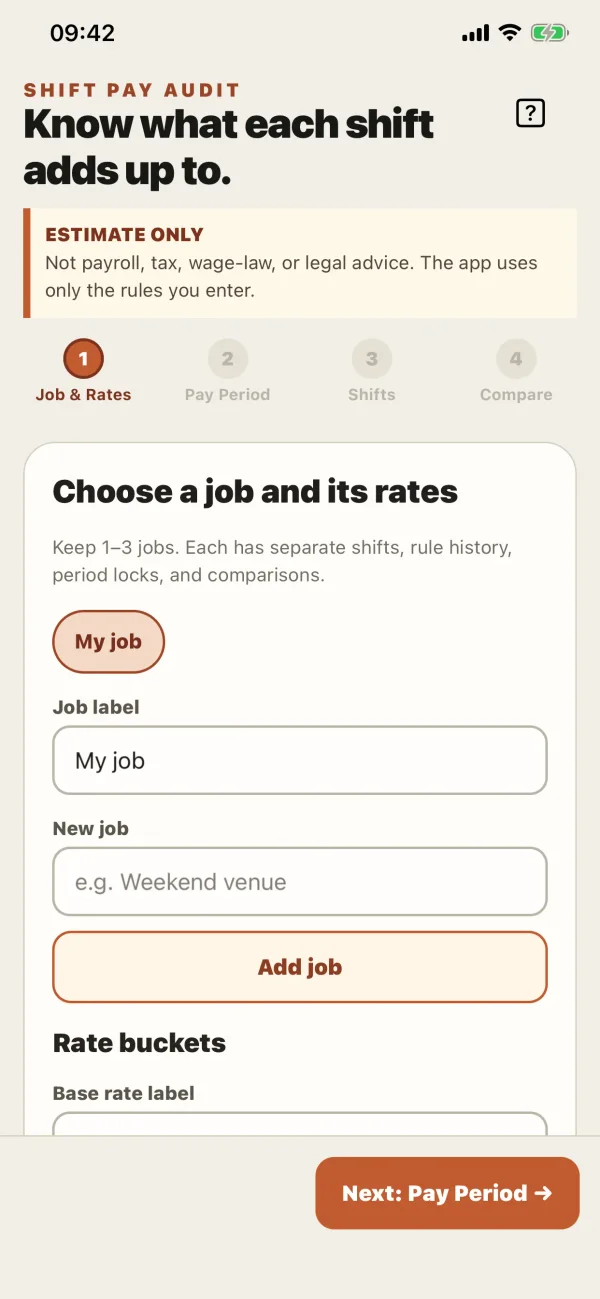
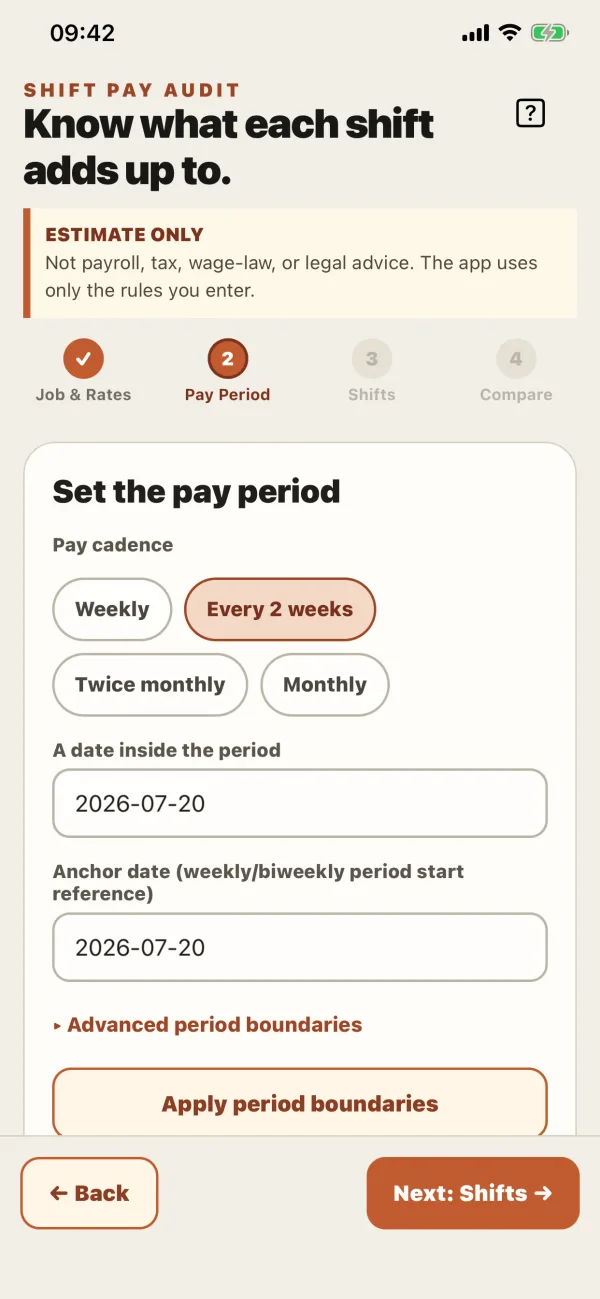
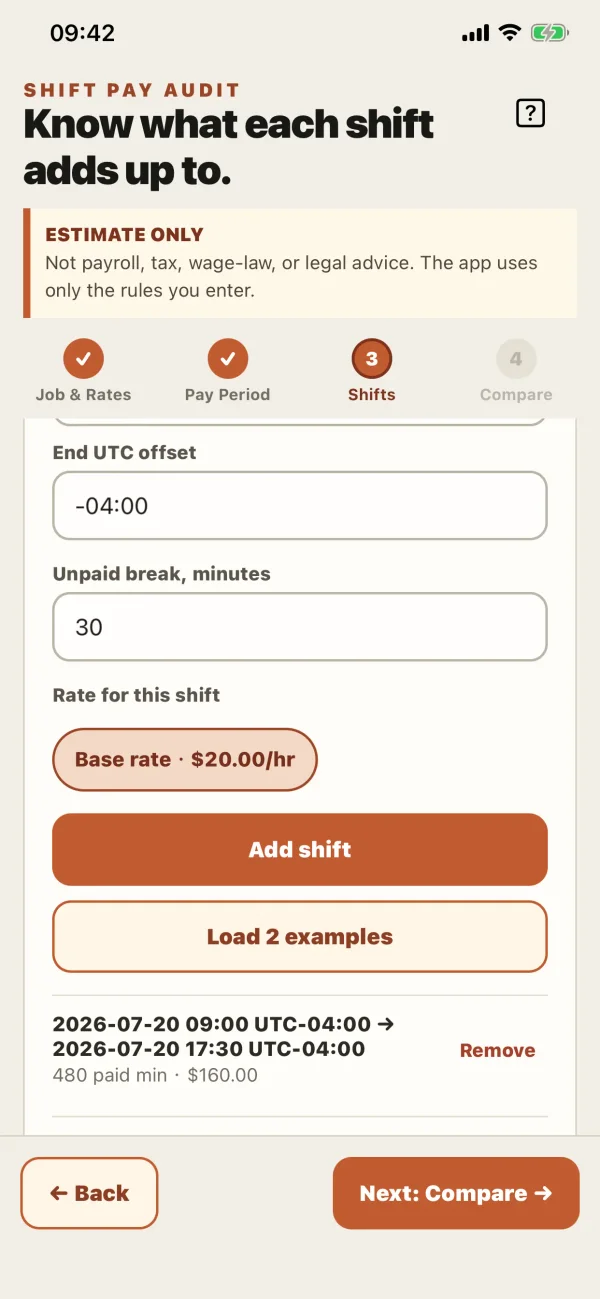
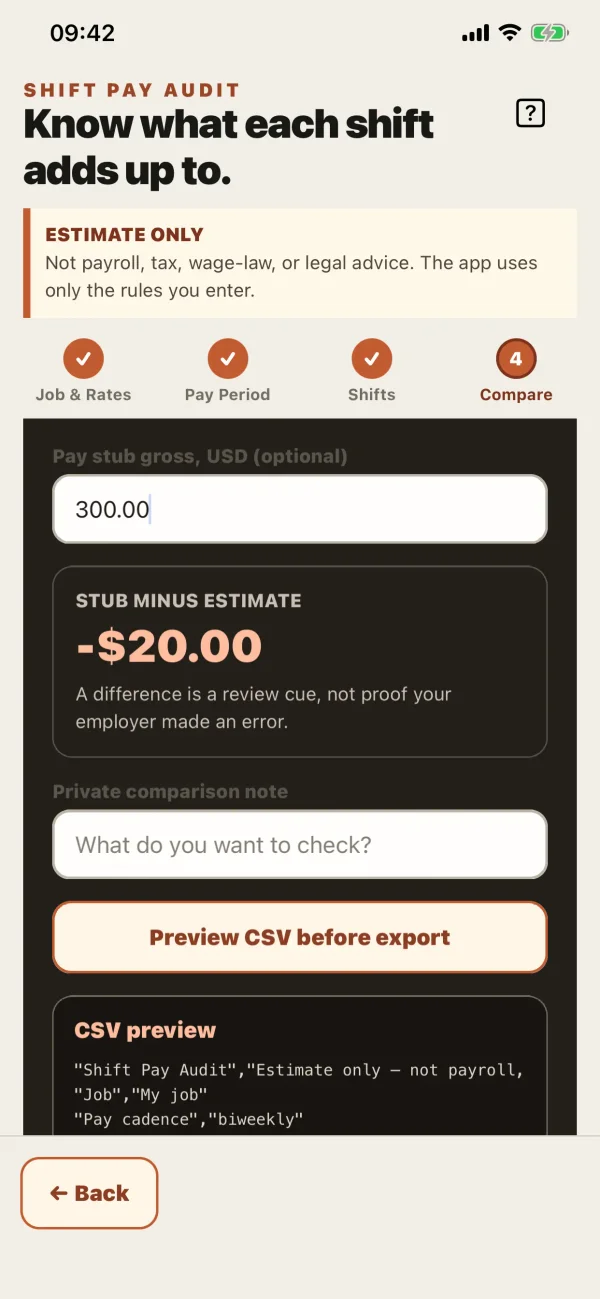
Shift Pay Audit is for people who want to check their own record before they ask payroll a question. Set up a job, choose a pay period, add your shifts, and compare your estimate with the gross amount on your stub. It is deliberately a record-and-review tool — not a time clock, payroll service, tax calculator, or legal service.
HOW IT WORKS
• Add a job with its hourly rate and overtime rule.
• Choose a pay schedule and see the period boundaries before you log anything.
• Record regular, split, or overnight shifts. Each entry keeps its UTC offset, so the app never guesses at daylight-saving changes.
• Review paid hours, gross pay, rounding, and overtime line by line.
• Enter the gross amount from your pay stub to see the difference beside your own estimate.
USEFUL WHEN YOU
• Work more than one job or use different hourly rates.
• Need to keep a personal record of overnight shifts or changing pay rules.
• Want a CSV that shows the shifts and rules behind an estimate.
• Prefer to check your record privately before you contact payroll.
FREE AND LIFETIME PRO
Start with one complete job and your latest pay period. Lifetime Pro is a one-time purchase that adds up to three jobs, custom rate and overtime rules, full history, and CSV export. There are no subscriptions. If you bought Shift Pay Audit 1.0, your existing purchase keeps Lifetime Pro access after updating.
PRIVATE BY DEFAULT
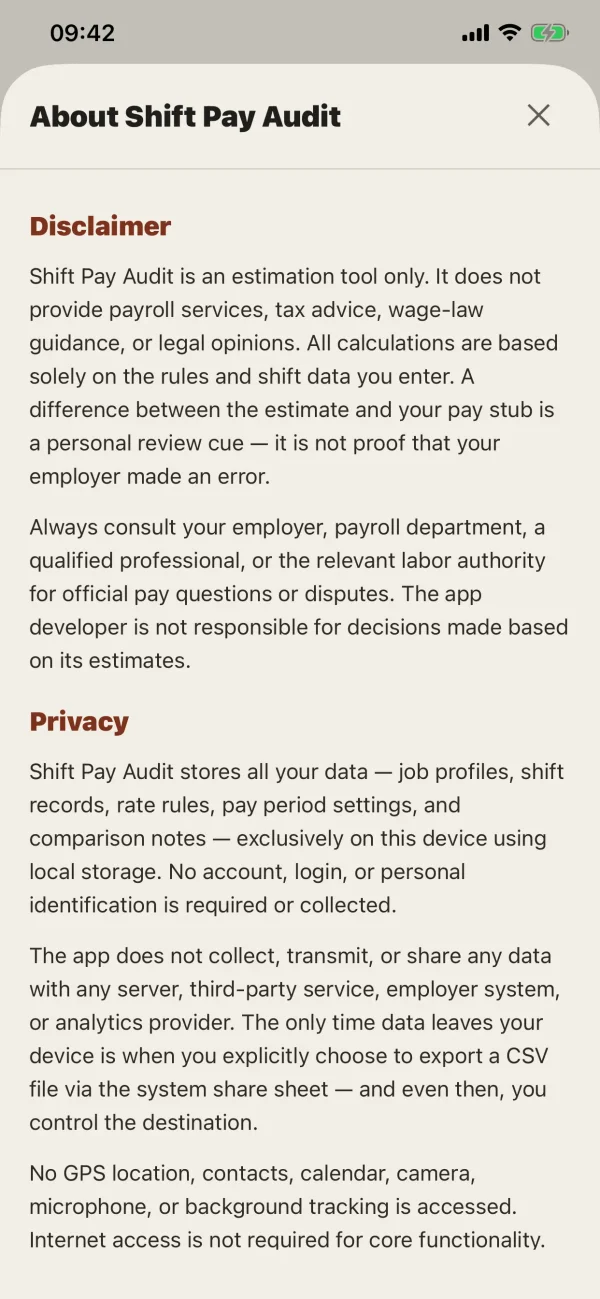
Your jobs, shifts, rates, and notes stay on your device. No account, employer login, ads, cloud sync, or analytics service is required. If you export a CSV, you choose where it goes. Purchases and Restore Purchases are handled by Apple through the App Store; Shift Pay Audit does not receive your payment-card details.
A NOTE ABOUT ESTIMATES
Your result is based on the shift data and rules you enter. A difference from a pay stub is a prompt to review the details — it does not prove a payroll mistake and is not tax, wage-law, or legal advice.
What’s new
Version 1.1 · Aug 12, 2026
Version 1.1 makes the four-step pay check easier to follow, adds a Free tier and a one-time Lifetime Pro unlock, and keeps version 1.0 purchasers on Pro after they update.
App privacy
What 于川 曹 declares on the App Store about how this app handles data.
-
Data not collected
The developer does not collect any data from this app.
Privacy practices may vary, for example with the features you use or your age.
Information
- Seller
- 于川 曹
- Category
- Finance
- Version
- 1.1
- Updated
- Aug 12, 2026
- Released
- Aug 4, 2026
- Size
- 50.2 MB
- Requires
- iOS 16.4 or later
- Age rating
- 4+
- In-app purchases
- Yes
- Languages
- English
- Copyright
- © 2026 Yuchuan Cao
You might also like
-
 ShiftWorth - Hours & PayTrack shifts, pay & overtime
-
 PayDockBill tracker & login vault
-
 Split Shopping ExpensesGrocery Bills, Split Fairly
-
 FinRoute Saving PlannerSave Smarter, Live Better
-
 Kept: Expense & Budget TrackerMoney Manager & Budget Planner
-
 SubRadar: Track SubscriptionsTrack bills & cancel trials
-
 Simple Crypto PortfolioPrivate Crypto Tracker
-
 Light Flow: Easy Cash TrackerMinimalist. Offline. Private.
-
 StatementSnap: Bank to ExcelPDF Statement Converter & CSV
-
 GrocSnap: Grocery TrackerScan Receipts & Compare Prices