
Shift Worker - Work Calendar
Schedule Tracker and Planner
Designed for iPhone, iPad
Free · In-app purchases
- Age rating4+
- CategoryBusiness
- DeveloperDLY
- LanguagesEnglish
- Size8.4 MB
Links to the official App Store page
Download.org hosts no file of Shift Worker - Work Calendar. The button opens its official App Store page, published by DLY. Listing last checked on Nov 15, 2026.
Screenshots

About
SHIFT WORKER - THE COMPLETE SHIFT SCHEDULING SOLUTION
Designed for healthcare professionals, retail workers, hospitality staff, and anyone working rotating shifts. Shift Worker helps you track your work schedule, plan time off, and never miss a shift with smart notifications.
WHY SHIFT WORKERS LOVE THIS APP
Thousands of nurses, doctors, retail employees, factory workers, and security personnel use Shift Worker to manage their complex schedules. Whether you work night shifts, rotating patterns, or irregular hours, our app keeps you organized and in control.
POWERFUL FEATURES
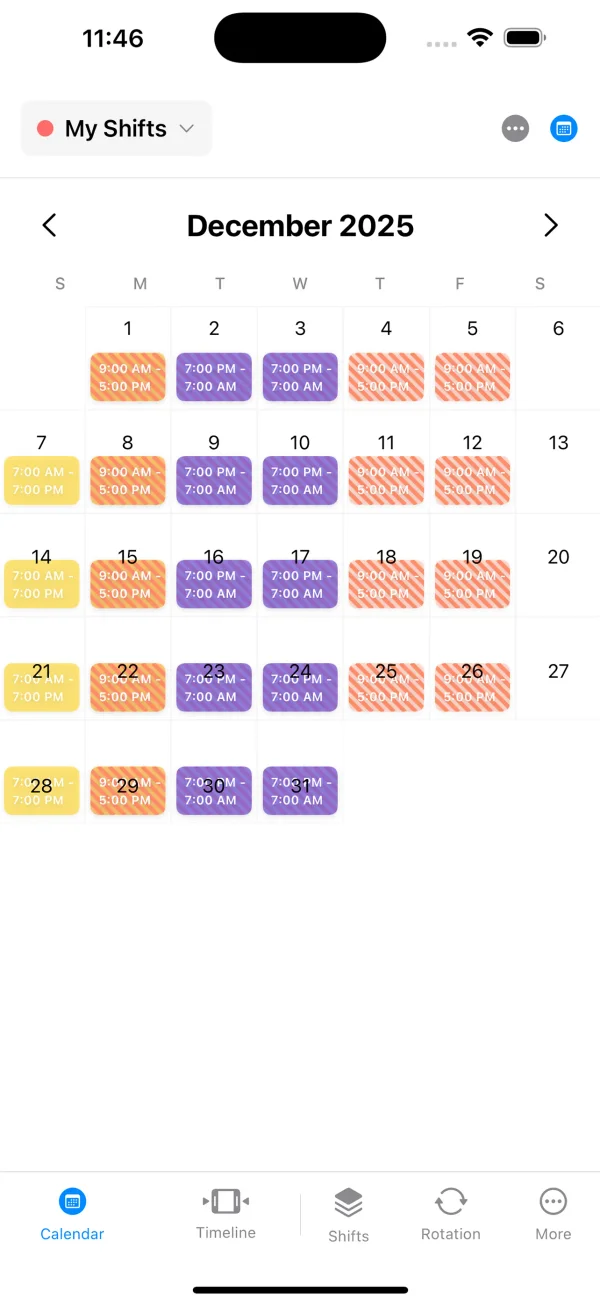
Visual Calendar View
- See your entire month at a glance with color-coded shifts
- Easily identify work days, days off, and shift patterns
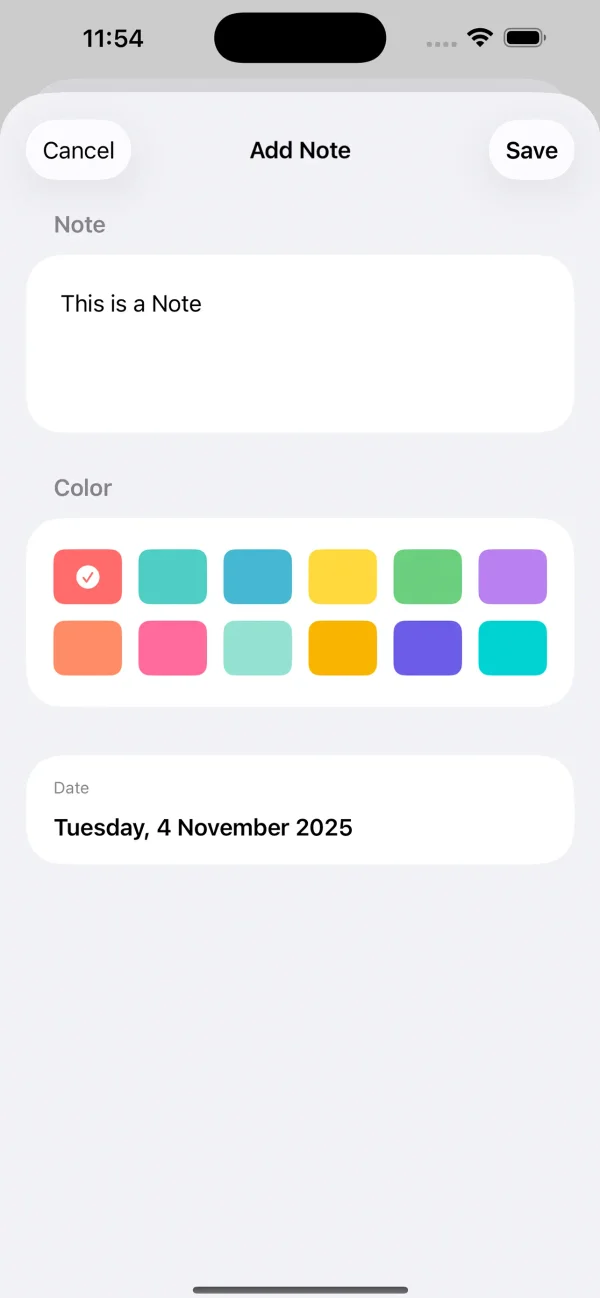
- Custom shift types with personalized colors and icons
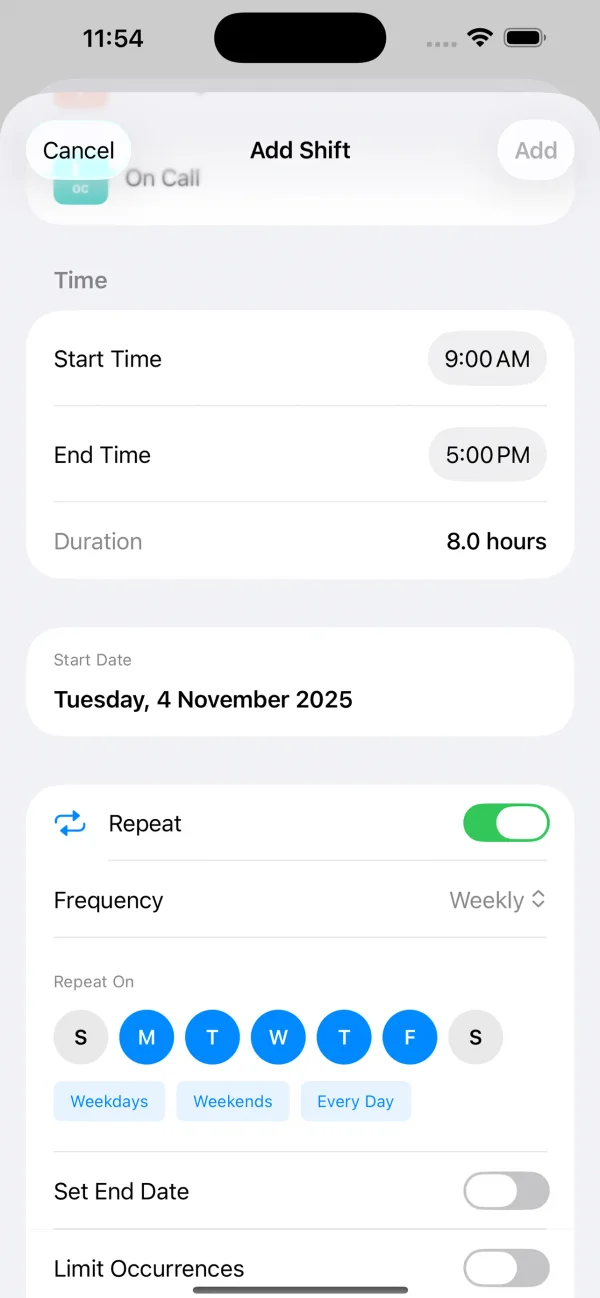
- Recurring shift patterns for repeating schedules
Smart Shift Management
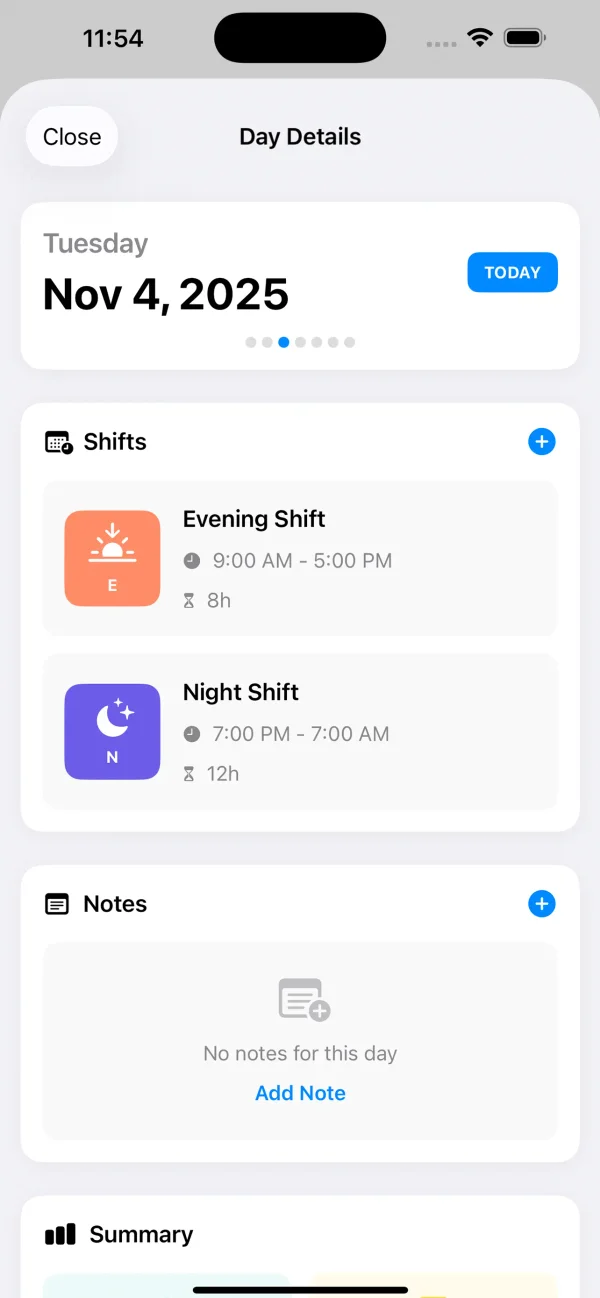
- Create unlimited shift types for different roles
- Set custom start and end times for each shift
- Add notes and reminders to specific shifts
- Track multiple jobs with separate calendars
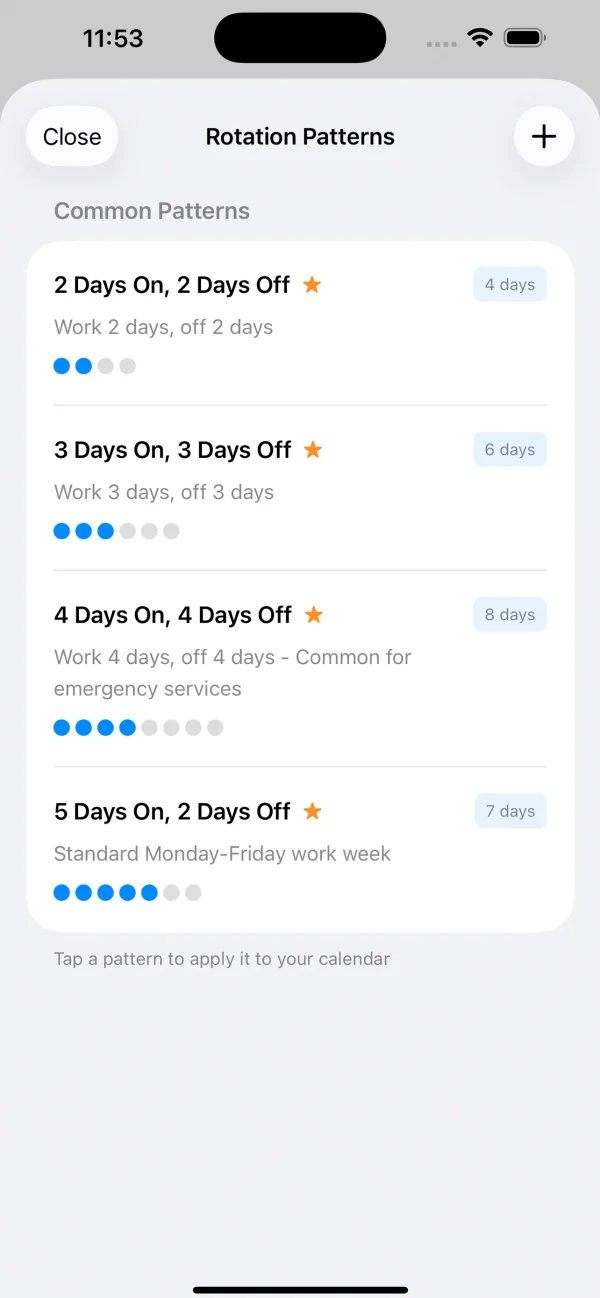
Rotation Pattern Automation
- Build complex rotation patterns once, apply forever
- Support for weekly, biweekly, and custom rotations
- Automatic shift scheduling based on your pattern
- Perfect for 2-week, 4-week, or longer rotation cycles
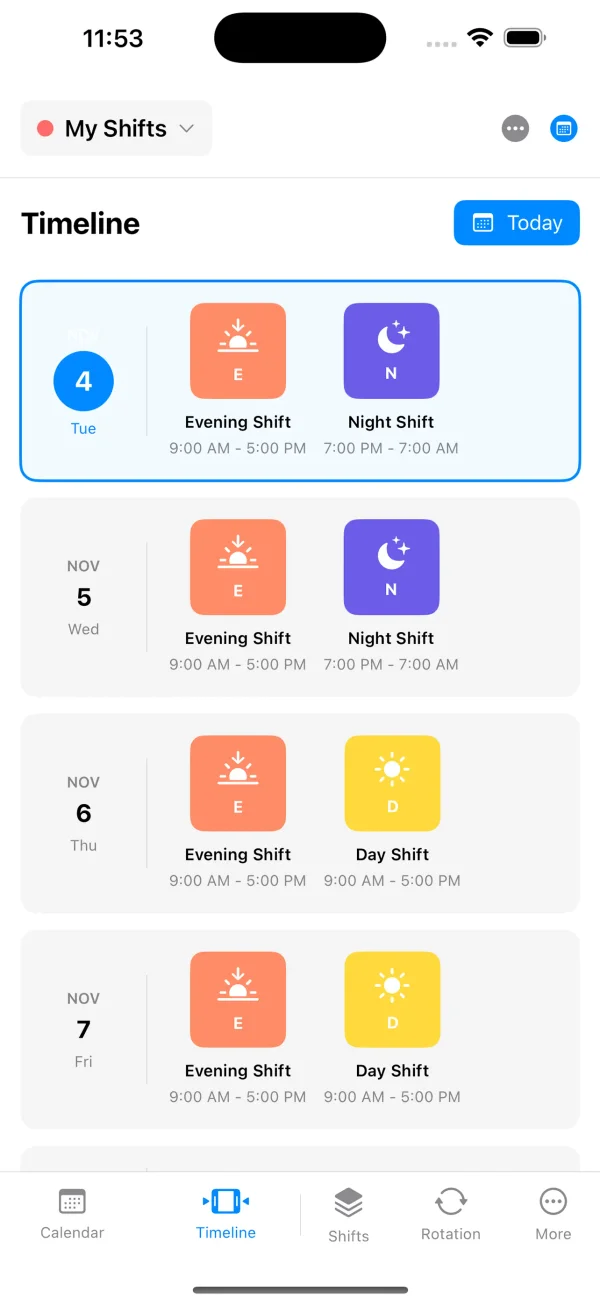
Timeline View
- Vertical scrolling timeline shows past and future shifts
- Quickly review your work history
- Plan ahead with 120-day future view
- Filter by shift type or calendar
Notification System
- Customizable reminders before each shift starts
- Day-before notifications at your preferred time
- End-of-shift notifications
- Weekly schedule summaries
- Never miss a shift again
Analytics and Insights
- Track total hours worked per week and month
- View shift distribution and patterns
- Analyze work-life balance metrics
- Export reports for taxes or reimbursement
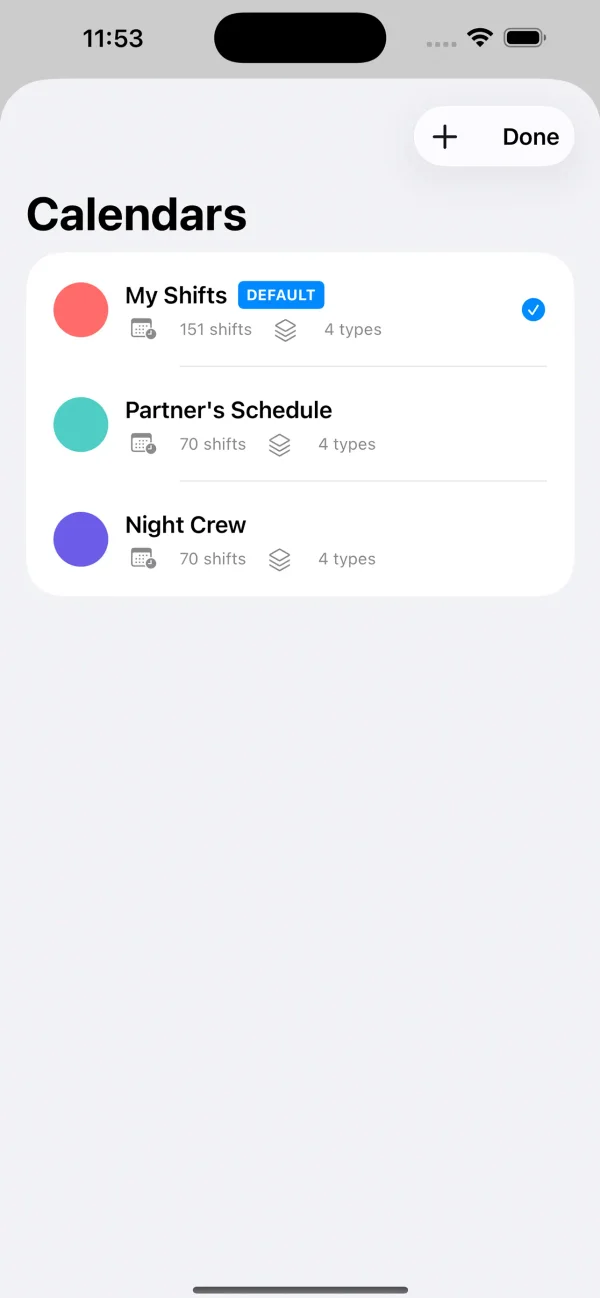
Multiple Calendars
- Manage schedules for multiple jobs
- Track family members schedules
- Separate work and personal calendars
- Color-coded for easy identification
Export and Backup
- Export schedules as images for sharing
- JSON export for data backup
- Share your calendar with family or colleagues
- Import existing schedules
Lock Screen Wallpaper
- Generate beautiful shift calendar wallpapers
- Always see your schedule on your lock screen
- Customizable colors and layouts
- Updates automatically with your shifts
PERFECT FOR
Healthcare Professionals
- Nurses managing 12-hour rotating shifts
- Doctors with on-call schedules
- Medical assistants with varying hours
- Hospital staff with night shift rotations
Retail and Hospitality
- Store associates with changing schedules
- Restaurant servers on rotating shifts
- Hotel staff with irregular hours
- Sales floor workers
Industrial and Manufacturing
- Factory workers on 3-shift rotation
- Warehouse staff with varied schedules
- Production line workers
- Quality control inspectors
Emergency Services
- Police officers on patrol schedules
- Firefighters with 24-hour shifts
- EMTs and paramedics
- Dispatchers and operators
Other Professions
- Security guards with night shifts
- Customer service representatives
- Call center employees
- Transportation and logistics workers
- Anyone working non-standard hours
EASY TO USE
1. Create your shift types with custom names, colors, and times
2. Add shifts to your calendar with a simple tap
3. Set up rotation patterns for automatic scheduling
4. Enable notifications to never miss a shift
5. View analytics to understand your work patterns
Terms of Use:
https://www.apple.com/legal/internet-services/itunes/dev/stdeula/
App privacy
What DLY declares on the App Store about how this app handles data.
-
Data used to track you
May be used to track you across apps and websites owned by other companies.
- Location
- Identifiers
- Usage data
- Diagnostics
-
Data linked to you
May be collected and linked to your identity.
- Location
- Identifiers
- Usage data
- Diagnostics
Privacy practices may vary, for example with the features you use or your age.
Information
- Seller
- Worthy Infotech Limited
- Category
- Business
- Version
- 1.0.0
- Updated
- Nov 5, 2025
- Released
- Nov 5, 2025
- Size
- 8.4 MB
- Requires
- iOS 17.6 or later
- Age rating
- 4+
- Price
- Free
- In-app purchases
- Yes
- Languages
- English
- Copyright
- © DLY
You might also like
-
 ShiftMap - Shift CalendarSmart Work Schedule Planner
-
 My Shift Work CalendarRotating Schedule Planner
-
 ShiftCal - Work ScheduleWork Schedule: Shift Tracker
-
 ShiftBeeDaily shift planner & PDF tool
-
 Attendance Register Monitor HRMonitor HR
-
 ShiftSync: Nurse ShiftsShift calendar for nurses
-
 Thinstaff for NursingOrganizing Nursing Staff
-
 Easy Advising ConsultantConsultation Management App
-
 Roster AIAI Dating Coach & Chat Helper
-
 Cadence: Am I On or OffShift rotation calendar