
ShiftLine: Work Shift Calendar
Rotation Roster Hours Pay
Designed for iPhone
Free · In-app purchases
- Age rating4+
- CategoryProductivity
- DeveloperDheeraj Sharma
- LanguagesEnglish
- Size11.5 MB
Links to the official App Store page
Download.org hosts no file of ShiftLine: Work Shift Calendar. The button opens its official App Store page, published by Dheeraj Sharma. Listing last checked on Nov 17, 2026.
Screenshots

About
ShiftLine is a work shift calendar. You draw a hitch once, paint the roster, and see offs against work. It is not a to-do list and not a day planner.
Paint the month
Day, Night, and Off start on the brush. An off day is a rest stamp, not an empty square. A blank day is one you have not painted. Tap a day to paint it. Tap that same stamp again to clear it. Month and Agenda show the same board. A line across the month shows work and rest at a glance.
The hitch
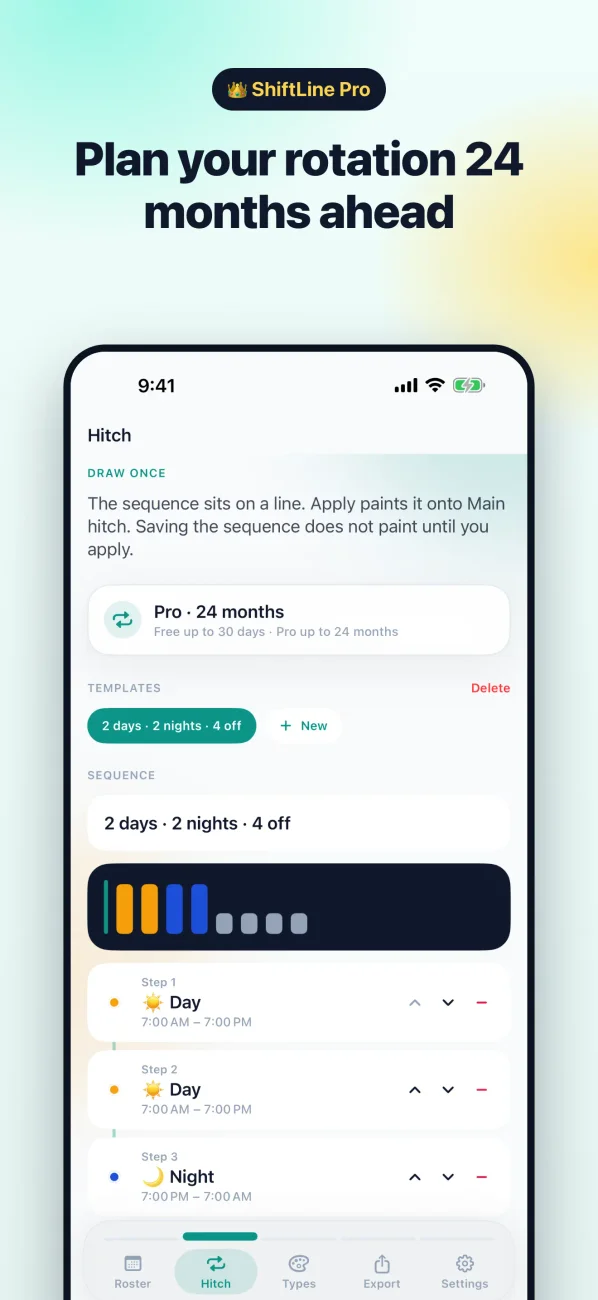
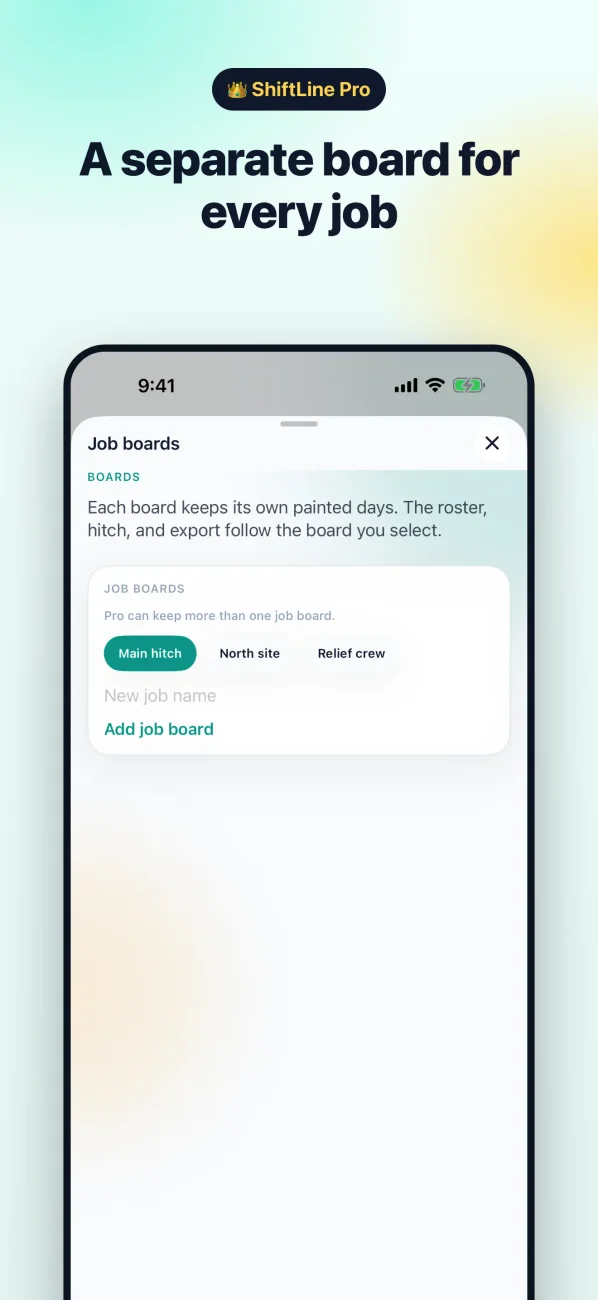
A hitch is the repeating sequence of stamps. Save it, then apply it onto the board. Free keeps one hitch and applies at most 30 days. ShiftLine Pro keeps more than one hitch and applies the same pattern for up to 24 months from the start date. Pro can add another job board. Free keeps one.
Hours and pay
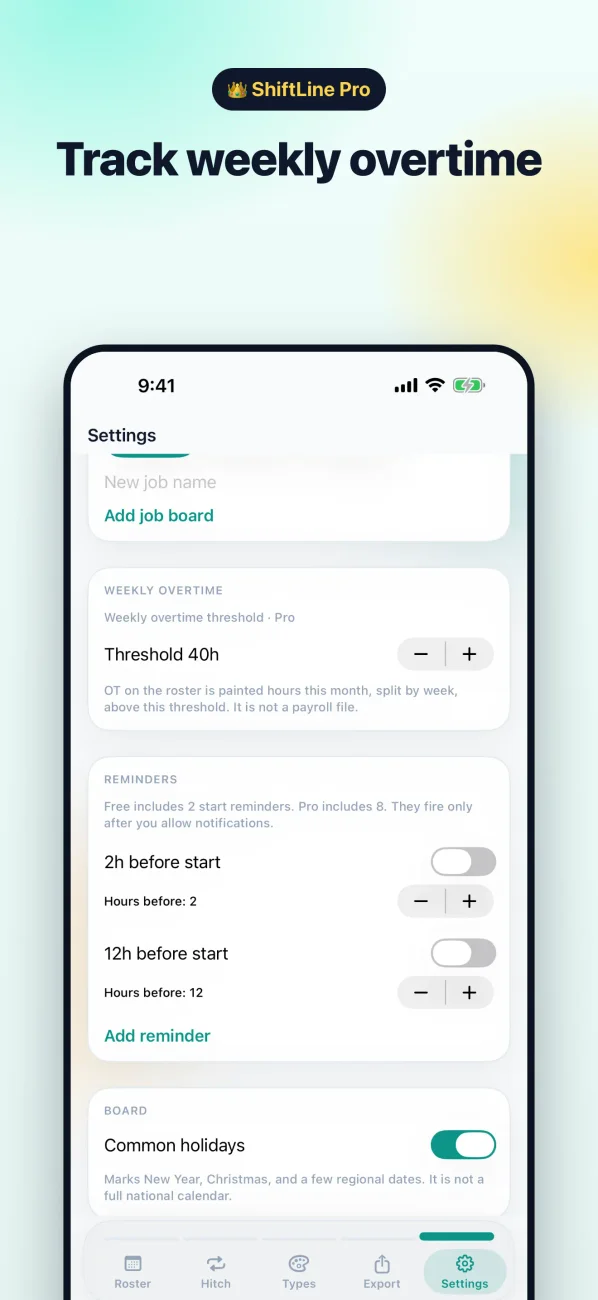
A stamp can store a start, an end, a break, and an optional hourly rate. The month adds up painted work hours. If a rate is set, the board shows a straight pay estimate from those hours. That number is not a paycheck, a timesheet file, or a tax form. ShiftLine Pro also counts weekly overtime: painted hours in each week above a threshold you choose.
Reminders
A local reminder can fire a chosen number of hours before a work shift starts. Two rules are free. Pro allows up to eight. ShiftLine asks for notification permission only when you turn a reminder on. There is no remote push.
Holidays
Common holidays can be marked on the grid: New Year, Christmas, and a few dates for your region. It is not a full national calendar.
Today widget
The Home Screen widget shows the shift you are on, or the next one, with a countdown. Lock Screen widgets that list the next shifts are part of ShiftLine Pro.
Hand the month off
ShiftLine Pro exports the painted month:
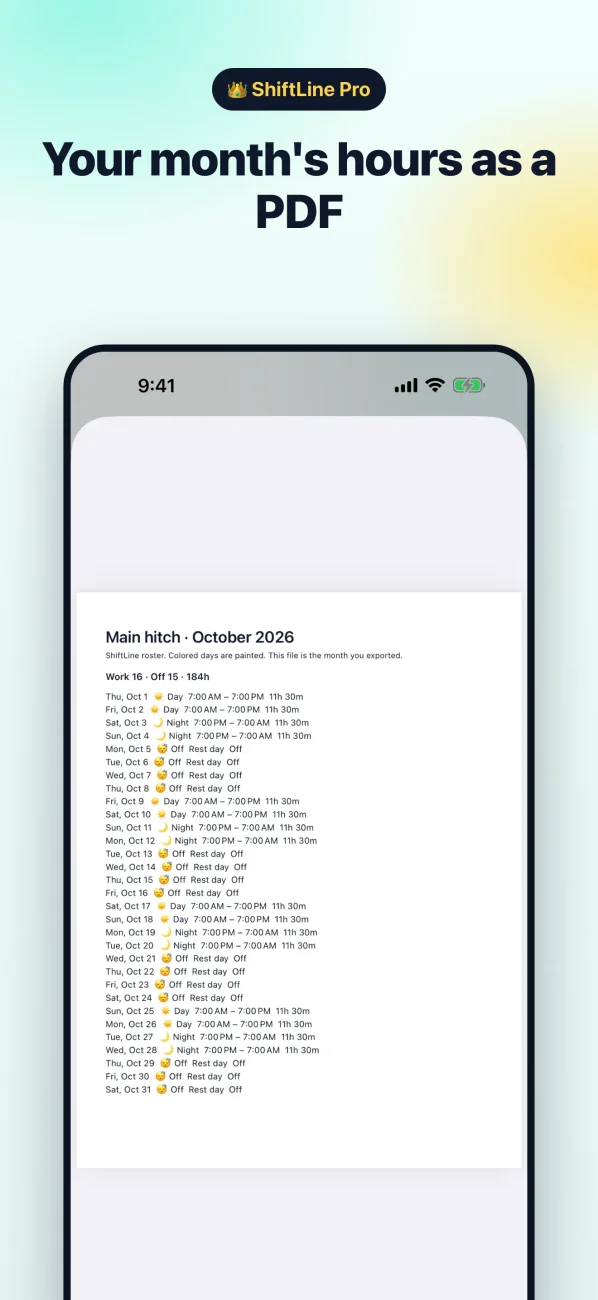
- A PDF of that month’s painted hours, work days, and off days
- An ICS file of work and off days, shared from this iPhone (no ShiftLine server)
- Apple Calendar, work shifts only, and only when you tap to write them
Calendar access is optional. The roster itself does not need it.
On this iPhone
There is no account. The board stays on the device. ShiftLine Pro is a monthly plan, a yearly plan, or a one-time lifetime purchase. The app shows the price from the App Store. This version has no free trial.
Not in this version
Apple Watch and Shortcuts are not included.
Privacy Policy: https://sites.google.com/view/privacy-policy-shiftline
Terms of Use: https://www.apple.com/legal/internet-services/itunes/dev/stdeula/
What’s new
Version 1.2 · Oct 14, 2026
Performance improvements and standard bug fixes.
App privacy
What Dheeraj Sharma declares on the App Store about how this app handles data.
-
Data not linked to you
May be collected but is not linked to your identity.
- Purchases
- Location
- Identifiers
- Usage data
- Diagnostics
Privacy practices may vary, for example with the features you use or your age.
Information
- Seller
- Dheeraj Sharma
- Category
- Productivity
- Version
- 1.2
- Updated
- Oct 14, 2026
- Released
- Oct 2, 2026
- Size
- 11.5 MB
- Requires
- iOS 17.0 or later
- Age rating
- 4+
- Price
- Free
- In-app purchases
- Yes
- Languages
- English
- Copyright
- © Dheeraj Sharma 2026
You might also like
-
 ShiftRosterShift Work Calendar & Pay
-
 ministree: escalas de igrejaProductivity
-
 Hours Tracker: Shift ScheduleWork Calendar & Overtime Log
-
 EaseShift: Staff Rota PlannerCreate & Share Work Schedules
-
 Shift Planner RosterShiftDuty rota, swaps, fair load
-
 Shift Calendar – Shift CycleWork schedule, hours & pay
-
 Тайми - Менеджер СменProductivity
-
 Work Shift Calendar: ShiftCalAI Roster Planner & Scheduler
-
 Comeet - GitLab CompanionManage repositories and more.
-
 Simple Shift SheetEasy shift scheduling