
ShiftMate: Work Hours Tracker
Timesheet, Clock In & Pay Log
Designed for iPhone, iPad
Free · In-app purchases
- Age rating4+
- CategoryUtilities
- Developer藤萍 余
- LanguagesEnglish+ 8 more
- Size24.8 MB
Links to the official App Store page
Download.org hosts no file of ShiftMate: Work Hours Tracker. The button opens its official App Store page, published by 藤萍 余. Listing last checked on Nov 20, 2026.
Screenshots

About
Master Your Shift Life with ShiftMate
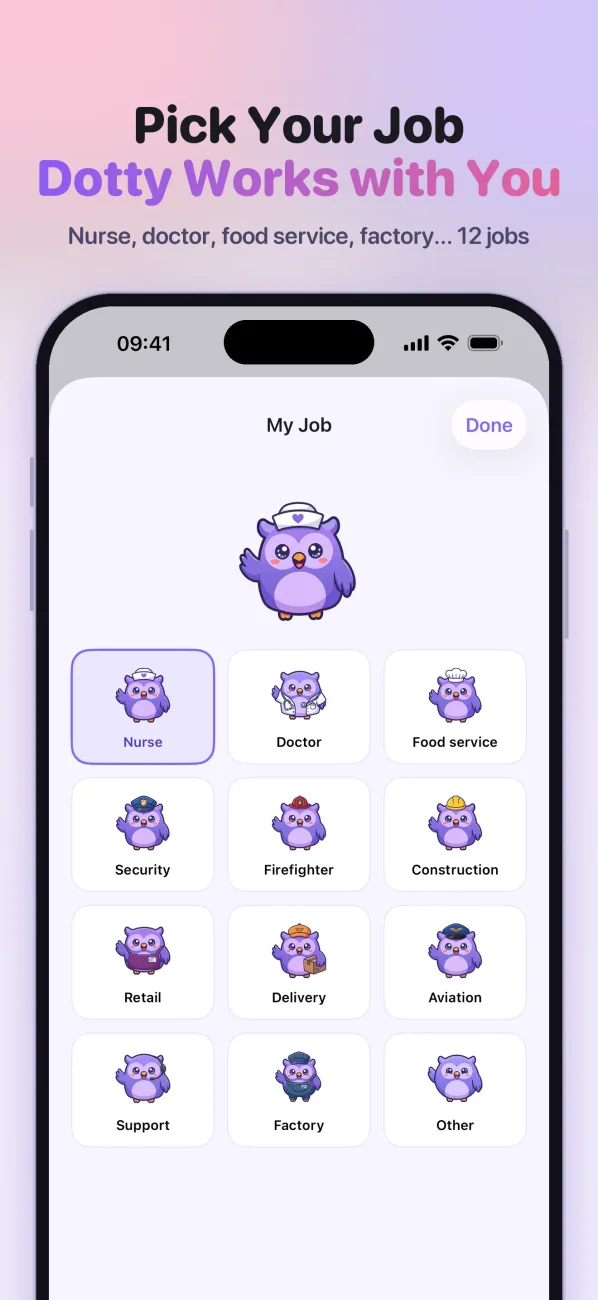
Stop using paper calendars and messy spreadsheets. ShiftMate is the shift calendar built for nurses, police, firefighters, factory and retail workers, and anyone working irregular hours. It combines an easy-to-use calendar with a precise wage and paycheck calculator, so you always know when you work and what you've earned. Use it as your work hours tracker, timesheet and time card — no time clock needed.
KEY FEATURES
1. Paint Your Schedule
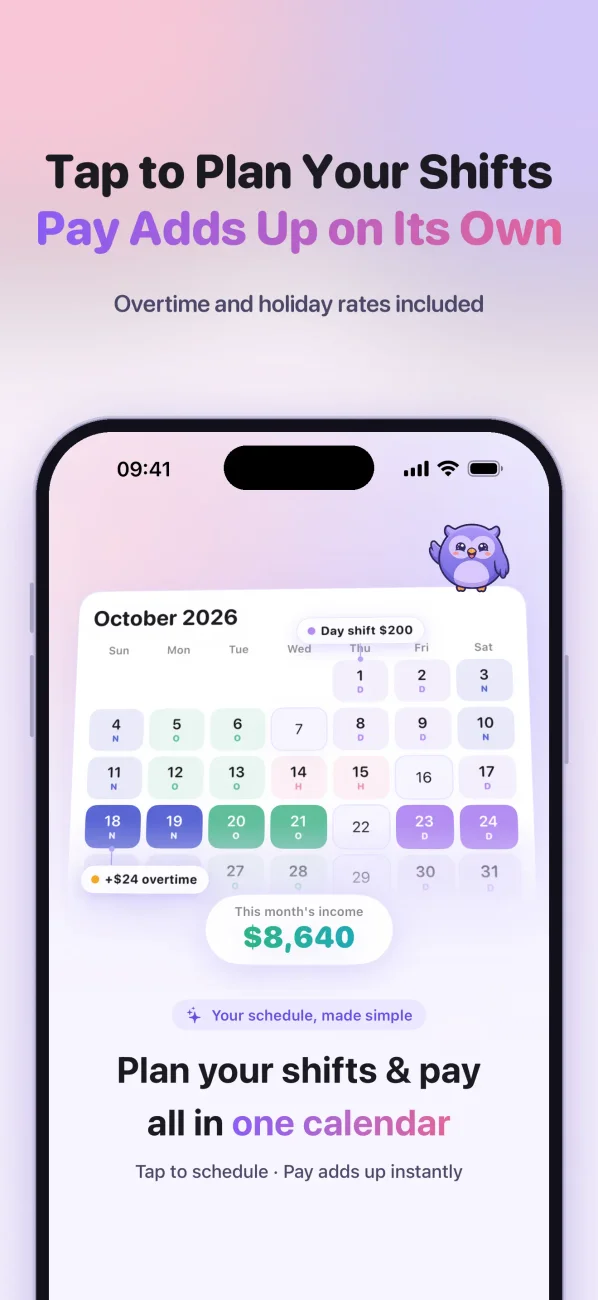
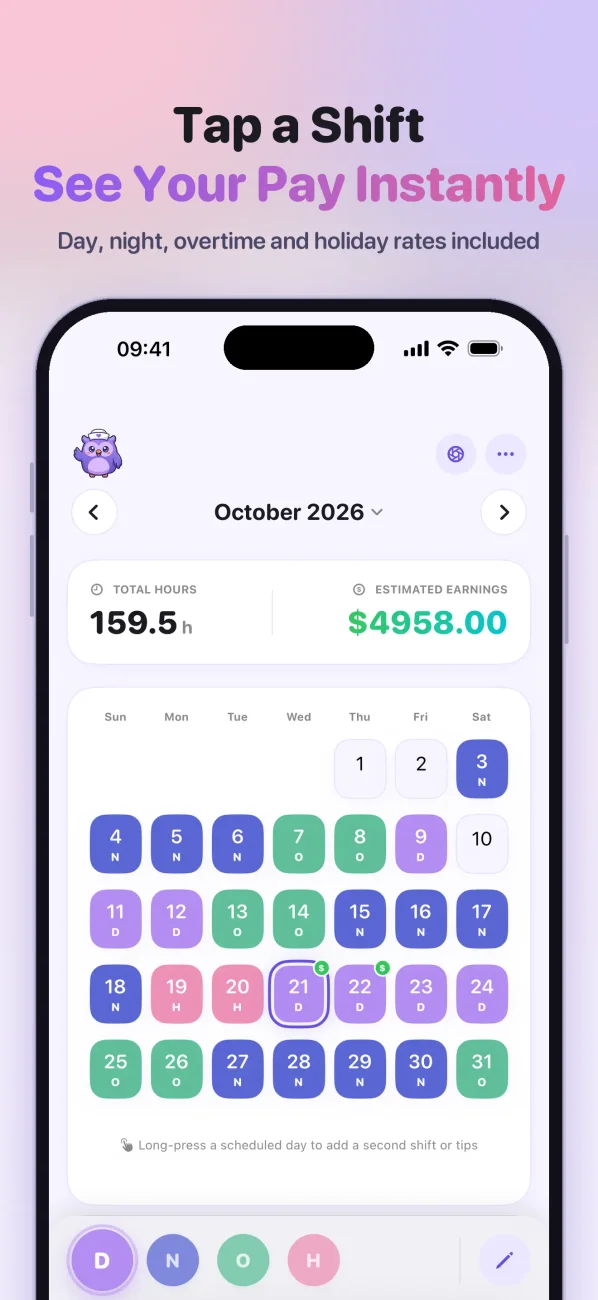
Forget typing. Pick a shift type (Day, Night, Off…) and tap dates on the calendar — as easy as painting. Swipe left or right to switch months.
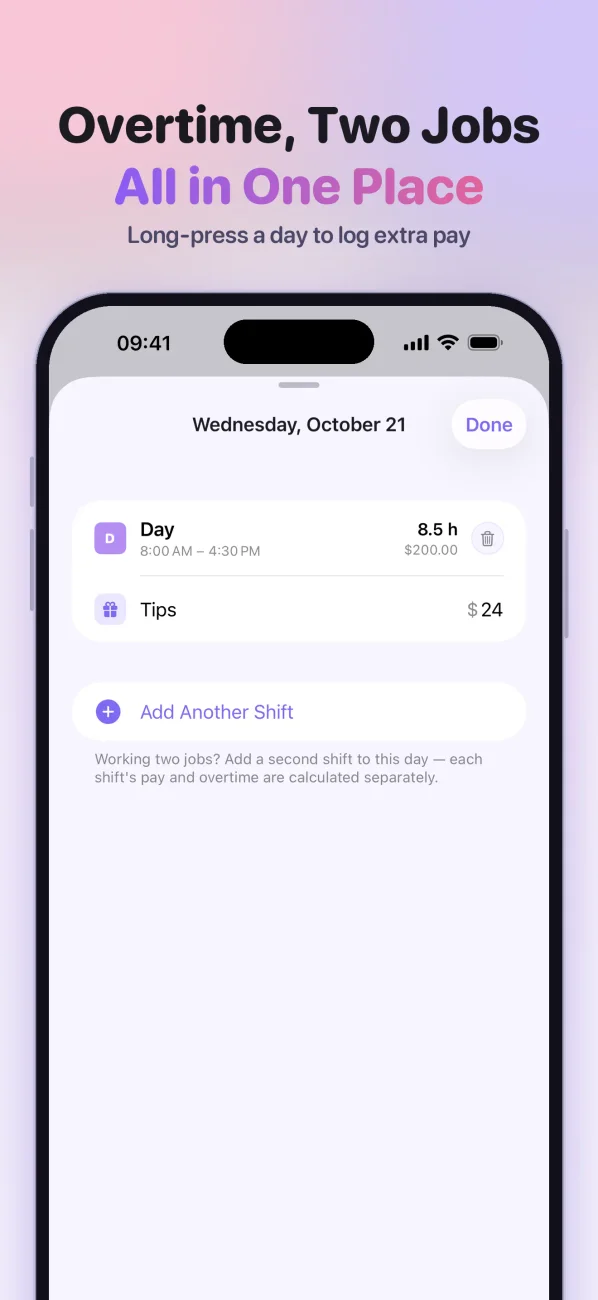
2. Two Jobs in One Day — NEW
Working a morning job and an overnight job? Long-press a day to add a second shift. Each shift's hours, pay and overtime are calculated separately, and your monthly totals include both.
3. Precise Wage Calculator
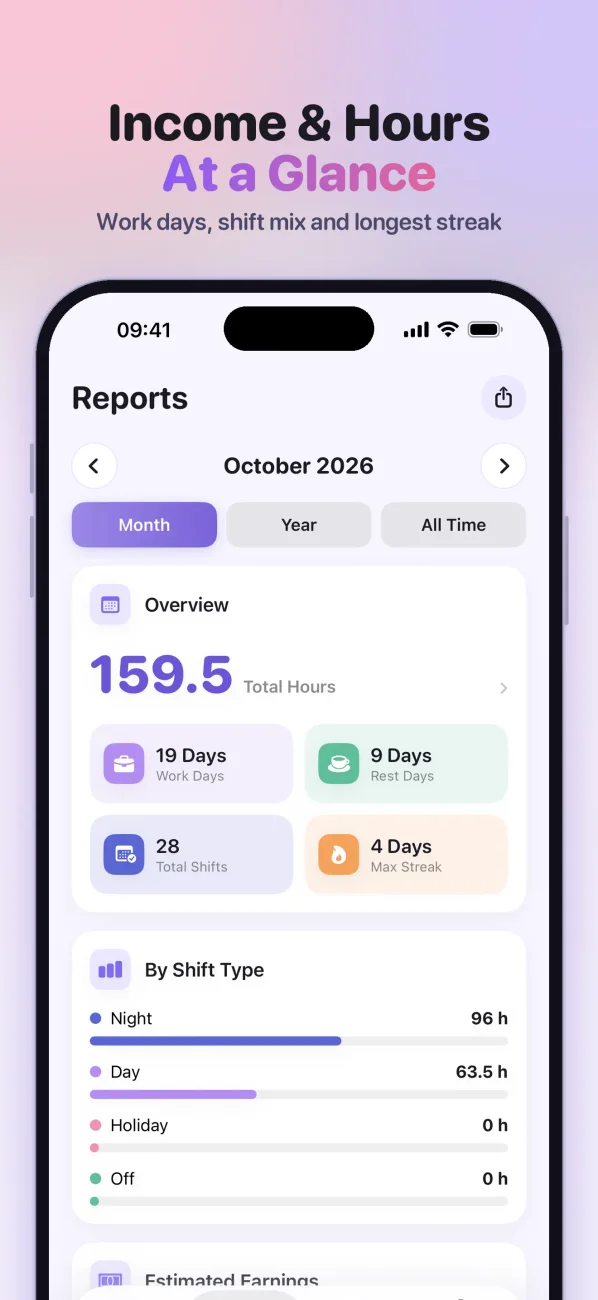
- Real-time earnings: see exactly how much you've earned this month
- Smart overtime: calculated automatically (e.g. 1.5x) beyond your standard hours
- Weekend & holiday premiums: set your own percentage per shift type
- Unpaid breaks: for accurate net pay
- Tips & extra income: log tips and they're added to that day's total
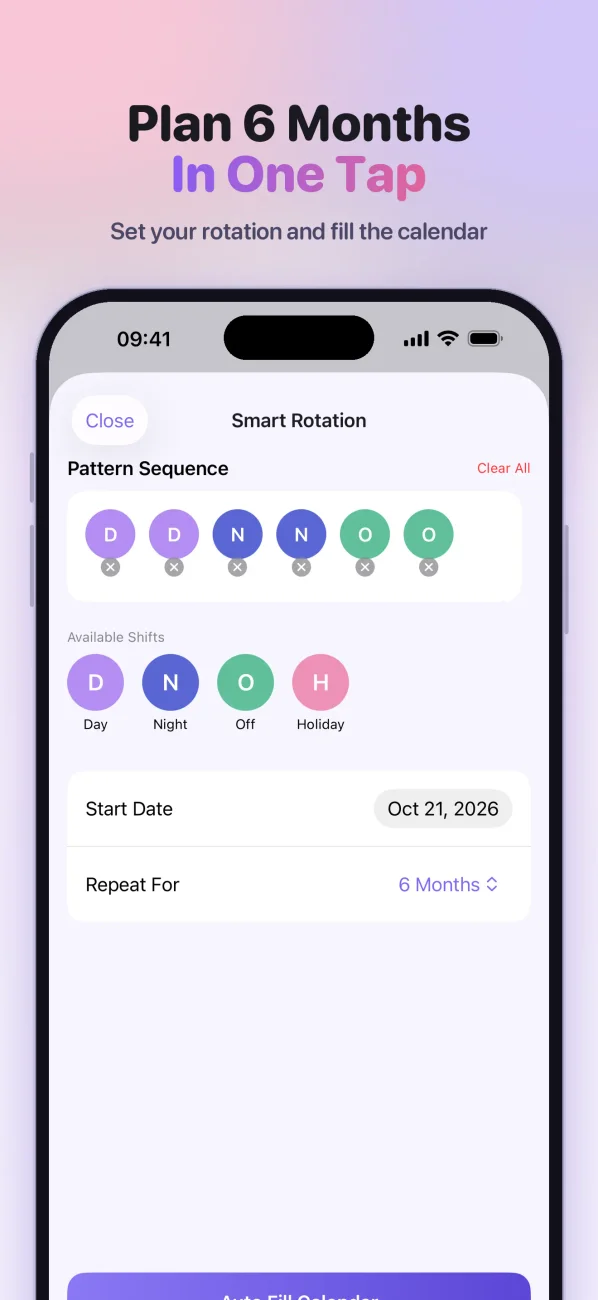
4. Smart Auto-Rotation
Work a repeating pattern like "4 on, 2 off"? Set it once and ShiftMate fills in your calendar for the year ahead.
5. Day Details
Long-press any scheduled day to see its shifts, hours, pay and tips — add or remove shifts in one place.
6. Monthly Snapshots & History
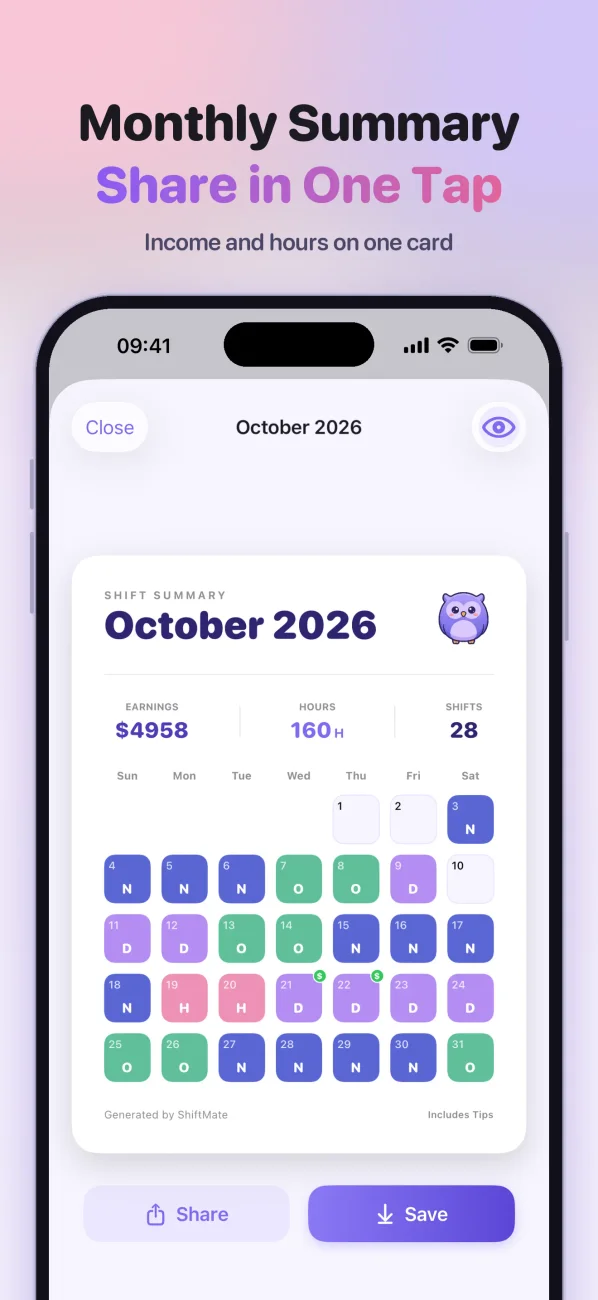
Create a clean monthly summary card with one tap. Save it to Photos or share it with family.
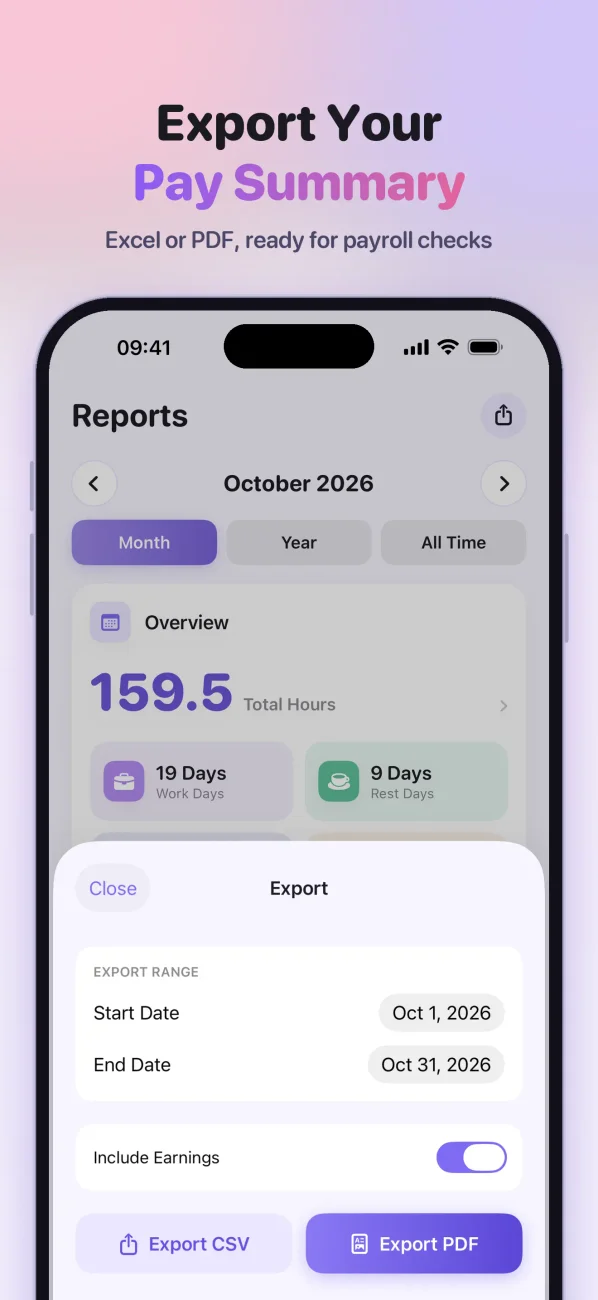
7. Payslip Export (PDF & CSV)
Export a formatted PDF payslip or a CSV time sheet for payroll, reimbursements, or keeping a work log of every hour.
8. Home Screen Widgets
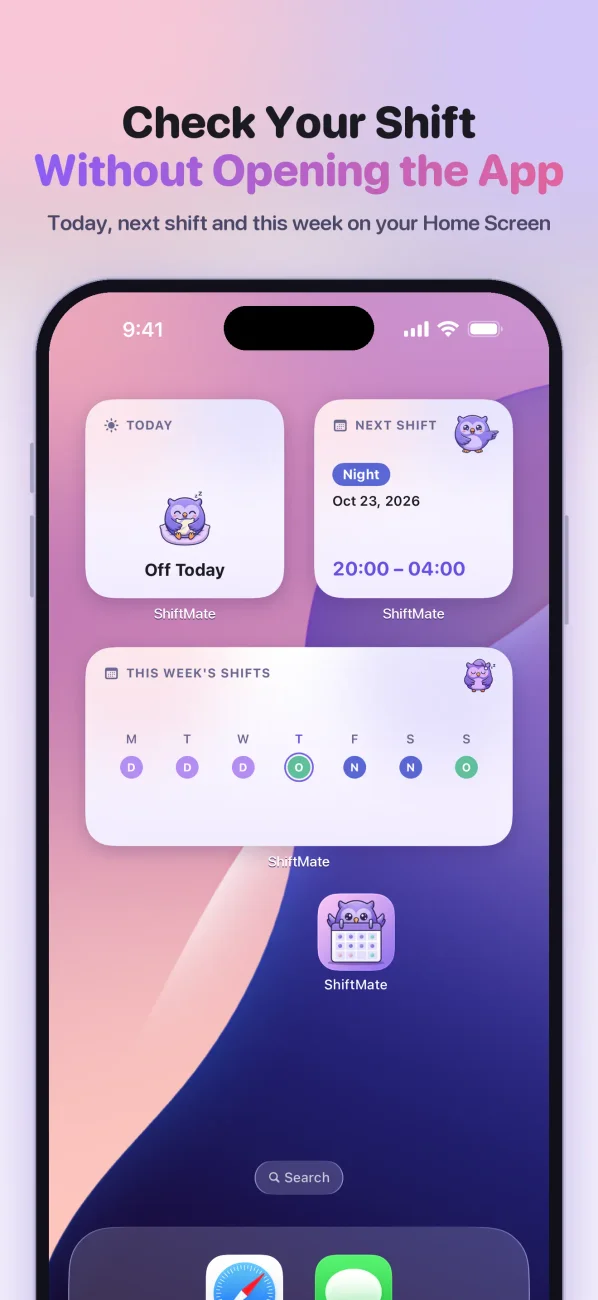
See your Next Shift, Today's Shift and This Week at a glance — without opening the app. On the Lock Screen, Next Shift shows the shift and the time, never your pay.
9. Shift Alarm
Rings before each scheduled shift. On iOS 26 it still rings when the phone is muted or in Focus. Choose how early, and pick the sound.
10. Calendar Sync
Sync shifts to your iPhone calendar — perfect for sharing your schedule with your partner or family. You can also photograph a paper roster and turn it into shifts.
11. Private & Secure
No ads and no redirects. Your schedule and pay stay on your phone. You can export a backup file and import it later. The file stays on your device and is not uploaded. With iCloud sync on, data only goes to your own iCloud account. We never collect them. Available in English, Simplified and Traditional Chinese, Japanese, German, Spanish, Portuguese, Dutch and Russian.
PERFECT FOR
- Nurses & healthcare workers
- Police & security officers
- Firefighters & EMS
- Retail, hospitality & factory workers
- Part-timers and anyone working two jobs
Download ShiftMate today and take control of your time and money!
Terms of Use: https://open-vole-df1.notion.site/Terms-of-Use-2ba015a393e780fa9dcafb282910f8f9?pvs=73
Privacy Policy: https://open-vole-df1.notion.site/Privacy-Policy-2ba015a393e7805e9cb8c805a3ae1f93
What’s new
Version 2.2 · Nov 11, 2026
ShiftMate keeps your rota and your pay on one calendar. Tap a date to schedule a shift and see what you've earned this month.
What's new
WEEK VIEW
- Switch the calendar to the week and see each day's shift, start, end, and hours
- Change the hours for a single day, and add a note
BACKUP FILE
- Export a backup in Settings and import it back when you need it
- The file stays on your iPhone. It is not uploaded
LOCK SCREEN WIDGETS
- See your next shift on the Lock Screen
- Shift and time only. Pay is never shown
App privacy
What 藤萍 余 declares on the App Store about how this app handles data.
-
Data not collected
The developer does not collect any data from this app.
Privacy practices may vary, for example with the features you use or your age.
Information
- Seller
- 藤萍 余
- Category
- Utilities
- Version
- 2.2
- Updated
- Nov 11, 2026
- Released
- Dec 3, 2025
- Size
- 24.8 MB
- Requires
- iOS 17.6 or later
- Age rating
- 4+
- Price
- Free
- In-app purchases
- Yes
- Languages
- English, Dutch, German, Japanese, Portuguese, Russian, Simplified Chinese, Spanish, Traditional Chinese
- Copyright
- © ShiftMate 2025
You might also like
-
 Calendar WorkdaysJoint working schedules
-
 QR Scanner Pro - Scan QRScanner QR & Barcode Reader
-
 Authenticator app ・ 2FA & MFAAuthentication - TOTP and OTP
-
 Trakio: Find Family LocationPhone Tracker by Number
-
 Menu Maker - Designer, CreatorSmart Menu Creator & Manager
-
 Authenticator: Secure 2FA, MFATwo-Factor Verification Codes