
ShiftProCalendar
Shift Schedule, Nurse Roster
Designed for iPhone, iPad
In-app purchases
- Age rating4+
- CategoryProductivity
- DeveloperLI JUNYI
- LanguagesEnglish+ 1 more
- Size20.4 MB
Links to the official App Store page
Download.org hosts no file of ShiftProCalendar. The button opens its official App Store page, published by LI JUNYI. Listing last checked on Nov 11, 2026.
Screenshots
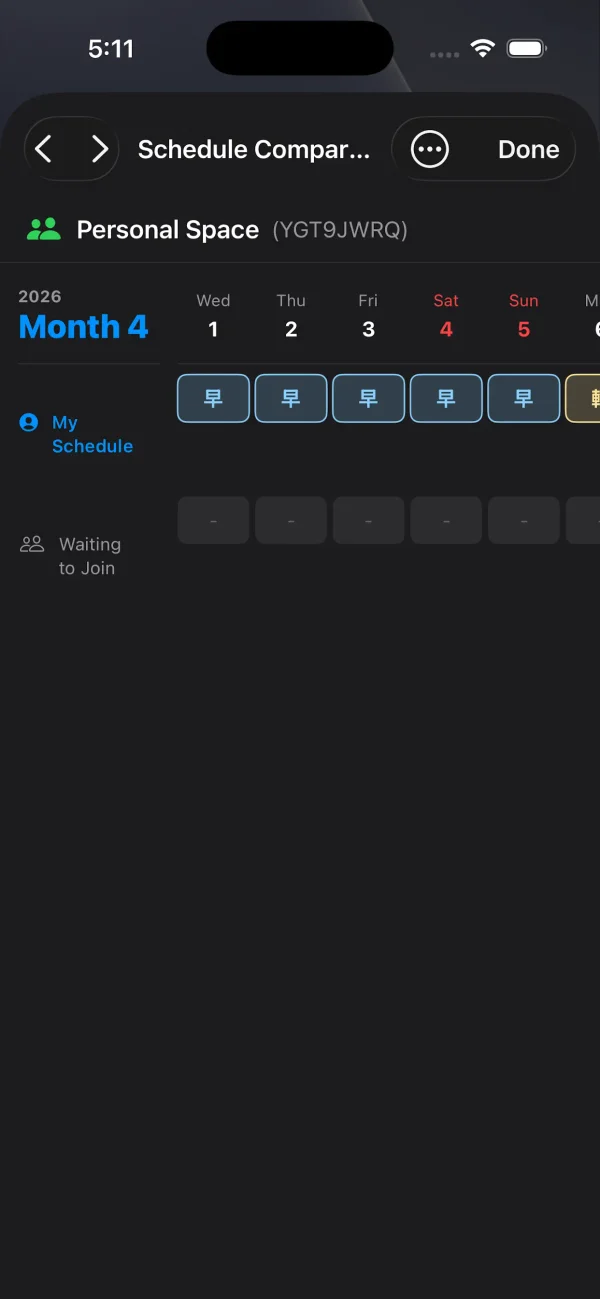
About
ShiftPro: All-in-One Schedule Management – Scheduling, Payroll Calculation, and Group Collaboration
【Free Features】
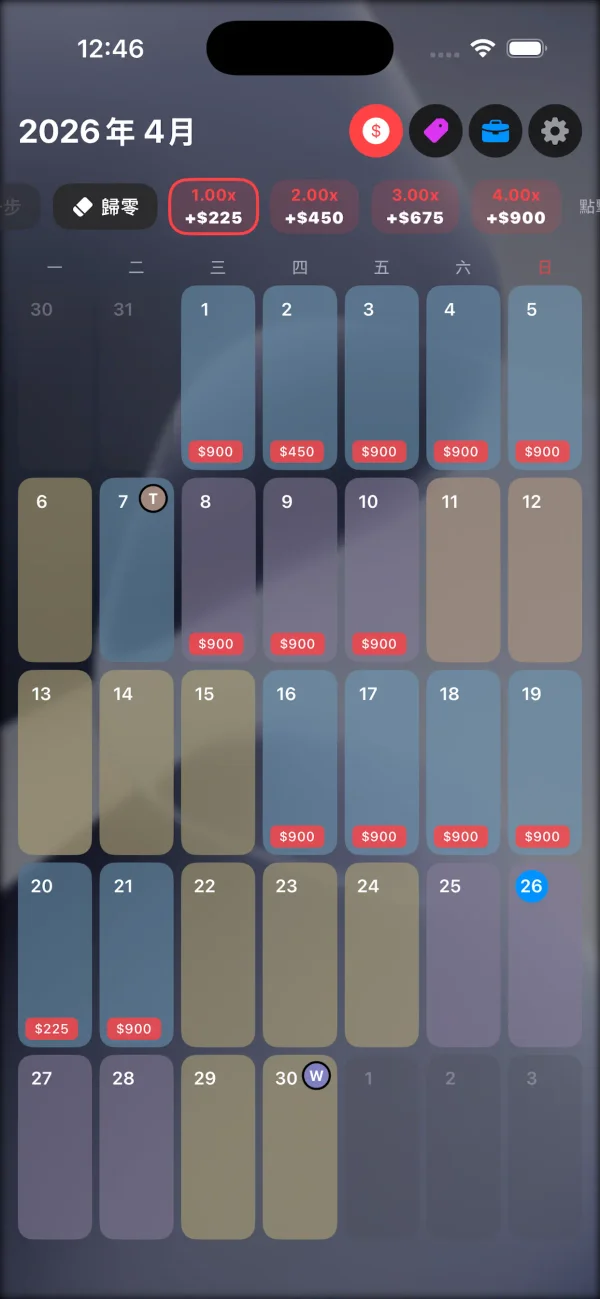
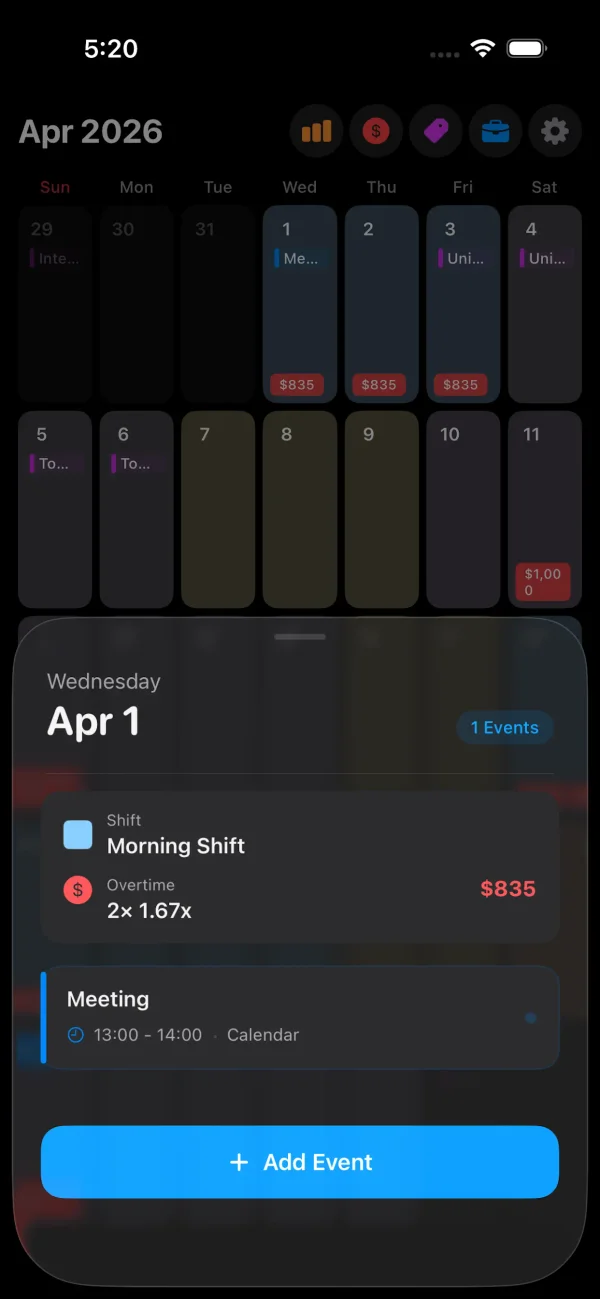
Seamless integration of monthly calendar and iOS built-in calendar
Personal scheduling and schedule management
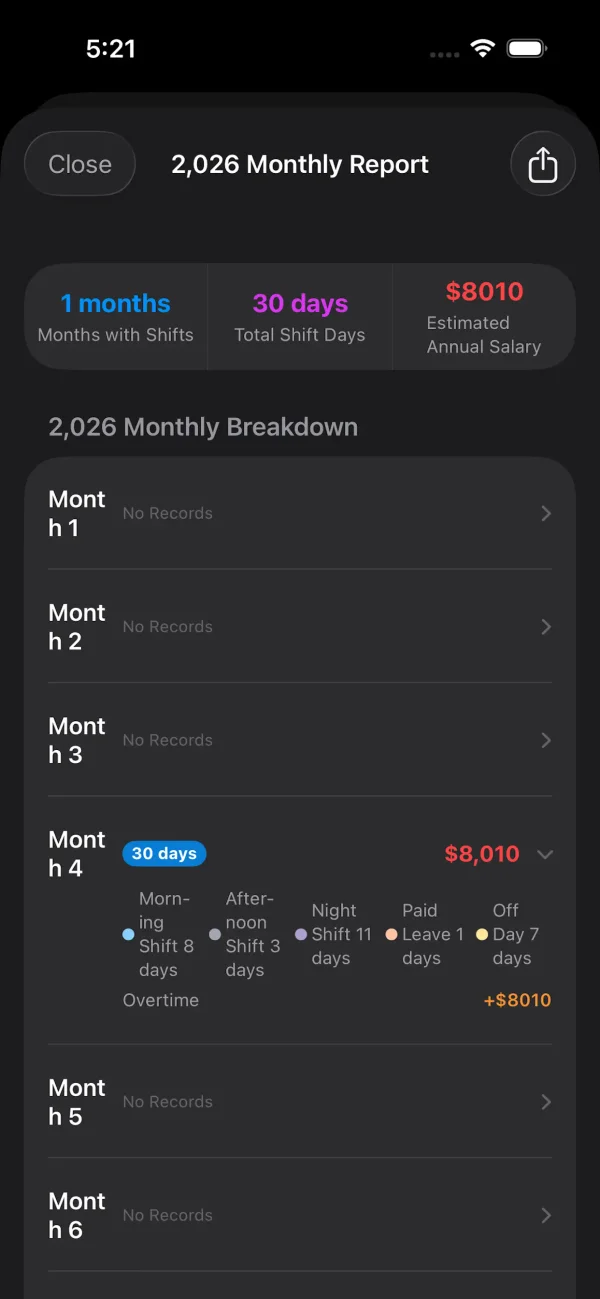
Automatic calculation of overtime pay, base salary, and allowances
Customizable monthly calendar background images
Local data backup and restore
【Pro Paid Advanced Features】
Expanded friend schedule sharing groups: 1 for free / 5 for Pro (in-app purchase required)
Unlimited payroll group members: 5 for free / unlimited for Pro (in-app purchase required)
Privacy Policy: https://docs.google.com/document/d/e/2PACX-1vR_anD847o3JpwBLNSA7MODPTzsWiTkPwbvPN_E2TfcLdQUFs989MO9uVAj2q5x4_E27ekTKuXjaxDk/pub
Terms of Use (EULA): https://docs.google.com/document/d/e/2PACX-1vTMs9s-N35xn0GMh48XdpAeJDoQvYykK2cFGs3rUbmdRf1mmYQFhuRR7soReOCv2jiri3AKYshPunAh/pub
What’s new
Version 1.3 · Sep 15, 2026
Reminders on your calendar
Turn on Settings → Calendar Display Settings → Reminders to show items from the built-in iOS Reminders app on the month view and in the day sheet. Any reminder with a due date appears on the day it is due.
A new Apple Watch app
Check your schedule from your wrist. Swipe between day, week and month views to see shifts, times, events and notes. Data syncs automatically from your iPhone, and the last sync stays available when your phone is not nearby. The watch is read-only: nothing can be edited there, and no monetary figures are shown.
A minimal, flat new look
The month view, day card, statistics and settings screens have been redesigned. Large blocks of color, shadows and dividers are gone, replaced by whitespace and type weight, with gold as the single accent color. Nothing was removed; the same information is simply carried differently.
Choose Light or Dark yourself
Settings now has an Appearance option: System, Light or Dark, so the app no longer has to follow your phone. Setting a background photo no longer forces the calendar into dark mode, card text is clearer over a photo, and an opacity of 100% now looks exactly like having no background photo at all.
Widgets show more
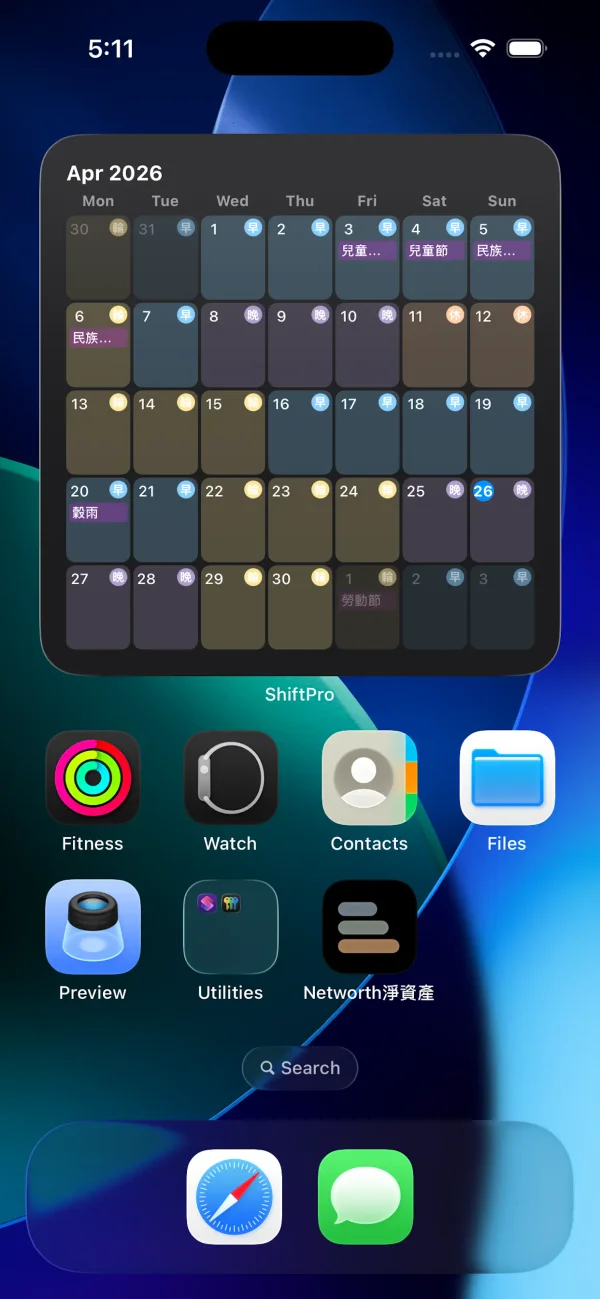
The small widget lists events for the next three days instead of today only, and the medium widget's weekly list now covers the whole week rather than shrinking as the week goes by.
Fixes
Fixed "More Colors…" in the color palette not applying a custom color.
App privacy
What LI JUNYI declares on the App Store about how this app handles data.
-
Data linked to you
May be collected and linked to your identity.
- Identifiers
-
Data not linked to you
May be collected but is not linked to your identity.
- Financial info
- Contact info
- User content
Privacy practices may vary, for example with the features you use or your age.
Information
- Seller
- LI JUNYI
- Category
- Productivity
- Version
- 1.3
- Updated
- Sep 15, 2026
- Released
- May 2, 2026
- Size
- 20.4 MB
- Requires
- iOS 17.6 or later
- Age rating
- 4+
- In-app purchases
- Yes
- Languages
- English, Traditional Chinese
- Copyright
- © 2026 JojoMycoding
You might also like
-
 簡單排班Productivity
-
 Worker Tools: Shift CalendarRota, Work Hours & Pay Tracker
-
 ClockIN: Work Hours&SchedulesTime Clock, Shifts & Pay
-
 Shift Helper: Work SchedulerEmployee shift schedule maker
-
 HIYORI - Shift CalendarRota & Shift Planner
-
 People Dept for StaffAI Clock-in & Shift Schedule
-
 HourLedger: Timesheet & HoursShift Tracker, Time Clock, Pay
-
 EaseShift: Staff Rota PlannerCreate & Share Work Schedules
-
 Shift Calendar AlarmWake-up alarms for shift work
-
 Hours Tracker – TimesheetSimple Work Log & Time Sheet