
Shinkansen Web Translator
Fast web & subtitle translator
Designed for iPhone, iPad, iPod touch
Free
- Age rating4+
- CategoryProductivity
- DeveloperZhimin Su
- LanguagesEnglish
- Size23.4 MB
Links to the official App Store page
Download.org hosts no file of Shinkansen Web Translator. The button opens its official App Store page, published by Zhimin Su. Listing last checked on Nov 25, 2026.
Screenshots
About
Shinkansen is a fast, smooth, privacy-first Safari translation extension for web pages, YouTube subtitles and documents, built for iPhone and iPad. Three things make it different:
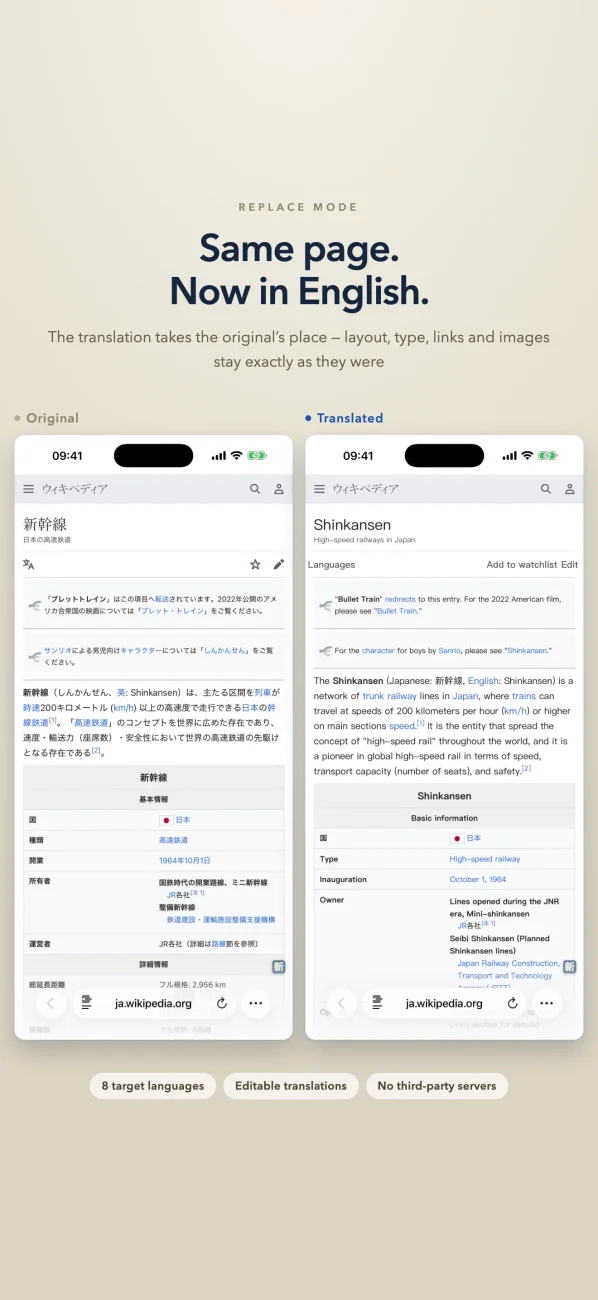
• Watch the page start turning into your target language within one second of pressing translate (Instant Translation, Gemini engine)
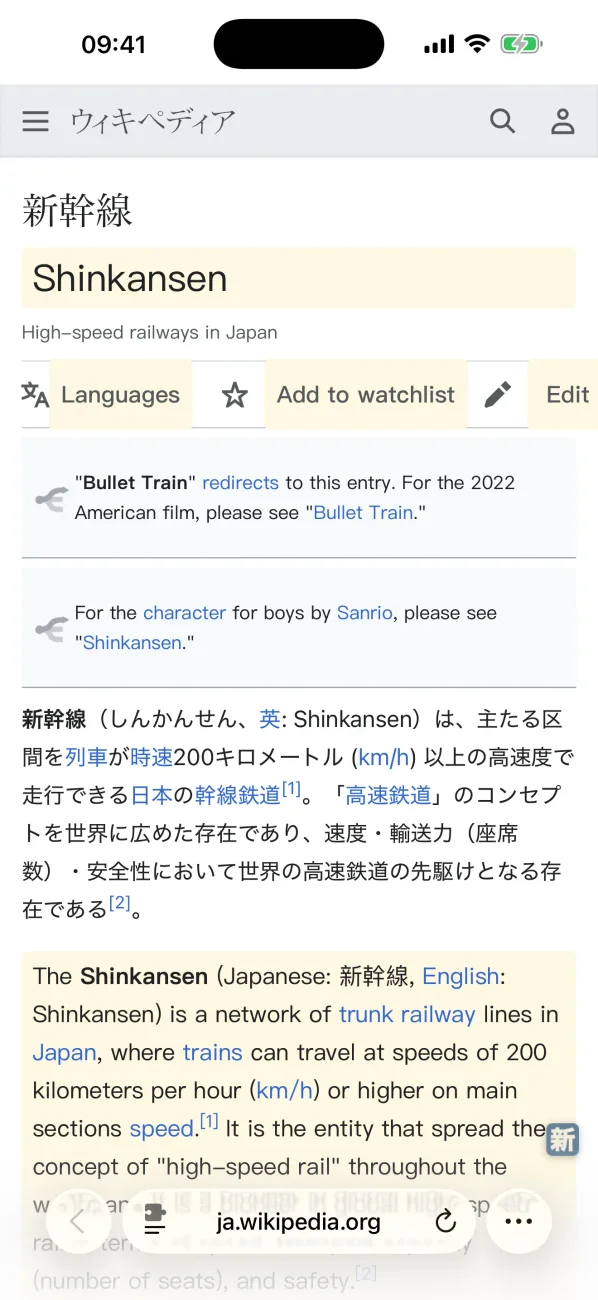
• Text is replaced in place — fonts, sizes, colors, and layout are preserved; links, bold, and italics survive untouched
• You bring your own API key; every setting lives on your own device; your reading never touches a third-party server
[Built for iPhone & iPad]
• Three- or four-finger tap any web page to toggle translation (tap again to restore) — no keyboard needed
• Hardware keyboard shortcuts when an external keyboard is attached
• Hover translation with a trackpad or mouse: hold a modifier key and rest the cursor on a paragraph to translate just that one
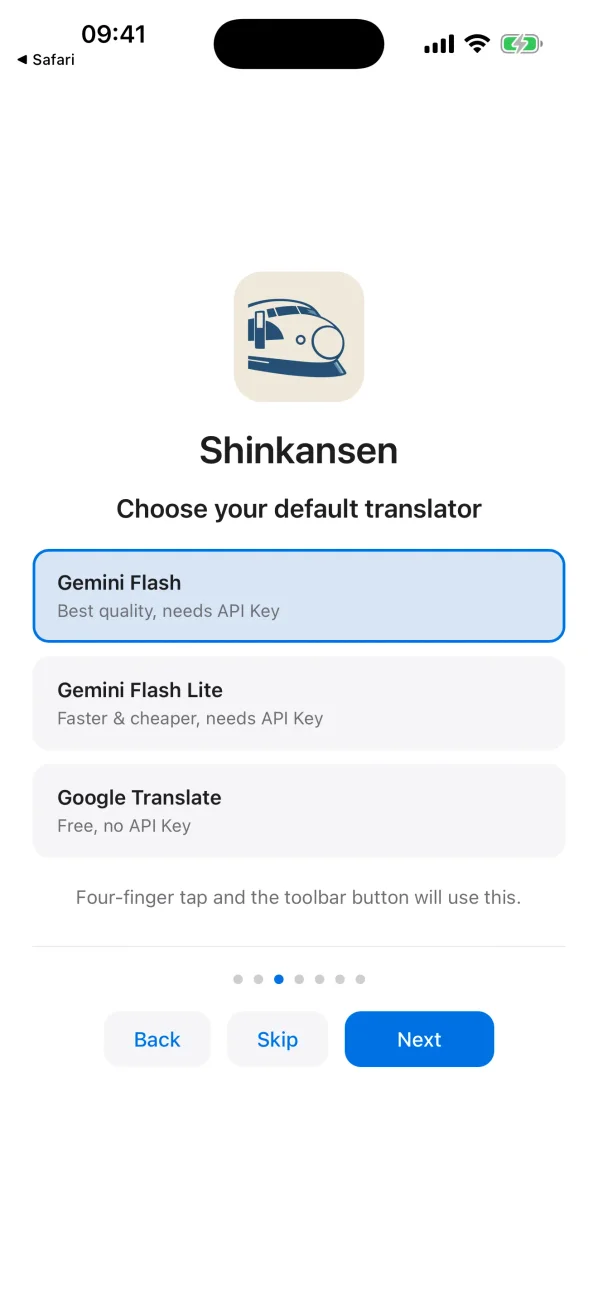
• First-launch onboarding walks you through your Gemini API key and a default translation method
[Languages]
Translate into 8 target languages. The extension UI is available in the same 8 languages — pick independently or follow your system language.
[Features]
• Three engines: Gemini (best quality, API key), Google Translate (free, no key), any OpenAI-compatible model
• Single-language overlay / bilingual side-by-side modes — one-click toggle, with 4 visual treatments for the bilingual layout
• Free Chinese variant conversion: built-in dictionaries, no API key, works offline; auto-convert on by default
• YouTube subtitle translation: real-time replacement styled like native captions; bilingual option; live stream links supported
• YouTube AI smart segmentation: auto-generated captions are re-segmented by AI for natural full sentences
• Adjustable YouTube subtitle size, readable even in full screen
• Custom translation shortcuts: bind a key to each of the three presets, recorded on the settings page
• Auto-translate specific sites: add domains and they translate on load
• Cross-tab continuity: opening a link from a translated page auto-translates the new tab with the same preset
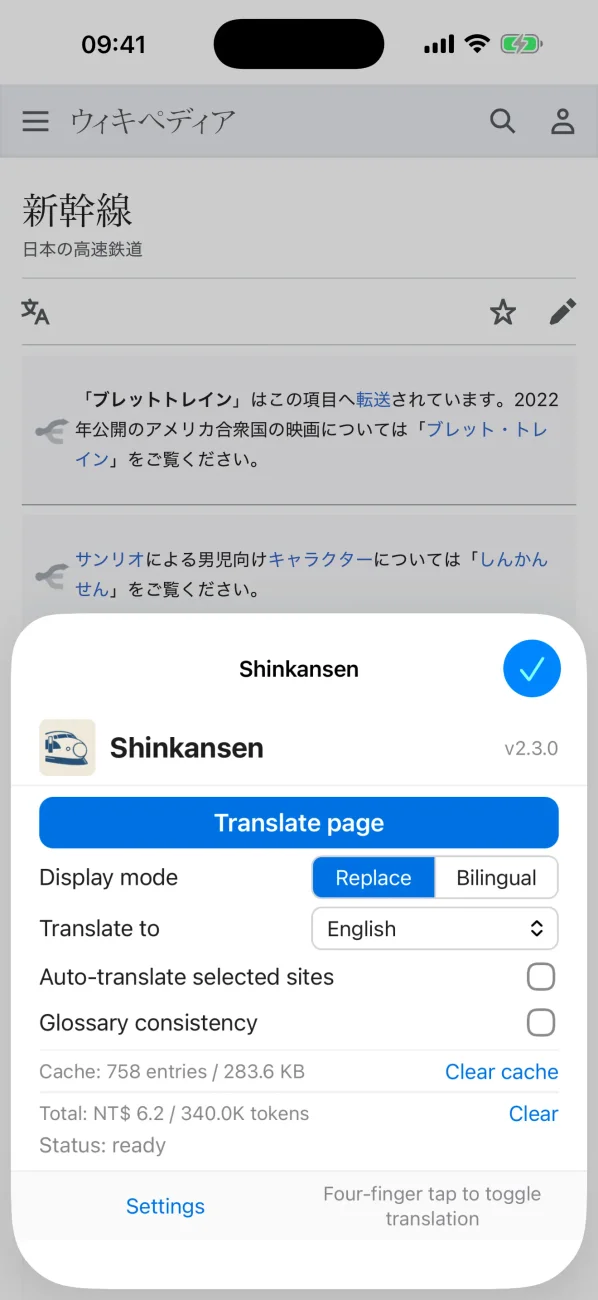
• Translation cache + live cost report: cached content is free next time; a notification shows token count and cost
• Custom glossary with CSV import (two columns: source,translation) with room for hundreds of entries, blocked-word list, and on-page translation editing
• Respects the page's do-not-translate markup: marked names and codes stay untouched and are never sent to the API; icon-font glyphs are never turned into text
• Send to Instapaper: save the whole translated article to Instapaper in one click
• Document translation: translate PDF, EPUB, Word and more on iPad and iPhone (landscape)
[Bring your own API key]
Shinkansen doesn't sell translation as a service — you bring your own Google Gemini API key. Gemini's free tier makes everyday use typically free. Prefer no key? Google Translate works with no setup, and Chinese variant conversion runs offline. Setup steps are in the GitHub repo and the in-app onboarding.
[Privacy]
Shinkansen has no server, no telemetry, no analytics. Every setting lives only on your device:
• Your API key is stored locally in Safari — never synced, never uploaded
• Translation content goes directly from your browser to the endpoint of the engine you chose
• Shinkansen never relays, caches, or logs translation content
• The local cache lives on your device only; clearing browser data wipes it
[First-install note]
After installing, enable the extension in Safari and grant website access:
Settings → Apps → Safari → Extensions → Shinkansen → turn on, set website access to Allow
(The exact path varies slightly by iOS version.)
[System requirements]
• iOS 15 or later / iPadOS 15 or later
• Universal — iPhone and iPad
[Open source]
Open source under Elastic License 2.0 on GitHub — view, learn from, modify, and use it yourself; you may not repackage it (or a modified version) as a hosted or managed service for third parties.
What’s new
Version 2.7.7 · Nov 23, 2026
Highlights:
• Cheaper re-translation — translating again after restoring, content a page loads later, and author-name lists are no longer billed twice
• No more paying for nothing on slow models — the per-batch wait limit goes from 15 to 45 seconds, so long paragraphs are no longer cut off and billed again
• Bilingual mode — paragraphs with emoji, bold text or line breaks (such as YouTube comments) no longer have their original text replaced by the translation; fixed translations disappearing after a few seconds on some paragraphs
• The translation editor has a new Find & Replace button
• Document translation on iPad and iPhone (in landscape) — translate PDF, EPUB, Word and more; when downloading, choose "Save to Files"
• On iPad in portrait, the document reader automatically fits the screen width
App privacy
What Zhimin Su declares on the App Store about how this app handles data.
-
Data not collected
The developer does not collect any data from this app.
Privacy practices may vary, for example with the features you use or your age.
Information
- Seller
- Zhimin Su
- Category
- Productivity
- Version
- 2.7.7
- Updated
- Nov 23, 2026
- Released
- Aug 16, 2026
- Size
- 23.4 MB
- Requires
- iOS 15.0 or later
- Age rating
- 4+
- Price
- Free
- Languages
- English
- Copyright
- © 2026 Jimmy Su
You might also like
-
 ZTranslation - 網頁 AI 翻譯Productivity
-
 DualView TranslatorProductivity
-
 ByeType VoiceProductivity
-
 ScriptileJavaScript Widgets & Shortcuts
-
 Stash: Save Posts & Read LaterThreads, X & IG saves, kept
-
 Translify for SafariBilingual Web Translation
-
 萊姆輸入法Productivity
-
 SmriAi Reminder and Calendar, GTD
-
 Easy2SayTwo people, two languages
-
 永住 DIY - 日本永住權申請工具Productivity