
Stash: Save Posts & Read Later
Threads, X & IG saves, kept
Designed for iPhone, iPad
Free · In-app purchases
- Age rating4+
- CategoryProductivity
- DeveloperYUNG HUNG WANG
- LanguagesEnglish+ 2 more
- Size4.7 MB
Links to the official App Store page
Download.org hosts no file of Stash: Save Posts & Read Later. The button opens its official App Store page, published by YUNG HUNG WANG. Listing last checked on Nov 24, 2026.
Screenshots

About
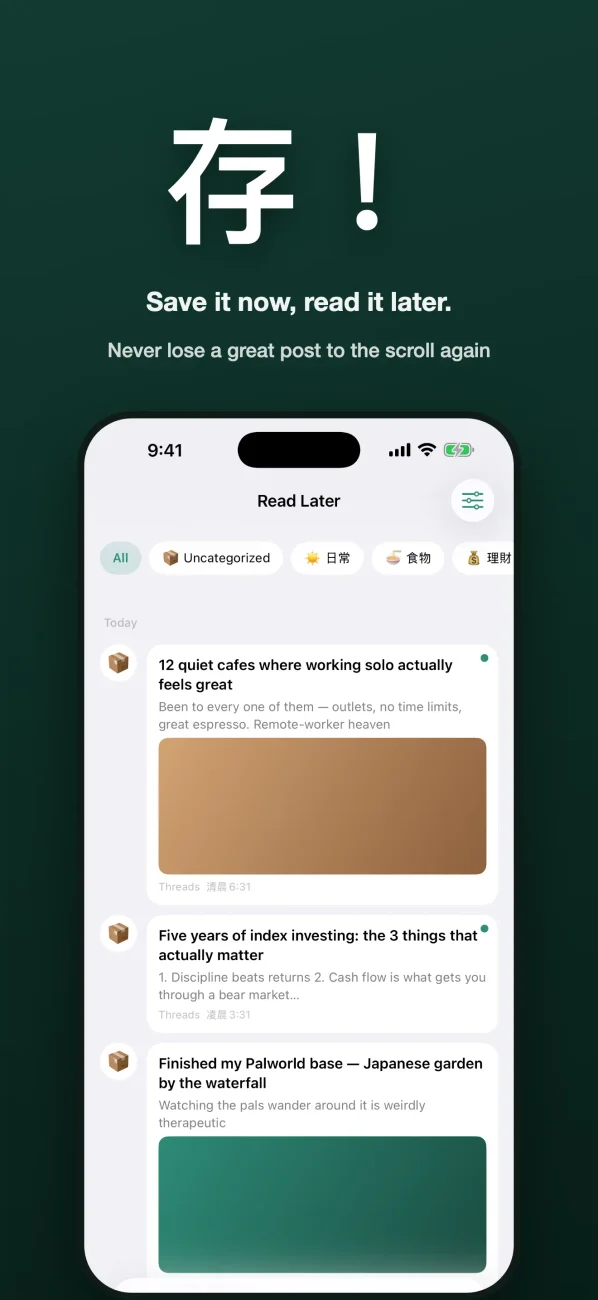
Saw something great on Threads, X or Instagram and told yourself "later"? Later never comes — unless it's one tap away.
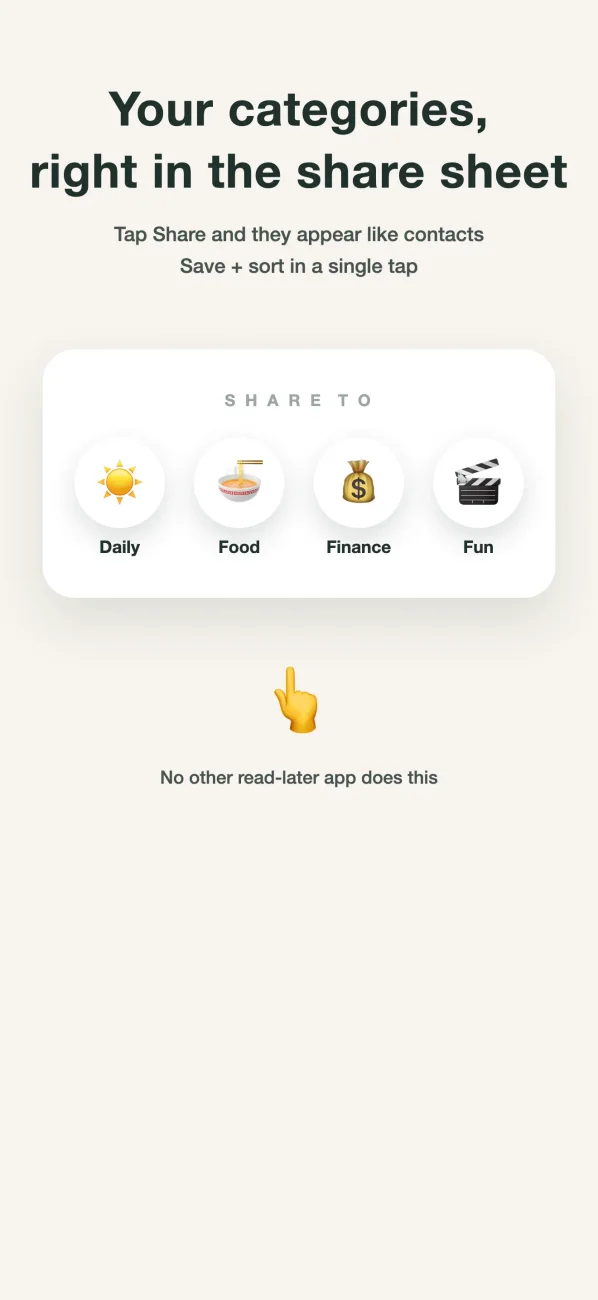
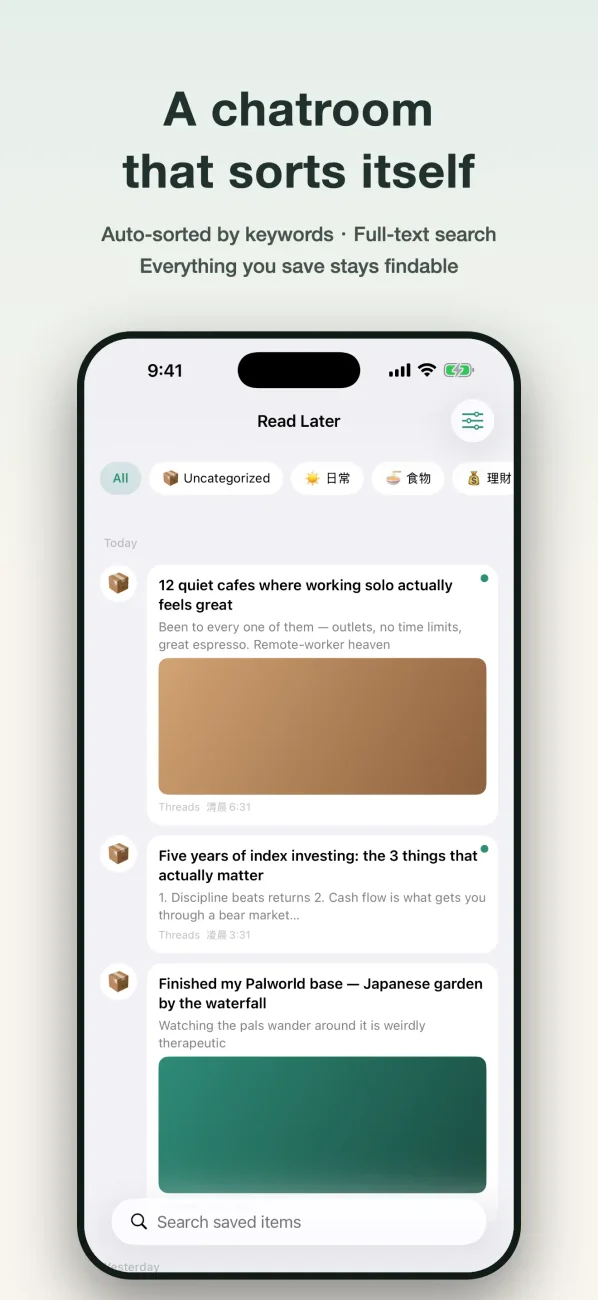
Stash saves posts and links straight from the share sheet. Your folders show up at the top like contacts: one tap saves and files it. Everything stays on your device and in your iCloud — no account, no tracking, no ads.
SAVE IN ONE TAP
Share from Threads, X, Instagram, Facebook or Safari. Your folders appear in the share sheet; tap one and you're done.
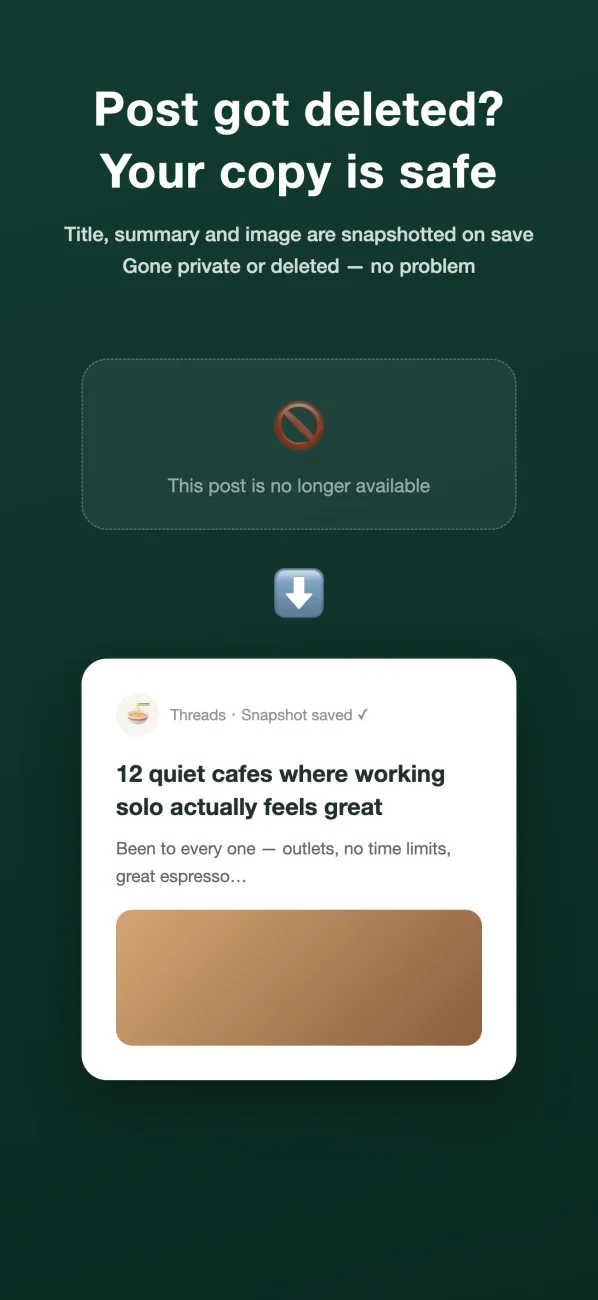
A SNAPSHOT, NOT JUST A LINK
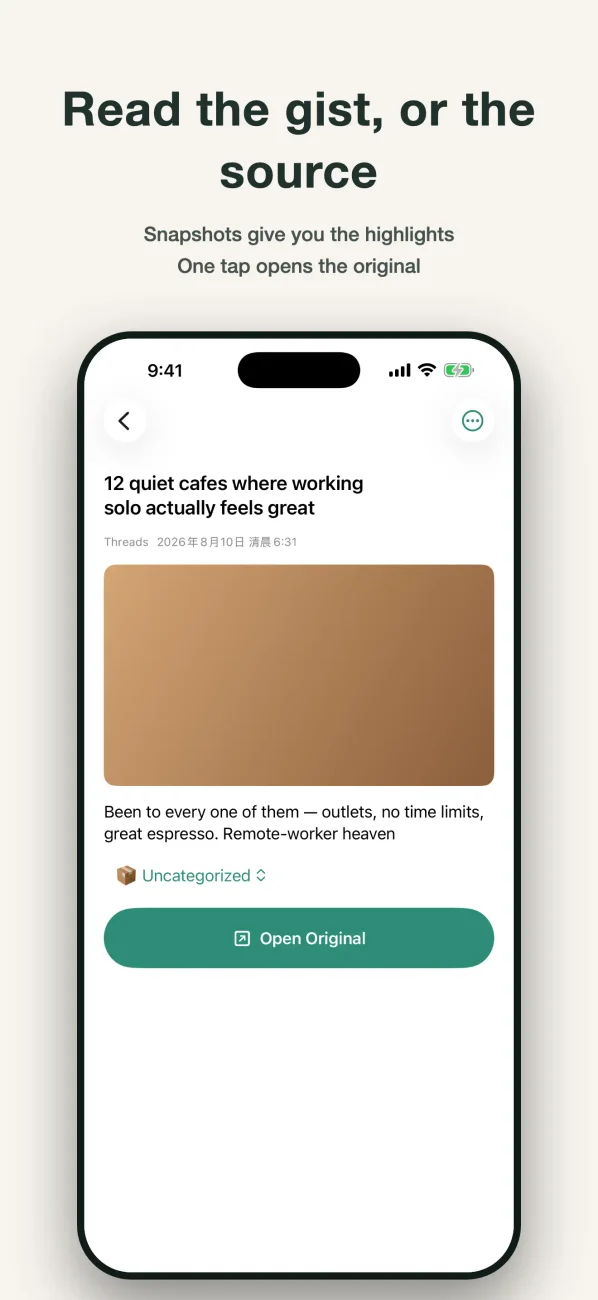
Title, text and image are captured the moment you save. If the original post is deleted or goes private, your copy stays.
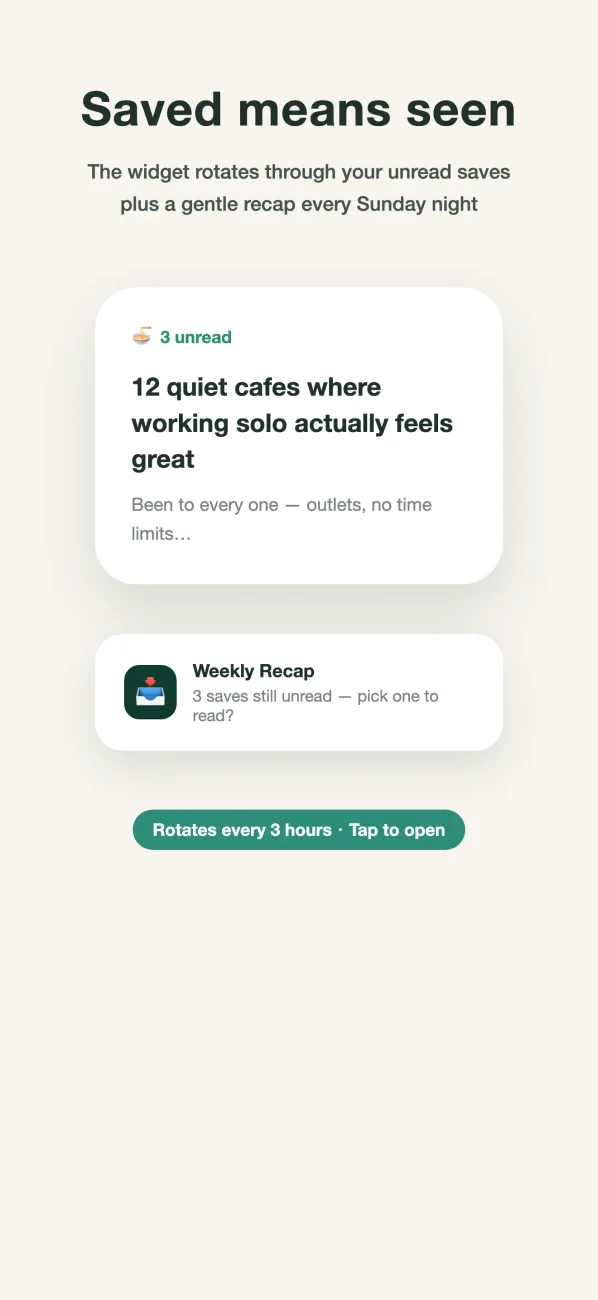
ACTUALLY READ IT LATER
A Home Screen widget rotates through your unread saves. A gentle weekly recap nudges you to clear one.
FIND ANYTHING
Full-text search, notes and tags. Posts that are only a video? Add a note and search that.
ICLOUD SYNC (NEW)
One library on iPhone and iPad; a new phone restores on its own. Daily backups kept inside the app.
STASH PLUS — PAY ONCE
Sub-folders and tags, export any save as a designed card, PDF or Markdown, on-device AI summaries (iOS 26+ with Apple Intelligence on), reader mode with read-aloud, Face ID-locked folders, six app color themes with matching icons. Everything free today stays free.
Available in English, Traditional Chinese and Simplified Chinese.
What’s new
Version 3.3.1 · Nov 23, 2026
• Duplicates: tap Clean up in Settings and anything saved more than once is merged into one, keeping notes, favorites and tags.
• Sharing something you already saved moves it to the top instead of adding a second copy.
• iPhone Duo support: fills the large screen when unfolded and rotates with it.
• Simpler Settings and article pages: related options are grouped, and buttons only show when they are useful.
• Export moved to Settings → Backup & Restore.
App privacy
What YUNG HUNG WANG declares on the App Store about how this app handles data.
-
Data not collected
The developer does not collect any data from this app.
Privacy practices may vary, for example with the features you use or your age.
Information
- Seller
- YUNG HUNG WANG
- Category
- Productivity
- Version
- 3.3.1
- Updated
- Nov 23, 2026
- Released
- Aug 26, 2026
- Size
- 4.7 MB
- Requires
- iOS 17.0 or later
- Age rating
- 4+
- Price
- Free
- In-app purchases
- Yes
- Languages
- English, Simplified Chinese, Traditional Chinese
- Copyright
- © 2026 Isaac Wang
You might also like
-
 KeepNest: Screenshot OrganizerAI Sorts Your Links & Notes
-
 Saves Library: Posts & LinksSearch every save in one place
-
 ThreadPocket - WebLink ManagerSave social posts & web Links
-
 Picki - Bookmark Social PostsSave tweets & read later
-
 LinkSpace: AI Notes & LinksAI Voice Notes, Tasks & Photos
-
 Tuckii - Save Links & BookmarkRead Later, Private Organizer
-
 BrainBox: Daily PlannerADHD Task Manager & To-Do List
-
 When'd IWhen did I last do that?
-
 Clipboard Manager - CopyNowText Snippets & Quick Paste
-
 JotlaCamera Roll for Work