Shotclock 24 Pro
Basketball Timer with Buzzer
Designed for iPhone, iPad
Free · In-app purchases
- Age rating4+
- CategorySports
- DeveloperMatthias Grevelding Kiesche
- LanguagesEnglish+ 3 more
- Size6.2 MB
Links to the official App Store page
Download.org hosts no file of Shotclock 24 Pro. The button opens its official App Store page, published by Matthias Grevelding Kiesche. Listing last checked on Nov 12, 2026.
Screenshots
About
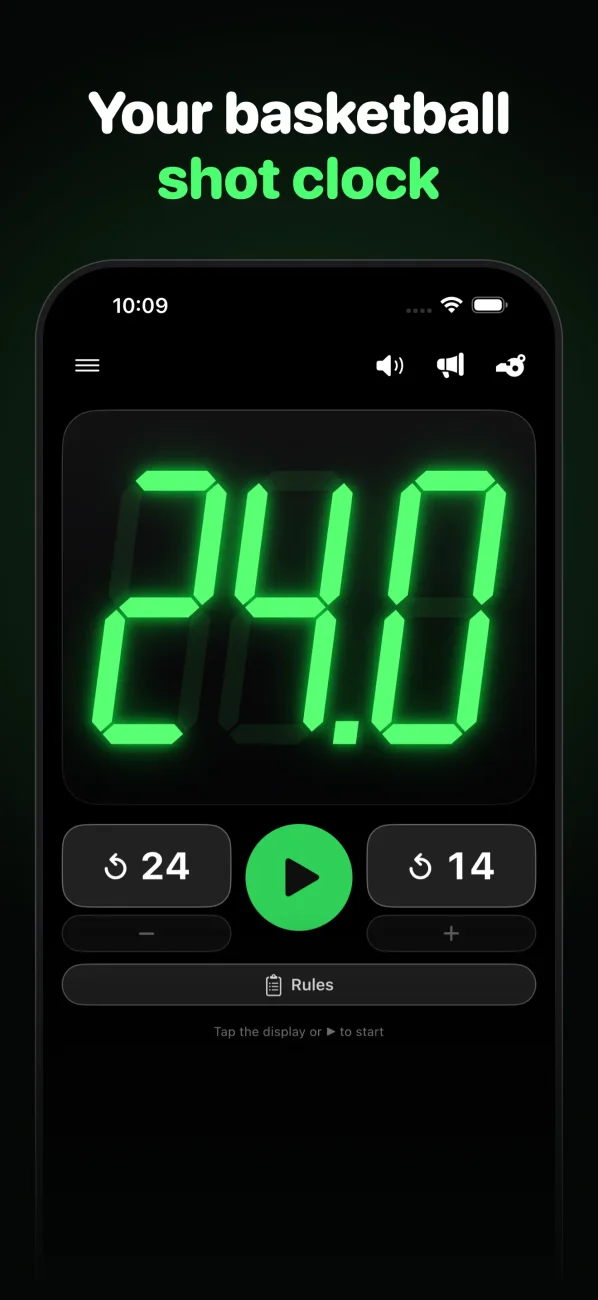
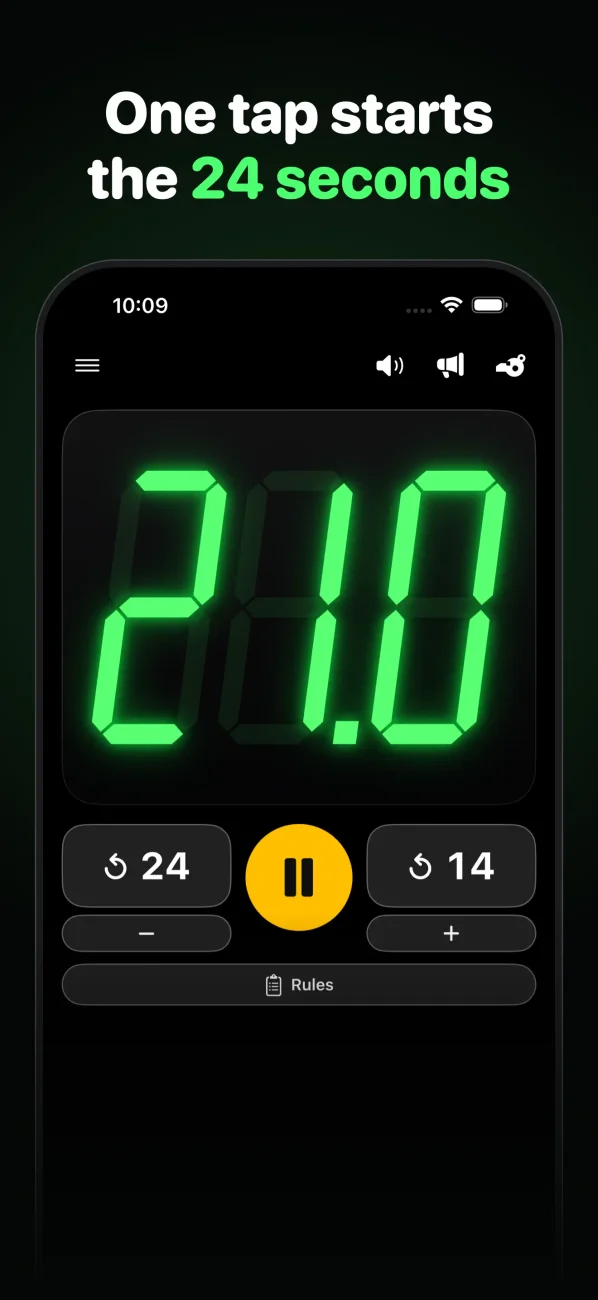
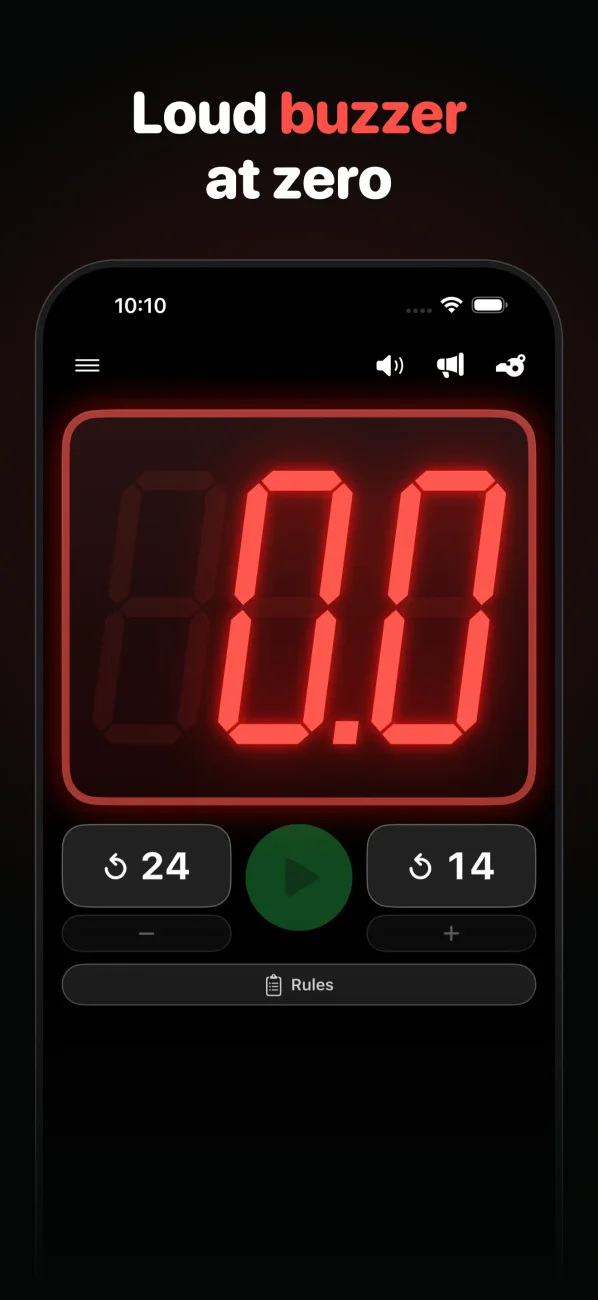
A shot clock that is ready when the game is: one tap starts it, and a loud buzzer ends the possession.
Shotclock 24 Pro turns your iPhone or iPad into a clear, scoreboard-style 24-second shot clock for pickup games, practice, school sport and local leagues. Made for players, coaches, referees and timekeepers.
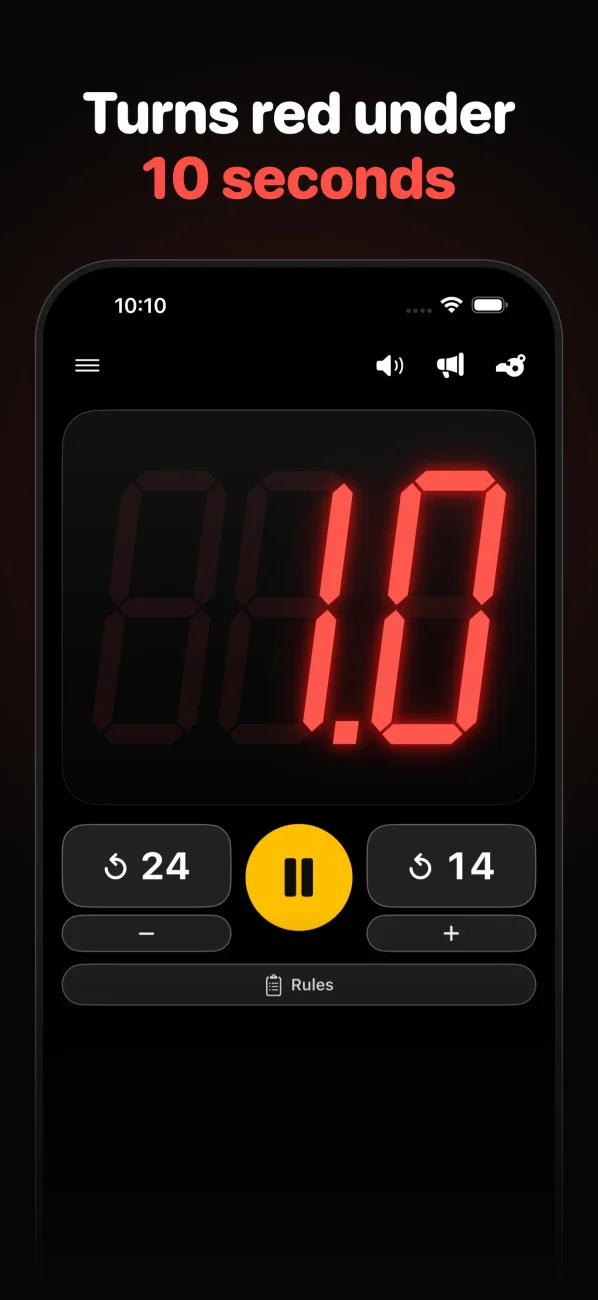
• Big LED-style digits, always with tenths of a second: green until 10 seconds, red below
• One-tap control: tap the display to start, pause and resume
• Reset to 24 or 14 seconds with a single tap, for a fresh possession or an offensive rebound
• Manual -1 s / +1 s correction for when the clock ran a beat past the whistle or stopped early
• Quick rules reference: when the shot clock resets to 24, to 14, or stops
• Buzzer at zero through the built-in speaker or a connected Bluetooth speaker
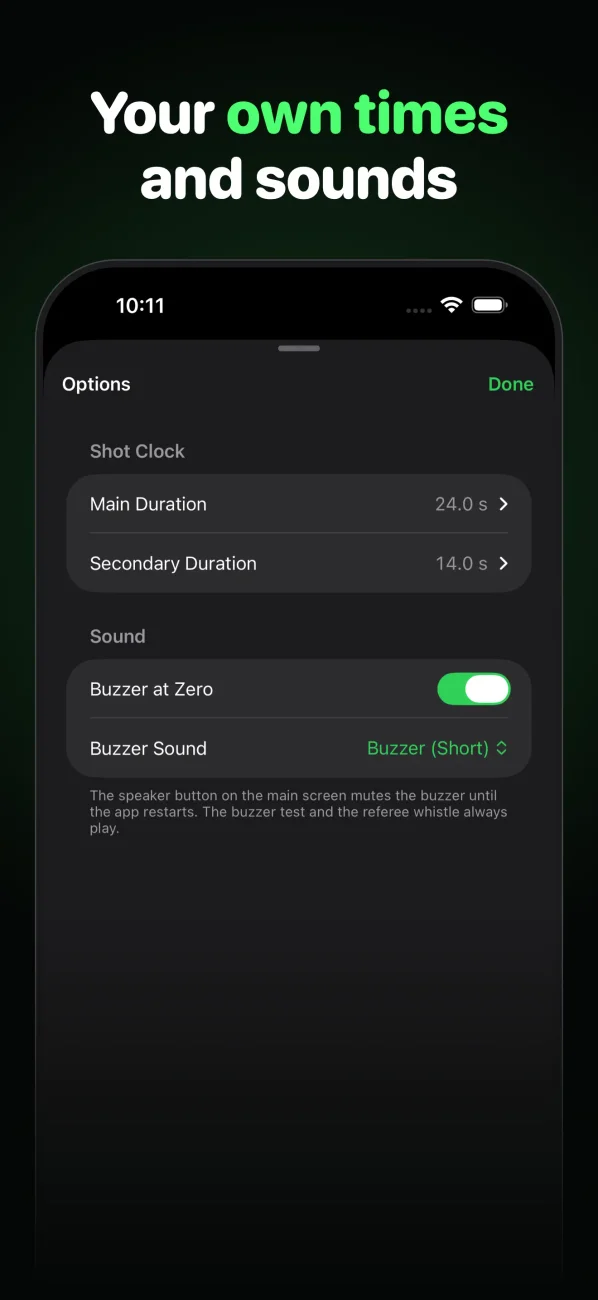
• Five built-in sounds, a buzzer test and a mute button
• Your own durations: set the Main Duration and the Secondary Duration to the exact seconds and tenths you need
• Touch feedback (haptics) that you can switch off
• Dark scoreboard look that is easy to read from a distance
• Made for iPhone Duo: in tabletop mode the display stands upright and the controls lie flat on the table; held like a book, display and controls sit on either side of the fold
• Works on iPhone, iPhone Duo and iPad, in English, German, Spanish and Portuguese, with Dynamic Type
Free to use. A small banner ad pays for the app, and a one-time in-app purchase removes it for good. No account, no subscription.
Privacy: no account and no server of our own; your settings stay on your device. Ads come from Google AdMob, which may process data such as the IP address and device identifiers. Personalized ads use the advertising ID only with your permission; without it you still see ads, just less personalized. Details are in the privacy policy.
What’s new
Version 1.2 · Nov 3, 2026
• Made for iPhone Duo: in tabletop mode the display stands upright and the controls lie flat; held like a book, display and controls sit on either side of the fold. Nothing ever sits on the crease, and folding never stops a running clock.
• Now also in Spanish and Portuguese
App privacy
What Matthias Grevelding Kiesche declares on the App Store about how this app handles data.
-
Data used to track you
May be used to track you across apps and websites owned by other companies.
- Identifiers
- Usage data
- Diagnostics
-
Data linked to you
May be collected and linked to your identity.
- Location
- Identifiers
- Usage data
- Diagnostics
-
Data not linked to you
May be collected but is not linked to your identity.
- Location
- Diagnostics
Privacy practices may vary, for example with the features you use or your age.
Information
- Seller
- Matthias Grevelding Kiesche
- Category
- Sports
- Version
- 1.2
- Updated
- Nov 3, 2026
- Released
- Oct 17, 2026
- Size
- 6.2 MB
- Requires
- iOS 17.0 or later
- Age rating
- 4+
- Price
- Free
- In-app purchases
- Yes
- Languages
- English, German, Portuguese, Spanish
- Copyright
- © 2026 Matthias Grevelding Kiesche
You might also like
-
 BT Basketball ShotclockHigh Quality Shotclock
-
 AtHomeAnalyticsBasketball
-
 Next Leegz ScorekeeperScorekeep you're games easily
-
 Scoreboard for PoloA budget-friendly scoreboard
-
 MatchSheet: Scoreboard ScorerScorekeeper Pickleball Tennis
-
 BallercastCastable Sports Scoreboard
-
 Game Time Pro FootballFootball Simulation
-
 RefBasket: Basketball RefereeShot clock, fouls & report
-
 TG Hochheim Hawks BasketballSports
-
 Scoreboard Tally: CounterDarts, Cornhole & Card Night