
- Age rating4+
- CategoryProductivity
- DeveloperSUNGSOO AN
- LanguagesEnglish+ 2 more
- Size7.9 MB
Links to the official App Store page
Download.org hosts no file of ShotToSchedule. The button opens its official App Store page, published by SUNGSOO AN. Listing last checked on Nov 23, 2026.
Screenshots




About
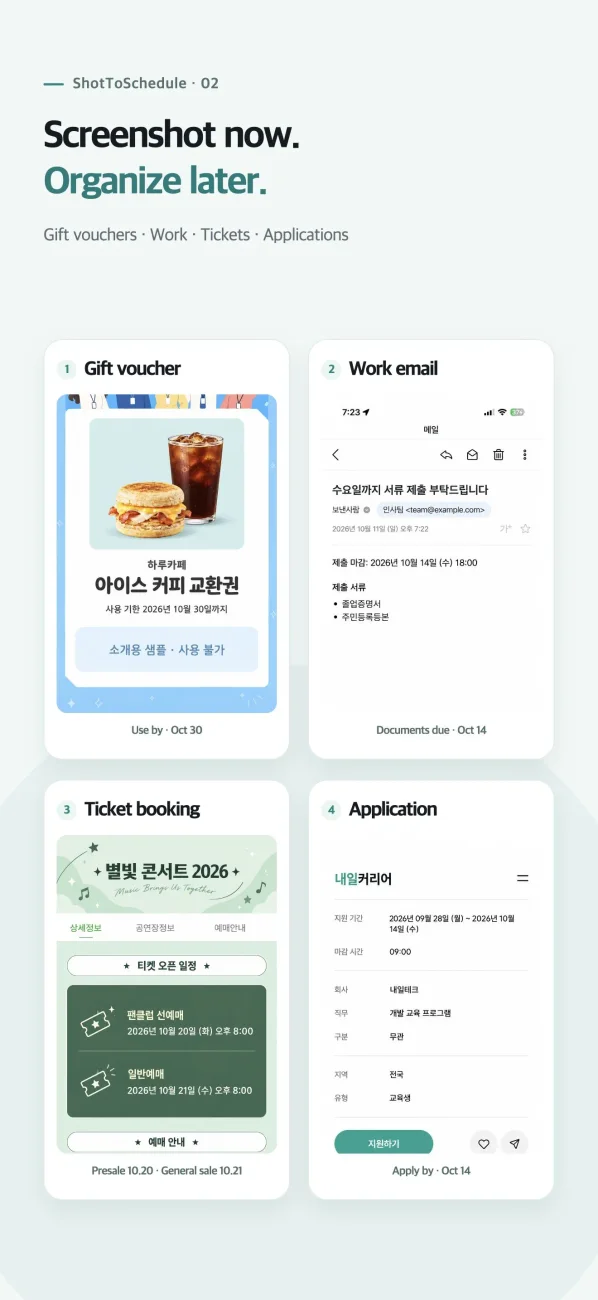
Saved a screenshot and forgot about it?
Gift voucher expiry dates, work deadlines, ticket presales and general sales, application deadlines. Capture what matters when you see it, then open ShotToSchedule later to organize your saved screenshots into events.
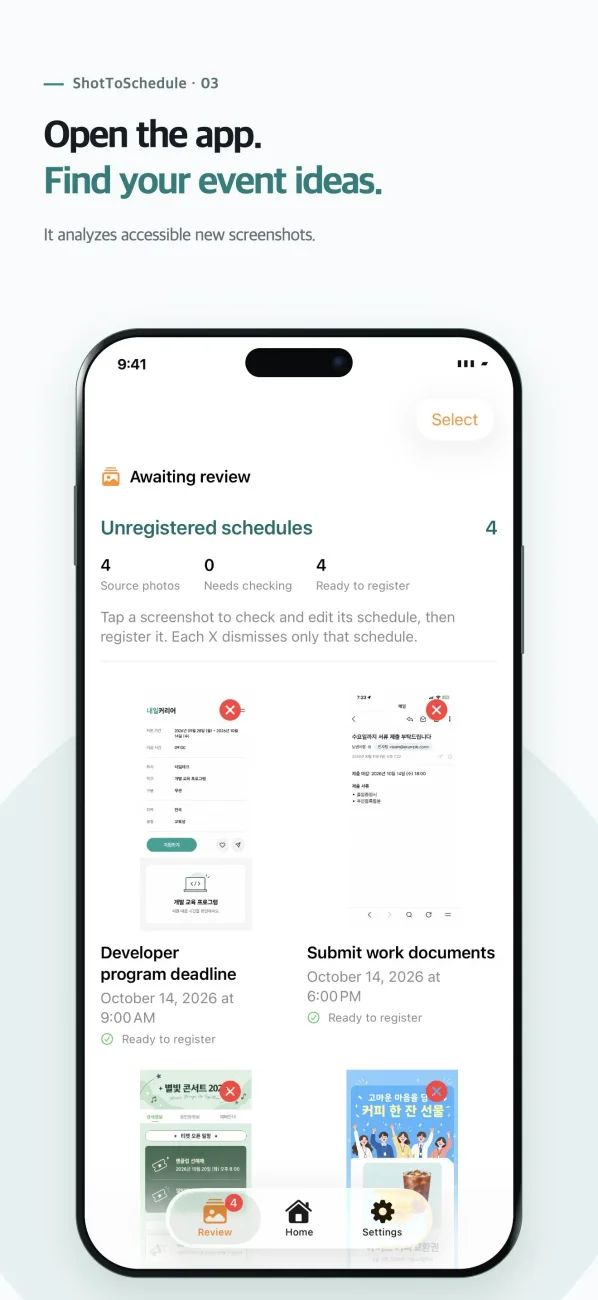
When you open ShotToSchedule, it reads text and dates in accessible screenshots captured within the past 30 days on your device and suggests events. Check the title, date, time and time zone, make any corrections, then save.
• Find event suggestions in screenshots
• Review recognized dates and organize events across multiple dates
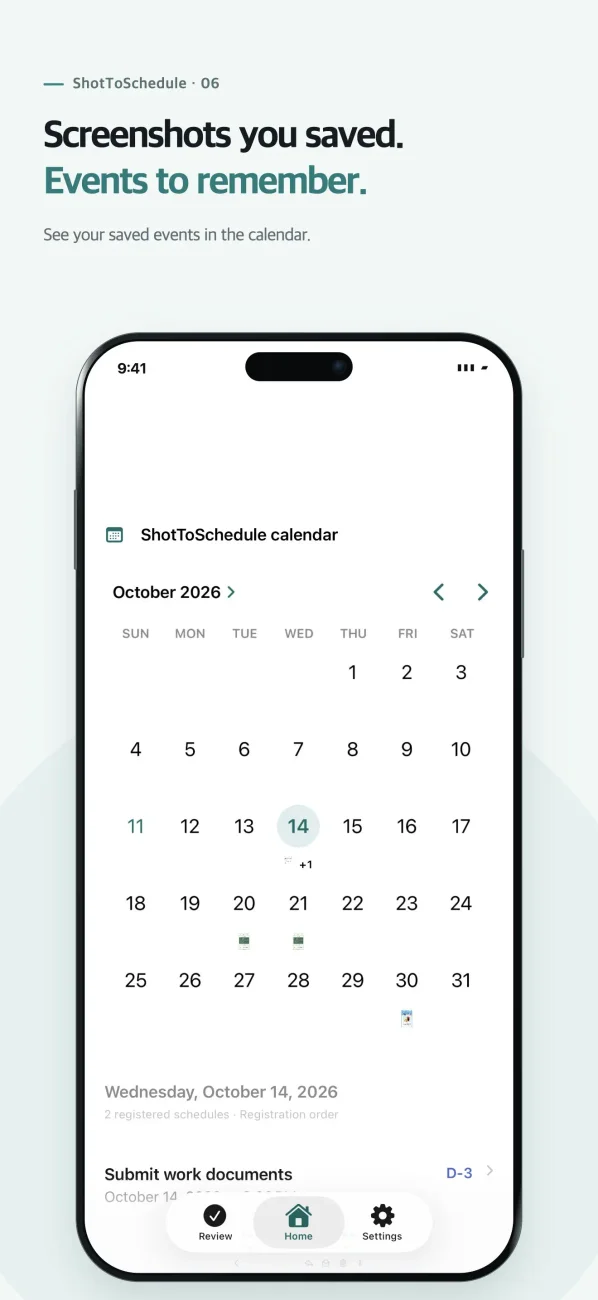
• See saved events in the calendar and upcoming list
• Set day-before and same-day reminders
• View saved events and countdowns in a widget
• Optionally add event copies to Apple Calendar
Text recognition and event storage take place on your device. No account is required. Photos, OCR text and event content are not sent to the advertising SDK or a developer server. Ads and privacy choices involve Google SDK communications.
With limited photo access, only allowed photos can be analyzed. Taking a screenshot does not automatically open the app; analysis happens when you open it. Review recognition results before saving. Adding a copy to Apple Calendar is optional, and that calendar account may synchronize it according to its settings. Reminder delivery and widget updates depend on iOS settings and system limits.
On iOS 26 or later, when Apple Intelligence is available, on-device AI uses context to help suggest event titles and dates. Otherwise, the existing text recognition and parsing workflow is used. From the review screen, you can open a missed-event report email and manually attach and send a screenshot.
What’s new
Version 1.0.6 · Nov 15, 2026
Clearer guidance for finding schedules in screenshots.
If an image does not appear automatically, use the copied-image option below the candidate list in Review.
Improved first-use instructions explain how to copy an image from Photos.
App privacy
What SUNGSOO AN declares on the App Store about how this app handles data.
-
Data used to track you
May be used to track you across apps and websites owned by other companies.
- Identifiers
-
Data linked to you
May be collected and linked to your identity.
- Location
- Identifiers
- Usage data
- Diagnostics
-
Data not linked to you
May be collected but is not linked to your identity.
- Diagnostics
Privacy practices may vary, for example with the features you use or your age.
Information
- Seller
- SUNGSOO AN
- Category
- Productivity
- Version
- 1.0.6
- Updated
- Nov 15, 2026
- Released
- Oct 16, 2026
- Size
- 7.9 MB
- Requires
- iOS 17.0 or later
- Age rating
- 4+
- Price
- Free
- Languages
- English, Japanese, Korean
- Copyright
- © 2026 안성수
You might also like
-
 Hoply - HWP/HWPX ViewerPrivate Korean docs reader
-
 Magic CopySimplest Universal Clipboard
-
 CrewingCrew Schedule & Roster
-
 Speak 4 uProductivity
-
 QuireProductivity
-
 PLJEC HR - 올인원 플젝 HR 모바일 플랫폼Productivity
-
 보바 - 항상 곁에 있는 프린트Productivity
-
 VPN Gate ViewerProductivity
-
 Akiflow: AI Planner & CalendarTime Blocking & To-Do List