- Độ tuổi4+
- Danh mụcHiệu Suất
- Nhà phát triểnSUNGSOO AN
- Ngôn ngữTiếng Anh+ 2 ngôn ngữ khác
- Kích thước7,9 MB
ShotToSchedule hiện có thể không có trên App Store
Ở lần kiểm tra gần nhất, chúng tôi không truy cập được trang trên cửa hàng. Liên kết vẫn dẫn đến trang App Store chính thức.
Ảnh chụp màn hình




Giới thiệu
Nhà phát triển chưa cung cấp nội dung này bằng ngôn ngữ của bạn.
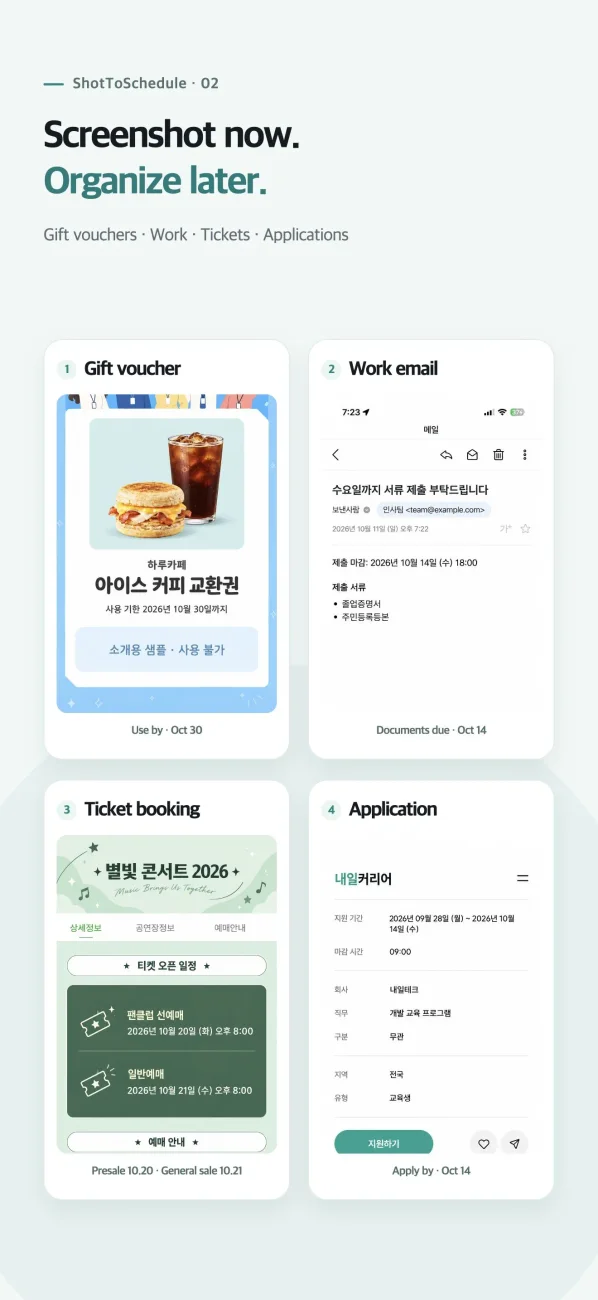
Saved a screenshot and forgot about it?
Gift voucher expiry dates, work deadlines, ticket presales and general sales, application deadlines. Capture what matters when you see it, then open ShotToSchedule later to organize your saved screenshots into events.
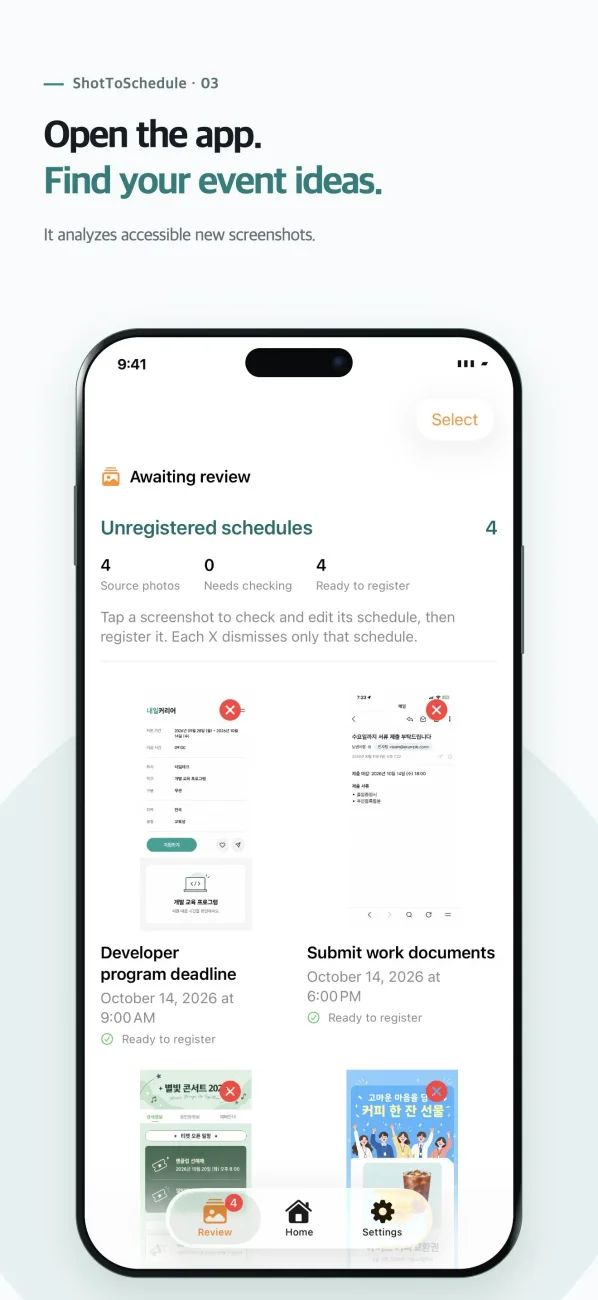
When you open ShotToSchedule, it reads text and dates in accessible screenshots captured within the past 30 days on your device and suggests events. Check the title, date, time and time zone, make any corrections, then save.
• Find event suggestions in screenshots
• Review recognized dates and organize events across multiple dates
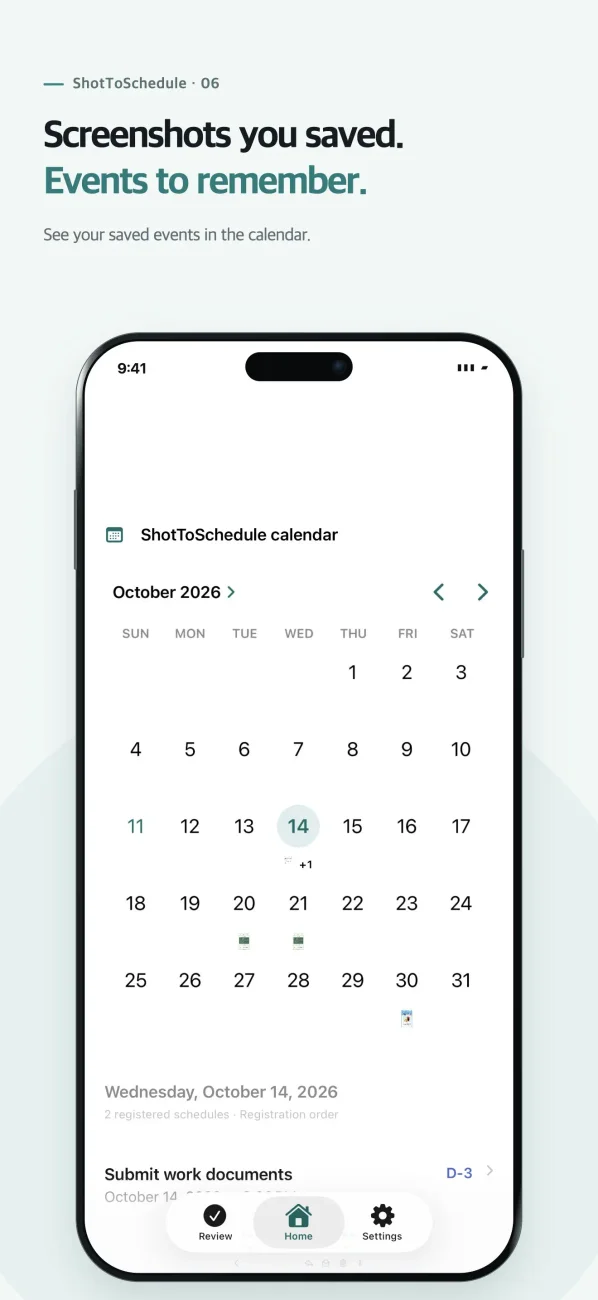
• See saved events in the calendar and upcoming list
• Set day-before and same-day reminders
• View saved events and countdowns in a widget
• Optionally add event copies to Apple Calendar
Text recognition and event storage take place on your device. No account is required. Photos, OCR text and event content are not sent to the advertising SDK or a developer server. Ads and privacy choices involve Google SDK communications.
With limited photo access, only allowed photos can be analyzed. Taking a screenshot does not automatically open the app; analysis happens when you open it. Review recognition results before saving. Adding a copy to Apple Calendar is optional, and that calendar account may synchronize it according to its settings. Reminder delivery and widget updates depend on iOS settings and system limits.
On iOS 26 or later, when Apple Intelligence is available, on-device AI uses context to help suggest event titles and dates. Otherwise, the existing text recognition and parsing workflow is used. From the review screen, you can open a missed-event report email and manually attach and send a screenshot.
Có gì mới
Phiên bản 1.0.6 · 15/11/2026
Clearer guidance for finding schedules in screenshots.
If an image does not appear automatically, use the copied-image option below the candidate list in Review.
Improved first-use instructions explain how to copy an image from Photos.
Quyền riêng tư của ứng dụng
Những gì SUNGSOO AN khai báo trên App Store về cách ứng dụng này xử lý dữ liệu.
-
Dữ liệu được sử dụng để theo dõi bạn
Có thể được sử dụng để theo dõi bạn trên các ứng dụng và trang web do công ty khác sở hữu.
- Mã định danh
-
Dữ liệu liên kết với bạn
Có thể được thu thập và liên kết với danh tính của bạn.
- Vị trí
- Mã định danh
- Dữ liệu sử dụng
- Chẩn đoán
-
Dữ liệu không liên kết với bạn
Có thể được thu thập nhưng không liên kết với danh tính của bạn.
- Chẩn đoán
Phương thức đảm bảo quyền riêng tư có thể khác nhau, chẳng hạn như tuỳ theo các tính năng bạn sử dụng hoặc độ tuổi của bạn.
Thông tin
- Người bán
- SUNGSOO AN
- Danh mục
- Hiệu Suất
- Phiên bản
- 1.0.6
- Cập nhật
- 15/11/2026
- Phát hành
- 16/10/2026
- Kích thước
- 7,9 MB
- Yêu cầu
- iOS 17.0 trở lên
- Độ tuổi
- 4+
- Ngôn ngữ
- Tiếng Anh, Tiếng Nhật, Tiếng Hàn
- Bản quyền
- © 2026 안성수