Sift: PDF Scanner & OCR
Scan it. Never name it.
Designed for iPhone, iPad
Free · In-app purchases
- Age rating4+
- CategoryProductivity
- DeveloperAnshul Jain
- LanguagesEnglish
- Size2.3 MB
Links to the official App Store page
Download.org hosts no file of Sift: PDF Scanner & OCR. The button opens its official App Store page, published by Anshul Jain. Listing last checked on Nov 18, 2026.
Screenshots


About
Every document scanner reads your page. Then it saves the file as "2024-05-22 00:45:29" and hands you an empty folder.
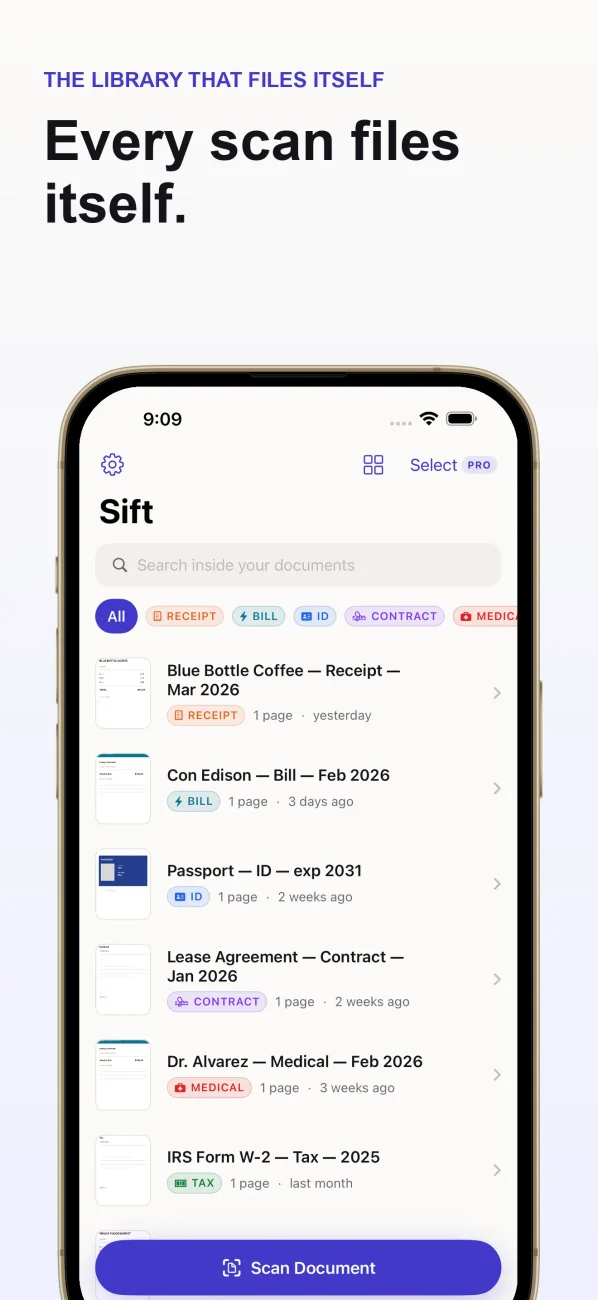
Sift uses what it just read. Scan a receipt and it saves as "Blue Bottle Coffee - Receipt - Mar 2026", already filed under Receipts. You tap Save, not Rename.
Then, weeks later, you swipe down on your Home Screen, type "lease", and there it is - because Sift indexes the text inside every scan into iOS Spotlight.
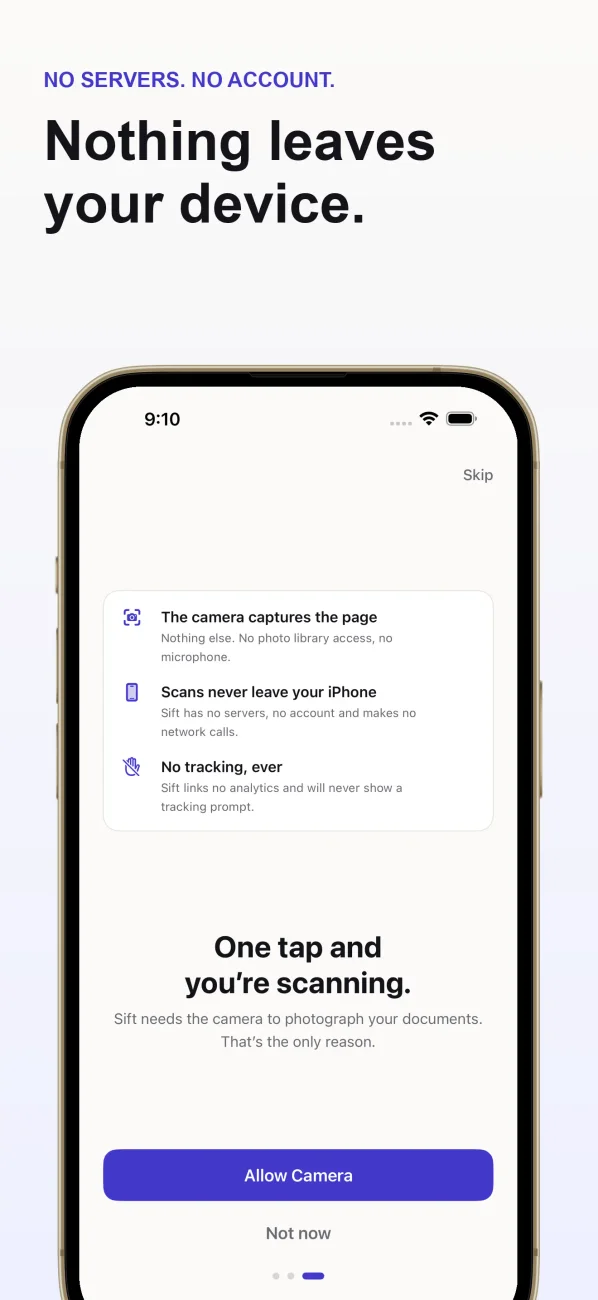
All of it happens on your iPhone. Sift has no servers, no account, and makes no network calls.
THE LIBRARY THAT FILES ITSELF
• Automatic titles - Sift finds the letterhead, the vendor, and the date, and writes the title for you
• Automatic filing - receipts, bills, IDs, contracts, medical records, tax documents, notes
• Everything editable - it's a suggestion, not a decision. Change anything before you save.
FIND ANYTHING, INSTANTLY
• Search the text inside your documents, not just their filenames
• Find scans from your Home Screen with Spotlight - no need to open Sift first
• Every result opens straight to the document
SCANS THAT WORK EVERYWHERE ELSE
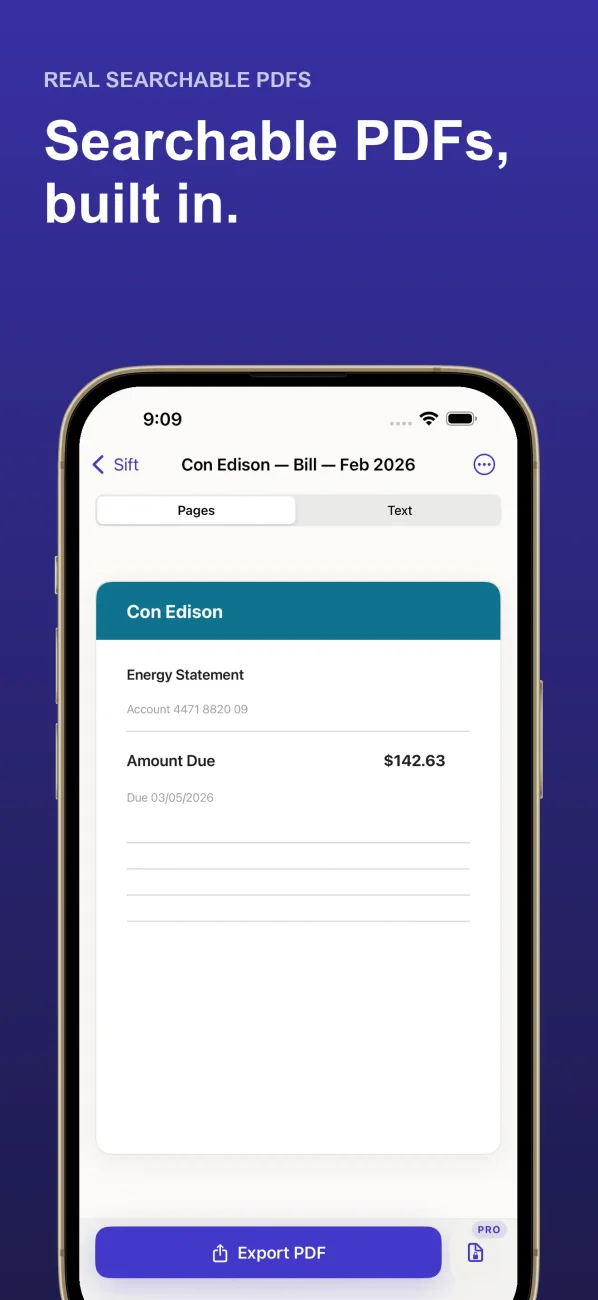
• Real searchable PDFs - Sift writes an invisible text layer into every export, so you can select and search the text in Preview, Acrobat, or Files. Not just a picture of a page.
• Clean captures with automatic edge detection and perspective correction
• Four filters - Original, Enhanced, Grayscale, Black & White - applied to every page at once, not one at a time
• Import what you already have - photos and PDFs from Photos or Files, read and filed the same way
• Sign and mark up a page with your finger - save your signature once and stamp it on any document
• Reorder, rotate, split, and drop pages; export as PDF, compressed PDF, or JPG
• Fine-tune brightness and contrast on top of the four filters
ASK YOUR DOCUMENTS (ON SUPPORTED DEVICES)
On iPhones with Apple Intelligence, ask Sift about any scan - "what's the total?", "when does this lease end?" - and get answers from that document, generated entirely on your device. If the answer isn't in the document, Sift says so instead of guessing. No cloud AI, ever.
SCAN FROM ANYWHERE
• "Hey Siri, scan with Sift"
• Add scanning to a Shortcut, your Action Button, or Control Center
PRIVATE BY CONSTRUCTION, NOT BY PROMISE
• No servers. No account. No sign-up. No network calls.
• No analytics. No ads. No third-party SDKs of any kind.
• No tracking permission prompt - because there is nothing in Sift to track you with.
• Your IDs, contracts, and medical records never leave your iPhone. They can't - there's nowhere for them to go.
• Want Sift locked? Long-press its icon and choose Require Face ID - iOS locks it system-wide
FREE FOREVER - GENUINELY
Unlimited scanning. Unlimited pages. Text recognition. Automatic titling. Automatic filing. Search. Spotlight. PDF export. No limits, no watermark, no ads.
We can give this away because it all runs on your device and costs us nothing to serve. There is no paywall in onboarding, ever, and nothing above is gated. Sift shows the price twice on its own, after it titles your first scan and after your first export. Both have a full-size Not now and block nothing.
SIFT PRO (OPTIONAL)
Adds encrypted backup & restore (pack your whole library into one password-protected file you save wherever you like), document expiry reminders, batch tools, text export, watermarked exports, and password-protected PDFs. Every plan and its true cost is shown on one screen, with the price printed on the button. Weekly or Yearly (each with a 7-day free trial you have to actually choose), or a one-time Lifetime purchase in Settings.
Subscriptions auto-renew unless cancelled at least 24 hours before the period ends, and are managed in your Apple Account settings. Lifetime is a one-time purchase and never renews.
Privacy Policy: https://ajain26.github.io/app-policies/sift/privacy-policy.html
Terms of Use: https://www.apple.com/legal/internet-services/itunes/dev/stdeula/
What’s new
Version 1.2 · Aug 24, 2026
Onboarding now takes you straight to the camera permission prompt, with no extra step in between.
Refreshed the App Store screenshots.
Purchases and restores are more reliable, and if something does go wrong you get a plain explanation instead of a system error code.
App privacy
What Anshul Jain declares on the App Store about how this app handles data.
-
Data not collected
The developer does not collect any data from this app.
Privacy practices may vary, for example with the features you use or your age.
Information
- Seller
- Anshul Jain
- Category
- Productivity
- Version
- 1.2
- Updated
- Aug 24, 2026
- Released
- Jul 30, 2026
- Size
- 2.3 MB
- Requires
- iOS 17.0 or later
- Age rating
- 4+
- Price
- Free
- In-app purchases
- Yes
- Languages
- English
- Copyright
- © 2026 Anshul Jain
You might also like
-
 Scanbox: PDF Doc ScannerOn-device PDF & doc scanner
-
 Document Lens - OCR ScannerScan, OCR & Instashare PDFs
-
 Scanyra: PDF & Receipt ScannerInvoices, OCR & expense totals
-
 ScanEase : AI PDF ScannerChat PDF,OCR,Sign & Translate
-
 Zip plus Pharmacy ManagementProductivity
-
 Archi — Paperless ScannerScan, OCR & archive documents
-
 Listify - Task PlannerChecklist projects made clear
-
 Scanling – PDF Scanner & OCRNo subscription. No account.
-
 PDF Scanner App & EditorPDF Editor. Doc Scanner App.
-
 CompactifAIProductivity