SignalMap WiFi Analyzer
Heatmap & Mesh Roaming
Designed for iPhone, iPad
Free · In-app purchases
- Age rating4+
- CategoryUtilities
- Developer晨阳 段
- LanguagesEnglish+ 16 more
- Size7.2 MB
Links to the official App Store page
Download.org hosts no file of SignalMap WiFi Analyzer. The button opens its official App Store page, published by 晨阳 段. Listing last checked on Nov 21, 2026.
Screenshots



About
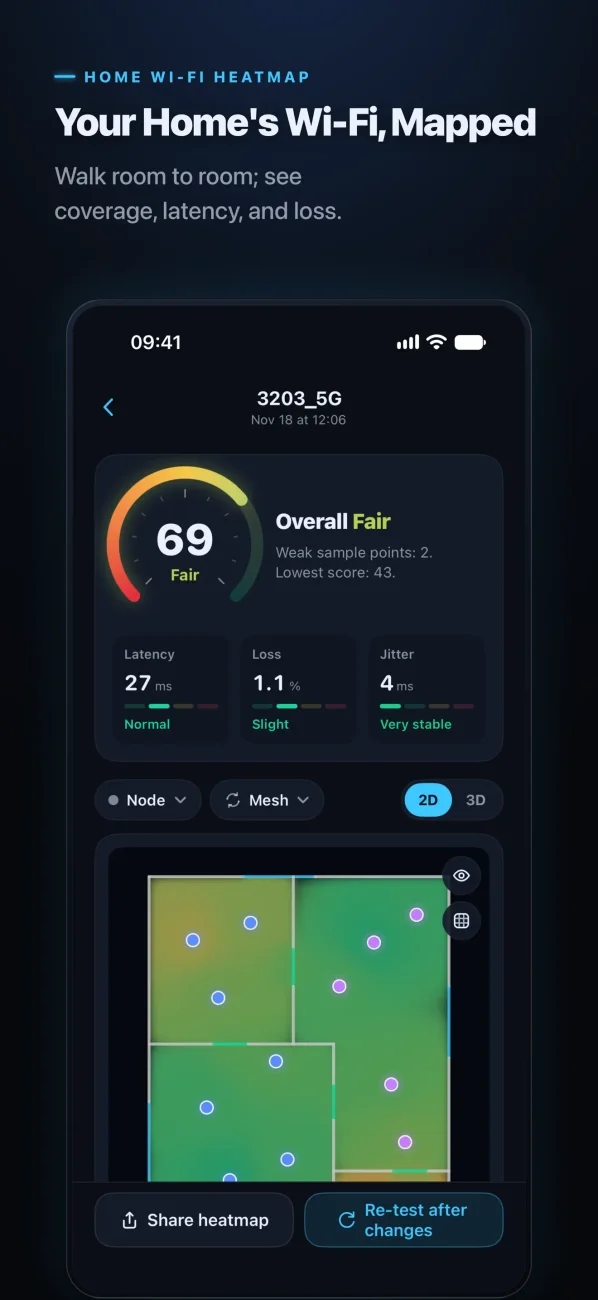
Walk around your home holding your iPhone, and SignalMap turns the measured connection quality into a Wi-Fi heatmap of your place.
How it works:
• Start near your router and walk slowly through each room
• LiDAR builds the floor plan; without LiDAR, use guided camera scanning
• Finish the walk to get the heatmap, home score, and per-point data
Free:
• 2D Wi-Fi heatmap and home score: latency, jitter, packet loss
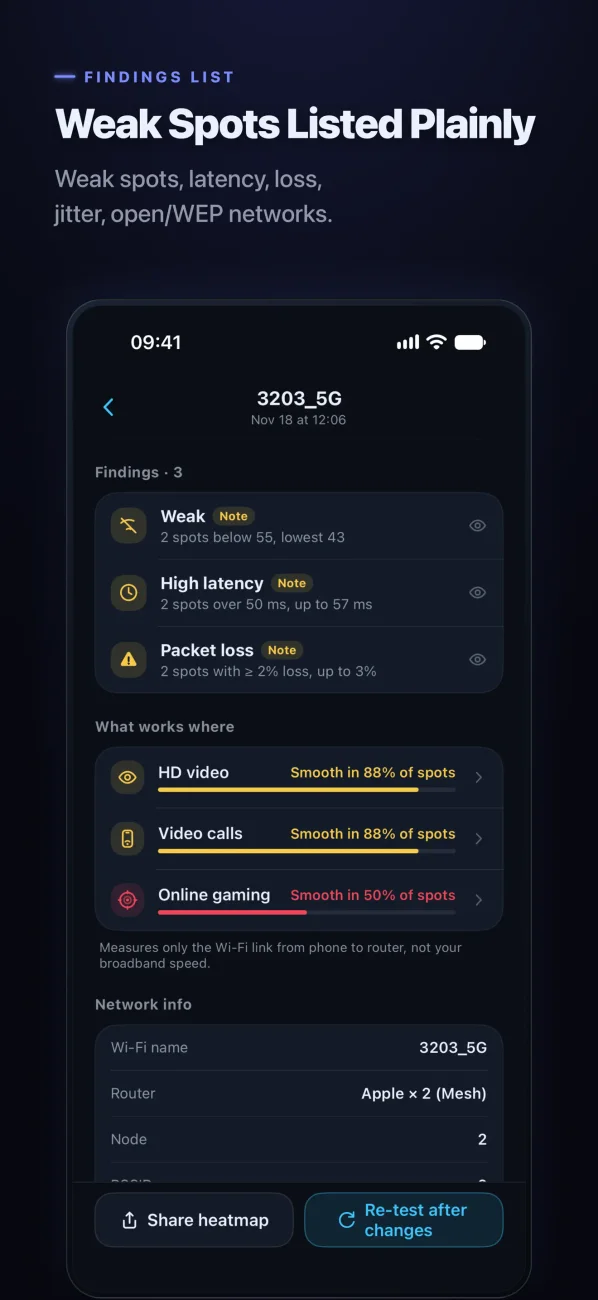
• Findings list: weak spots, high latency, packet loss, jitter, insecure encryption (open networks, WEP)
• What works where: video calls, gaming, streaming
• Network info: Wi-Fi name, router brands, node count, encryption type
• Share the heatmap image
Pro:
• 3D signal view in heat and grid modes; pinch and rotate
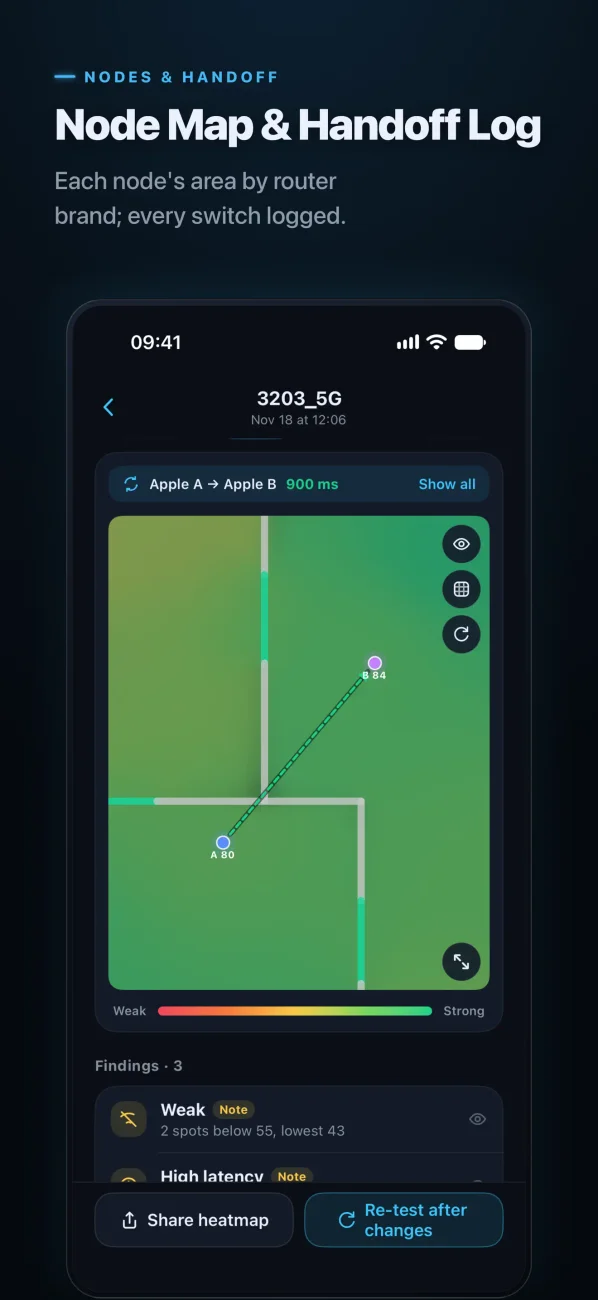
• Per-node coverage labeled by router brand
• Mesh handoff detection: where each switch happened, how long it took, sticky devices
• Professional multi-page PDF report: cover, heatmap, grid, numbered points with data table, network and Mesh, method notes, signature lines
• Full history and before/after comparison of the same place
• 7-day pass is a one-time payment and never renews; Lifetime is one-time too
For:
• Home users who want to see their own coverage
• Installers who set up networks and Mesh for clients and hand over the report
Privacy:
• Scans stay on your device; no account needed
• Recording the scan place is optional and off by default; places and floors stay separated, with place names from the system service
Terms of Use: https://hilalum.github.io/terms/signalmap/
What’s new
Version 2026.11.18 · Nov 20, 2026
What's new:
• Smoother scanning: the camera stays visible, exiting asks before discarding points, and one slide takes you straight to the report
• Redesigned report: latency, loss and jitter bands, plus comparison with your last scan of the same place
• Grid mode in the 3D signal view; the PDF report adds grid and point-detail maps
• Mesh handoffs shown on the map with both points, direction and timing
• Full-screen landscape map with sharper zoom
• The home score now weighs the weakest areas more
• Network info and encryption check
• Optional place names to tell homes and floors apart (off by default)
• Optimized for iPhone Duo
• 9 new languages
App privacy
What 晨阳 段 declares on the App Store about how this app handles data.
-
Data not linked to you
May be collected but is not linked to your identity.
- Usage data
Privacy practices may vary, for example with the features you use or your age.
Information
- Seller
- 晨阳 段
- Category
- Utilities
- Version
- 2026.11.18
- Updated
- Nov 20, 2026
- Released
- Jun 22, 2026
- Size
- 7.2 MB
- Requires
- iOS 17.0 or later
- Age rating
- 4+
- Price
- Free
- In-app purchases
- Yes
- Languages
- English, Arabic, Dutch, French, German, Italian, Japanese, Korean, Polish, Portuguese, Russian, Simplified Chinese + 5 more
- Copyright
- © 2026 Hilalum
You might also like
-
 LiDAR WiFi PlannerSurvey, Heatmap & Analyzer
-
 Wifi Mapper: WiFi Site SurveyHeatmap, Speed Test
-
 WiFi Heatmap Planner: HeatFiSignal coverage, analyzer
-
 Mesh MapperWi-Fi heat maps for your home
-
 WiFi Heatmap & Speed SurveyLiDAR floor plans & Wi-Fi maps
-
 AR Wifi AnalyzerSee your Wi-Fi coverage in 3D
-
 WiFi Heatmap: Signal CoverageStrength Meter & Site Survey
-
 Signl - WiFi Analyzer & mapperInternet Heatmap & 3D Home Map
-
 NetLens: Wifi Heatmap SurveyWifi heatmaps in AR, on-device
-
 WiFi Network Signal ToolsInternet Speed and Device Info