Simple Censor: Face Blur
Fast Photo Redaction & Mosaic
Designed for iPhone, iPad
Free
- Age rating4+
- CategoryPhoto & Video
- Developerheewook shin
- LanguagesEnglish+ 1 more
- Size10.2 MB
Links to the official App Store page
Download.org hosts no file of Simple Censor: Face Blur. The button opens its official App Store page, published by heewook shin. Listing last checked on Nov 14, 2026.
Screenshots



About
Redact faces and personal information before you share—without a complicated editor.
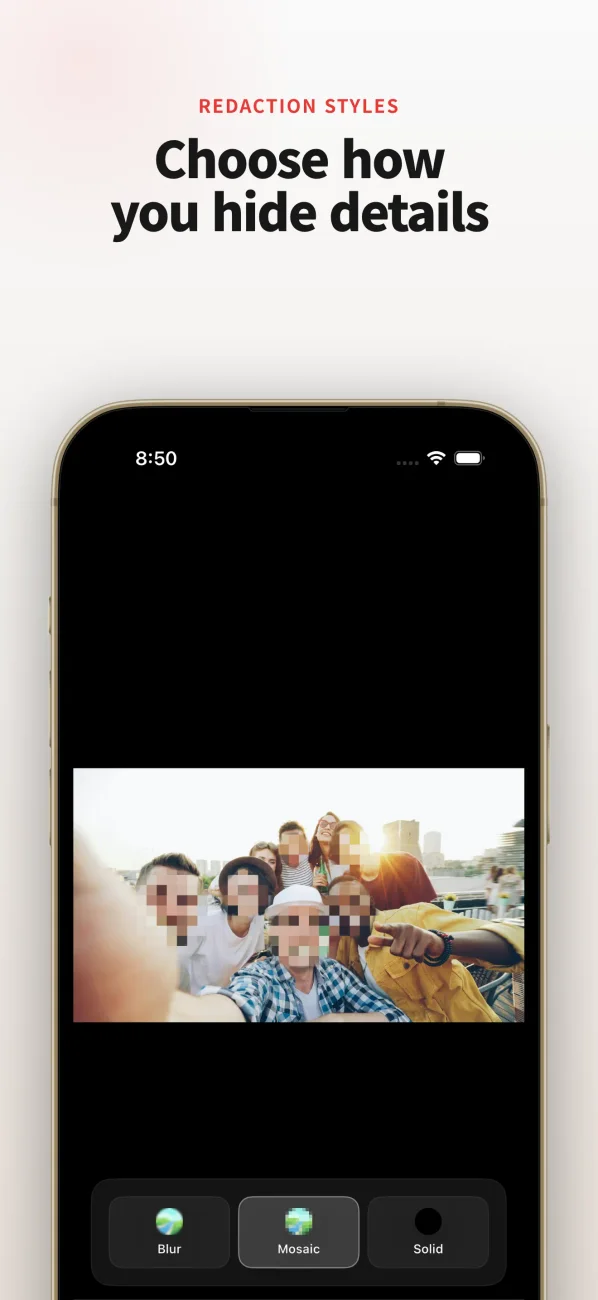
Open a photo in Simple Censor or start directly from the iOS share sheet. Detected faces receive a pixel mosaic automatically. Brush over names, addresses, account numbers, or any other sensitive detail, then save at the original resolution or share immediately.
WHY SIMPLE CENSOR
• Direct from the share sheet — edit one photo without opening the app first
• Automatic face redaction — detected faces are mosaicked when the photo opens
• Manual privacy brush — cover text, screens, documents, and identifying details
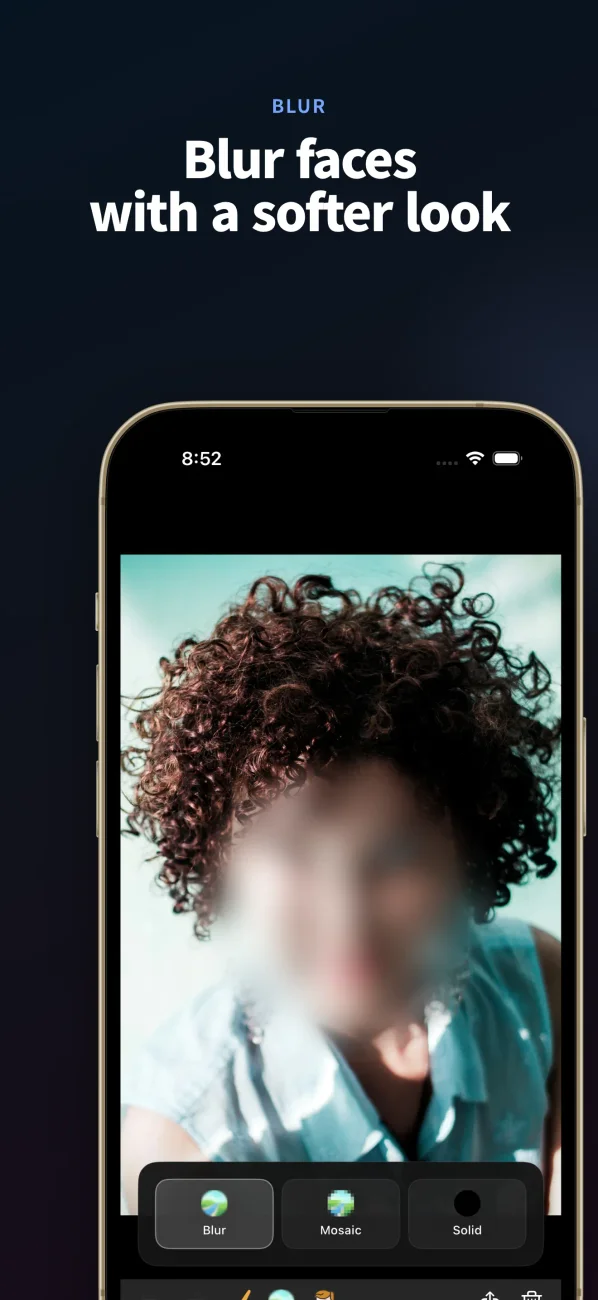
• Three censor styles — blur, pixel mosaic, or solid black fill
• Face or eye coverage — switch between full-face masks and classic eye bars
• Brush and eraser — refine exactly what stays visible
• Undo and redo — correct edits without starting over
• Original-resolution output — keep the photo's original pixel dimensions
• No subscription or watermark
PRIVATE BY DESIGN
Face detection and editing run on your device. Simple Censor does not upload your photos for processing.
HOW IT WORKS
1. Pick a photo in the app, or choose Simple Censor from another app's share sheet.
2. Review the automatic face mosaic and brush over anything else.
3. Save to Photos or share immediately.
Simple Censor is made for quick redaction before social posts, messages, listings, school documents, and screenshots.
What’s new
Version 1.2.2 · Aug 30, 2026
• Edit and save a photo directly from the iOS share sheet
• Automatically apply a mosaic to detected faces
• Refine private areas with brush, eraser, blur, mosaic, or solid fill
• Improved save feedback, localization, stability, and polish
App privacy
What heewook shin declares on the App Store about how this app handles data.
-
Data not linked to you
May be collected but is not linked to your identity.
- Identifiers
- Usage data
Privacy practices may vary, for example with the features you use or your age.
Information
- Seller
- heewook shin
- Category
- Photo & Video
- Version
- 1.2.2
- Updated
- Aug 30, 2026
- Released
- Sep 20, 2020
- Size
- 10.2 MB
- Requires
- iOS 17.0 or later
- Age rating
- 4+
- Price
- Free
- Languages
- English, Korean
- Copyright
- © 2026 AXI Inc.
You might also like
-
 CensorPixelPhoto & Video
-
 Veil: Censor & Blur PhotosPhoto & Video
-
 Censor ThisPhoto & Video Redaction
-
 Photo Blur – Brush to CensorPhoto & Video
-
 Blur Photo & Text: Censor AppBlur Face, Text & Background
-
 Censored Gallery: Blur NudityPixelate photos, video, camera
-
 BlurBrush: Redact ScreenshotsHide card, ID & bank details
-
 Censor: Face Blur & PixelateRedact, Mosaic & Hide Plate
-
 Video Blur & Face CensorPixelate & Mosaic Videos
-
 Video Blur Maker: Censor FaceAuto Hide Person Background