
Simple Letter
Create & Print Formal Letters
Designed for iPhone, iPad
Free · In-app purchases
- Age rating9+
- CategoryProductivity
- DeveloperWolfram Wacker
- LanguagesEnglish
- Size4.9 MB
Links to the official App Store page
Download.org hosts no file of Simple Letter. The button opens its official App Store page, published by Wolfram Wacker. Listing last checked on Nov 23, 2026.
Screenshots


About
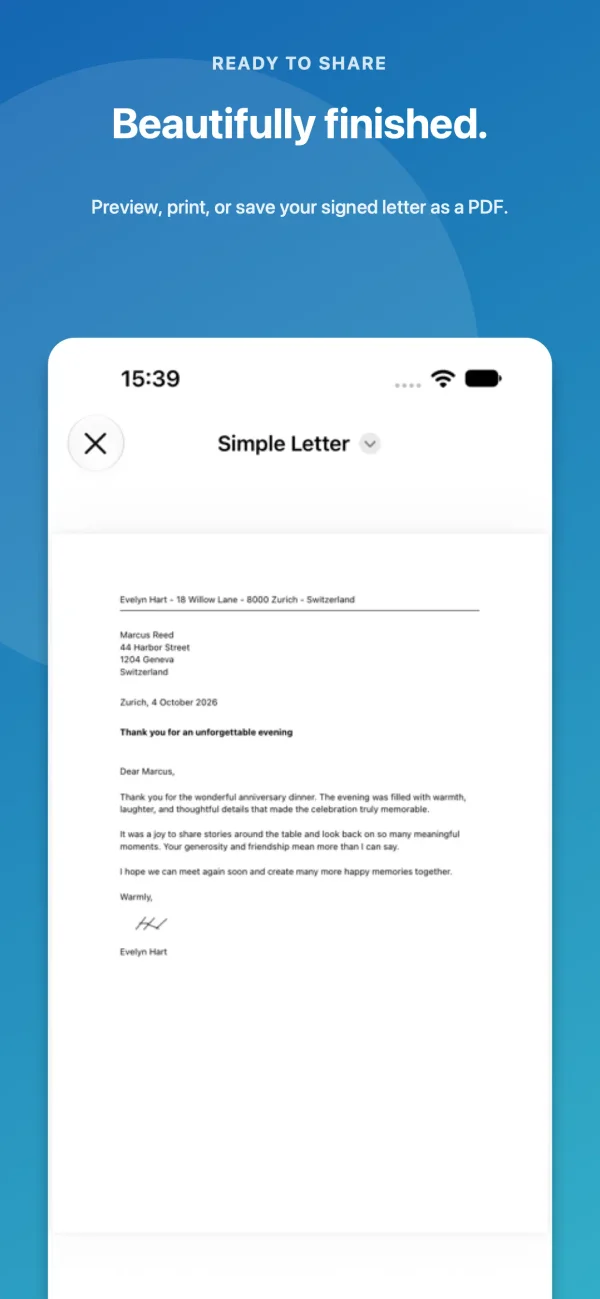
Simple Letter helps you to create clean, well-formatted letters on iPhone, iPad and Apple Silicon Mac. Write personal or professional letters with a clear structure for sender, addressee, subject, greeting, main text, closing and signature. Customize fonts, font size, spacing, sender style, alignment and print margins, then print or export using the system print flow.
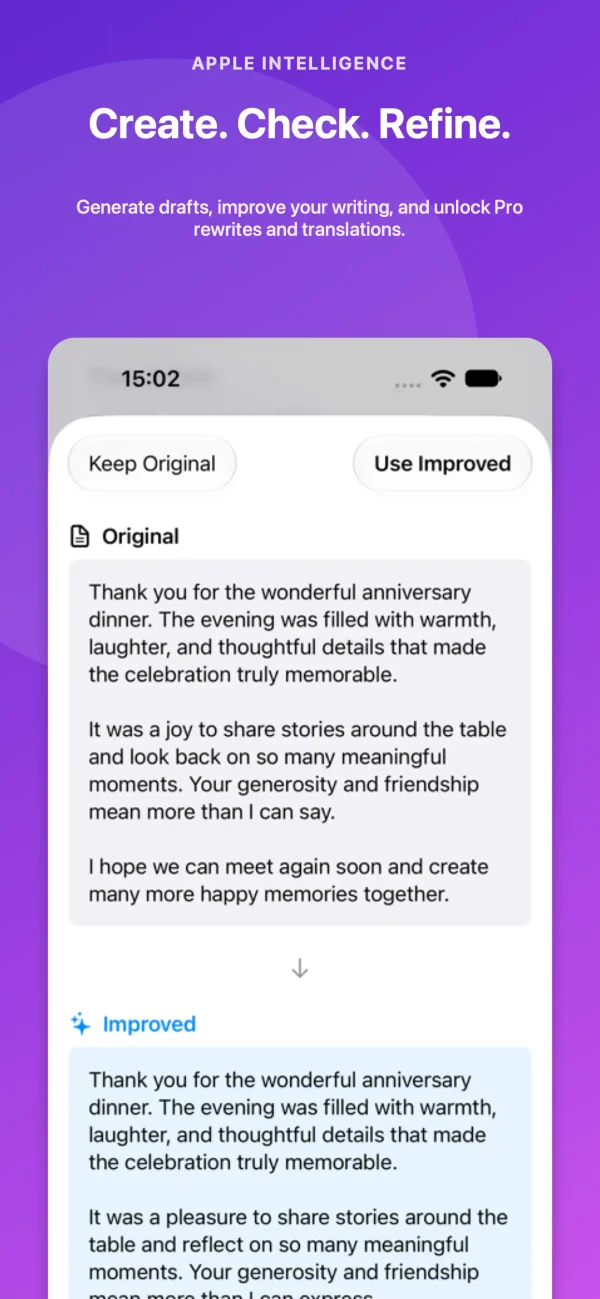
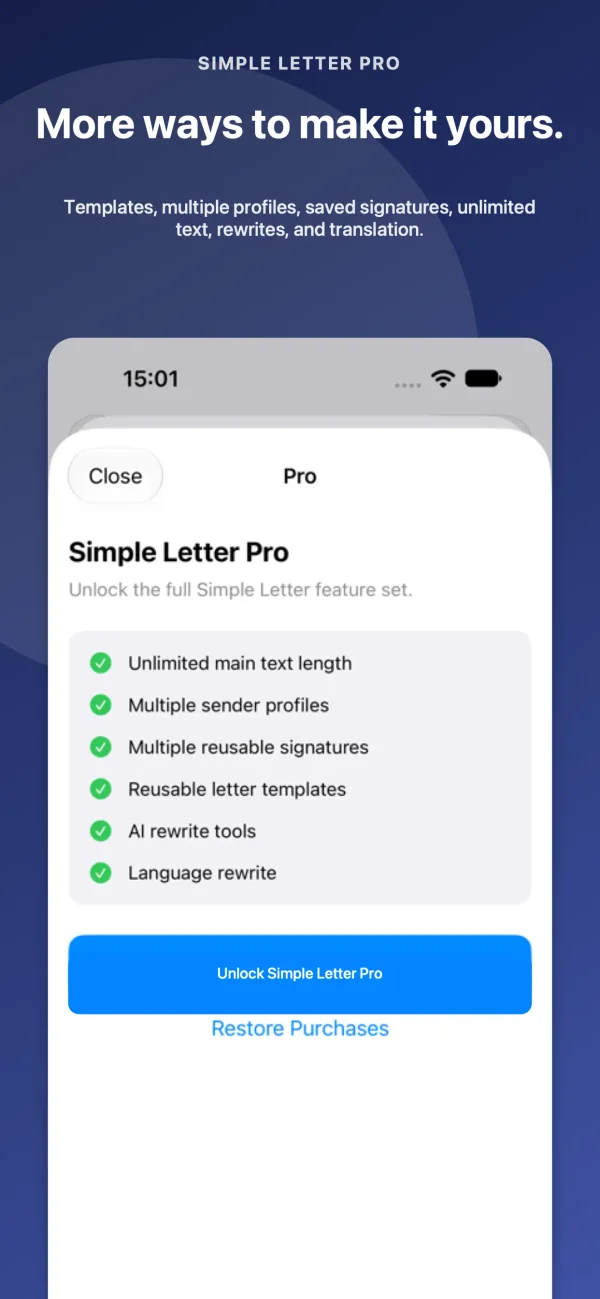
Simple Letter also includes Apple Intelligence features on supported devices to help you generate draft text and improve existing letters. All processing happens locally on your device, helping to keep your data secure. Simple Letter Pro unlocks advanced tools for users who write letters regularly, including reusable templates, multiple sender profiles, multiple signatures, unlimited letter length and AI rewrite tools.
Key Features:
• Create formal letters with a simple, guided layout
• Works on iPhone, iPad and Apple Silicon Mac
• Customize sender style, sender alignment, fonts, font size, spacing and print margins
• Print or export through the system print dialog
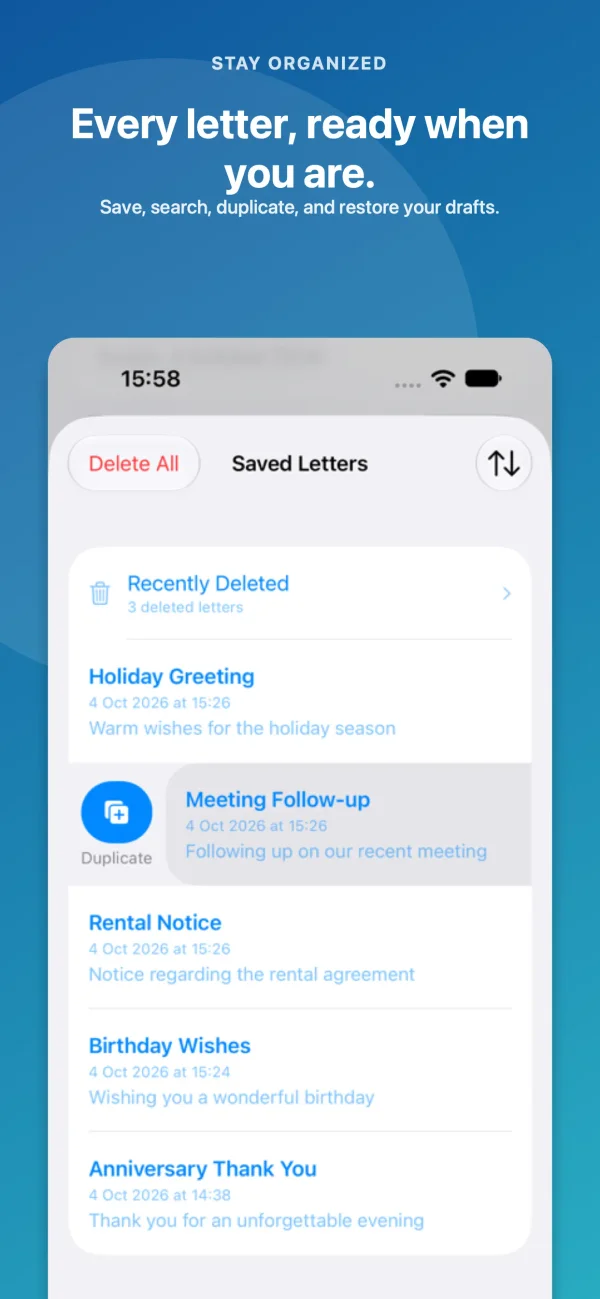
• Save, reopen, search, sort and duplicate letters
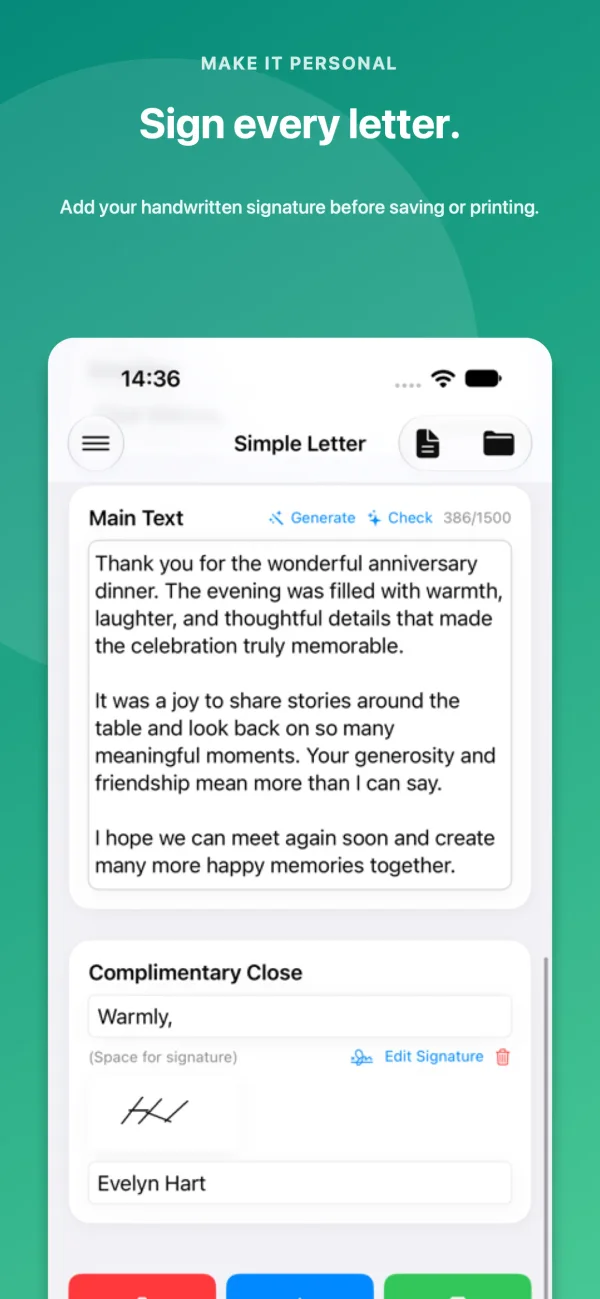
• Add a handwritten signature
• Use Apple Intelligence on supported devices to generate and improve letter text
• Keyboard shortcuts on iPad and Mac
Simple Letter Pro:
• Unlimited main-text length
• Multiple sender profiles
• Multiple saved signatures
• Built-in starter templates for common letter scenarios
• AI rewrite tools for tone changes and refinement
• Rewrite in another language on supported devices
What’s new
Version 5.9 · Nov 16, 2026
Upon popular demand added an optional fifth address line for both sender and recipient. Also improved signature drawing with smoother strokes and fine, medium and bold pen widths and added undo to remove the last signature stroke.
App privacy
What Wolfram Wacker declares on the App Store about how this app handles data.
-
Data not collected
The developer does not collect any data from this app.
Privacy practices may vary, for example with the features you use or your age.
Information
- Seller
- Wolfram Wacker
- Category
- Productivity
- Version
- 5.9
- Updated
- Nov 16, 2026
- Released
- Oct 13, 2025
- Size
- 4.9 MB
- Requires
- iOS 26.0 or later
- Age rating
- 9+
- Price
- Free
- In-app purchases
- Yes
- Languages
- English
- Copyright
- © 2025-2026 wwb-apps.ai
You might also like
-
 Club Fee TrackerTrack team member payments
-
 Find Your AIMatch with the right AI tool
-
 Letter Printer: PDF WriterFormal Letterhead Templates
-
 TaskscopeCalm tasks & project planning
-
 Daily Planner ProOrganize Your Day Easily
-
 Envelope Printer & TemplatesPrint Address for Cards & Mail
-
 Planote - Daily Planner TasksSchedule Organizer, To-do list
-
 Cover Letter Maker.Create your cover letter now
-
 All-in-One Year Calendar ProThe Customizable Life Planner
-
 Envelope Printer: Label MakerPrint Shipping Address