Envelope Printer: Label Maker
Print Shipping Address
Designed for iPhone, iPad
Free · In-app purchases
- Age rating4+
- CategoryProductivity
- DeveloperArda Sen
- LanguagesEnglish+ 29 more
- Size3.5 MB
Links to the official App Store page
Download.org hosts no file of Envelope Printer: Label Maker. The button opens its official App Store page, published by Arda Sen. Listing last checked on Nov 15, 2026.
Screenshots

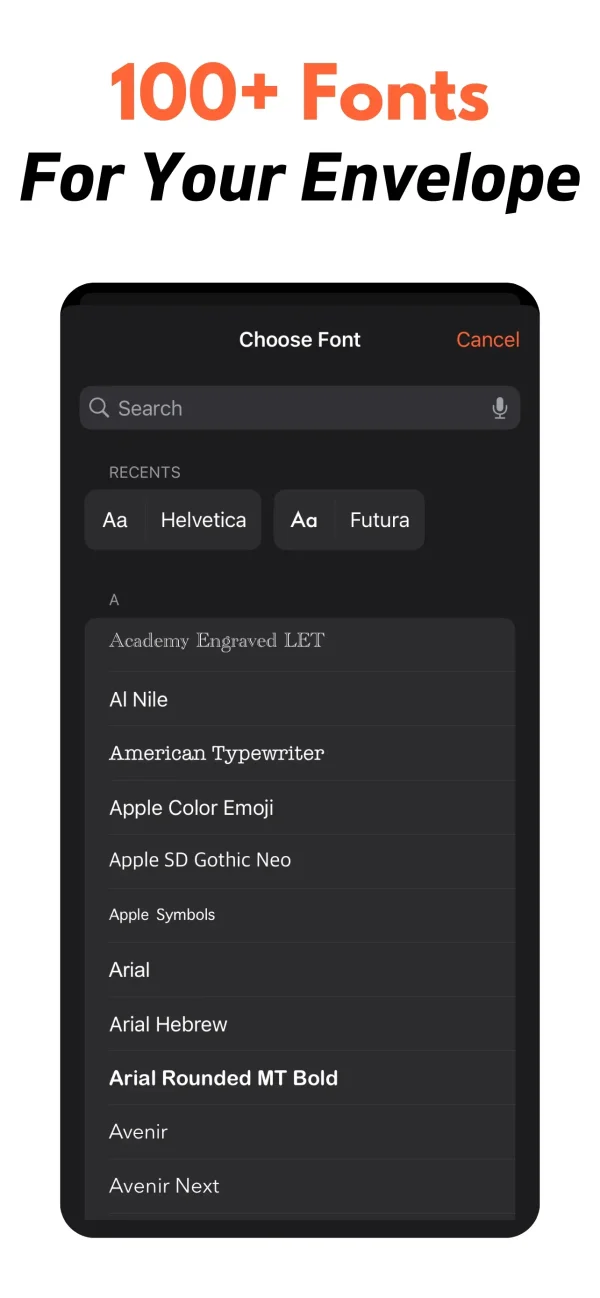

About
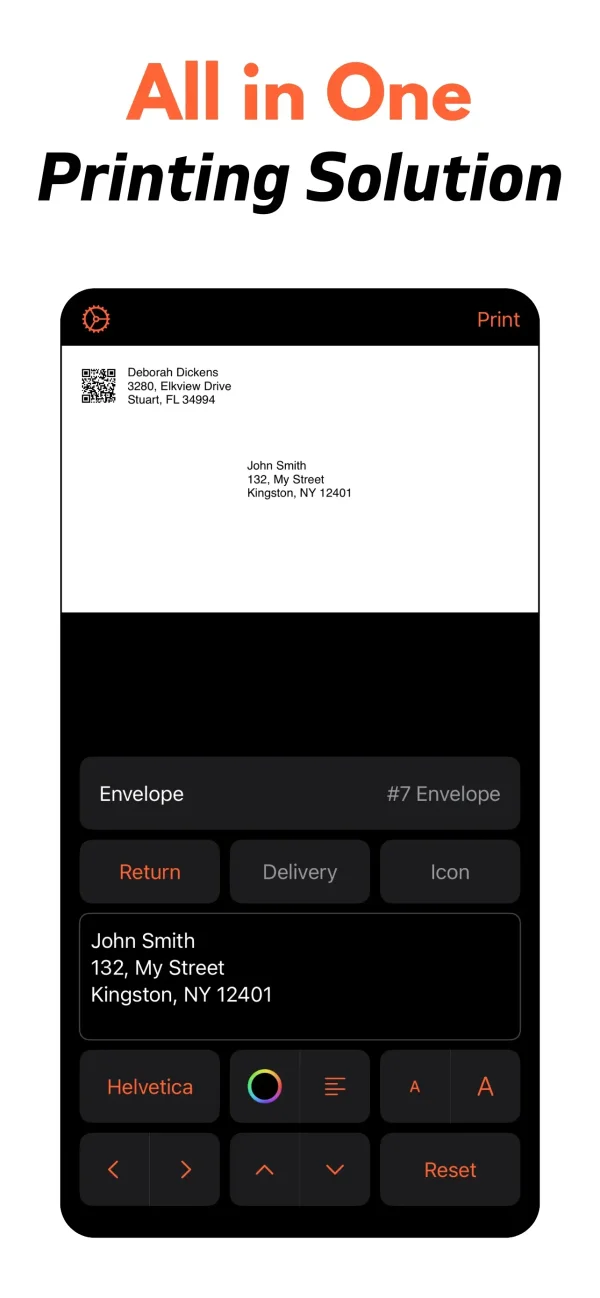
Print professional-looking envelopes straight from your iPhone or iPad. Envelope Printer puts the delivery and return address exactly where they belong, on any envelope size, with any AirPrint printer — no computer, no templates, no guesswork.
Whether you are mailing invitations, greeting cards, invoices or business letters, Envelope Printer turns a tedious task into a few taps.
KEY FEATURES
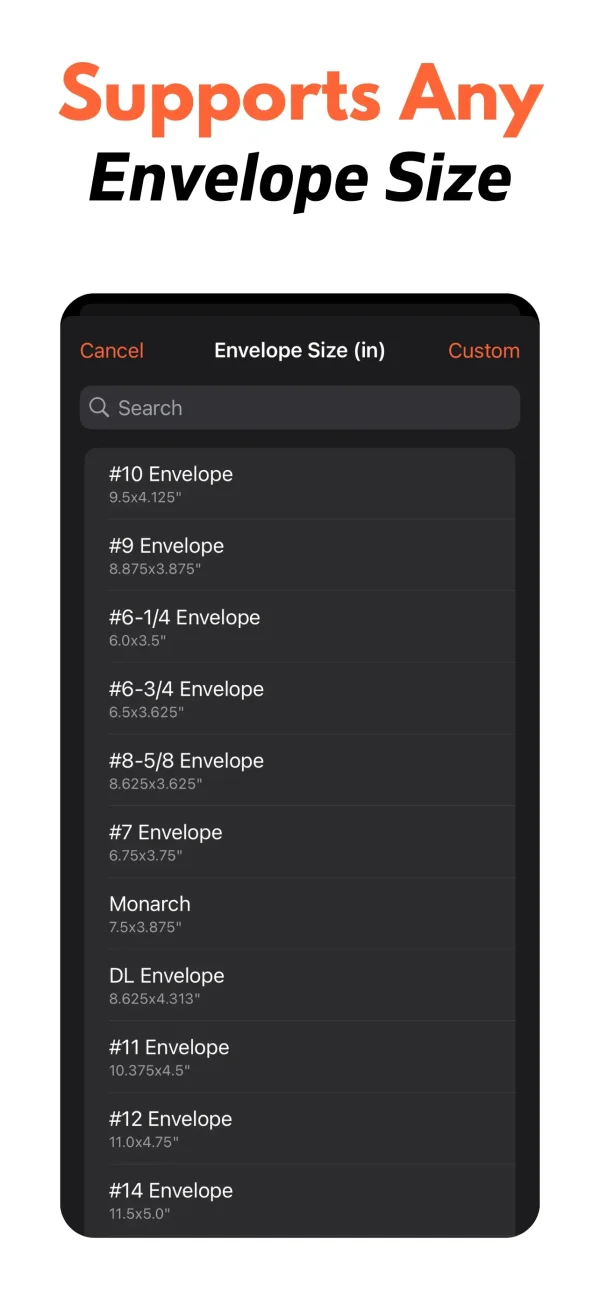
• Any envelope size – choose from dozens of standard sizes (#10, DL, C4, C5, C6, A2–A10, square, catalog, Chou and Kaku) or enter a custom width and height.
• Saved contacts – store delivery and return addresses once and reuse them with a single tap. No more retyping.
• Batch printing – select several contacts, or separate addresses with a blank line, and print one envelope per address in a single job.
• Full design control – adjust fonts, sizes, colours, alignment and position by dragging the text directly on the live preview.
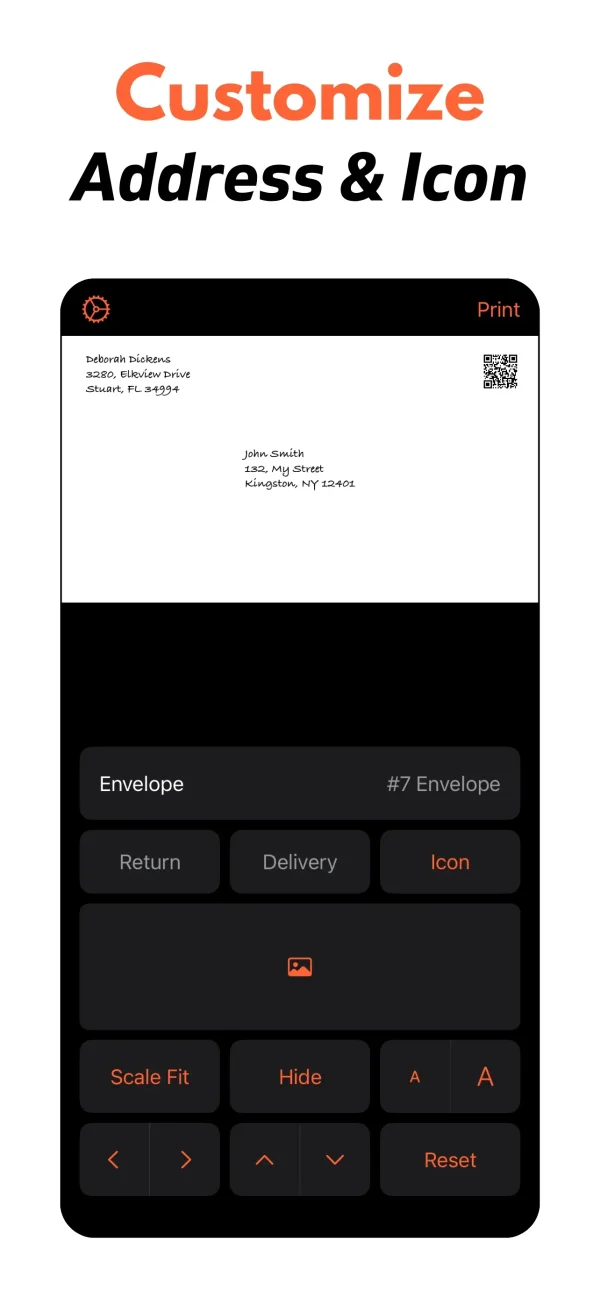
• Your own logo – add a custom icon or logo next to the return address.
• Smart paper handling – paper size override and front/top loader guides help your printer accept envelopes without hassle.
• Inches or centimetres – pick the units you are used to.
• Works with AirPrint – HP, Canon, Epson, Brother and every other AirPrint-compatible printer.
WHO IT IS FOR
Small businesses sending invoices, families mailing holiday and birthday cards, wedding planners addressing invitations, home offices, clubs and anyone who wants a clean, legible envelope without hand-writing it.
PREMIUM
Upgrade to Premium for unlimited prints, custom icons, removal of the QR code and access to every feature. Subscriptions renew automatically unless cancelled at least 24 hours before the end of the current period. Manage or cancel anytime in your App Store account settings.
Privacy Policy: https://envelope.ardasen.com/privacy.html
Terms of Use: https://envelope.ardasen.com/terms.html
What’s new
Version 1.0.3 · Aug 24, 2026
Addressing envelopes just got faster, and the app now speaks your language.
- Contacts: save delivery and return addresses and reuse them with one tap – no more retyping.
- Batch printing: select several contacts (or separate addresses with a blank line) to print one envelope per address.
- New envelope sizes: C4, C5, C6, C6/C5, B4–B6, Chou 3/4 and Kaku 2/3.
- The app is now available in 30 languages.
- Choose your language and turn haptic feedback on or off in Settings.
- Bug fixes and improvements.
Thank you for using Envelope Printer. Tell us what you would like to see next.
App privacy
What Arda Sen declares on the App Store about how this app handles data.
-
Data not collected
The developer does not collect any data from this app.
Privacy practices may vary, for example with the features you use or your age.
Information
- Seller
- Arda Sen
- Category
- Productivity
- Version
- 1.0.3
- Updated
- Aug 24, 2026
- Released
- Jul 21, 2024
- Size
- 3.5 MB
- Requires
- iOS 16.0 or later
- Age rating
- 4+
- Price
- Free
- In-app purchases
- Yes
- Languages
- English, Arabic, Croatian, Czech, Danish, Dutch, Finnish, French, German, Greek, Hebrew, Hungarian + 18 more
- Copyright
- © 2024 Envelope Printer
You might also like
-
 Envelope Printer LabelsShipping address print
-
 Envelope Printer & TemplatesPrint Address for Cards & Mail
-
 Envely: Envelope PrinterNo.10, A7, A2 or custom size
-
 Barcode & LabelEnvelope Mailing Address Print
-
 Posthaste: PWE Envelope PrintPlain White Address Labels
-
 Label Printer Address StickersPrint labels at home
-
 Letter: just write lettersPerfectly formatted letters
-
 EasyLetter: Write a LetterWrite a letter and send it
-
 Templates for Pages - DesiGNExpert documents and designs.
-
 HEIC to JPEG : image converterconvert photo to png gif jpeg