
# Simple Photo Collage
Combine Photos into Collages
Designed for iPhone, iPad, Mac, iPod touch
In-app purchases
- Age rating4+
- CategoryPhoto & Video
- DeveloperYUKI TANAIKE
- LanguagesJapanese+ 46 more
- Size54.3 MB
Links to the official App Store page
Download.org hosts no file of # Simple Photo Collage. The button opens its official App Store page, published by YUKI TANAIKE. Listing last checked on Nov 23, 2026.
Screenshots



About
Create beautiful photo collages easily on your smartphone or tablet.
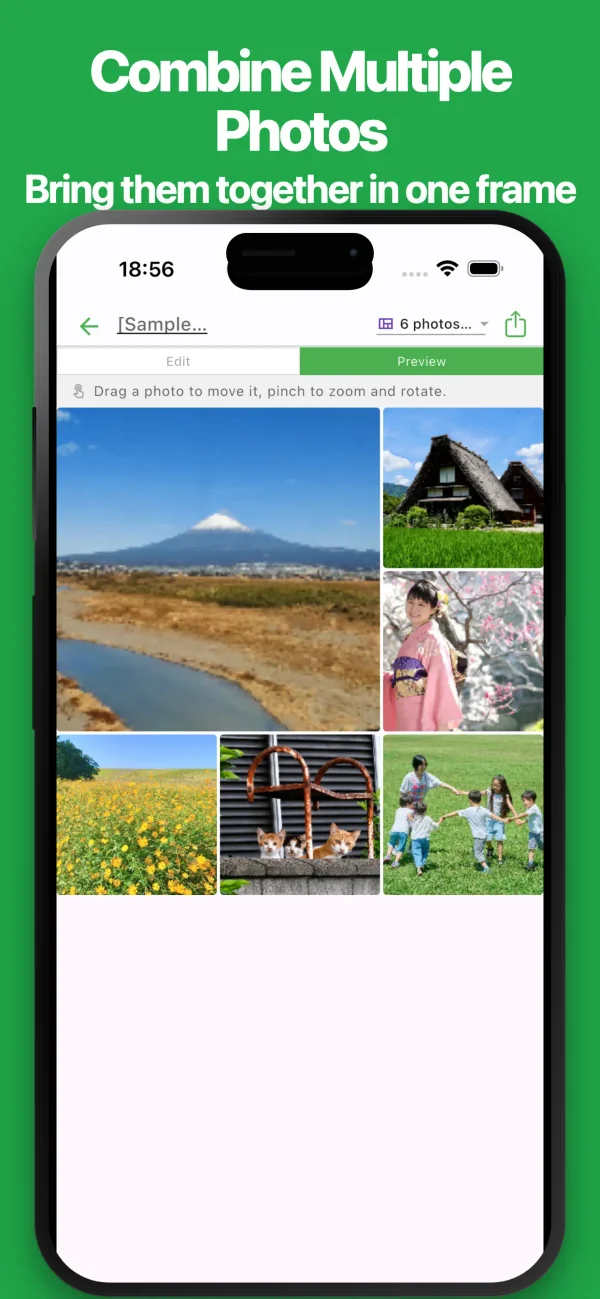
Select your photos and choose a layout to combine multiple images into one collage. Use your collages for social media posts, travel memories, family photos, pet photos, product showcases, before-and-after images, and more.
No professional design software or computer is required. With simple controls, you can add and rearrange photos, change layouts, add text, customise colours, save images, export PDFs, share, and print.
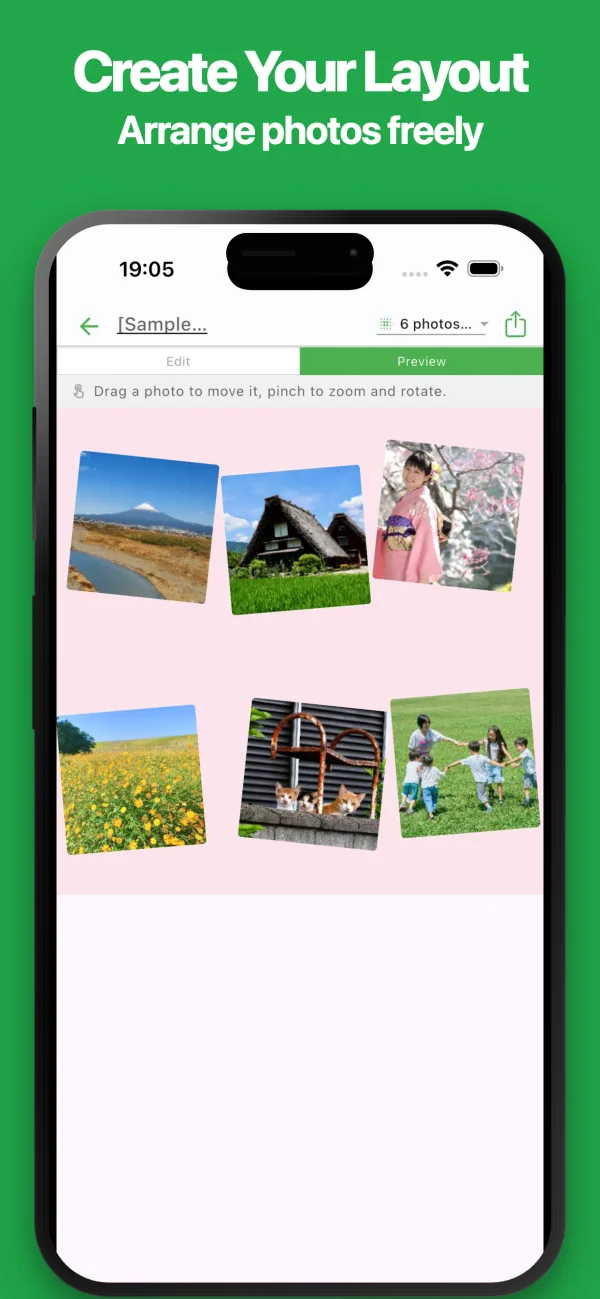
Choose from square, portrait, landscape, A4 portrait, and A4 landscape frames. The app includes standard grids, layouts that highlight one main photo, diagonal split layouts, and free-form layouts where you can position, resize, rotate, and overlap photos.
Save your finished collage as an image or PDF for social media, messaging, printing, presentations, and more.
Perfect for:
• Social media posts
• Travel and vacation memories
• Family and friends
• Kids and baby photos
• Pet photo collections
• Birthdays, weddings, graduations, and events
• Food and recipe photos
• Handmade products and product showcases
• Before-and-after images
• Store and service promotions
• Diaries and life logs
• Hobbies and collections
• Printable photo collages
• Gift and keepsake images
• Visual explanations and documents
■ Features
• Easy Photo Collage Maker
Choose photos and a layout to create a collage in just a few steps. No design experience is required.
• Simple & Intuitive Interface
Add photos, change layouts, and customise your collage with straightforward controls.
• Multiple Collage Layouts
Choose grids, main-photo layouts, multi-photo arrangements, and more.
• Diagonal Split Layouts
Create dynamic collages with photos divided diagonally.
• Free-Form Layouts
Adjust position, size, angle, and layer order. Overlap and rotate photos freely.
• Highlight Your Favourite Photo
Make one photo larger and arrange other photos around it.
• Frames for Social Media
Choose square, portrait, or landscape formats for posts.
• A4 Portrait & Landscape
Create collages for printing, documents, presentations, and other A4 uses.
• Add, Replace & Rearrange Photos
Add photos, replace them later, and easily change their order.
• Copy Photo Settings
Duplicate photo items and reuse existing adjustments.
• Adjust Photo Position
Zoom, resize, rotate, and move photos so important parts fit neatly in each frame.
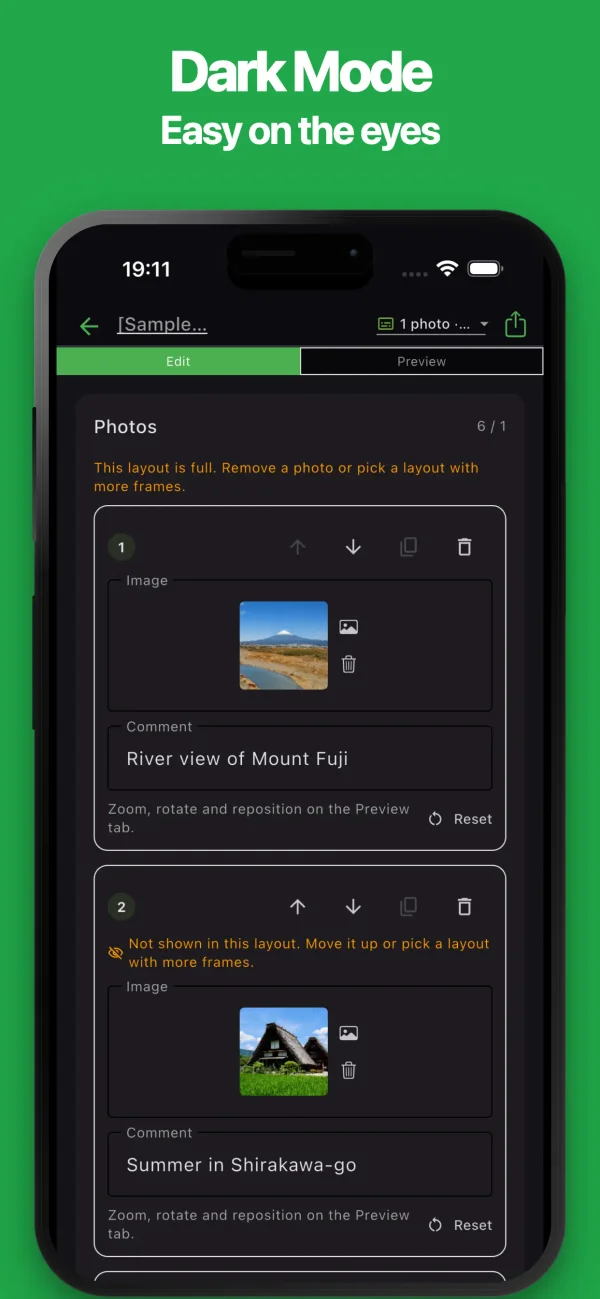
• Comments for Each Photo
Supported layouts let you add dates, locations, names, notes, or memories to individual photos.
• Add Titles & Descriptions
Add a title, subtitle, and description, and show or hide them as needed.
• Customise Your Design
Adjust spacing, margins, rounded corners, background colours, text colours, and more.
• Live Preview
Preview while editing and fine-tune the layout before exporting.
• Save as an Image
Save your collage as an image for social media, email, messaging, and more.
• PDF Export
Export as PDF for saving, sharing, printing, or documents.
• Print
Print your collage directly from your smartphone or tablet.
• Share
Share finished collages with family, friends, messaging apps, or social media.
• Manage Multiple Collages
Keep separate collages for travel, events, family, pets, products, and other themes.
• Save & Continue Editing
Save your editing data and continue working later.
• No Account Required
No registration or login is required. Start creating immediately after installation.
• Dark Mode
Edit comfortably in dark environments with Dark Mode support.
Whether you want to combine several photos into one image, make content for social media, or organise favourite memories, this photo collage maker keeps the process simple.
Combine your favourite photos and create your own unique collage.
What’s new
Version 1.2.1 · Nov 16, 2026
Added file sharing and collaborative editing, as requested by many users.
App privacy
What YUKI TANAIKE declares on the App Store about how this app handles data.
-
Data not collected
The developer does not collect any data from this app.
Privacy practices may vary, for example with the features you use or your age.
Information
- Seller
- YUKI TANAIKE
- Category
- Photo & Video
- Version
- 1.2.1
- Updated
- Nov 16, 2026
- Released
- Sep 15, 2026
- Size
- 54.3 MB
- Requires
- iOS 15.6 or later
- Age rating
- 4+
- In-app purchases
- Yes
- Languages
- Japanese, Arabic, Italian, Indonesian, Ukrainian, Urdu, Dutch, Oriya, Kazakh, Catalan, Kannada, Greek + 35 more
- Copyright
- © 2022 - 2026 Yuki Tanaike
You might also like
-
 Solframe: Photo Collage PrintPhoto layouts for print & post
-
 OneAlbum: Photo CollageMany memories, one album
-
 印刷 ぴったり - 実寸サイズで写真印刷・原寸プリントPhoto & Video
-
 SimpleCollage: Photo CollageCombine 2–4 photos into one
-
 Two-Tone Video CameraTwo-tone pop art effect
-
 PaperSnips: Photo Print LayoutSmall photos on one A4 page
-
 捨て写 -似てる写真をまとめて削除・整理 -Photo & Video
-
 PicPage: PDF & Collage MakerArrange Photos & Collage Maker
-
 Simple Photo Collage MakerPrint-ready, share fast
-
 Collagely: Collage MakerPhoto Collage Maker & Editor