PicPage: PDF & Collage Maker
Arrange Photos & Collage Maker
Designed for iPhone, iPad, iPod touch
In-app purchases
- Age rating4+
- CategoryPhoto & Video
- DeveloperSumangaury Marsoniya
- LanguagesEnglish
- Size50.5 MB
Links to the official App Store page
Download.org hosts no file of PicPage: PDF & Collage Maker. The button opens its official App Store page, published by Sumangaury Marsoniya. Listing last checked on Nov 25, 2026.
Screenshots

About
PicPage turns your photos into polished PDFs, beautiful collages and social posts — in seconds. Perfect for school projects, office documents, receipts, notes, birthdays, trips and everything in between.
No sign-up. No confusing menus. Pick your photos, choose a layout, and you're done.
TWO WAYS TO CREATE
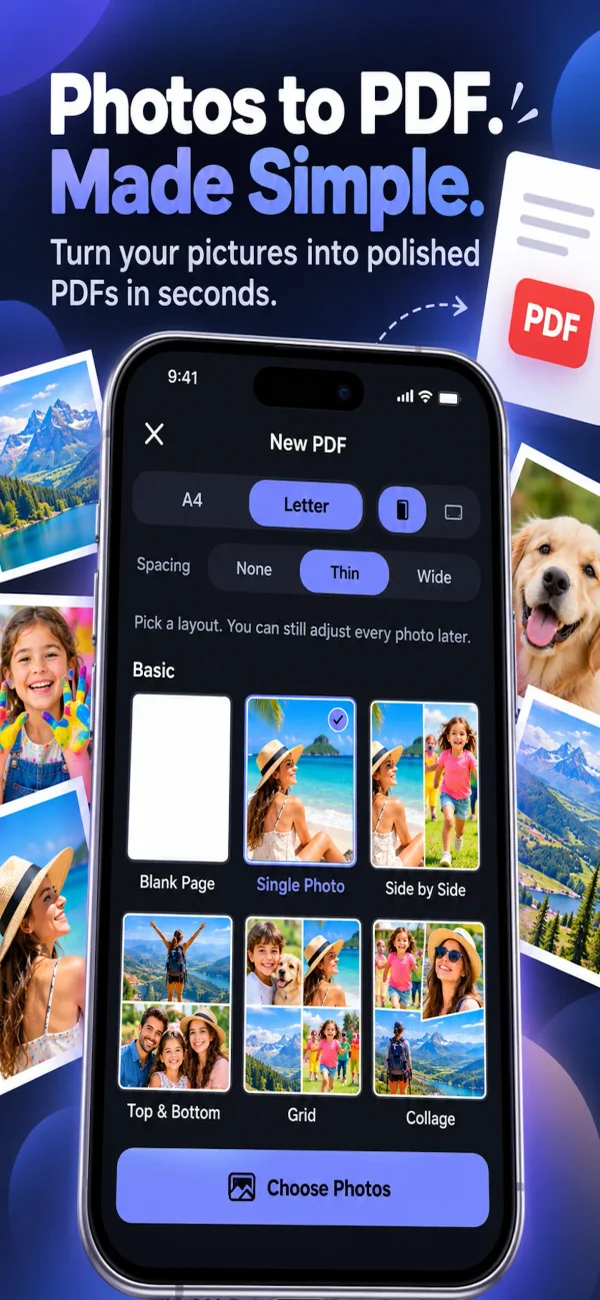
• PDF Document — A4 or Letter, portrait or landscape. Great for school presentations, reports, receipts and scanned notes.
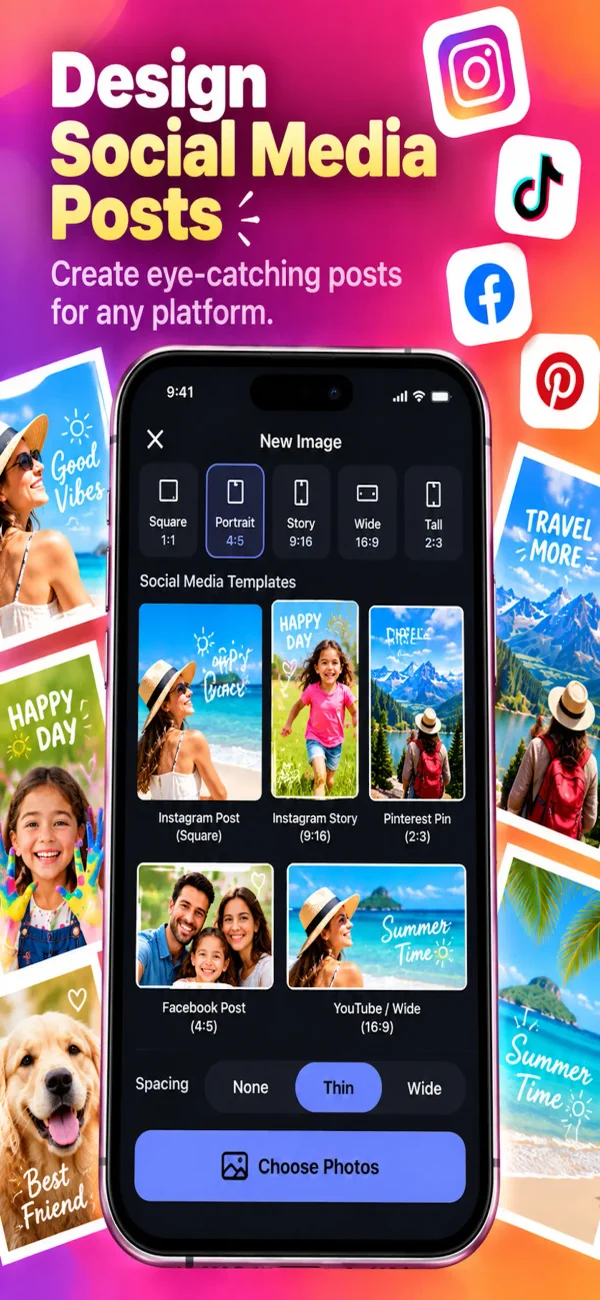
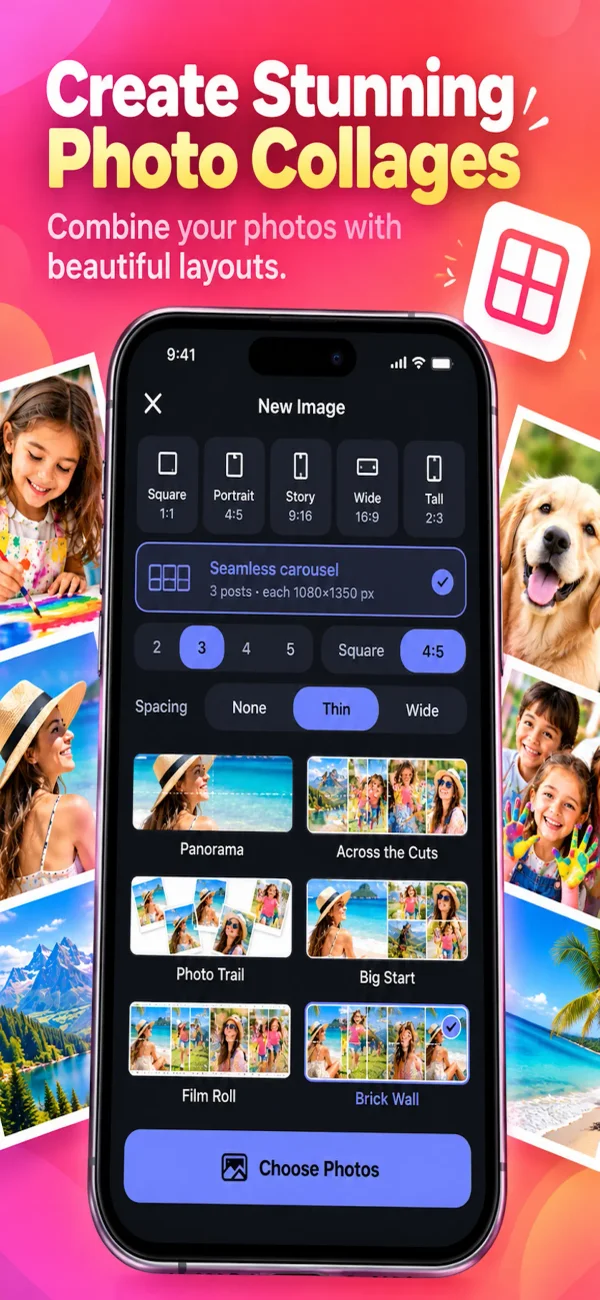
• Social Image — Square, Portrait, Story, Wide and Tall shapes, saved at full sharp quality and ready to post.
NEW: ADD TEXT
Put titles and captions right on your page. Choose a font, color and style, then pinch to resize and twist to turn. Perfect for project titles, birthday wishes and trip names.
NEW: FANCY LINES BETWEEN PHOTOS
Give your collage a creative finish with grunge, brush, chalk, sketch, hearts, stars, waves, stitches and more — in white, black, gold, pink or blue.
SEAMLESS CAROUSEL
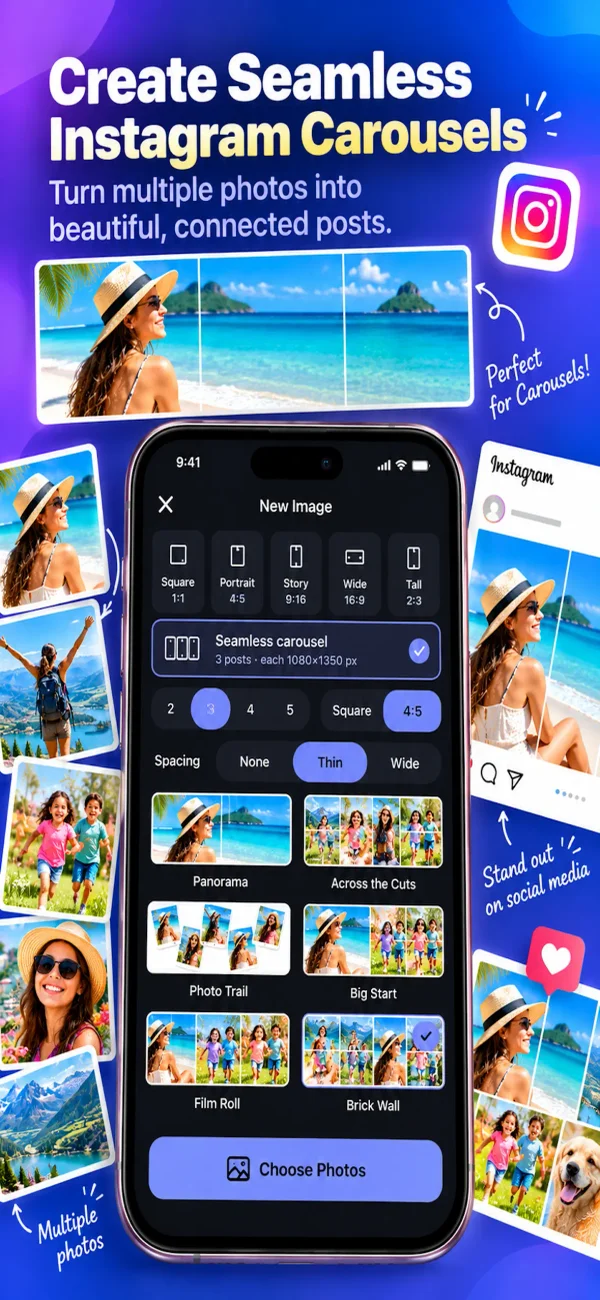
Design one wide picture that splits into 2 to 5 swipeable slides. Photos can run across the cut, so your carousel swipes as one smooth, continuous story. Each photo adjusts inside its own space, so the layout always stays perfect. Saved as perfectly sized slides, in order.
PRINT AT HOME
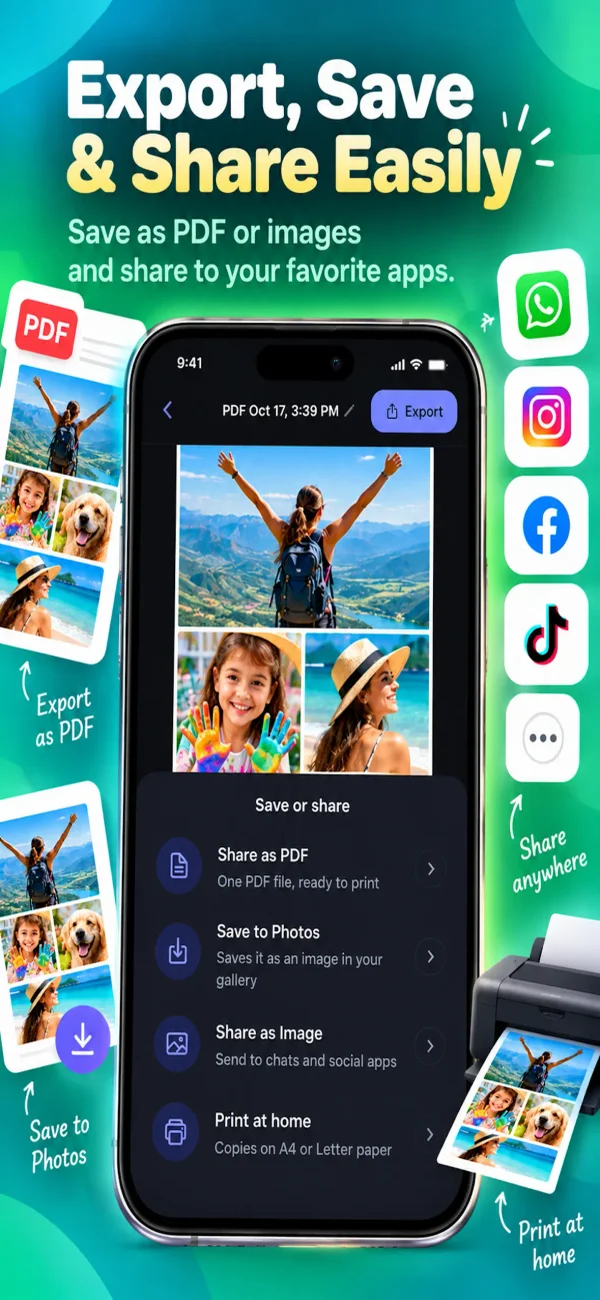
Turn any design into a print-ready page. Choose 1, 2, 4 or 9 copies per sheet on A4 or Letter paper — PicPage shows the real printed size and adds cut marks so trimming is easy. Great for photo prints, cards, labels and handouts.
START WITH AN IDEA
26 ready-made ideas for birthdays, travel, love, food, celebrations, before & after, school and work. Each one sets the shape, layout, colors and style for you — just add your photos.
LAYOUTS FOR EVERYTHING
• Grids, side by side, stacked and featured layouts for documents
• Collage, masonry, scrapbook, film strip and tilted-print layouts for social images
• Or start with a blank page and place photos freely
EDIT RIGHT ON THE PAGE
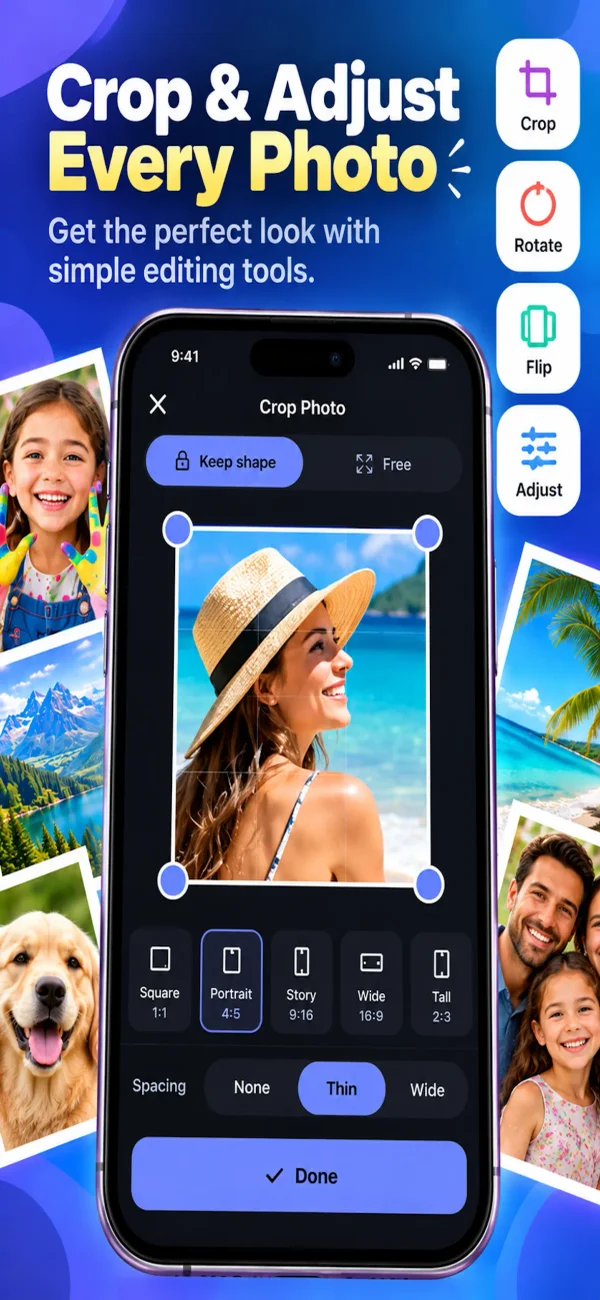
• Crop, resize and rotate each photo directly on the page
• Replace a photo without losing your layout, or flip it with one tap
• Drag photos exactly where you want them
• Choose from 30 backgrounds, including gradients, stripes and kraft paper
• Rounded or square photo corners, and adjustable spacing
SAVE AND SHARE YOUR WAY
• Save to Photos
• Share as Image
• Share as PDF through Mail, Messages, AirDrop or any app — choose Small, Normal or Large file size
• Print directly from your iPhone
YOUR PROJECTS, SAVED
Every project is kept, so you can come back, edit, duplicate or rename it anytime.
PRIVATE BY DESIGN
Your photos and files stay on your device. Nothing is uploaded to a server.
SIMPLE ENOUGH FOR KIDS, FAST ENOUGH FOR WORK
PicPage is designed to feel obvious from the first tap — no tutorial needed.
GO PREMIUM
Remove ads for good with a one-time purchase. No subscription, ever.
PicPage was previously called "Images to PDF - Maker".
Questions or feedback? Reach us from the Settings screen — we read every message.
What’s new
Version 1.3 · Nov 24, 2026
- Add text: put titles and captions on any page. Pick a font, color and style, then pinch to resize and twist to turn.
- Fancy lines between photos: grunge, brush, chalk, hearts, stars, waves and more.
- Replace & Flip: swap a photo without losing your layout, or mirror it with one tap.
- Easier carousels: photos now stay inside their space while you adjust them, so the seamless swipe never breaks.
- Choose your PDF size: Small, Normal or Large.
- New striped backgrounds and Duplicate page.
- Bug fixes and improvements.
App privacy
What Sumangaury Marsoniya declares on the App Store about how this app handles data.
-
Data not collected
The developer does not collect any data from this app.
Privacy practices may vary, for example with the features you use or your age.
Information
- Seller
- Sumangaury Marsoniya
- Category
- Photo & Video
- Version
- 1.3
- Updated
- Nov 24, 2026
- Released
- Sep 22, 2026
- Size
- 50.5 MB
- Requires
- iOS 15.1 or later
- Age rating
- 4+
- In-app purchases
- Yes
- Languages
- English
- Copyright
- © 2026 keycoder.
You might also like
-
 # Simple Photo CollageCombine Photos into Collages
-
 Sheetly: Contact Sheet PDFPhoto proof sheets to print
-
 Auto Reframe: Video CropResize & Change Aspect Ratio
-
 Photo Print Size: PrintFitSmart Layouts, Precise PDFs
-
 Contact Sheet MakerProof Sheets for Photos
-
 LenstagPhoto & Video
-
 EXIF Inspectorquickly view photo metadata
-
 Video Resizer No Crop CompressBlur background, MP4 converter
-
 Y2K Camera - Retro DigicamCCD, Film & VHS Filters
-
 Image Compress - Reduce SizePhoto compressor