
SIP Telephone
SIP softphone tool
Designed for iPhone, iPad, Mac, iPod touch
Free · In-app purchases
- Age rating4+
- CategoryDeveloper Tools
- Developer川 唐
- LanguagesEnglish+ 2 more
- Size37.8 MB
Links to the official App Store page
Download.org hosts no file of SIP Telephone. The button opens its official App Store page, published by 川 唐. Listing last checked on Nov 16, 2026.
Screenshots


About
SIP Telephone is a professional SIP softphone for developers, system administrators, support teams, and advanced users. It is available for iPhone and Mac.
Connect your own SIP service to configure accounts, make voice calls, inspect signaling, diagnose audio, and monitor call quality. It is designed for everyday calling, system integration, testing, and troubleshooting.
Key Features
• Multiple SIP Accounts
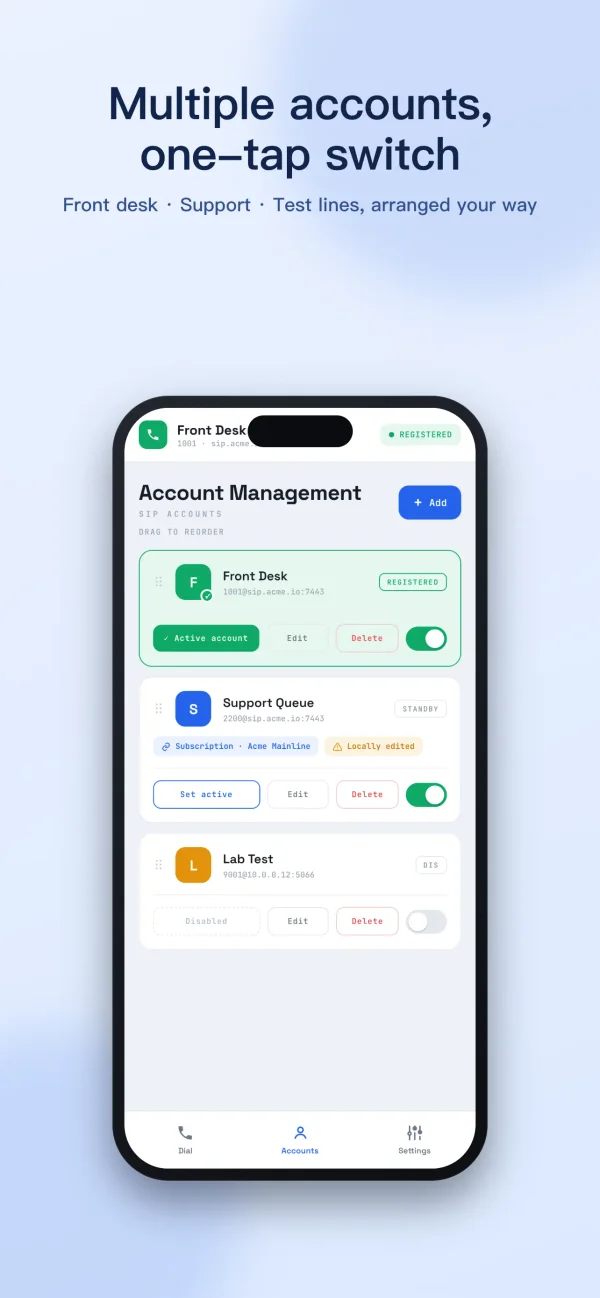
Add, edit, enable, or disable multiple SIP accounts and quickly switch between frequently used lines.
• Complete Call Controls
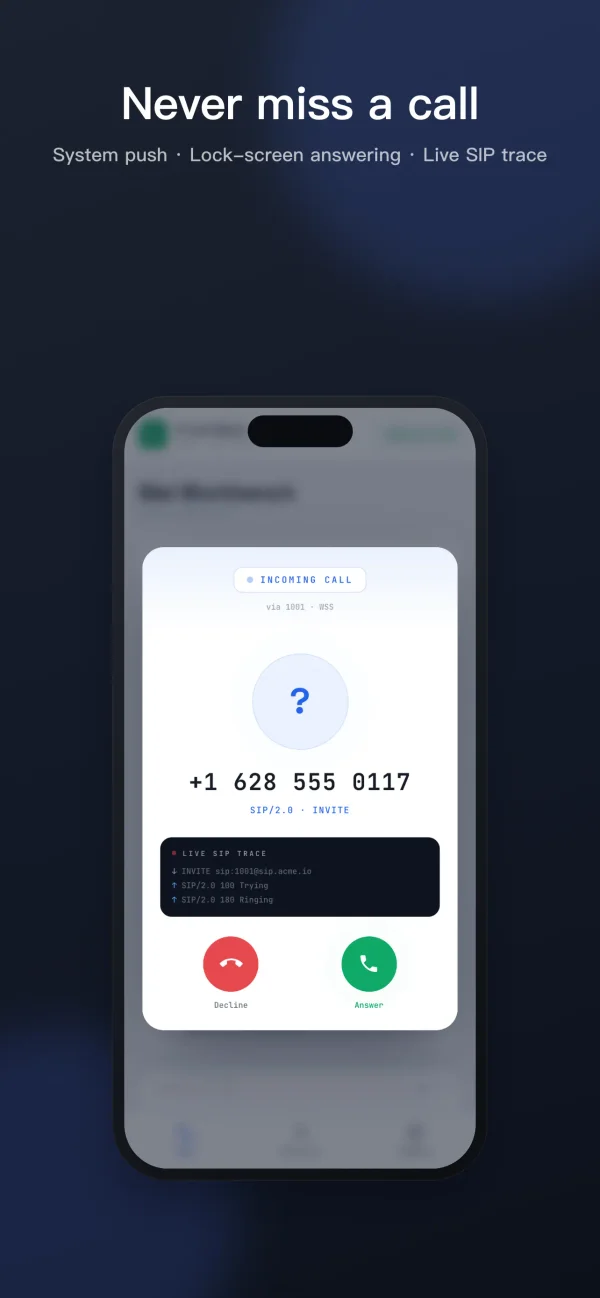
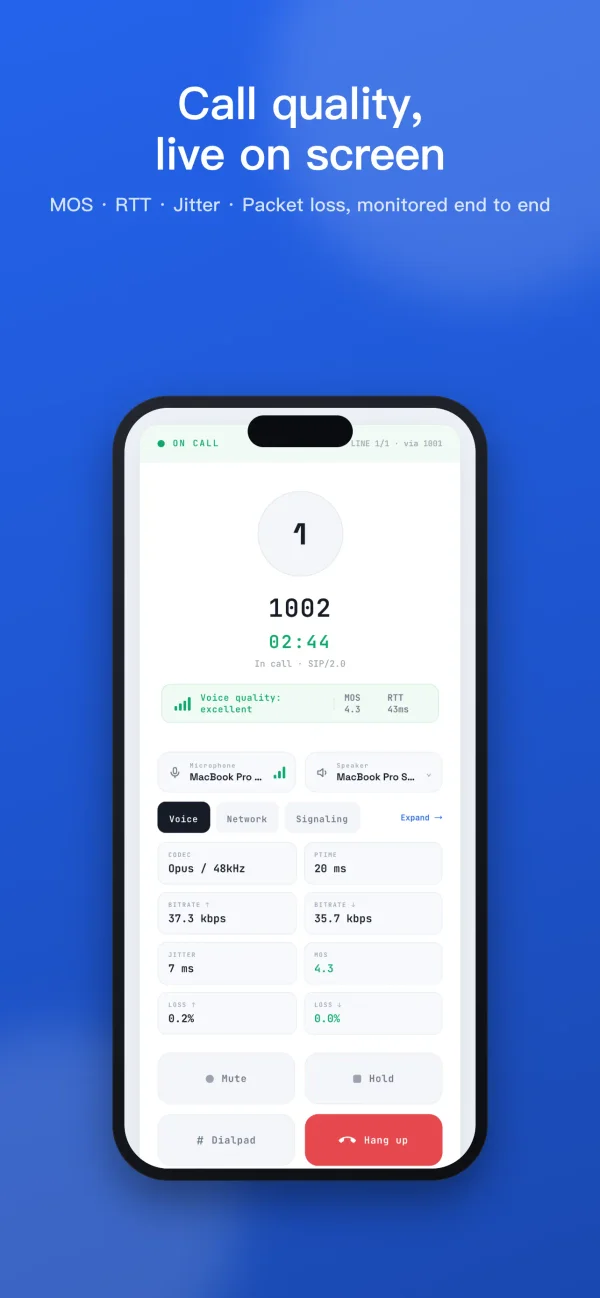
Make and answer calls, hang up, hold and resume, mute audio, and send DTMF tones.
• SIP Signaling Inspection
Review REGISTER, INVITE, and other SIP messages, transaction timelines, and raw packets to diagnose registration and call issues.
• Real-Time Status and Quality Monitoring
View registration status, server and transport information, ICE connection state, packet loss, latency, and audio levels.
• Audio Diagnostics
Discover available microphones and speakers, switch devices, run microphone loopback tests, and verify speaker output.
• Call History
Review call direction, time, duration, and status, with support for quick redial and history management.
• ICE, STUN, and TURN Testing
Test ICE server connectivity and candidate discovery to troubleshoot WebRTC media connections.
• Pro Account Sync
With a one-time Pro purchase, sync SIP accounts across your Apple devices through iCloud, or import and update accounts using subscription links and QR codes.
Privacy and Security
SIP passwords and sensitive credentials are stored in the system Keychain. iCloud sync is enabled only when requested by the user, and account data remains within the user’s Apple ID ecosystem. Camera access is used only to scan account subscription QR codes.
Important
This app is a SIP client only. It does not provide SIP accounts, phone numbers, carrier service, calling plans, or emergency calling. A compatible SIP service supplied by you or a third-party provider is required. Call quality, pricing, and service availability are determined by the configured SIP provider.
What’s new
Version 1.1.0 · Jul 18, 2026
Introduced a redesigned dialer workspace and account management experience for mobile and macOS.
Added Pro account sync through iCloud and subscription links.
Improved incoming call handling, SIP registration, and WebSocket reconnection reliability.
Enhanced audio diagnostics, call controls, signaling inspection, and call quality monitoring.
Improved permission prompts, privacy information, and support access.
Standardized the installed, launched, and menu app names on macOS.
Fixed known issues and improved overall performance.
App privacy
What 川 唐 declares on the App Store about how this app handles data.
-
Data not collected
The developer does not collect any data from this app.
Privacy practices may vary, for example with the features you use or your age.
Information
- Seller
- 川 唐
- Category
- Developer Tools
- Version
- 1.1.0
- Updated
- Jul 18, 2026
- Released
- Nov 23, 2025
- Size
- 37.8 MB
- Requires
- iOS 13.0 or later
- Age rating
- 4+
- Price
- Free
- In-app purchases
- Yes
- Languages
- English, Simplified Chinese, Spanish
- Copyright
- © 2026 xsdhy
You might also like
-
 AFK RemoteRemote Desktop for Vibe Coding
-
 Nex Terminal-SSH & SFTP clientProfessional SSH Client
-
 AppSpy: App Finder & TrackerAnalyze Apps, Revenue & Trends
-
 Font Book - Discover fontsEasily discover font on device
-
 Sensor - Device MonitorCPU Dasher,System Info,Storage
-
 GreatE 鹏辉Developer Tools
-
 npm Registry: Package SearchCompare Versions & Track Deps
-
 Copy Text From ImageCopy Text from Image
-
 Python编程 - 软件开发启蒙算法入门面试刷题神器Developer Tools
-
 Private Web Browser - DualSafe Browser In Split Screen