
Site Assistant
Photos, Measurements & Records
Designed for iPhone, iPod touch
In-app purchases
- Age rating4+
- CategoryProductivity
- DeveloperKAI HSUN CHIANG
- LanguagesTraditional Chinese+ 2 more
- Size30.4 MB
Links to the official App Store page
Download.org hosts no file of Site Assistant. The button opens its official App Store page, published by KAI HSUN CHIANG. Listing last checked on Nov 12, 2026.
Screenshots

About
Capture the jobsite and create a record instantly.
Site Assistant is a simple job management tool designed to save time for contractors, tradespeople, and independent professionals.
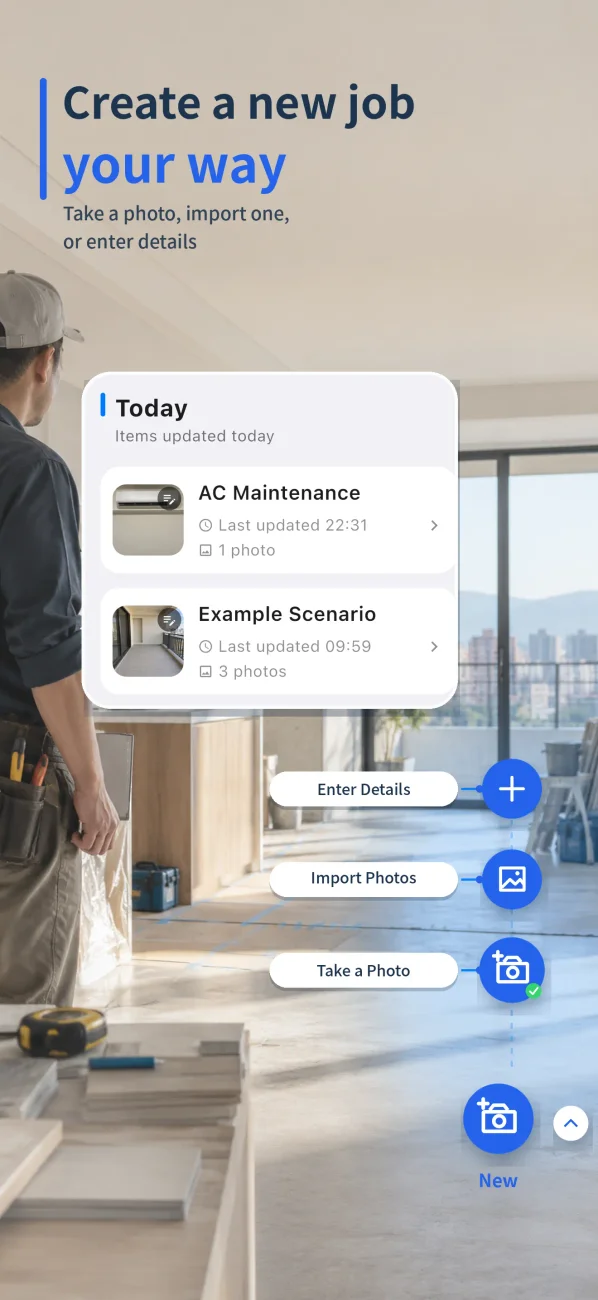
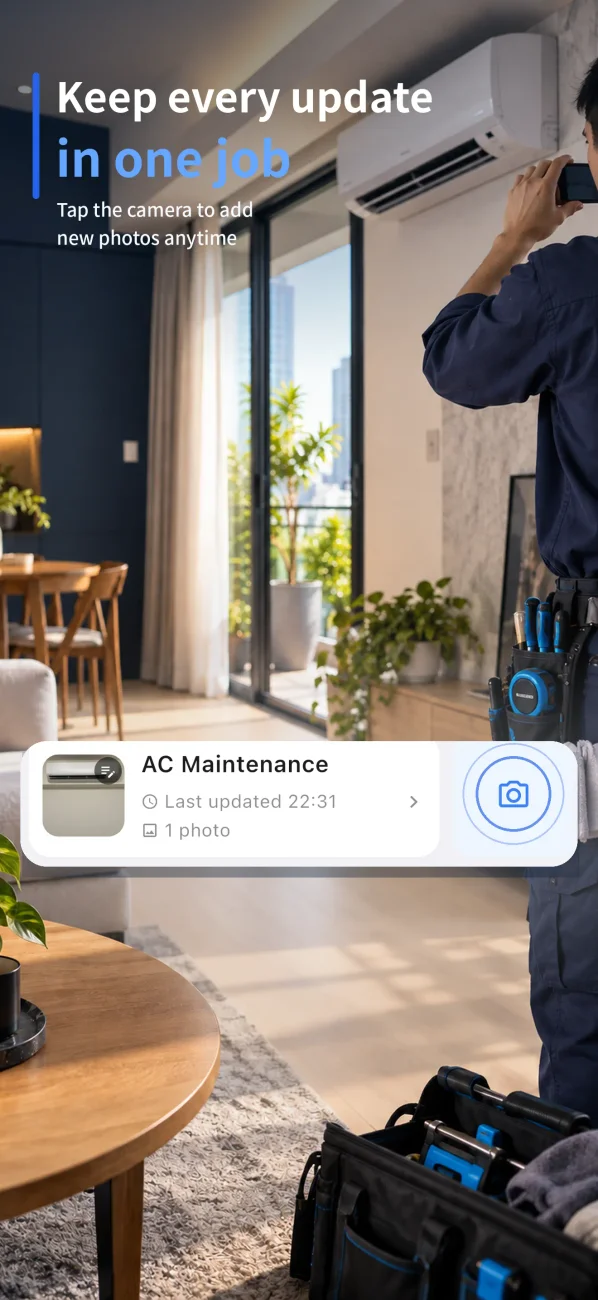
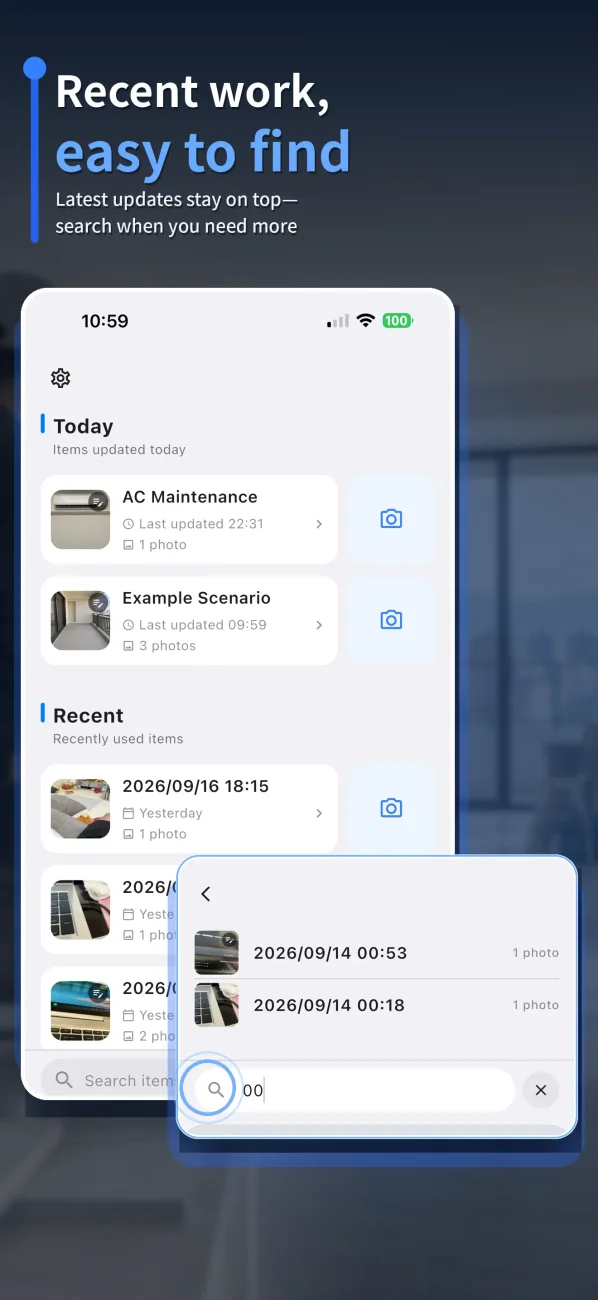
There is no need to create folders in advance or spend time organizing work photos. Take an on-site photo to create a new job, or import existing images from your photo library. Photos and work records are organized chronologically, keeping the complete job history in one place.
Recently updated jobs automatically appear first, so you can focus on active work without maintaining complicated statuses. When you need an older record, search by keyword to quickly find the job and information you need.
Key Features
• Photo-Based Job Creation – Create a job from on-site photos or import existing work photos. Continue adding photos and records over time.
• Recent Jobs First – Newly created or updated jobs automatically move to the top.
• Fast History Search – Find past jobs and work records by keyword.
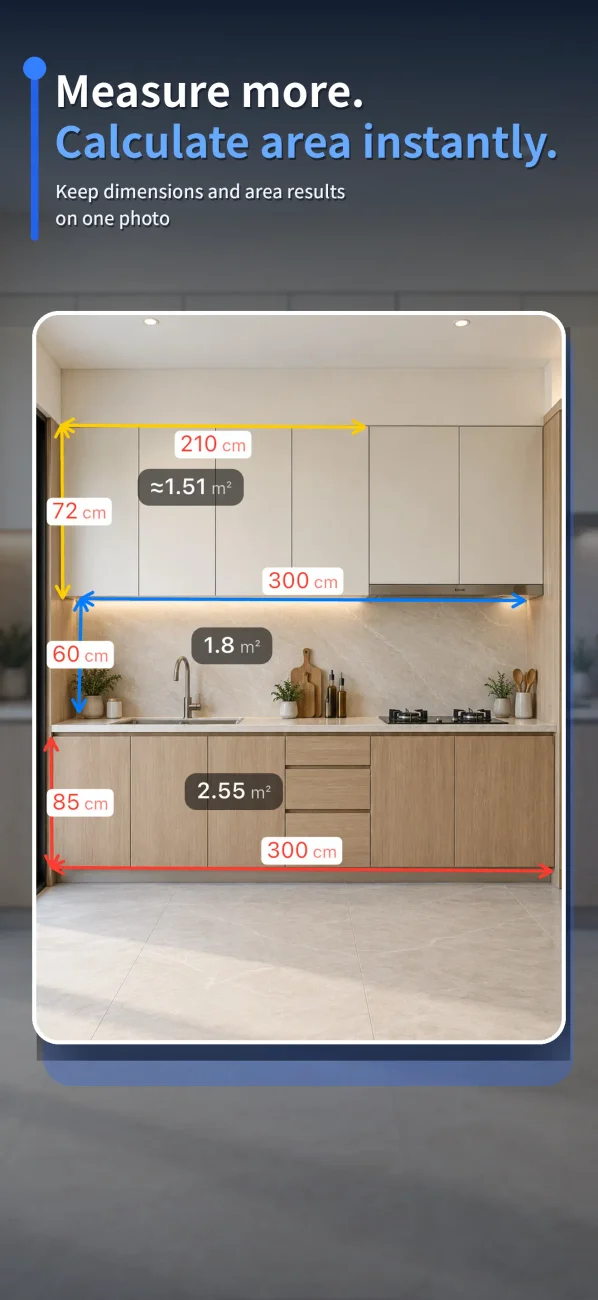
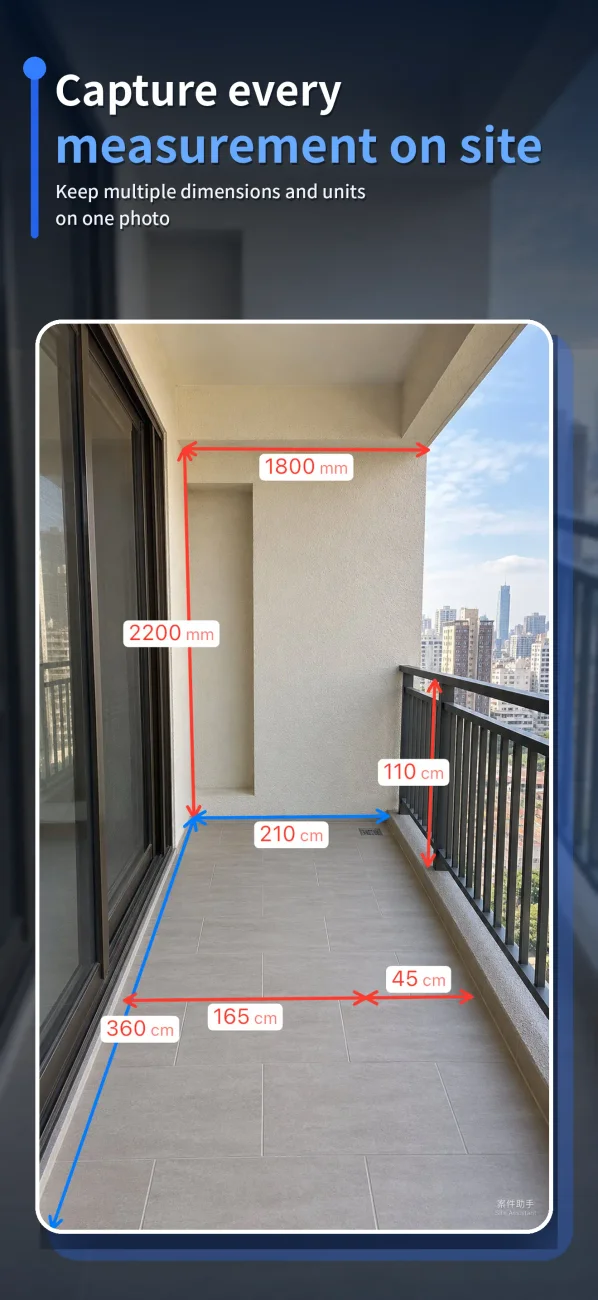
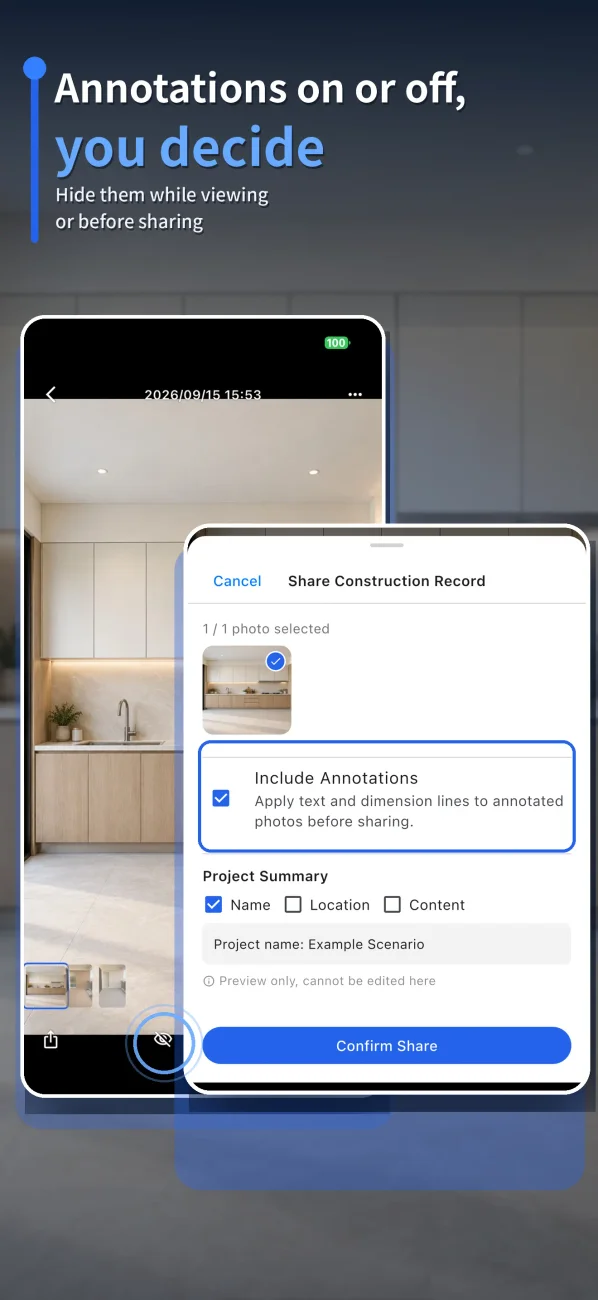
• Photo Markup and Measurement – Add annotations and calculate length, area, volume, and totals. Quickly switch between commonly used units.
• Before-and-After Comparisons – Create comparison images to document progress and share completed work.
• Separate Work from Personal Photos – Keep jobsite photos organized by job instead of searching through personal albums or scattered folders.
Ideal for plumbing, electrical work, interior renovation, repairs, equipment maintenance, cleaning and home services, locksmiths, door and window installation, flooring, design, and other field-based work that requires ongoing photo documentation and easy access to job records.
No account or sign-in required. Start using it right away.
What’s new
Version 1.2.2 · Sep 26, 2026
Minor bug fixes and performance improvements.
App privacy
What KAI HSUN CHIANG declares on the App Store about how this app handles data.
-
Data linked to you
May be collected and linked to your identity.
- Location
- Identifiers
- Usage data
- Diagnostics
-
Data not linked to you
May be collected but is not linked to your identity.
- Diagnostics
Privacy practices may vary, for example with the features you use or your age.
Information
- Seller
- KAI HSUN CHIANG
- Category
- Productivity
- Version
- 1.2.2
- Updated
- Sep 26, 2026
- Released
- Sep 11, 2026
- Size
- 30.4 MB
- Requires
- iOS 15.0 or later
- Age rating
- 4+
- In-app purchases
- Yes
- Languages
- Traditional Chinese, Japanese, English
- Copyright
- © 2026 Kaiser Forge Studio
You might also like
-
 Site Progress GeneratorS-Curve · Gantt · Delay
-
 NuttoPrivate Life Vault
-
 Asbie Booking|預約系統與客戶管理 CRMProductivity
-
 Notch: The Modern PDF EditorMarkup, measure, collaborate.
-
 CUTs! Material Cut ListUse offcuts. Buy less.
-
 WorkPicSite Photo Management
-
 Saves Library: Posts & LinksSearch every save in one place
-
 GlobalScan Pro: PDF ScannerExport Documents to Word & PDF
-
 Electrical Tools and ReferenceThe Electricians App