
WorkPic
Site Photo Management
Designed for iPhone, iPad, iPod touch
In-app purchases
- Age rating4+
- CategoryProductivity
- DeveloperYoungchul Bae
- LanguagesJapanese+ 9 more
- Size56.9 MB
Links to the official App Store page
Download.org hosts no file of WorkPic. The button opens its official App Store page, published by Youngchul Bae. Listing last checked on Nov 14, 2026.
Screenshots

About
Streamline your site management with Workpic!
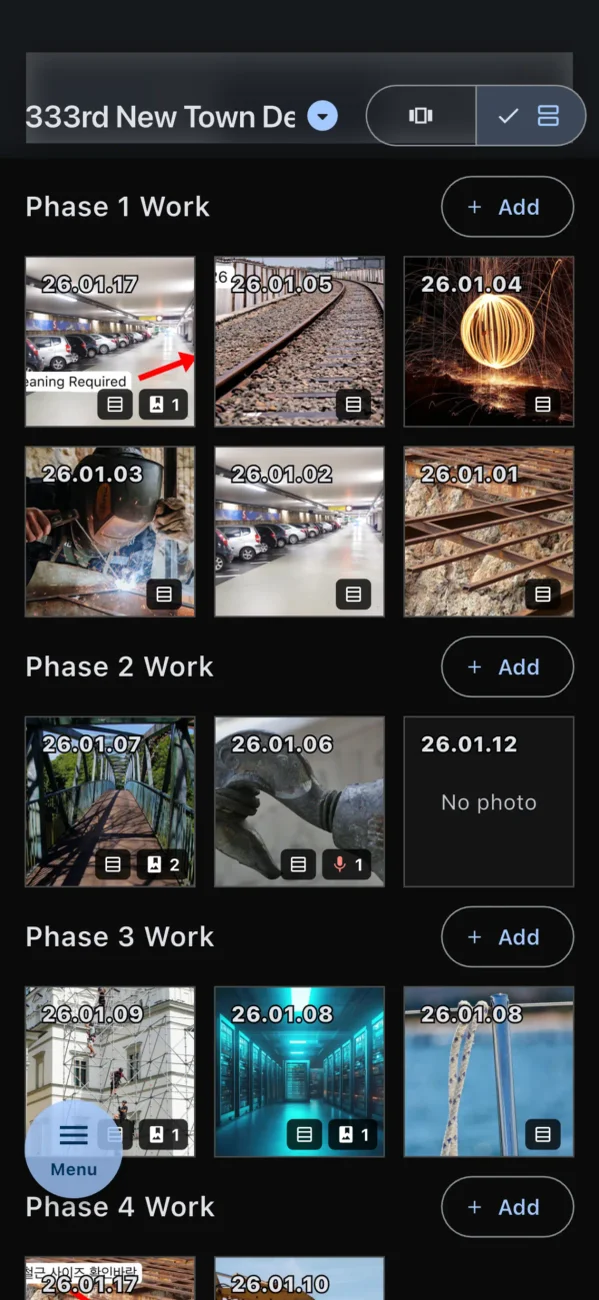
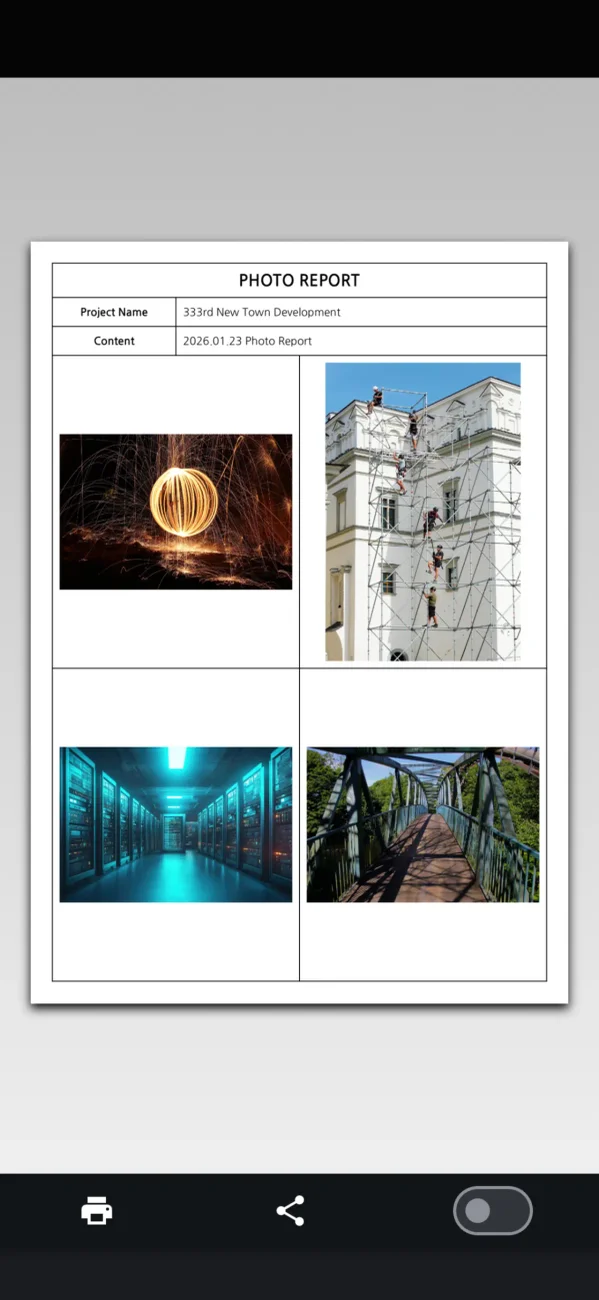
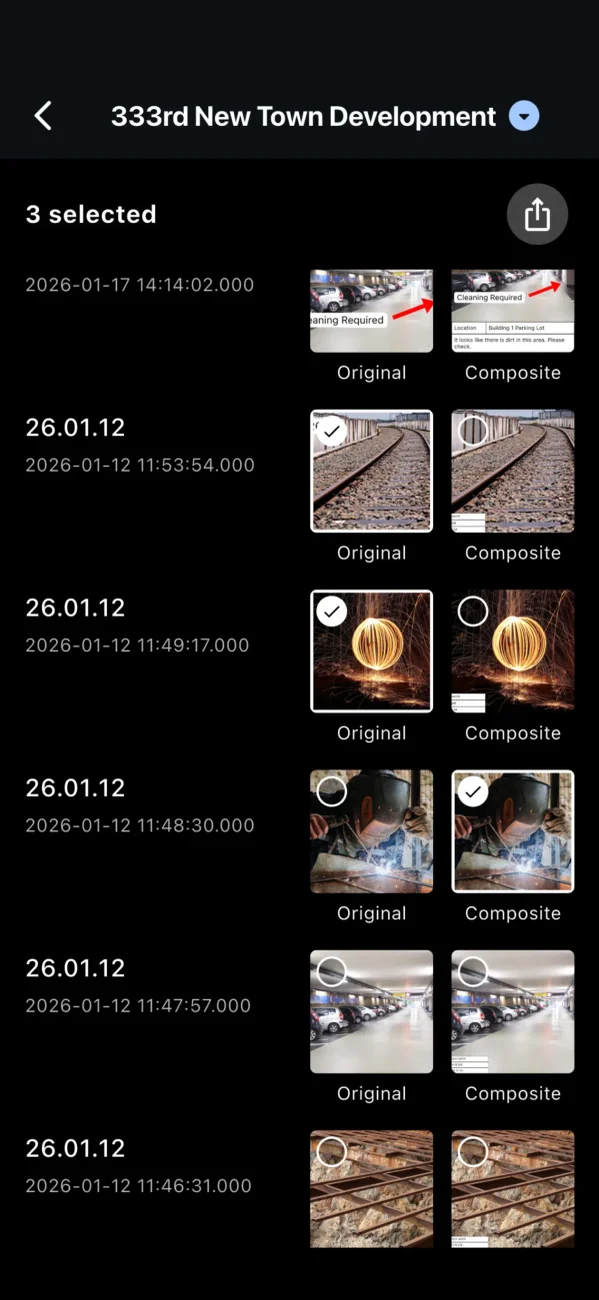
In any environment where photo management is essential, such as construction sites, interior design, delivery, and supervision, Workpic provides the fastest and most accurate worksheet (photo log) solution. Create reports on the spot from photos taken in the field and share them immediately.
[Key Features]
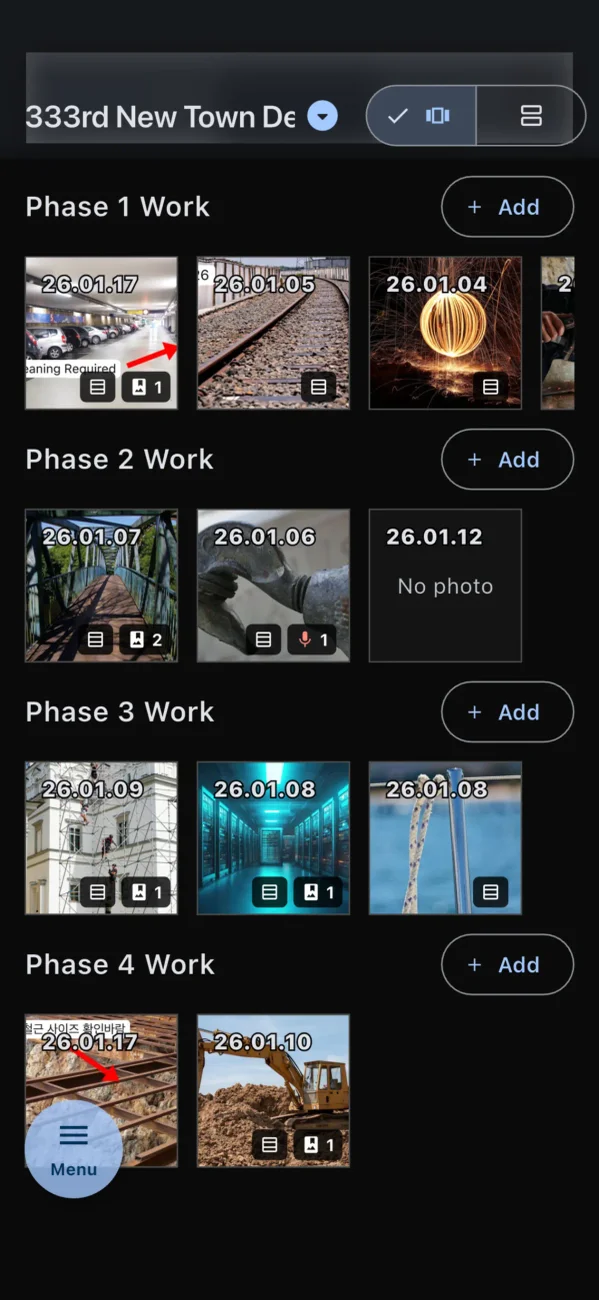
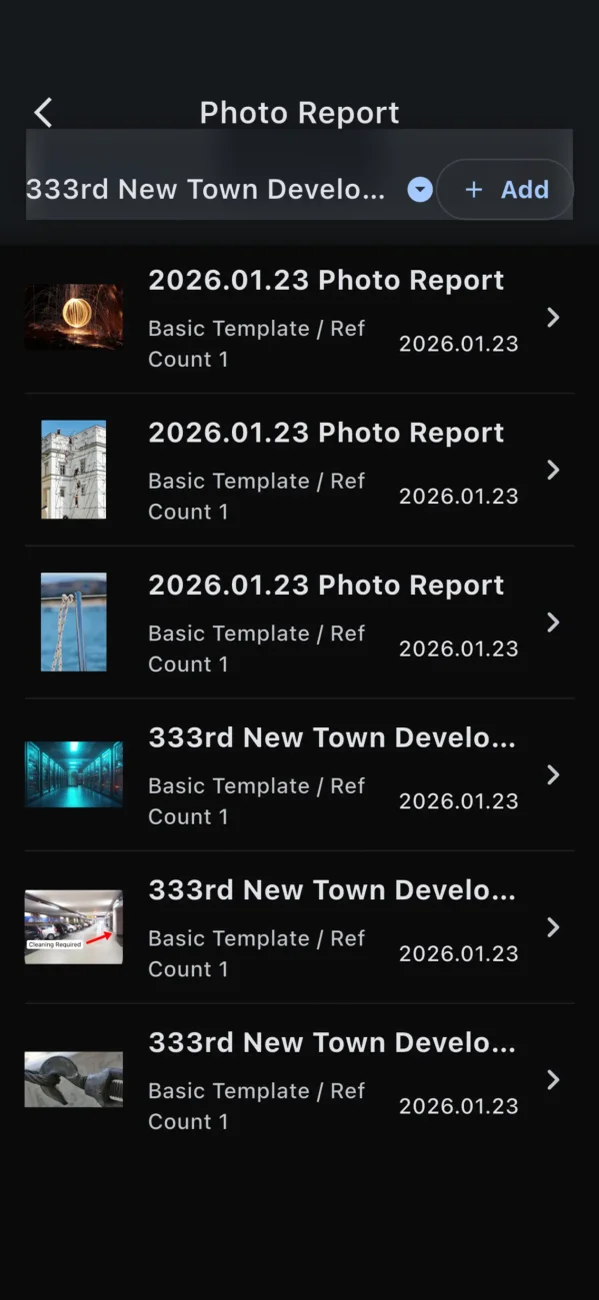
- Intuitive Worksheet Management: Systematically classify and manage work details by project and date.
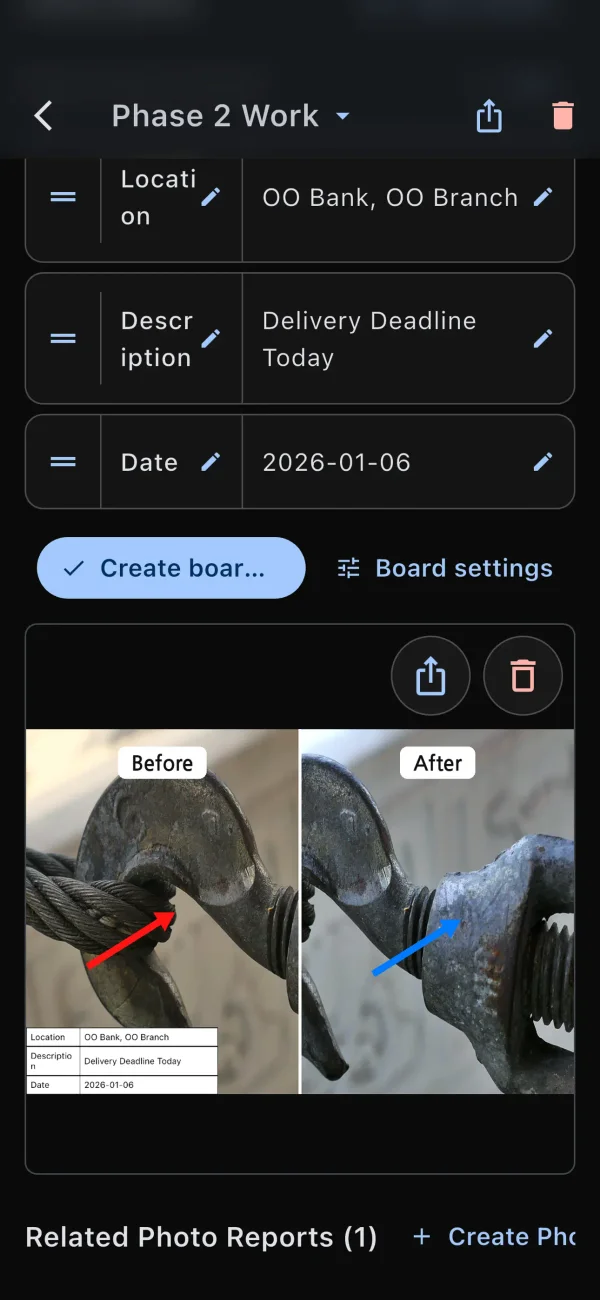
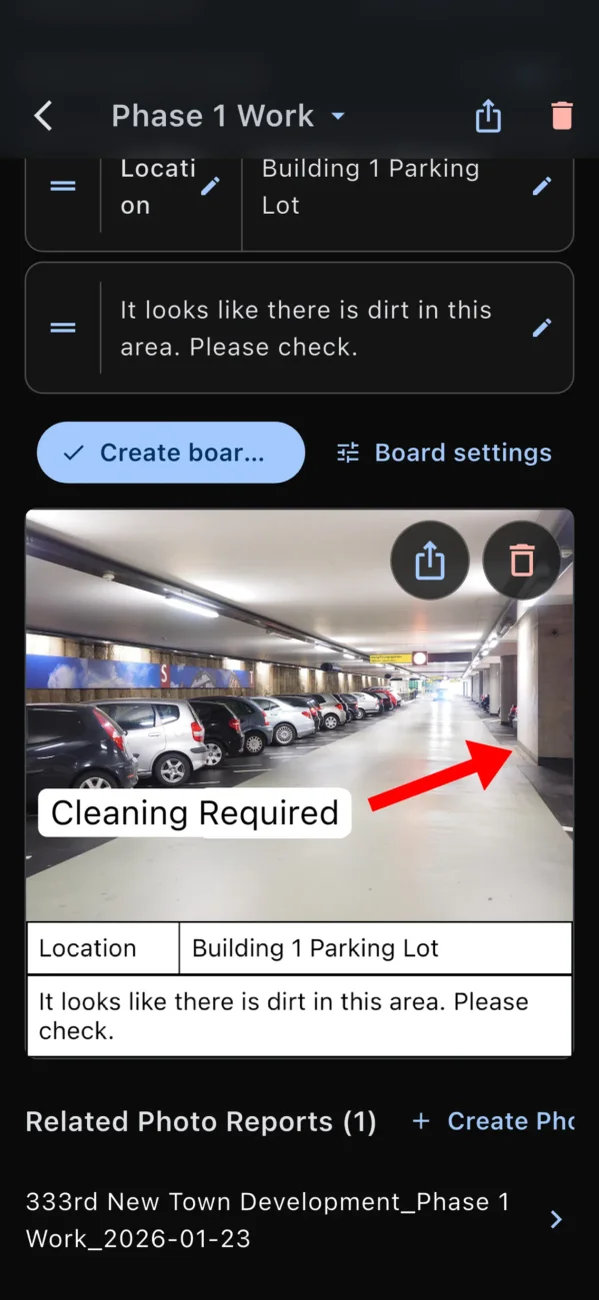
- Before & After Photo Merge (1 + 2): Attach up to 2 photos per worksheet and combine them side-by-side or top-to-bottom into a single status board comparison photo.
- Professional Report Generation: Drastically reduce reporting time by generating high-quality PDF, Excel (XLSX), and Word (DOCX) documents with a single click.
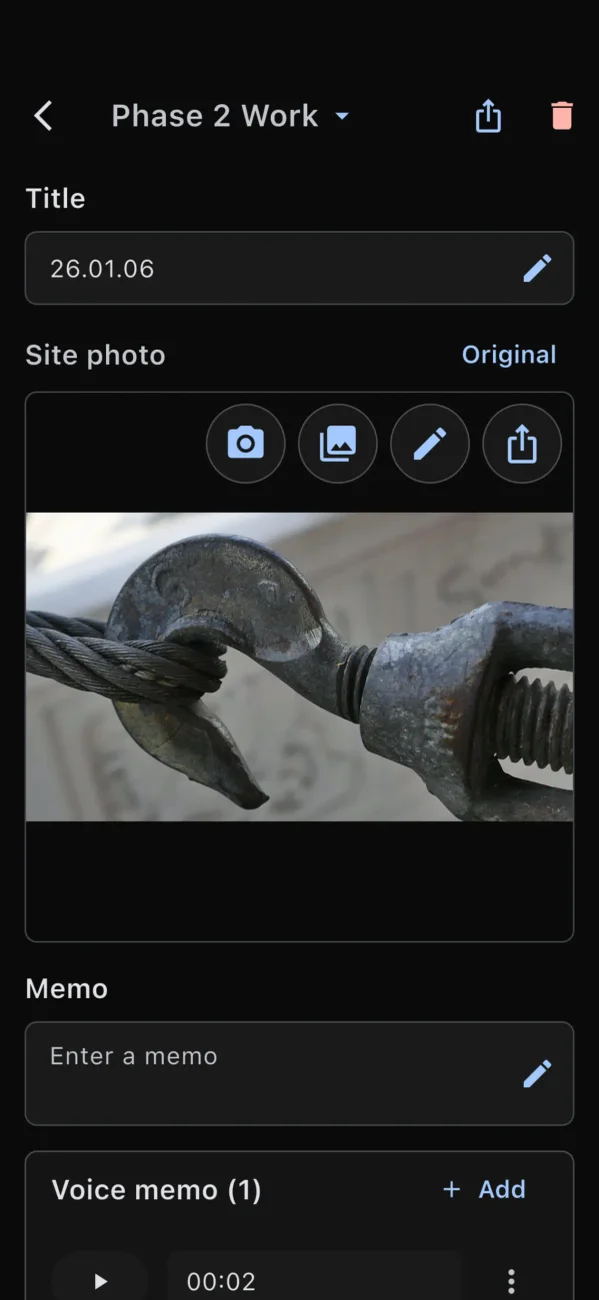
- Smart Editing & Marking: Clearly communicate field issues through editing features like drawing lines, arrows, and inserting text on photos.
- Secure Cloud Backup: Store and restore precious field data through iCloud and Google Drive integration.
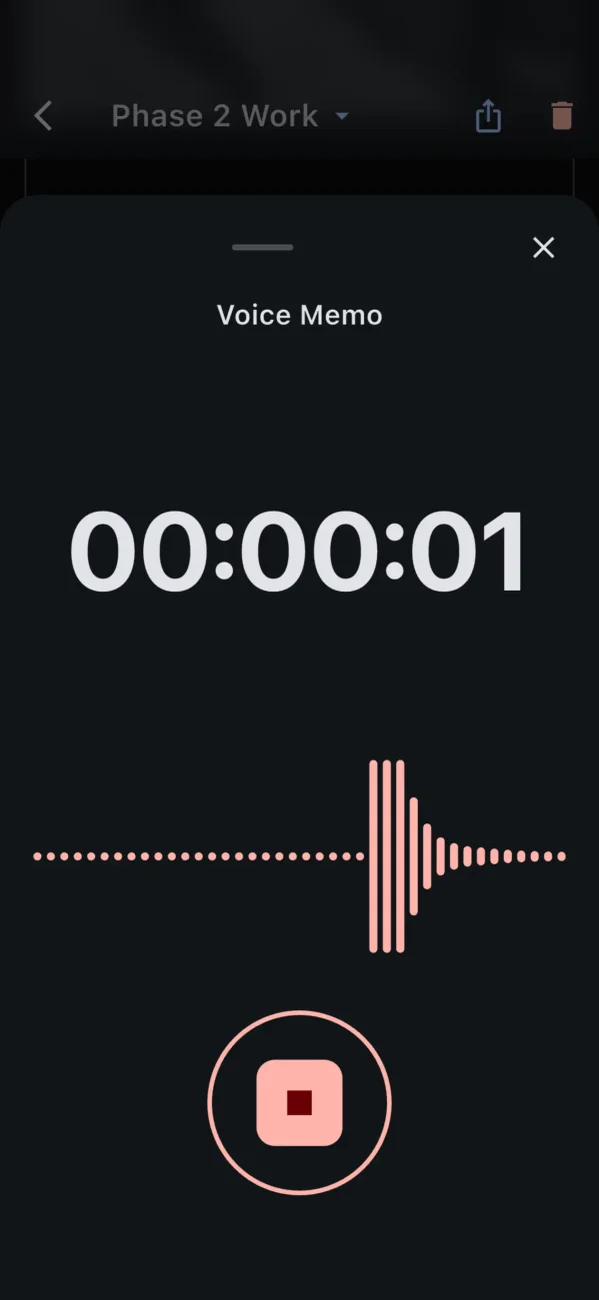
- Voice Memo Recording: Quickly and easily record work situations with your voice even in busy field conditions where typing is difficult.
- Premium Features for Free: Access all features without limitations by watching ads.
Leave the complex paperwork to Workpic and focus on the field! Download now to increase your work efficiency.
Use without login. Construction photos, field photos, before and after photos, photo board, status board, voice memo, photo log.
What’s new
Version 1.1.13 · Oct 30, 2026
• Faster Image Compositing & Processing: Background multi-threading speeds up high-res photo and Before/After (1+2) status board generation by 2–3x.
• Enhanced Image Processing Progress UI: Smooth step-by-step loading indicator for high-resolution photos and lower-spec devices.
• Improved Photo Report (PDF / Excel / Word) export stability and overall performance.
App privacy
What Youngchul Bae declares on the App Store about how this app handles data.
-
Data used to track you
May be used to track you across apps and websites owned by other companies.
- Identifiers
-
Data not linked to you
May be collected but is not linked to your identity.
- Location
- User content
- Identifiers
- Diagnostics
Privacy practices may vary, for example with the features you use or your age.
Information
- Seller
- Youngchul Bae
- Category
- Productivity
- Version
- 1.1.13
- Updated
- Oct 30, 2026
- Released
- Jan 15, 2026
- Size
- 56.9 MB
- Requires
- iOS 15.0 or later
- Age rating
- 4+
- In-app purchases
- Yes
- Languages
- Japanese, Indonesian, Spanish, Thai, Vietnamese, Russian, Simplified Chinese, Traditional Chinese, English, Korean
- Copyright
- © 2026 Evercode
You might also like
-
 SiteShot – Site Photo ManagerPunch Lists & Site Reports
-
 PhotoMountPhoto Reports for Construction
-
 WorkProofCam: Photo ReportTimestamp Job Site Photos
-
 造冊相機|驗收照片與報告Productivity
-
 콘보Productivity
-
 DokuAI: Site DocumentationPhoto Reports & AI Inspection
-
 서진공사현황판Productivity
-
 Simple Photo BookSite photos into a PDF album
-
 Site AssistantPhotos, Measurements & Records
-
 CaasWorks - ContechProductivity