
Skurda - Budget Planner
Money manager, expense tracker
Designed for iPhone
In-app purchases
- Age rating4+
- CategoryFinance
- DeveloperROCCO BARLETTA
- LanguagesFrench+ 4 more
- Size26.2 MB
Links to the official App Store page
Download.org hosts no file of Skurda - Budget Planner. The button opens its official App Store page, published by ROCCO BARLETTA. Listing last checked on Nov 23, 2026.
Screenshots
About
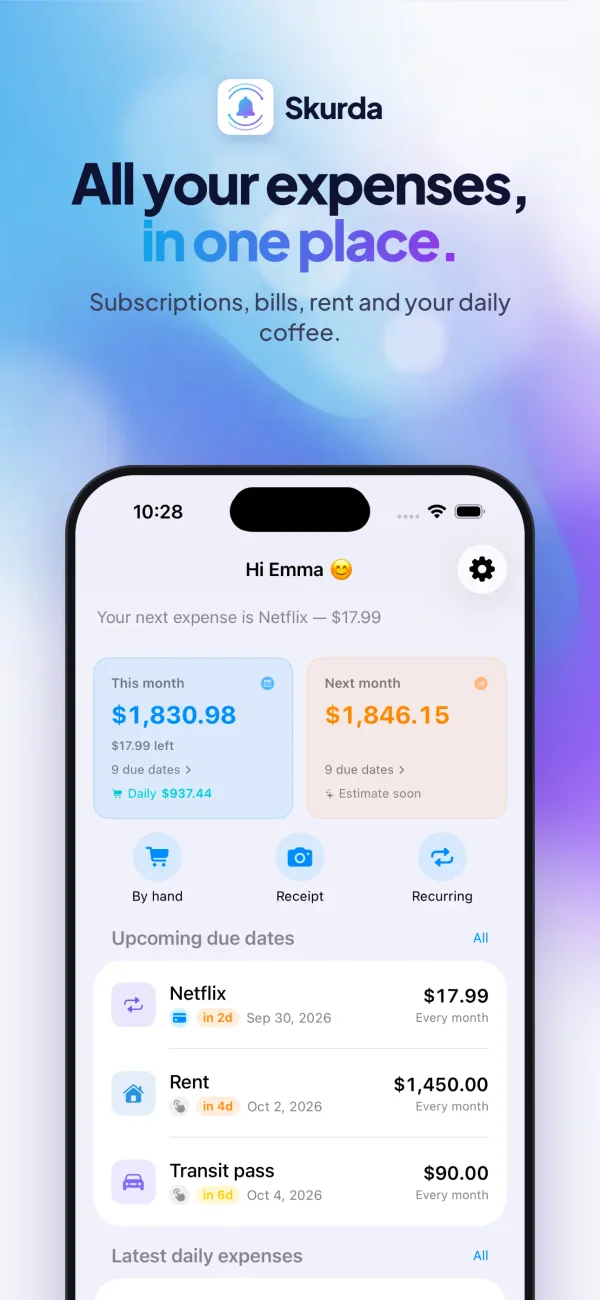
All your household spending in one app: subscriptions, bills, rent, loan payments and what you spend every day. And if you live with someone, you both see it, each on your own iPhone.
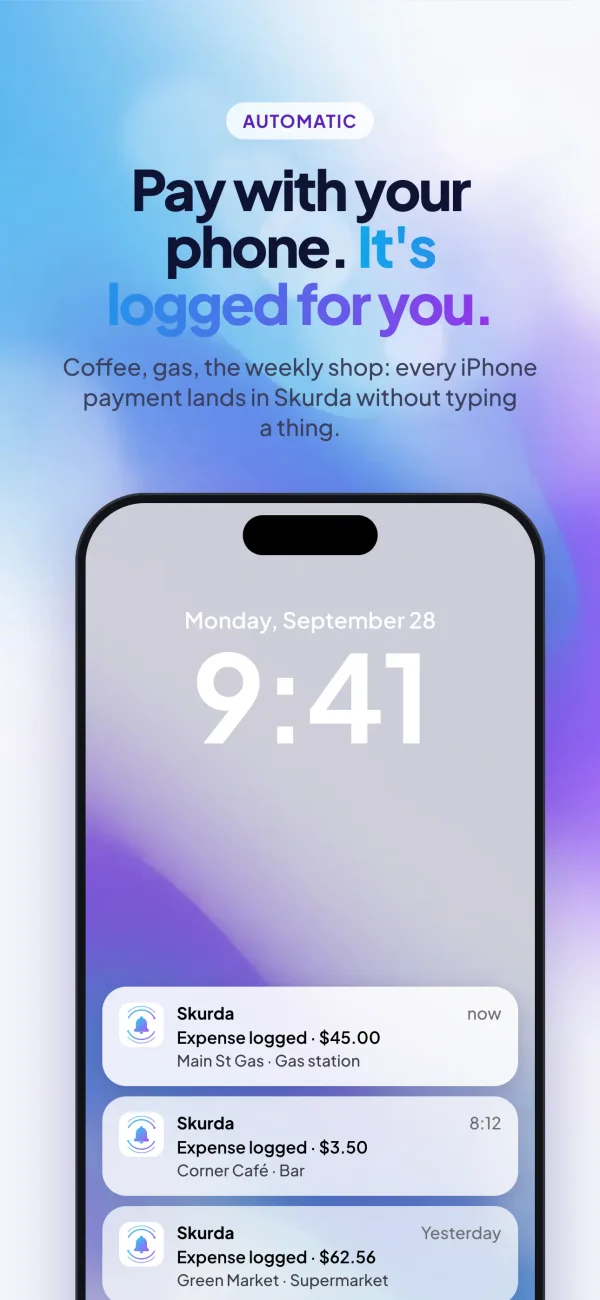
No account, no bank login, no ads: payments with your phone log themselves, a photo reads the receipt, and Skurda reminds you before every due date.
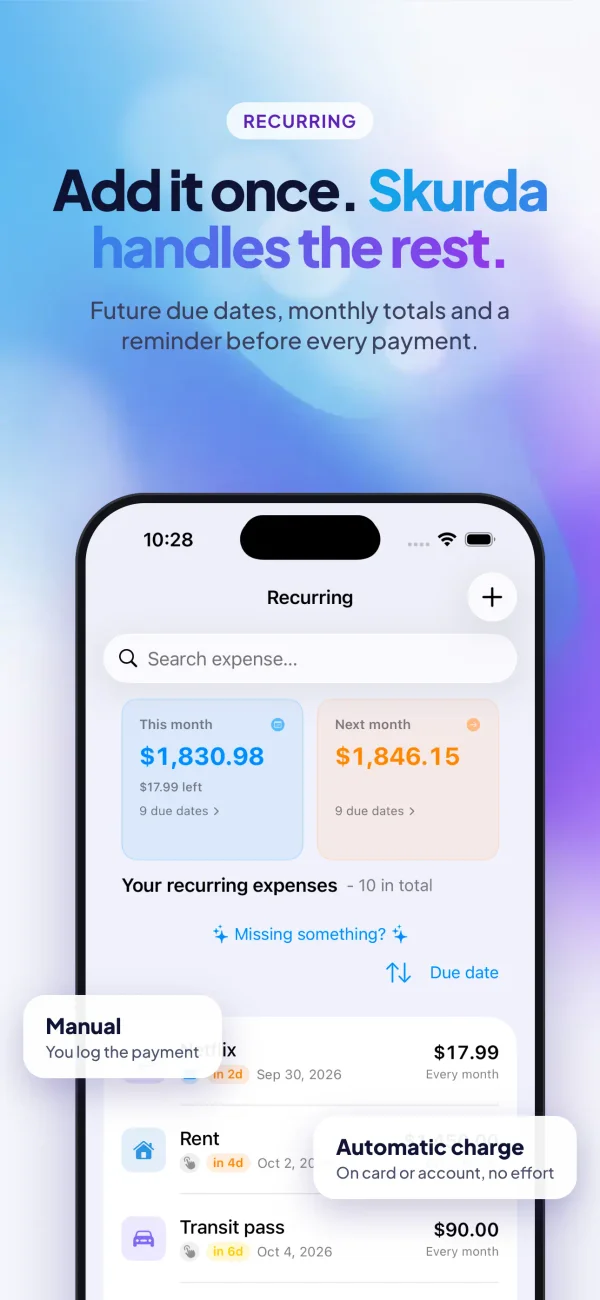
Add a recurring expense once and say how often it repeats. From then on the app does the rest: it works out every future due date, tells you what it costs per month and per year, and warns you before each payment.
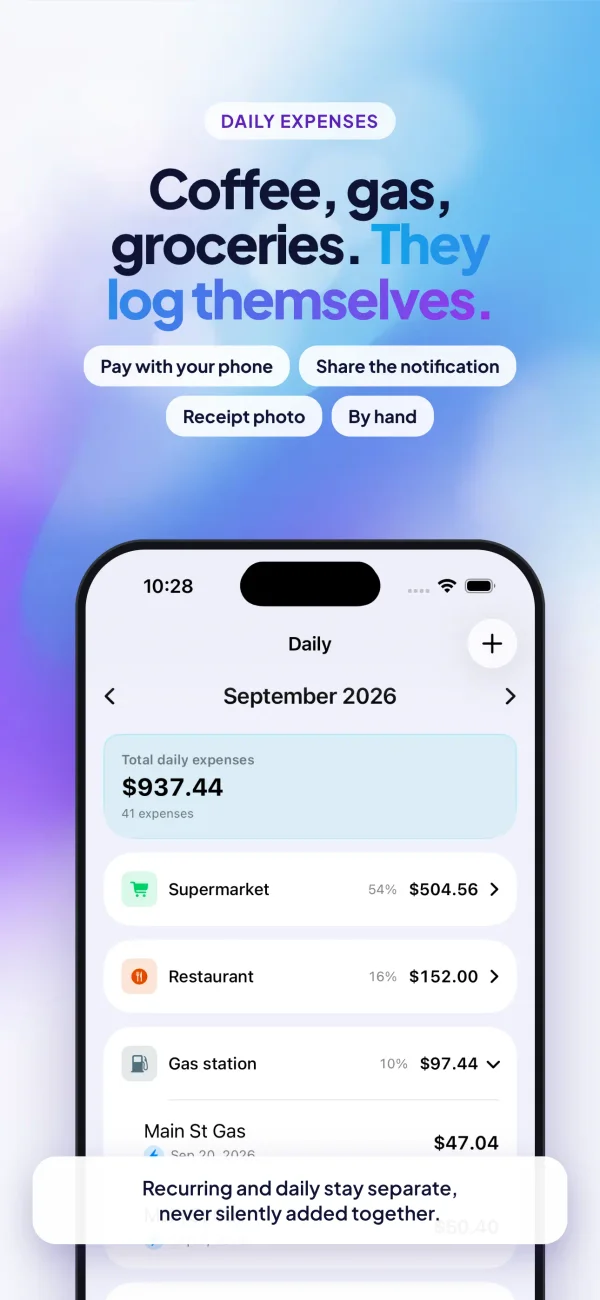
DAILY EXPENSES, FOUR WAYS TO LOG THEM
• Automatically when you pay with your phone or, from iOS 27, from your bank's or card's payment notifications: an automation you set up once, in one tap on iOS 27 (your first 5 payments are free)
• By snapping a photo of the receipt: store, amount and date fill themselves in, and the photo is never saved anywhere
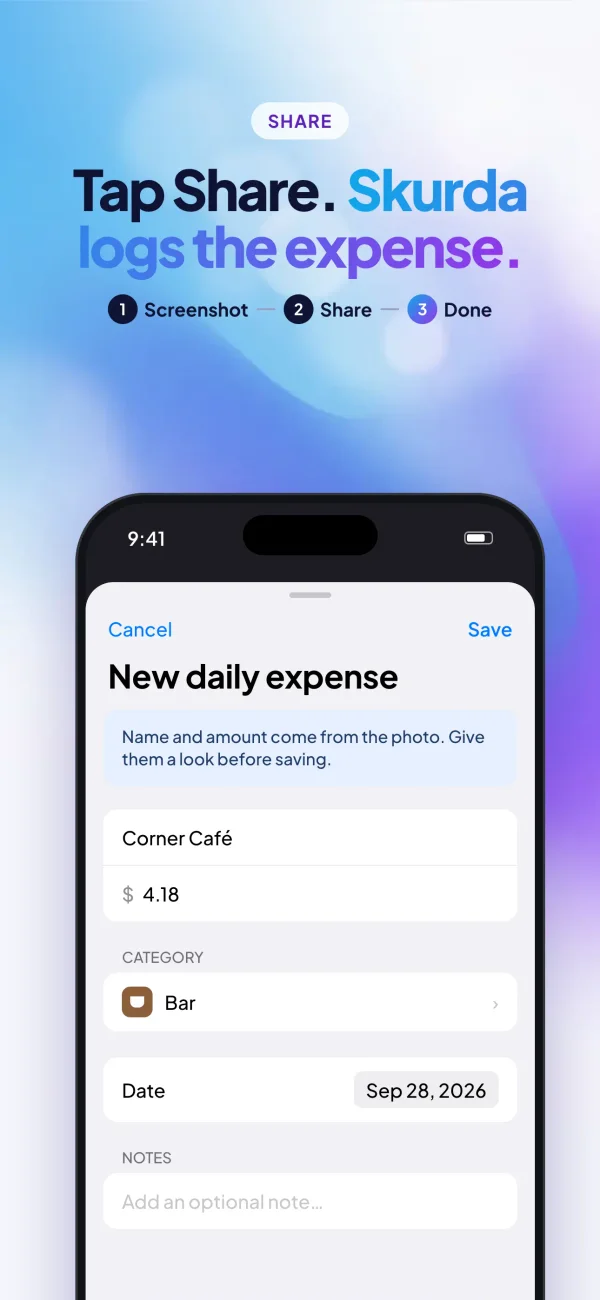
• From a screenshot: take it, share it with Skurda, and the expense is already filled in
• By hand, in a few seconds
TOGETHER WITH WHO YOU LIVE WITH
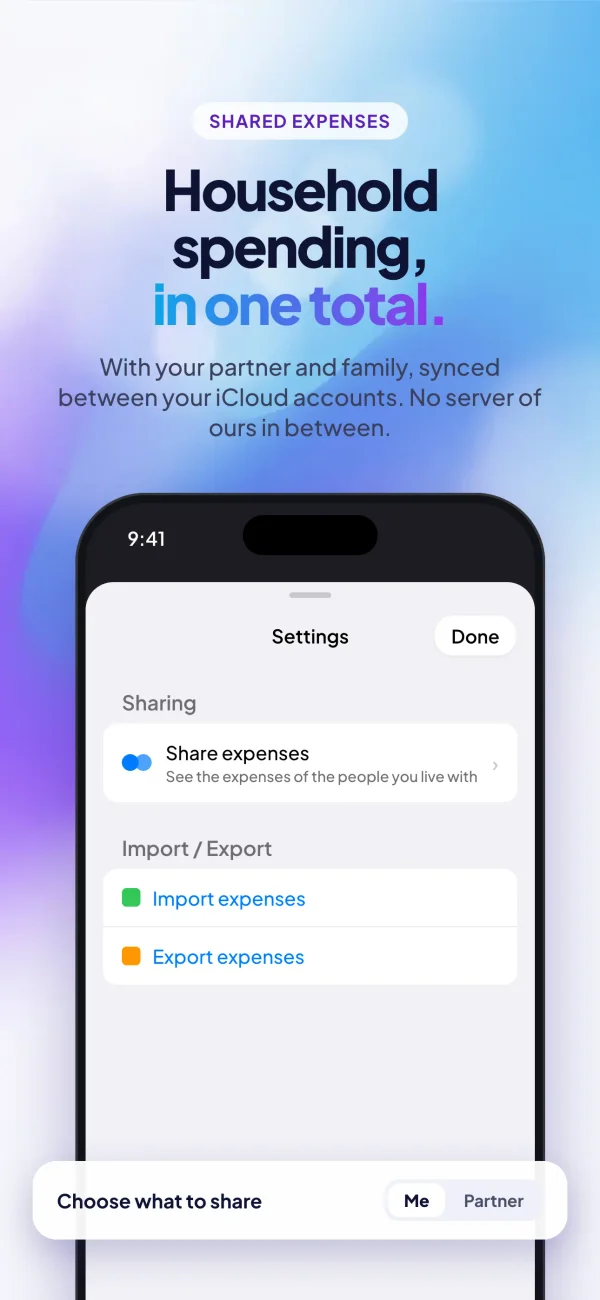
Invite your partner or flatmate: the expenses you log show up on both phones, so you know how much you spend together each month. You choose what to share and from when; each of you can edit only your own. Sharing is free.
BUDGET AND GOALS
Set a monthly budget and Home shows how much you have left, or how far over you went. With goals you save up for a trip or your car tax: at the start of each month Skurda asks whether to set aside what's left over. And if you pay some expenses from a joint account, you see how much comes out of it and how much out of yours.
WHAT YOU GET
• Flexible recurrences: daily, weekly, monthly or yearly, with custom intervals (every 2 months, every 3 weeks, every 6 months)
• Monthly and yearly totals always in view
• A calendar of upcoming due dates, month by month
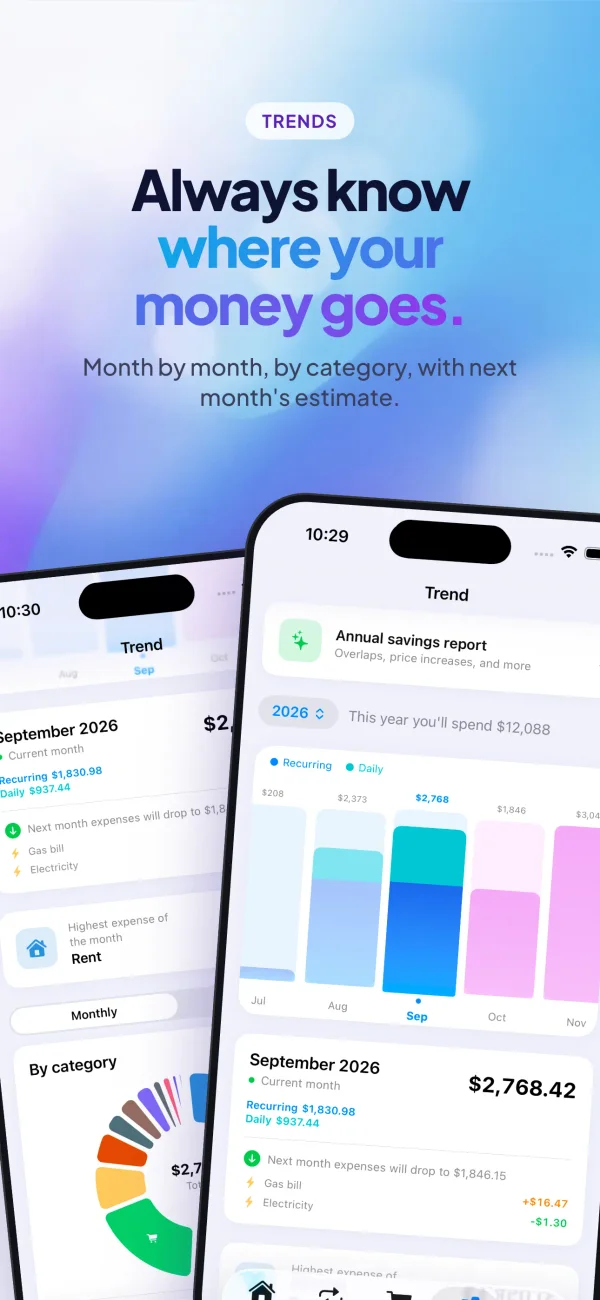
• Charts by category and trends over time, so you can see where your money goes
• Built-in categories you can edit or delete, or your own with custom colors and icons — learned automatically from the merchant name when you pay by phone
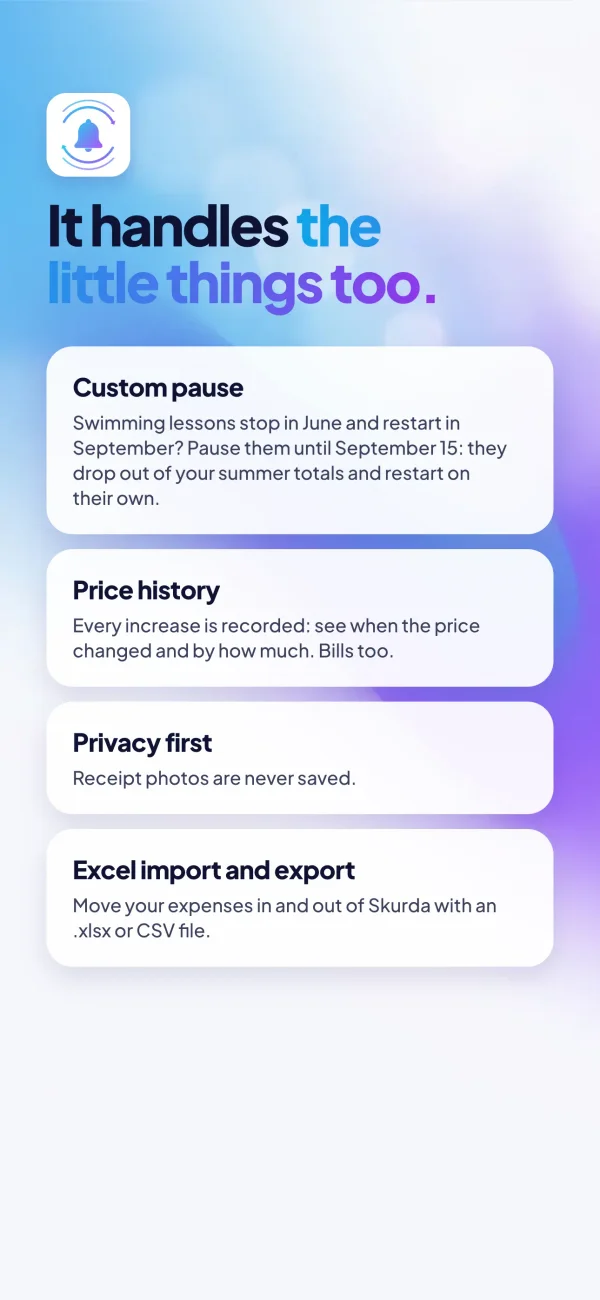
• Pause an expense without deleting it, and keep a history of amounts for variable bills like electricity and gas
• A catalog of the most common expenses: pick yours with a tap on first launch, no typing needed
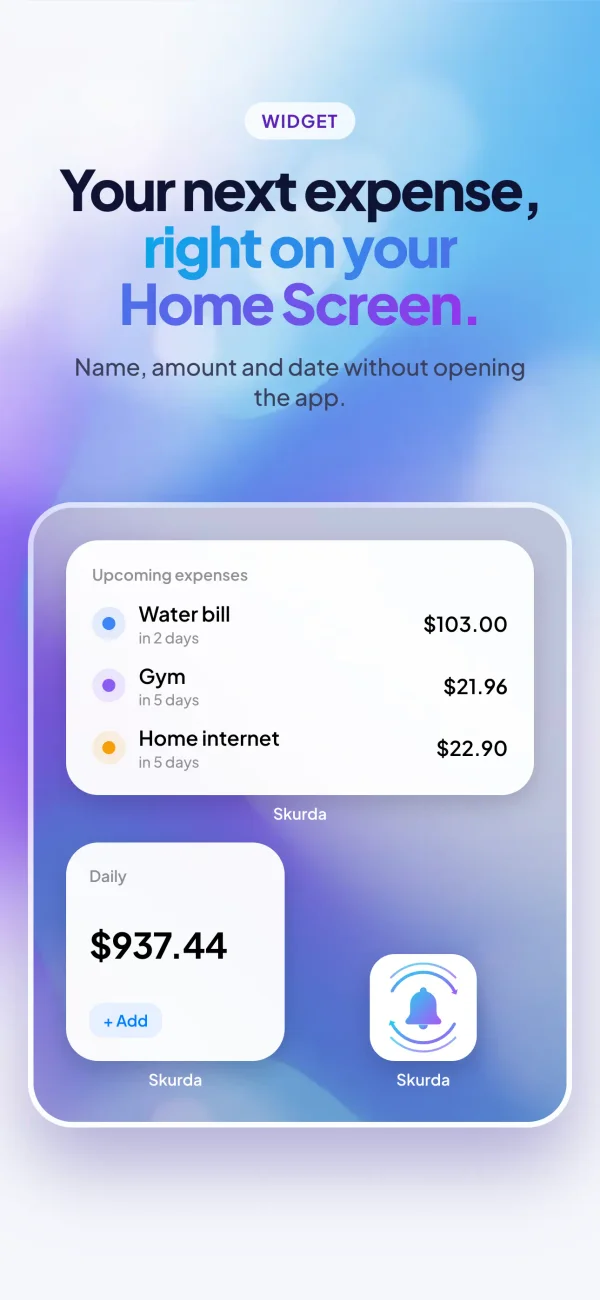
• Home Screen widgets, and Siri to add an expense by voice
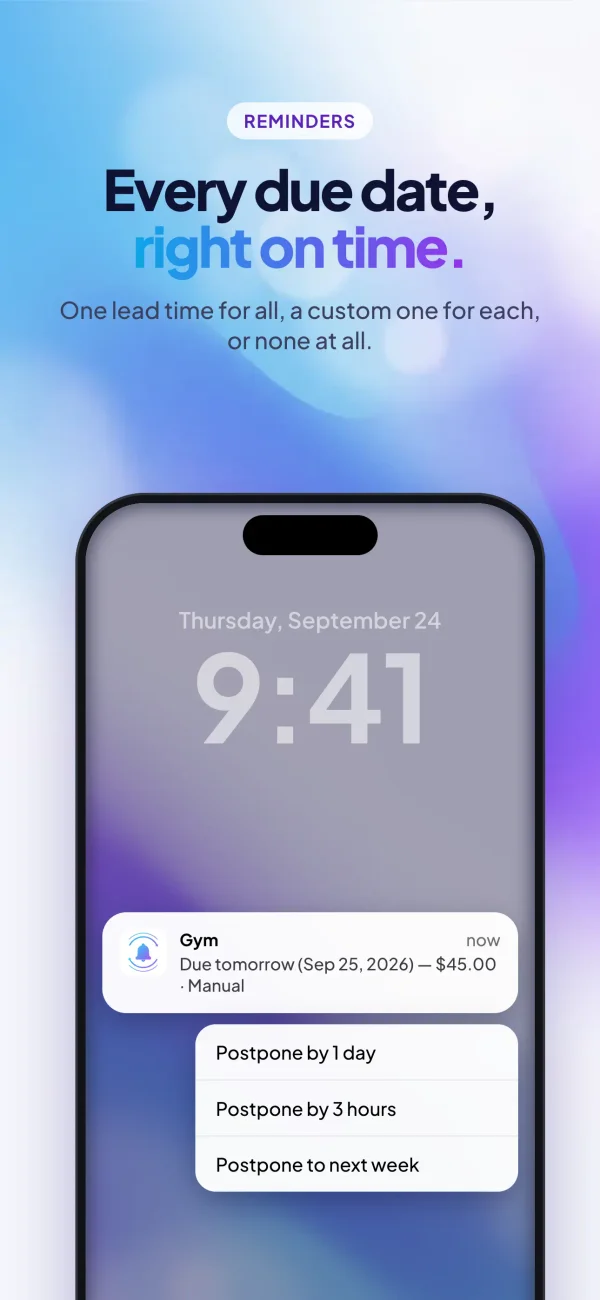
REMINDERS YOU WON'T MISS
Choose how many days ahead you want to be reminded, globally or expense by expense, and at what time of day. Straight from the notification you can snooze by three hours, by a day, or until next week. Reminders are free for everyone.
WHERE YOU CAN SAVE
Skurda looks at your expenses and points out real opportunities: overlapping streaming services, duplicate subscriptions, price increases compared with previous months, monthly subscriptions that would cost less paid yearly, and expenses you paused in the app but are probably still being charged for, because pausing here doesn't cancel anything with the provider.
SKURDA PRO
The free version includes everything essential for recurring expenses, up to 10, plus up to 20 everyday expenses a month, by hand or from a receipt, the monthly budget and one goal. Your first 5 phone payments log themselves even without Pro, so you can try the automation. Skurda Pro unlocks unlimited recurring expenses, unlimited everyday expenses, automatically when you pay with your phone or from a screenshot, more goals, travel mode that converts payments made abroad, the annual savings report, and import and export in Excel and CSV.
Privacy Policy: https://dontknowif.github.io/spese-ricorrenti/privacy.html
Terms of Use: https://dontknowif.github.io/spese-ricorrenti/terms.html
What’s new
Version 4.0.2 · Nov 18, 2026
Pay with your phone. It logs itself.
With Skurda's automation, every Apple Pay payment lands in your expenses on its own: merchant, amount and date, without opening the app. Set it up once and forget about it. Your first 5 payments log themselves, even without Premium.
NEW IN 4.0.2
• Messages: Settings now has an inbox with Skurda's news and offers, also as an alert if you allow it
• First steps: in your first days, Home guides you through completing your first expenses
• New when you start: enter what you pay and see the monthly total straight away
• Small fixes and polish
Still works with no account, no bank connection and no ads.
App privacy
What ROCCO BARLETTA declares on the App Store about how this app handles data.
-
Data not linked to you
May be collected but is not linked to your identity.
- Contact info
- Usage data
- Diagnostics
Privacy practices may vary, for example with the features you use or your age.
Information
- Seller
- ROCCO BARLETTA
- Category
- Finance
- Version
- 4.0.2
- Updated
- Nov 18, 2026
- Released
- Sep 3, 2026
- Size
- 26.2 MB
- Requires
- iOS 17.0 or later
- Age rating
- 4+
- In-app purchases
- Yes
- Languages
- French, German, English, Spanish, Italian
- Copyright
- © 2026 Rocco Barletta
You might also like
-
 SubTracker: Subs & InstalmentsBills, installments & savings
-
 Paylendar: Payment CalendarBills, Rent & Subscriptions
-
 BudgetLoop: Expense TrackerBudget planner, 100% offline
-
 Kalendo: Budget CalendarBill Reminder & Cash Flow
-
 Spiccioli: spese e abbonamentiFinance
-
 More: Subscriptions & BillsFixed costs & price hikes
-
 Xpense Budget ManagerExpense Tracker & Bill Planner
-
 Blin: Expense Tracker & BudgetTrack by voice, photo or file
-
 FloowExpense tracker & budgets
-
 Subby by BonatoRenewals, bills and budget