Slide AI: Presentation Maker
Pitch Deck, PPTX & PDF Export
Designed for iPhone, iPad
Free · In-app purchases
- Age rating4+
- CategoryProductivity
- DeveloperAliye Sinem Battal Yildiz
- LanguagesEnglish+ 1 more
- Size94.8 MB
Links to the official App Store page
Download.org hosts no file of Slide AI: Presentation Maker. The button opens its official App Store page, published by Aliye Sinem Battal Yildiz. Listing last checked on Nov 14, 2026.
Screenshots

About
Your idea deserves a memorable presentation — not hours of dragging slides.
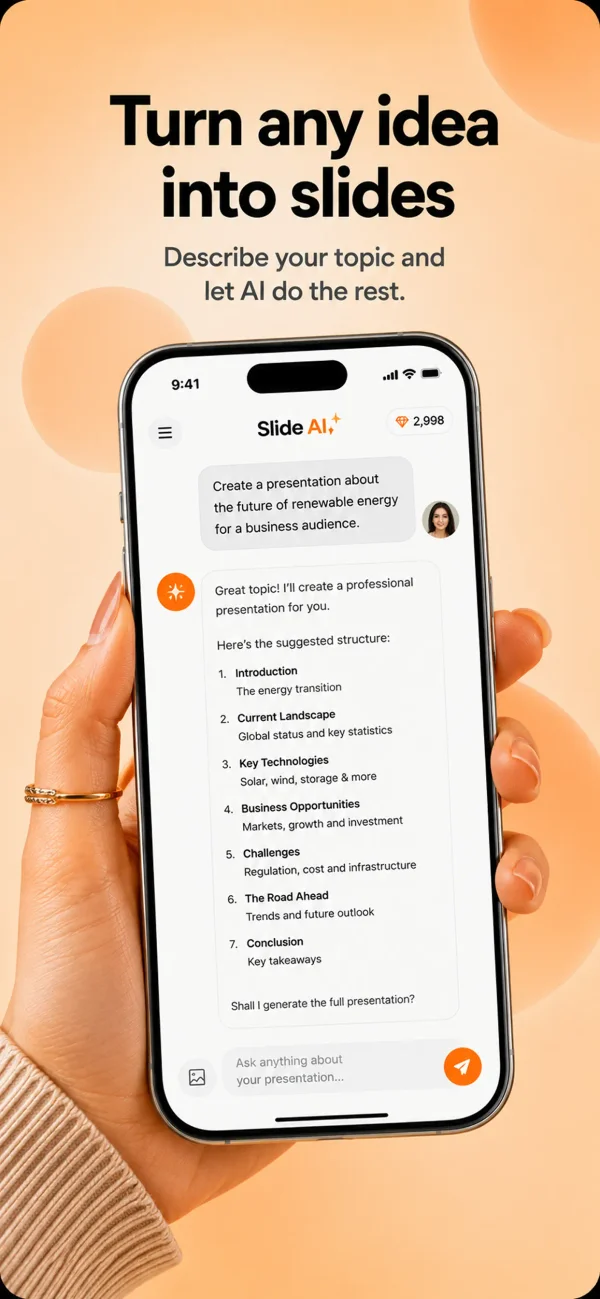
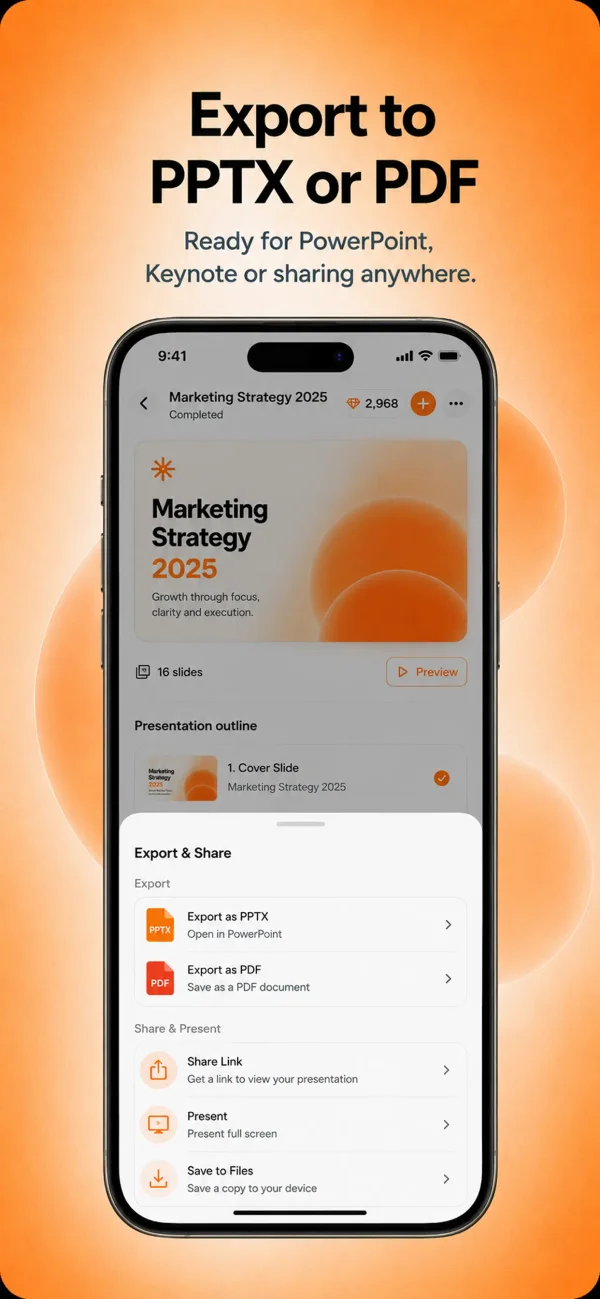
Slide AI is an AI-powered mobile presentation maker. Tell your story in a natural chat, pick a professional theme, and generate a complete deck in minutes. Export as PowerPoint (PPTX) or PDF and share it from class to the boardroom.
WHY SLIDE AI?
Most presentation tools were built for the desktop. Slide AI is built for how you actually work today: on your phone, on the move, with an idea that cannot wait. No blank slides. No design background required. Tell the AI what you want, refine it together, and walk away with a deck you are proud to present.
WHO IT'S FOR
• Business plans, quarterly reports, and strategy decks
• School projects, homework, and academic presentations
• Product launches, sales pitches, and marketing slides
• Freelance portfolios and client proposals
• Personal CVs, career, and personal-brand presentations
HOW IT WORKS
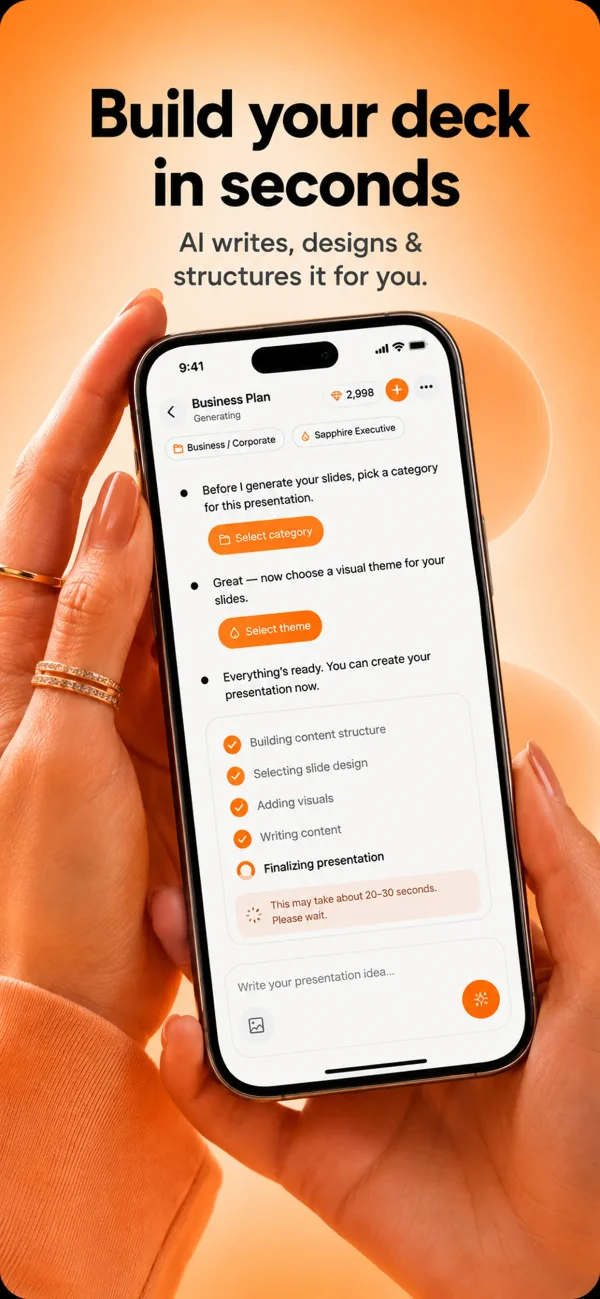
1. Choose a category — Business, Education, Product, Freelance, or Personal
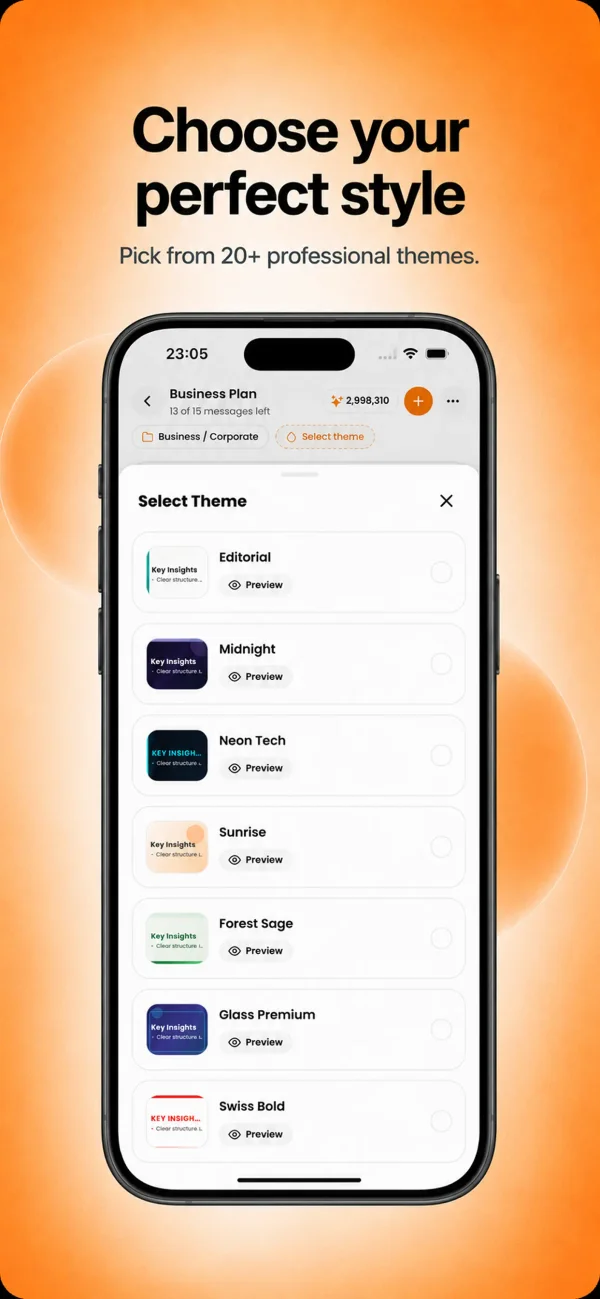
2. Pick a visual theme from dozens of ready-made designs
3. Chat with AI to shape your message, structure, and key points
4. Optionally add photos from your gallery for extra context
5. Generate your full presentation in one tap
6. Export as PPTX or PDF, present in-app, or share with anyone
HIGHLIGHTS
• AI chat that understands your topic and builds slide content with you
• 20+ professional themes — applied to the whole deck in one tap
• In-app present mode to rehearse before you share
• PPTX and PDF export on your device
• Save drafts and pick up where you left off
• Sign in with Apple, Google, or email — or continue as a guest
INCLUDED PLAN
• Up to 10 presentations on Home
• Up to 10 AI messages per presentation
• Limited slide preview; upgrade for the full deck
• Access to basic themes
• PDF export
SLIDE AI PRO
• Unlimited presentations
• Full presentation preview with no slide lock
• All premium themes
• PPTX export for PowerPoint and Keynote
• Unlimited AI messages per presentation
• No watermark on export
• Higher generation quota
CREDIT PACKS
Need more AI generations beyond your plan? Optional credit packs are available for extra decks. Credits are used when creating or regenerating slides.
SUBSCRIPTIONS AND BILLING
Slide AI offers optional Pro subscriptions (monthly or yearly) and consumable credit packs. Payment is charged to your Apple ID at confirmation of purchase. Subscriptions renew automatically unless cancelled at least 24 hours before the end of the current period. Renewal is charged within 24 hours prior to the end of the current period. Manage or cancel anytime in Settings → Apple ID → Subscriptions. Any unused portion of a free trial is forfeited when you purchase a subscription.
AI-GENERATED CONTENT
AI-generated content is provided as-is. You are responsible for reviewing and verifying every slide before you present or share it.
Privacy Policy: https://voysapps.io/app/slide-ai/privacy-policy
Terms of Use: https://voysapps.io/app/slide-ai/terms-of-use
EULA: https://www.apple.com/legal/internet-services/itunes/dev/stdeula/
Support: https://voysapps.io/app/slide-ai/support
What’s new
Version 1.1.44 · Nov 2, 2026
- Fewer interruptions: your first presentation is ad-free, and ads never cover your slides while they are being created or revealed.
- New: watch an optional short video to download a PDF without the watermark. Watermarked PDFs stay free with no ad.
- Ad privacy settings: where required, you can review your ad choices from the Menu.
- Stability and performance improvements.
App privacy
What Aliye Sinem Battal Yildiz declares on the App Store about how this app handles data.
-
Data used to track you
May be used to track you across apps and websites owned by other companies.
- Identifiers
-
Data linked to you
May be collected and linked to your identity.
- Contact info
- User content
- Identifiers
-
Data not linked to you
May be collected but is not linked to your identity.
- Identifiers
Privacy practices may vary, for example with the features you use or your age.
Information
- Seller
- Aliye Sinem Battal Yildiz
- Category
- Productivity
- Version
- 1.1.44
- Updated
- Nov 2, 2026
- Released
- Jul 10, 2026
- Size
- 94.8 MB
- Requires
- iOS 16.0 or later
- Age rating
- 4+
- Price
- Free
- In-app purchases
- Yes
- Languages
- English, Turkish
- Copyright
- © 2026 VoysApps
You might also like
-
 AI Presentation Maker: SlideAIPPT, Pitch Deck & Slide Maker
-
 AI Presentation Maker: SlidePPT, Slides & Decks with AI
-
 ChatPPT: AI PresentationAI Slides, Your Ideas
-
 Glomi: Screen Time & FocusBlock Apps & Digital Detox
-
 AI PDF Reader: On-DevicePrivate on-device PDF AI
-
 KiteMind: AI Mind MapFlowchart & concept map maker
-
 Fogwing CopilotProductivity
-
 Tasvir: AI Worksheet & VideoBooks, Notes, Slides, Videos.
-
 PPT.AI: AI Presentation MakerAI Presentation Generator
-
 KnowziYour Opportunity Scout