
KiteMind: AI Mind Map
Flowchart & concept map maker
Designed for iPhone, iPad, Mac
Free · In-app purchases
- Age rating4+
- CategoryProductivity
- Developer清珠 陈
- LanguagesEnglish+ 9 more
- Size22.9 MB
Links to the official App Store page
Download.org hosts no file of KiteMind: AI Mind Map. The button opens its official App Store page, published by 清珠 陈. Listing last checked on Nov 26, 2026.
Screenshots

About
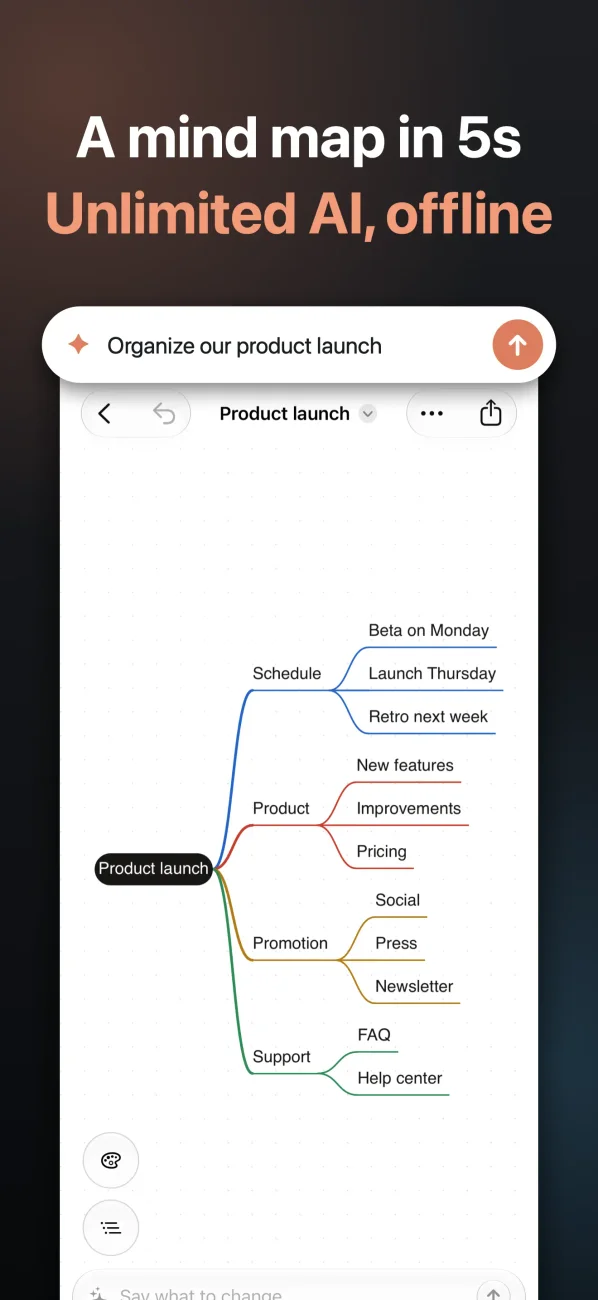
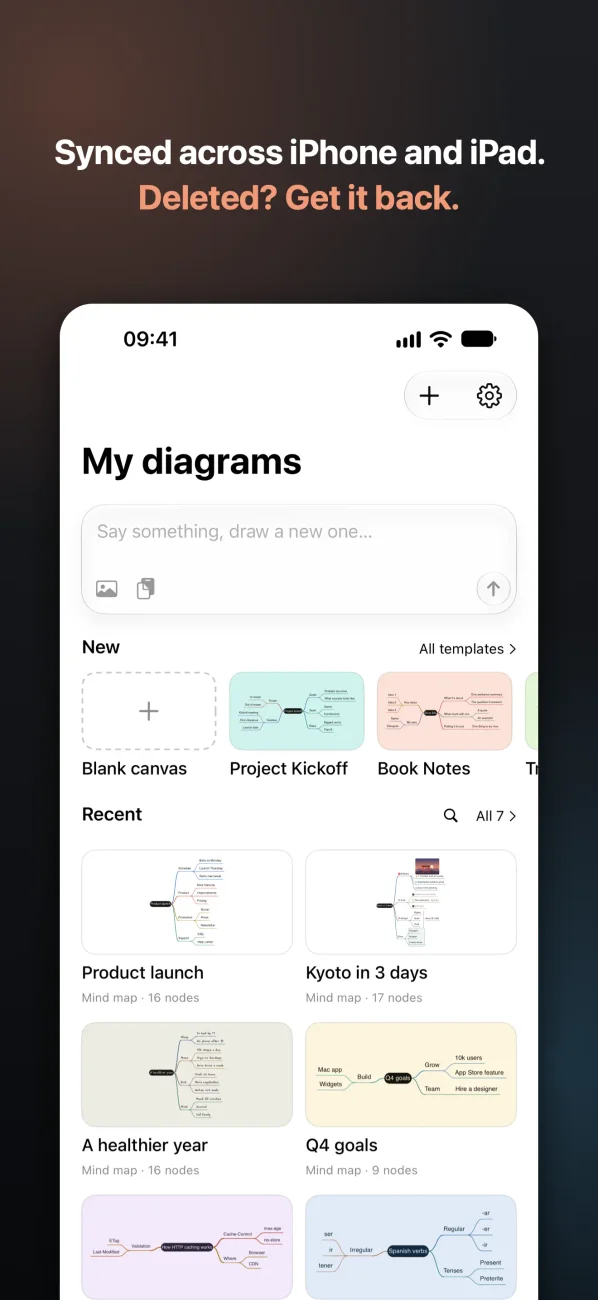
Say one sentence. Get a diagram in 5 seconds.
KiteMind turns what you're already thinking into a mind map or a flowchart, right on your iPhone or iPad. The AI runs on your device with Apple Intelligence: no network, no account, and your words never go to an AI server. Not "we promise not to look" — the AI step simply never leaves your device.
DRAWING IT ISN'T THE END
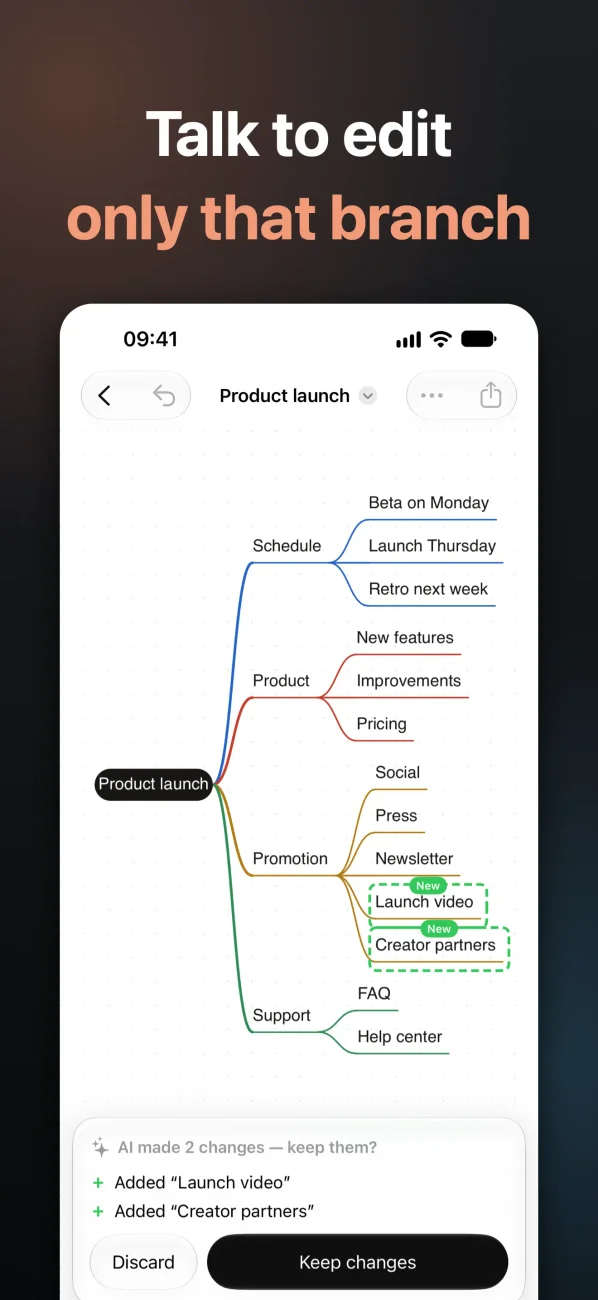
Keep talking and it changes. Say "add one more under marketing": KiteMind knows which branch you mean, changes only that one, and never redraws the whole diagram. Every change is previewed first and lands only when you say yes.
FIVE STRUCTURES, PICKED FOR YOU
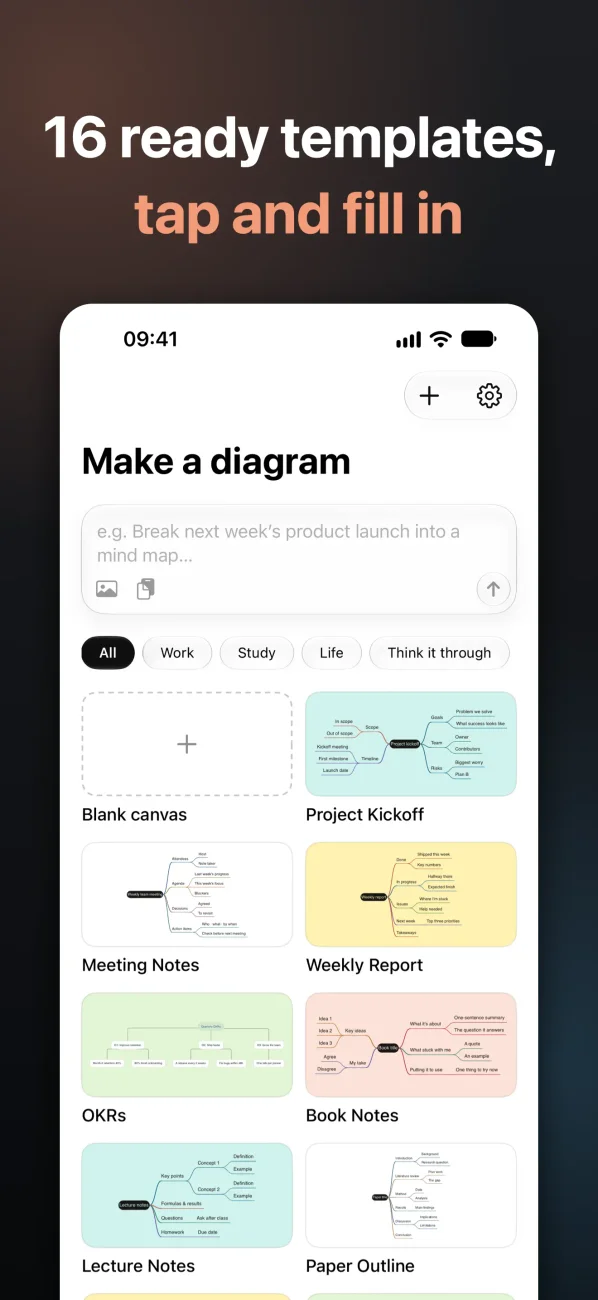
Ask for a mind map and you get one; describe an approval rule and you get a flowchart. Wrong guess? One tap to switch. No blank canvas to stare at: the app comes with examples to get you started.
YOUR MAPS DON'T GET LOST
• iCloud sync between your iPhone and iPad, through your own private iCloud. If two devices change the same map, you keep both versions — nothing is silently overwritten.
• Recently Deleted keeps maps for 30 days, and version history takes you back to an earlier version.
• Every map is also backed up automatically as Markdown in the Files app.
EDITING THAT KEEPS UP
Return adds the next topic; on a keyboard, Tab adds a subtopic. Drag to reorder, select several nodes at once, and copy or paste whole branches — paste a Markdown list from a chatbot and it becomes branches. Edit as an outline, find any word in the map, and on iPad use a keyboard, mouse or trackpad.
THE DETAILS YOU'D EXPECT
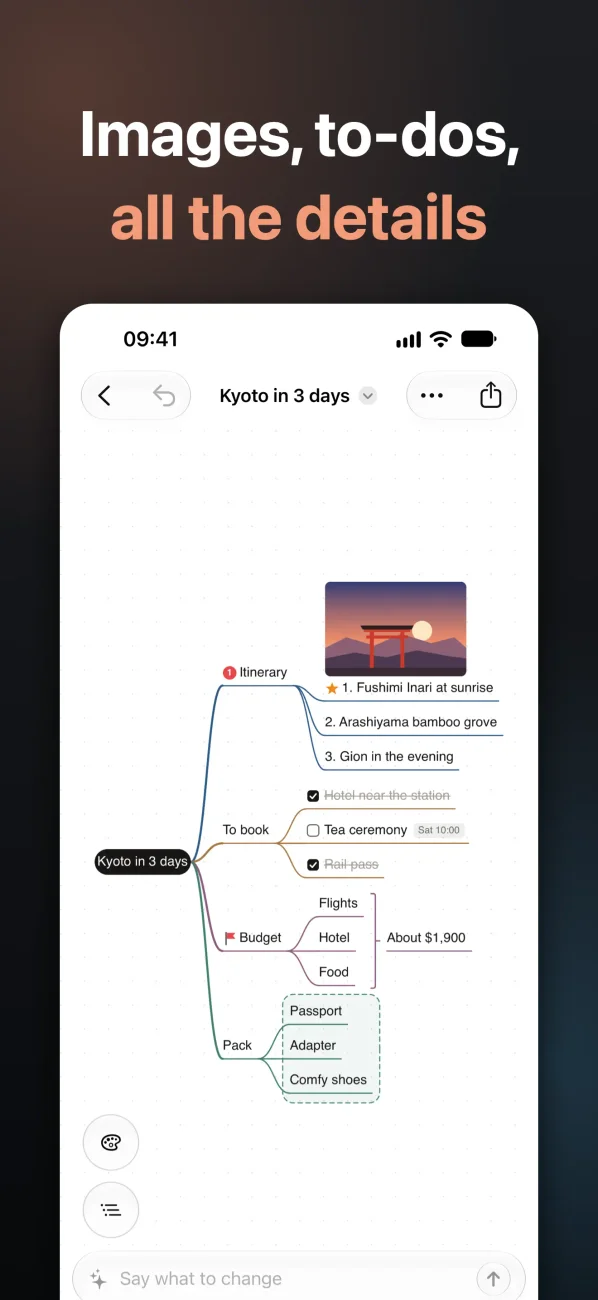
Boundaries, summaries, numbering, labels, node shapes, branch styles, a format painter, text on relationship lines, links, to-do checkboxes, images and icon markers.
ORGANIZE AND SHARE
Folders, plus full-text search across all your maps. Share text from another app straight into KiteMind, or use Shortcuts and Siri to create, open and export maps. Presentation mode walks through a map one branch at a time, on a bigger screen with AirPlay.
SEVEN EXPORTS, ALL ON DEVICE
With Pro: PNG, PDF, SVG, Mermaid, XMind, OPML and Markdown. No file passes through a server. Open .xmind, FreeMind, OPML and Markdown files directly; notes and relationship lines come along.
PRIVATE BY DESIGN
• The AI uses Apple Intelligence's on-device model. It works exactly the same in airplane mode.
• We have no servers that store your diagrams. Sync goes through your own iCloud, which we can't see.
• No sign-up, no email.
• We only collect anonymous usage counts (like how many diagrams were made or which export was used) to see what's hard to use. Never the words in your diagrams or anything you say, and never linked to you. Turn it off in Settings.
FREE, WITH A ONE-TIME PRO
Drawing, editing and AI are unlimited in the free version. There are no AI credits to buy: the AI runs on your device, so one more run costs us nothing.
Free: unlimited AI drawing and editing, five structures, five styles, iCloud sync, folders, version history, to-dos, notes, relationship lines, focus mode and presentation mode.
KiteMind Pro is a one-time purchase, not a subscription: export to PNG, PDF, SVG, Mermaid, XMind, OPML and Markdown in high resolution, all 12 styles including the hand-drawn Sketch, images and icon markers in nodes, and sending to-dos to Reminders.
No Apple Intelligence? KiteMind still works. It falls back to rule-based parsing — indented outlines, numbered lists and arrow notation all become diagrams. Rougher, but the app always opens.
Requires iOS 18 or later. AI drawing needs iOS 26 and a device that supports Apple Intelligence.
What’s new
Version 1.5.1 · Nov 25, 2026
• No Apple Intelligence? Type a topic or a few sentences and KiteMind still lays them out as a map. A topic on its own gets What / Why / How / Examples branches to fill in
• Paste: a copied image is read for its text, and if pasting wasn’t allowed, the app tells you where to change it
• Exporting (PNG, PDF, SVG, XMind and more) is now part of KiteMind Pro. Drawing, editing, AI and iCloud sync stay free
App privacy
What 清珠 陈 declares on the App Store about how this app handles data.
-
Data not linked to you
May be collected but is not linked to your identity.
- Identifiers
- Usage data
Privacy practices may vary, for example with the features you use or your age.
Information
- Seller
- 清珠 陈
- Category
- Productivity
- Version
- 1.5.1
- Updated
- Nov 25, 2026
- Released
- Oct 15, 2026
- Size
- 22.9 MB
- Requires
- iOS 18.0 or later
- Age rating
- 4+
- Price
- Free
- In-app purchases
- Yes
- Languages
- English, French, German, Italian, Japanese, Korean, Portuguese, Simplified Chinese, Spanish, Traditional Chinese
- Copyright
- © 2026 KiteMind
You might also like
-
 HMind: Mind Map & OutlineBrainstorm offline, no sign-up
-
 MindMap: AI Diagrams, Mind MapXmind: Brainstorm Visual Ideas
-
 MindMap AI: Mind Map MakerAI Notes, Outline & Brainstorm
-
 Blossom: cute To Do Checklistkawaii tasks, focus & Study
-
 Mind Map AI - MapTheseVisual Idea Organizer Tool
-
 Mind Map: Brainstorm & NotesOffline Idea Organizer Outline
-
 Simple Comparison Chart Appcompare it. comparative table
-
 TextSmithAI-Powered iMessage Styles
-
 Simplify Notes: PDF NotebookHandwriting, Notes & Study
-
 Calendar 2026: Planner & ToDoAppointments, Events, Schedule