- Age rating4+
- CategoryBusiness
- DeveloperSNC GmbH
- LanguagesEnglish+ 4 more
- Size21.2 MB
Links to the official App Store page
Download.org hosts no file of Smart Business Platform. The button opens its official App Store page, published by SNC GmbH. Listing last checked on Nov 23, 2026.
Screenshots

About
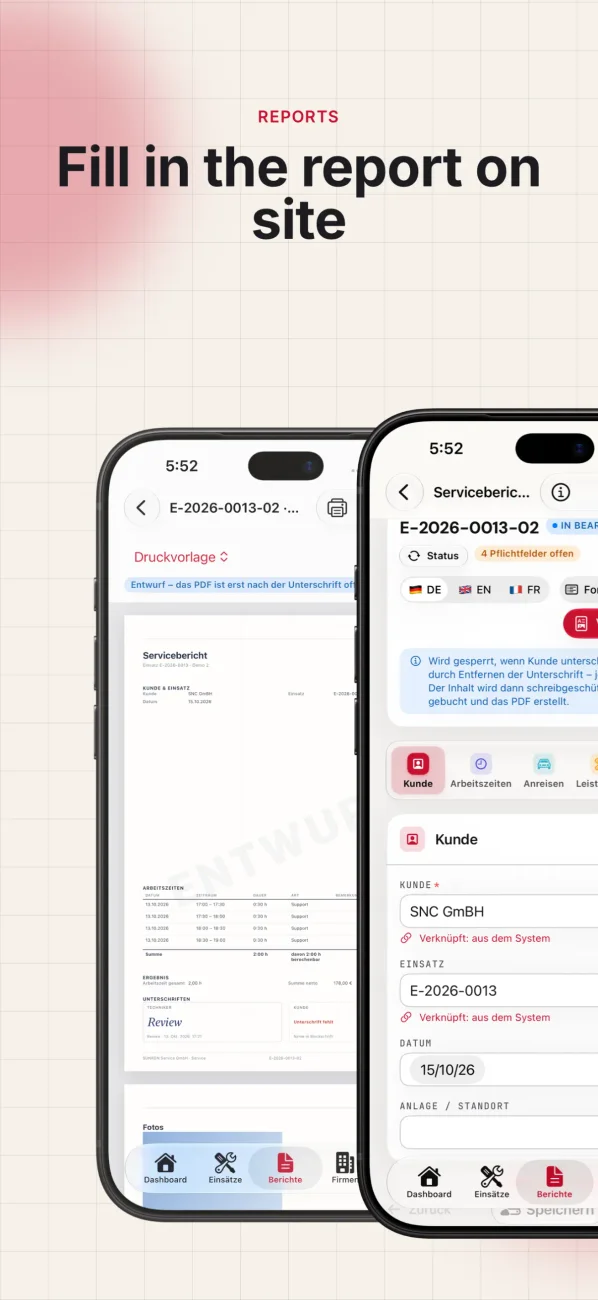
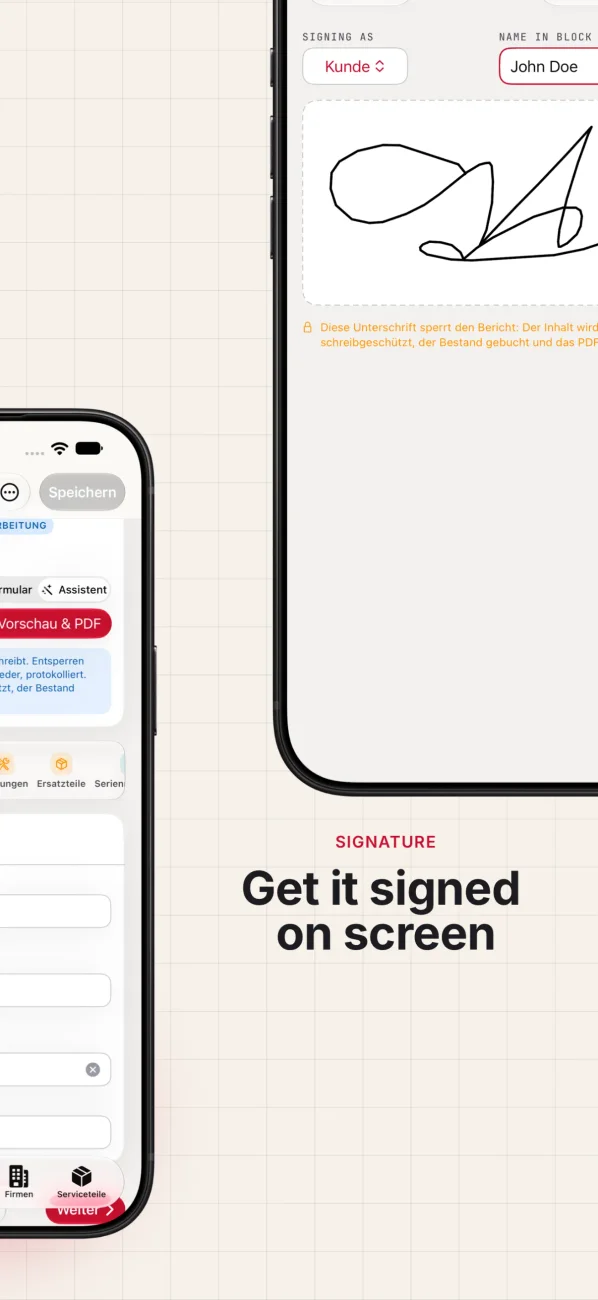
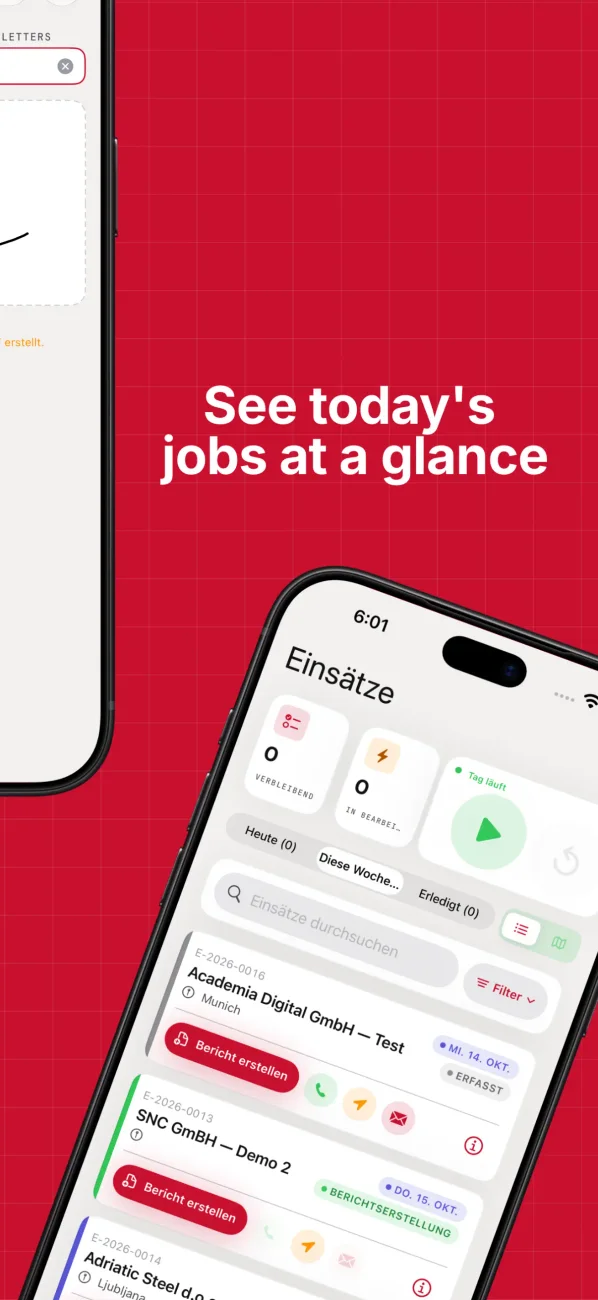
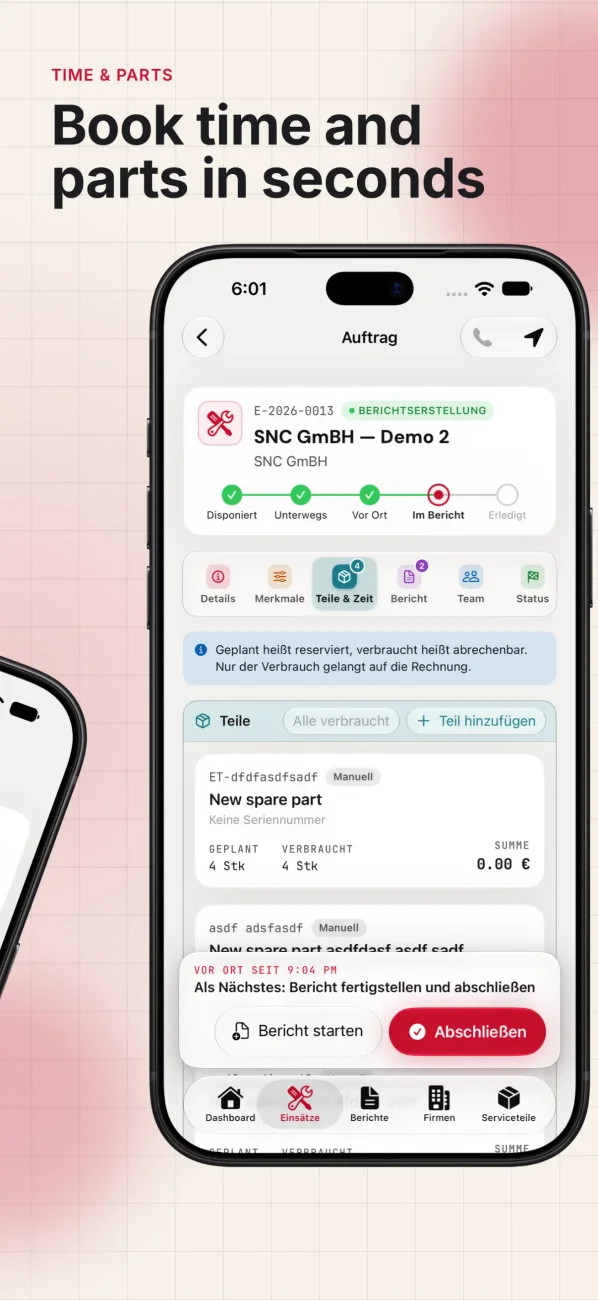
Smart Business Plattform (SBP) brings your service desk to the field. Technicians see the day's assignments and tasks, fill in the report on site and get it signed – and the office has it the moment it's saved.
SBP works with your company's SBP portal. Ask your administrator for an account, then scan the portal's QR code to connect.
ASSIGNMENTS
• Today, this week and completed jobs as a list or on a map
• "Up next" shows the job under way or your next stop
• Call the contact, send an email or start navigation from any job
• Move a job from travel to on site to completed with one tap
• Record parts used, working and travel time, and kilometres
TASKS
• Your to-dos and what you delegated, with what is due today or overdue – offline too
• Create tasks with due date, priority, assignee and customer, and split them into sub-tasks
• Start a timer on a task, or book time with travel details and whether it is billable
• Complete a task with a comment, photos or PDFs, and discuss it in comments
• Delegate a task to a colleague in one tap
SERVICE REPORTS
• Forms built from your company's own templates – fill them in on one page or step by step
• Checklists, tables, calculated totals and fields filled from your customer and parts data
• Photos from the camera or library, file attachments, and expenses with receipt photos
• Customer and technician signatures right on the screen; signing locks the report
• A timer that keeps running while you work and books your time rounded to your grid
• Preview, print, email or share the report as a PDF
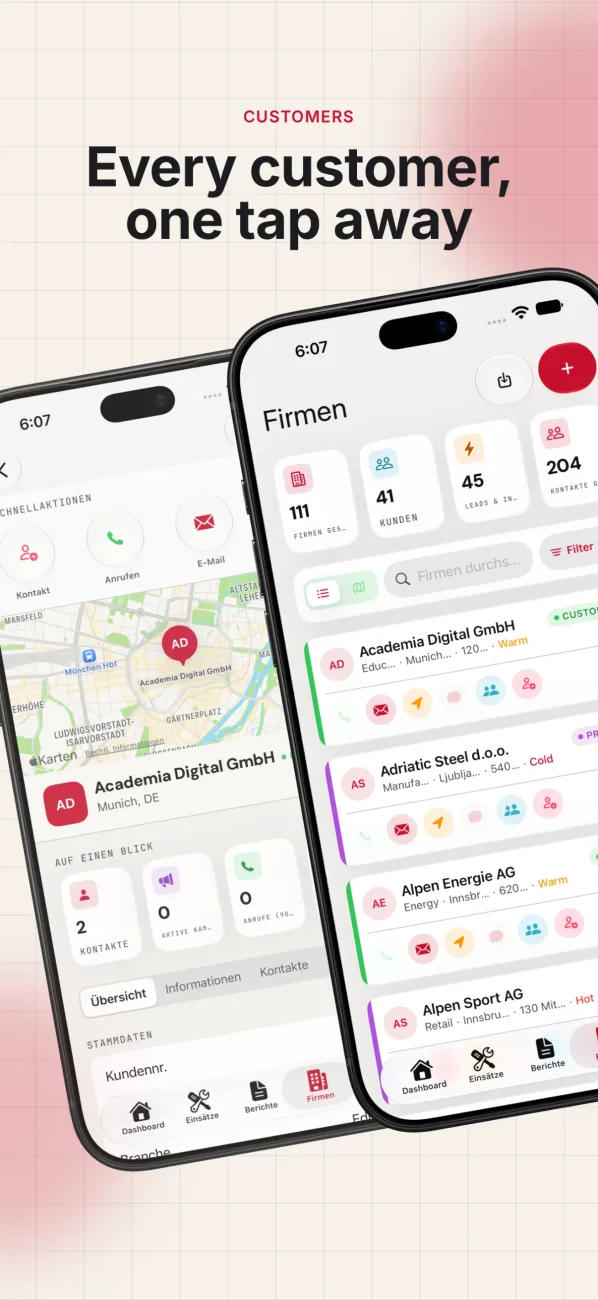
CUSTOMERS
• Companies with contacts, addresses, opening hours and a map
• Create and edit companies and contacts with a guided form
• Search and filter by status, industry, rating and country
PARTS
• Service parts with stock levels, prices and categories
• Price groups, customer and supplier prices, and bills of materials
SERIAL NUMBERS
• Installed equipment with status, category, warranty and next service date
• Create and edit serial numbers, and scan them from the type plate on iPhone and iPad
• Pick serial numbers in assignments and service reports
WORK TIME
• Clock in and out and take breaks – a live stopwatch keeps track of your shift
• Your day, month and week with target, balance and hour account
• Correct a stamp or add a forgotten one, with a reason
LEAVES & ABSENCES
• Request leave and see how many days you have left this year – offline too
• Attach a sick note as a photo or PDF, or add it later
• Withdraw a request, and see your leave and public holidays in the Work Time calendar
DASHBOARD
• Widgets for assignments, reports and customers, arranged the way you work
• Open, in-progress and overdue work at a glance
ONE APP FOR EVERY DEVICE
• iPhone, iPad and Mac
• Dark Mode, Dynamic Type and the Liquid Glass design
• English, German, French, Dutch and Spanish
Your data goes only to your company's SBP portal. No ads, no tracking.
What’s new
Version 4.0 · Nov 17, 2026
Version 4.0 – Tasks
NEW
• Tasks: a new tab shows what is assigned to you, what you delegated and what is due today or overdue – offline too.
• Add a task with due date, priority, assignee and customer, and split it into sub-tasks you can tick off.
• Start a timer on a task; it stays on screen while you work elsewhere in the app and books the time when you log it.
• Log time on a task with type, mode, travel details and whether it is billable.
• Finish a task with a comment and photos or PDFs, and decide what happens to its open sub-tasks.
• Read and write comments on a task, attach photos or PDFs, and mark a comment as internal.
• Hand a task to a colleague straight from the list.
• A company's tasks show in its Tasks tab, and you can add one there.
IMPROVED
• The report and task timers each show their icon, name and colour when both are running.
• The Tasks tab sits before Assignments; on iPhone, Companies is now under More.
Thank you for your feedback!
App privacy
What SNC GmbH declares on the App Store about how this app handles data.
-
Data not collected
The developer does not collect any data from this app.
Privacy practices may vary, for example with the features you use or your age.
Information
- Seller
- SNC GmbH
- Category
- Business
- Version
- 4.0
- Updated
- Nov 17, 2026
- Released
- Oct 16, 2026
- Size
- 21.2 MB
- Requires
- iOS 26.0 or later
- Age rating
- 4+
- Price
- Free
- Languages
- English, Dutch, French, German, Spanish
- Copyright
- 2026 © Copyright SNC IT GmbH.
You might also like
-
 APTObase.plus APPMeasurement device management
-
 POS ReportsProductivity
-
 Gauge Management PMM.NetMobile Gauge Management
-
 AAES installationBusiness
-
 Remoted: Mac Remote DesktopFast screen sharing with audio
-
 Doors & Gates SafetyInspection & Maintenance
-
 VoiceLineProductivity
-
 Fleet Vehicle CheckBusiness
-
 Pros & Cons - Choice HelperAI Decision Maker & Weigher
-
 maveo appmaveo smart garage