Smart Printer App for HP Scan
Print Documents to PDF
Designed for iPhone, iPad, iPod touch
Free · In-app purchases
- Age rating4+
- CategoryUtilities
- DeveloperTo Infinity
- LanguagesEnglish
- Size33.6 MB
Links to the official App Store page
Download.org hosts no file of Smart Printer App for HP Scan. The button opens its official App Store page, published by To Infinity. Listing last checked on Nov 17, 2026.
Screenshots


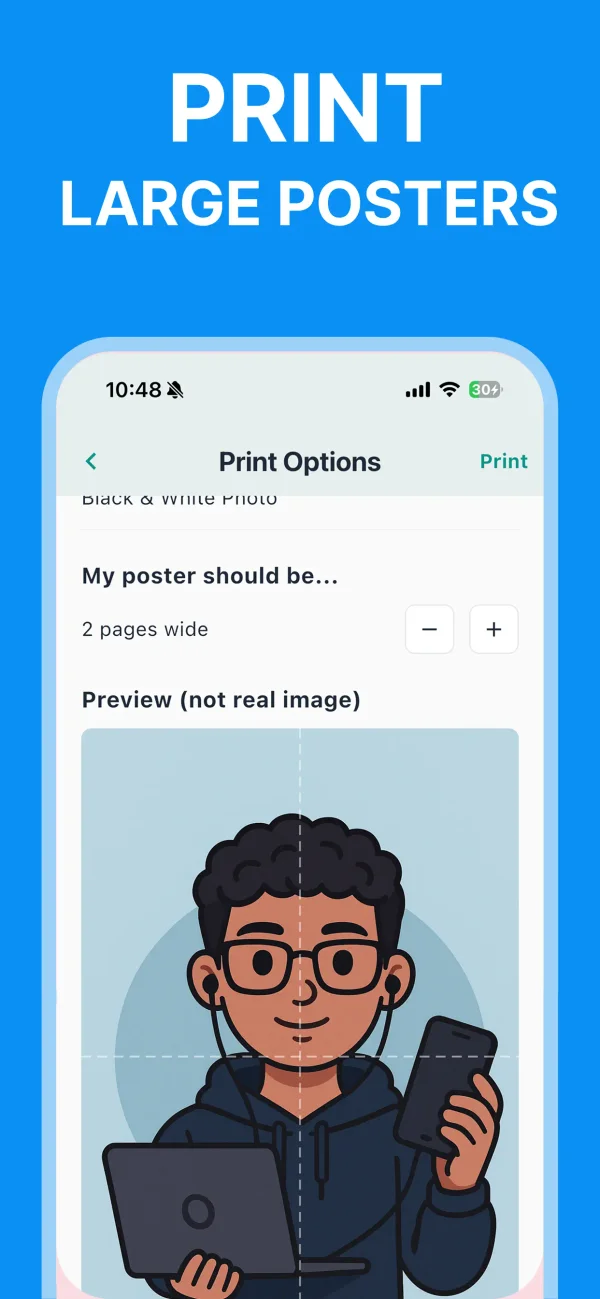
About
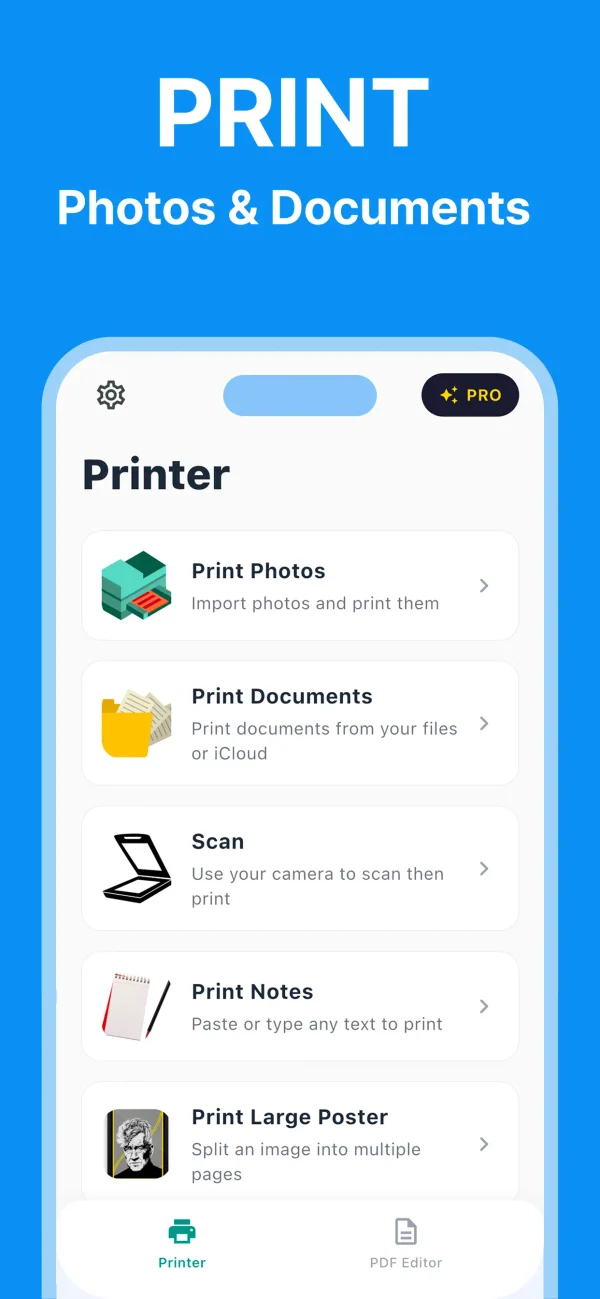
Smart Printer App lets you print from your iPhone or iPad in seconds. Connect to your WiFi printer and start printing photos, documents, and PDFs right away.
PRINT PHOTOS
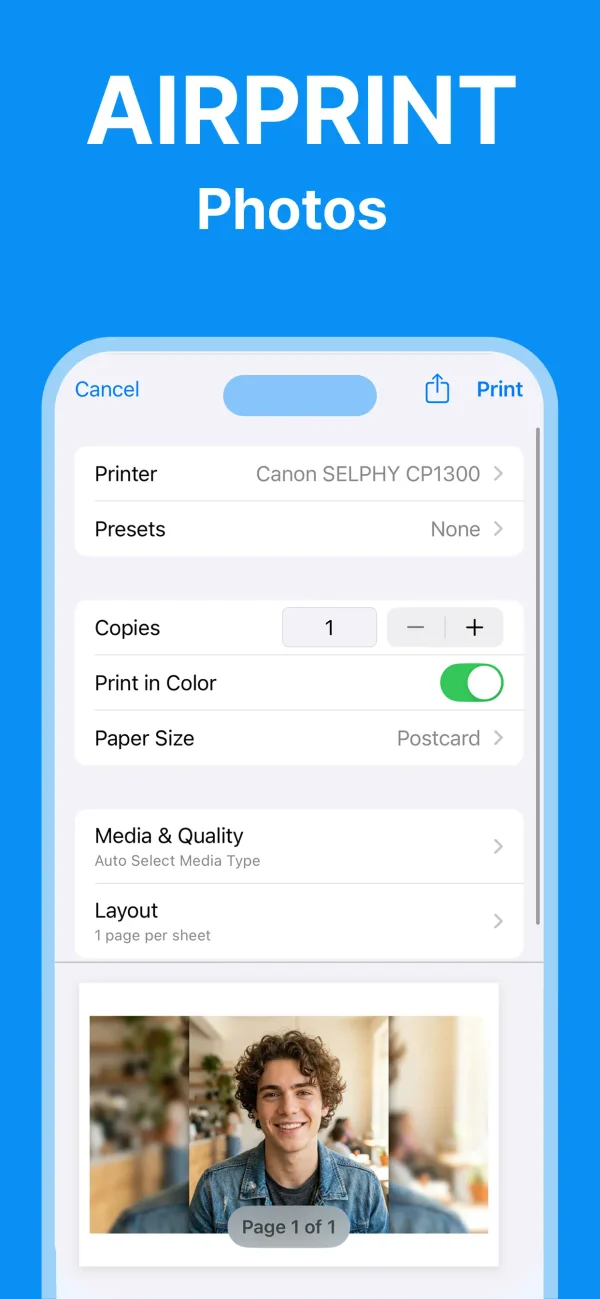
Select photos from your camera roll and print them instantly. Print one photo or multiple photos at once. Choose from different paper sizes and layouts to get the perfect print.
PRINT DOCUMENTS & PDFs
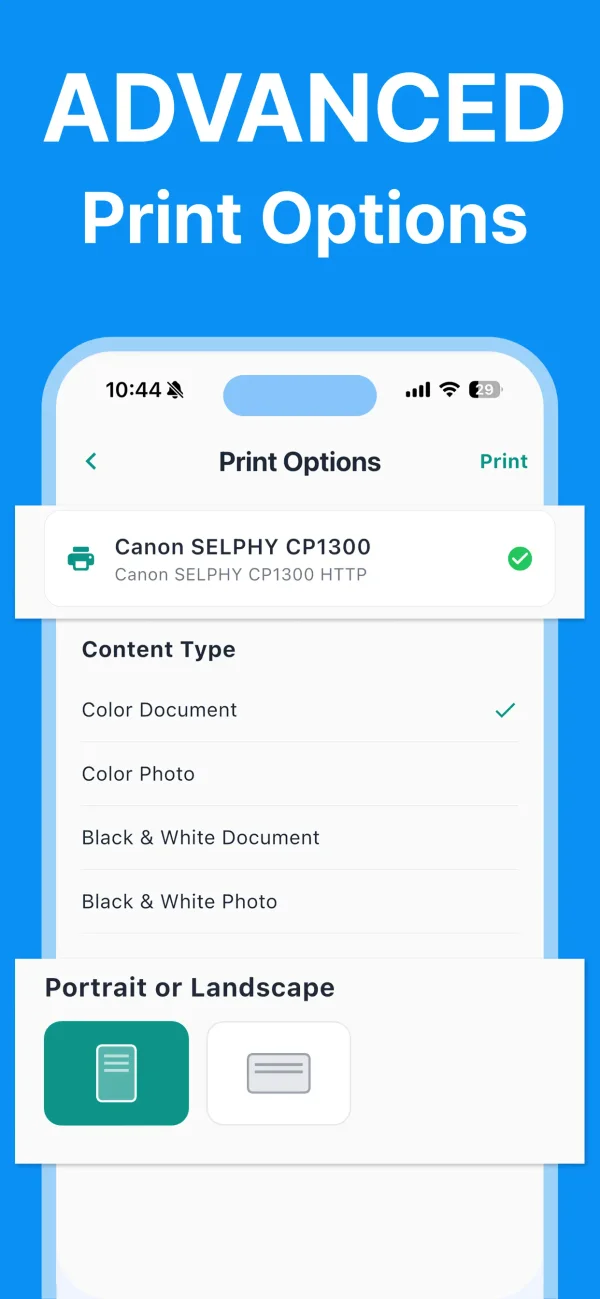
Open files from your device, iCloud, or any cloud storage. Print PDFs, Word documents, spreadsheets, and more. Adjust print settings like copies, color or black & white, paper size, and orientation.
SCAN DOCUMENTS
Use your iPhone camera to scan documents, receipts, and notes. The built-in scanner automatically detects edges and adjusts perspective. Save scans as PDF or print them directly.
PDF EDITOR
Annotate and mark up PDFs before printing. Add text, signatures, highlights, and drawings. Save edited PDFs or send them straight to your printer.
PRINT NOTES
Type or paste any text and print it. Great for quick notes, lists, or emails you need on paper.
WORKS WITH YOUR PRINTER
Smart Printer App supports most WiFi printers from all major brands:
- HP (DeskJet, OfficeJet, LaserJet, Envy, Smart Tank)
- Canon (PIXMA, imageCLASS, SELPHY)
- Epson (EcoTank, WorkForce, Expression)
- Brother (MFC, HL, DCP)
- Samsung, Lexmark, Ricoh, Xerox, Dell, Toshiba
- And many more AirPrint compatible printers
EASY SETUP
No complicated configuration needed. Connect your iPhone and printer to the same WiFi network, open the app, and start printing. Your printer is detected automatically.
PRINT SETTINGS
Customize every print job with advanced options:
- Number of copies
- Color or black & white
- Paper size (Letter, A4, 4x6, and more)
- Orientation (portrait or landscape)
- Print quality
- Double-sided printing (if supported)
DISCLAIMER: This app is not affiliated with HP, Canon, Epson, Brother, Samsung, or any other printer manufacturer mentioned. All trademarks belong to their respective owners.
Subscription Details:
Payment will be charged to your Apple ID account at confirmation of purchase. Subscriptions automatically renew unless auto-renew is turned off at least 24 hours before the end of the current period. Your account will be charged for renewal within 24 hours prior to the end of the current period. You can manage and cancel your subscriptions by going to your Account Settings on the App Store after purchase. Any unused portion of a free trial period will be forfeited when you purchase a subscription.
Privacy Policy: https://bony-cent-272.notion.site/Privacy-Policy-365098c6415780ddb336dca5200b953b
Terms of Use: https://bony-cent-272.notion.site/Terms-of-Use-365098c64157809e9899e20ba0e07807
What’s new
Version 1.0.2 · Nov 12, 2026
• Smart Printer now fits small screens properly — no more cut-off text or buttons on iPhone SE and other compact displays.
• Smoother launch: the startup screen no longer jumps as the app opens.
• Restore Purchases now tells you exactly what happened, including when there's nothing to restore.
• Stability and polish improvements throughout the app.
App privacy
What To Infinity declares on the App Store about how this app handles data.
-
Data not collected
The developer does not collect any data from this app.
Privacy practices may vary, for example with the features you use or your age.
Information
- Seller
- To Infinity Co., Ltd.
- Category
- Utilities
- Version
- 1.0.2
- Updated
- Nov 12, 2026
- Released
- May 27, 2026
- Size
- 33.6 MB
- Requires
- iOS 15.5 or later
- Age rating
- 4+
- Price
- Free
- In-app purchases
- Yes
- Languages
- English
- Copyright
- © To Infinity Co., Ltd.
You might also like
-
 Smart Printer - PDF ScannerScan, Edit, Print Photo & PDF
-
 VidX - Video Compress & AudioSave Storage & Extract Audio
-
 Yapsody YapSnapFor Yapsody Presenters
-
 Printer ProMaxUtilities
-
 Yapsody QuickScanFor Yapsody Presenters
-
 Text Editor - TXT File ViewerWrite, edit & view text files
-
 iCON - 인천항 컨테이너 통합정보 플랫폼Utilities
-
 Pizza Calculator ProPerfect Pizza Every Time!
-
 X5 Config ToolX5 Configurator
-
 Detector De Madera -StudFinderStud Finder Wall Wood Detector