Smart Speaker Equalizer Remote
Bluetooth, Volume Bass booster
Designed for iPhone, iPad, iPod touch
Free · In-app purchases
- Age rating17+
- CategoryMusic
- DeveloperFiision Studio Company Limited
- LanguagesEnglish+ 15 more
- Size56.9 MB
Links to the official App Store page
Download.org hosts no file of Smart Speaker Equalizer Remote. The button opens its official App Store page, published by Fiision Studio Company Limited. Listing last checked on Nov 20, 2026.
Screenshots


About
GIVE OUR APP A TRY IF YOU WANT TO:
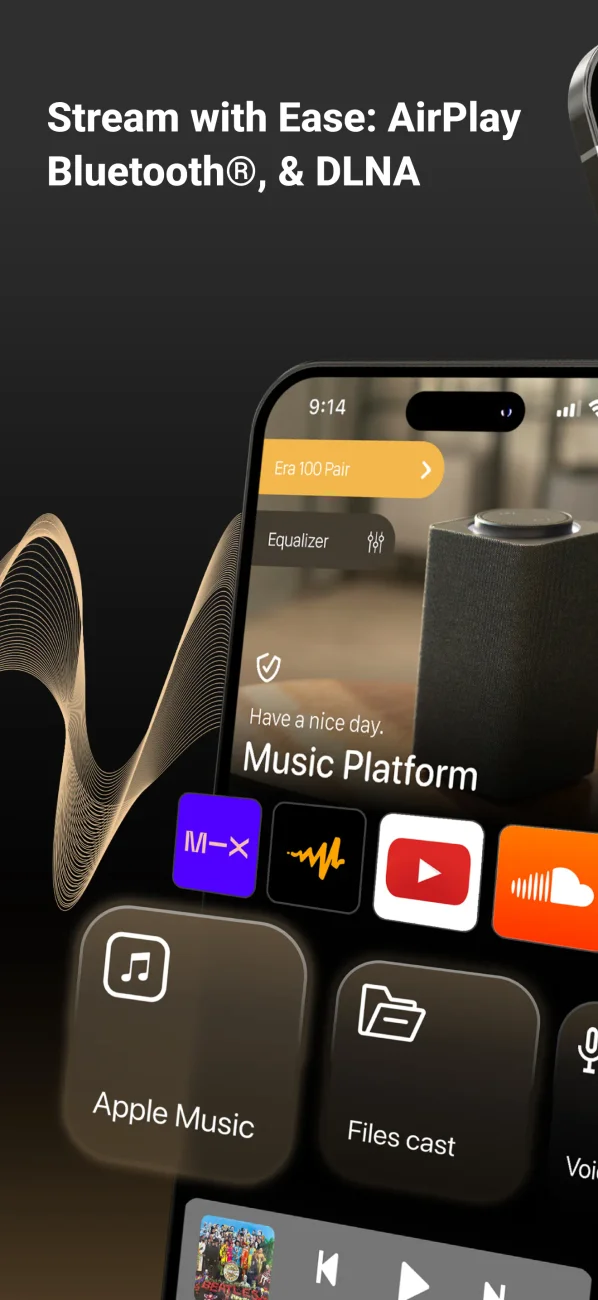
• Connect, control, group, and ungroup all nearby AirPlay speakers, amplifiers, and smart TVs.
• Boost and sync multiple speakers to deliver high-quality sound at extra-high volumes for loud music.
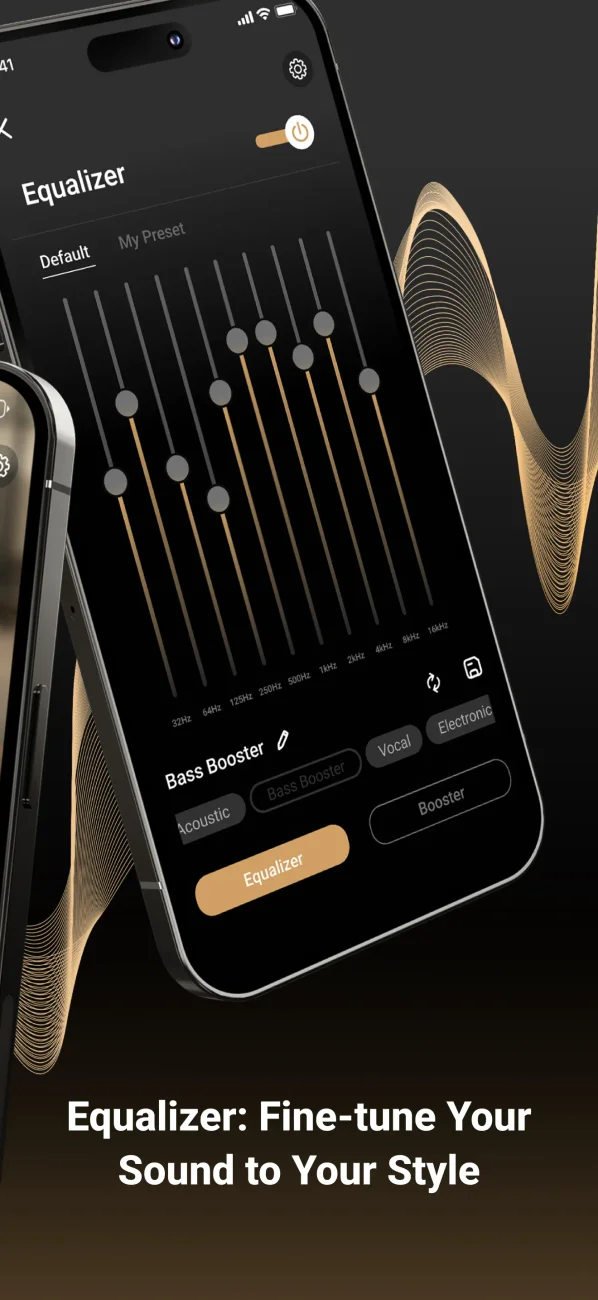
• Enhance your music experience with our bass booster, treble booster, volume booster, and full-range equalizer, including presets such as Acoustic, Dance, Electronic, Jazz, Pop, R&B, and more.
• Manage and enjoy your all-time favorite songs, artists, and personalized playlists for every occasion with our Localcast feature.
• Use our all-in-one music hub to access multiple streaming services — Apple Music, YouTube, Dailymotion, Vimeo, Audiomack, SoundCloud, and more — and seamlessly switch between them without leaving the app.
• Instantly turn your iPhone into a microphone to record and stream your voice.
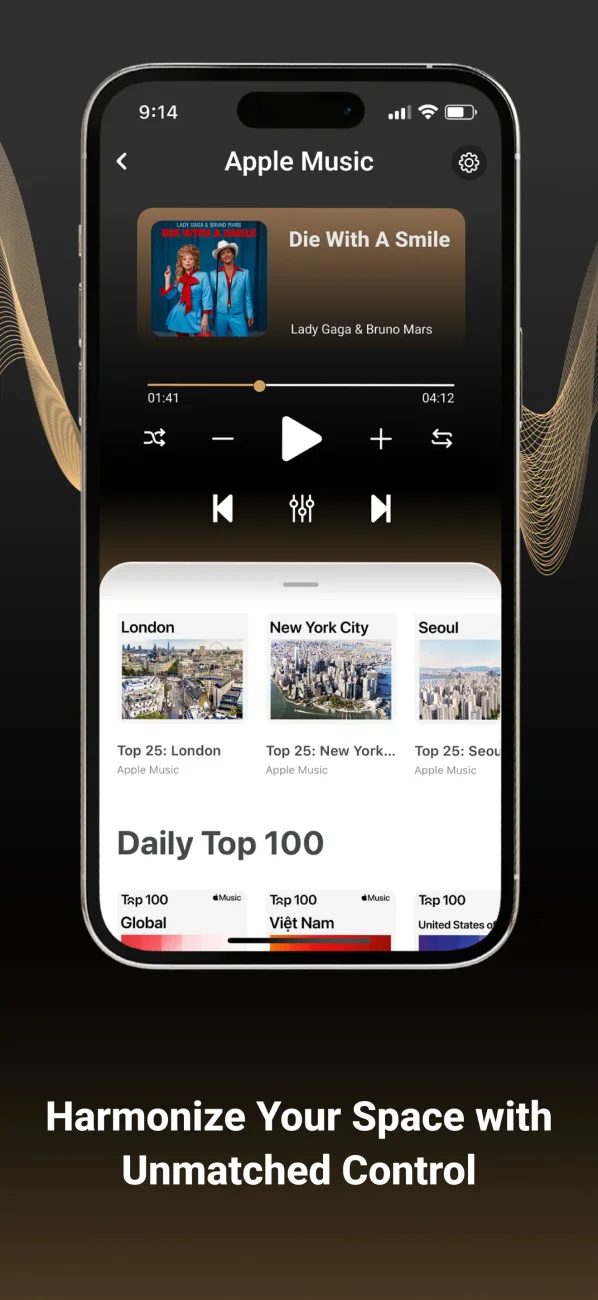
• Discover trending songs updated daily.
• Enjoy our ad blocker to watch your favorite YouTubers’ content and cast YouTube Music to your speakers without limitations or interruptions.
• Use a private, secure, and fast built-in web browser to access your favorite online audio content providers with no tracking and no personal data stored during browsing.
1. Detect & Connect
• Detect and connect to any nearby Wi-Fi or AirPlay speakers and amplifiers, such as:
- Sonos Era 100, Sonos One (S1 & S2), Sonos Play, and more.
- DENON, HEOS, Marantz, and Naim.
- B&O Beoplay, and B&O Beosound.
- Many other brands.
• Detect and pair with any Bluetooth speakers, amplifiers, headphones, or earbuds, such as:
- Bose Home Speaker, Bose Smart Soundbar, and more.
- Harman Kardon Aura, Harman Kardon AVR, JBL, and more.
- Logitech UE Boom
2. Control
• Bass booster, treble booster, volume booster, and equalizer.
• Adjust bass and treble output; enable or disable loudness.
• Play / Pause / Next Track / Previous Track / Seek.
3. Offline Music Player / Online Music Streaming
• Stream music from Apple Music, YouTube, Dailymotion, Vimeo, Audiomack, SoundCloud, and more.
• My Local music library: Import music files in various formats into your library, download your favorite tracks, and enjoy high-quality offline playback.
• Cast music to your speakers without Wi-Fi.
• Voice recorder: Create and amplify your voice with our VoiceCast.
HOW IT WORKS
• Getting started is simple — download the Smart Speakers Remote Control app.
• Join our Annual Premium Membership gives you access to:
- A free 3-day trial — cancel any time.
- Unlimited connection and casting of audio to speakers and headphones.
- Ad-free YouTube listening & streaming.
- Full control over your sound quality.
- Dedicated customer support just an email away.
• In addition to the annual plan, we offer more budget-friendly weekly and monthly options — cancel anytime.
• If you choose not to become our Premium member, that’s okay too! You can still enjoy our Premium Features using your iPhone’s built-in speaker all day long. DOWNLOAD Smart Speakers Remote Control NOW!
PAYMENT AND SUBSCRIPTIONS
• Pricing may vary by country, and actual charges may be converted to your local currency based on your country of residence.
• Payment will be charged to your iTunes Account at the time of purchase confirmation.
• Subscriptions automatically renew unless auto-renew is turned off at least 24 hours before the end of the current period.
• Your account will be charged for renewal within 24 hours prior to the end of the current period, and you will be informed of the renewal cost.
• Manage your membership in your account settings, including the option to disable auto-renewal. If a free trial is offered, any unused portion will be forfeited once you purchase a membership to the applicable publication.
Privacy Policy: https://fiisionstudio.com/privacy-policy/
Terms of Use: https://fiisionstudio.com/terms-and-conditions/
For assistance, contact us at support@fiisionstudio.com. Questions or suggestions? Just send us an email.
What’s new
Version 1.0.16 · Nov 5, 2025
Improve user experience.
App privacy
What Fiision Studio Company Limited declares on the App Store about how this app handles data.
-
Data used to track you
May be used to track you across apps and websites owned by other companies.
- Search history
- Browsing history
- Identifiers
- Usage data
- Diagnostics
-
Data not linked to you
May be collected but is not linked to your identity.
- Purchases
- User content
- Search history
- Browsing history
- Identifiers
- Usage data
- Diagnostics
Privacy practices may vary, for example with the features you use or your age.
Information
- Seller
- Fiision Studio Company Limited
- Category
- Music
- Version
- 1.0.16
- Updated
- Nov 5, 2025
- Released
- Jul 26, 2021
- Size
- 56.9 MB
- Requires
- iOS 14.0 or later
- Age rating
- 17+
- Price
- Free
- In-app purchases
- Yes
- Languages
- English, Arabic, French, German, Hindi, Italian, Japanese, Korean, Portuguese, Russian, Simplified Chinese, Spanish + 4 more
- Copyright
- © Fiision Studio Company Limited
You might also like
-
 S1 & S2 Controller for SonosMusic
-
 Sonos S1 ControllerControl for older products
-
 SonosThe official Sonos app
-
 Equalizer & Bass Booster FXEQ, Volume Boost and louder
-
 Equalizer+ HD music playerBass Booster & Audio Equalizer
-
 Clic for SonosMusic controller & remote
-
 Equalizer Fx: Bass Booster AppSpeaker Sound,Headphone Volume
-
 Boom: Bass Booster & EqualizerOffline Music, Radio & Tidal
-
 Equalizer - Volume Booster EQAmplify the sound! Music FX
-
 Volume Booster - EQ AmplifierBass Equalizer, Sound & Widget