
SmartClick TV Remote Control
Channel Tools for Home Use
Designed for iPhone
Free · In-app purchases
- Age rating4+
- CategoryPhoto & Video
- DeveloperELITE SOFTWARE AUTOMATION INTL LLC
- LanguagesEnglish
- Size13.9 MB
Links to the official App Store page
Download.org hosts no file of SmartClick TV Remote Control. The button opens its official App Store page, published by ELITE SOFTWARE AUTOMATION INTL LLC. Listing last checked on Nov 16, 2026.
Screenshots

About
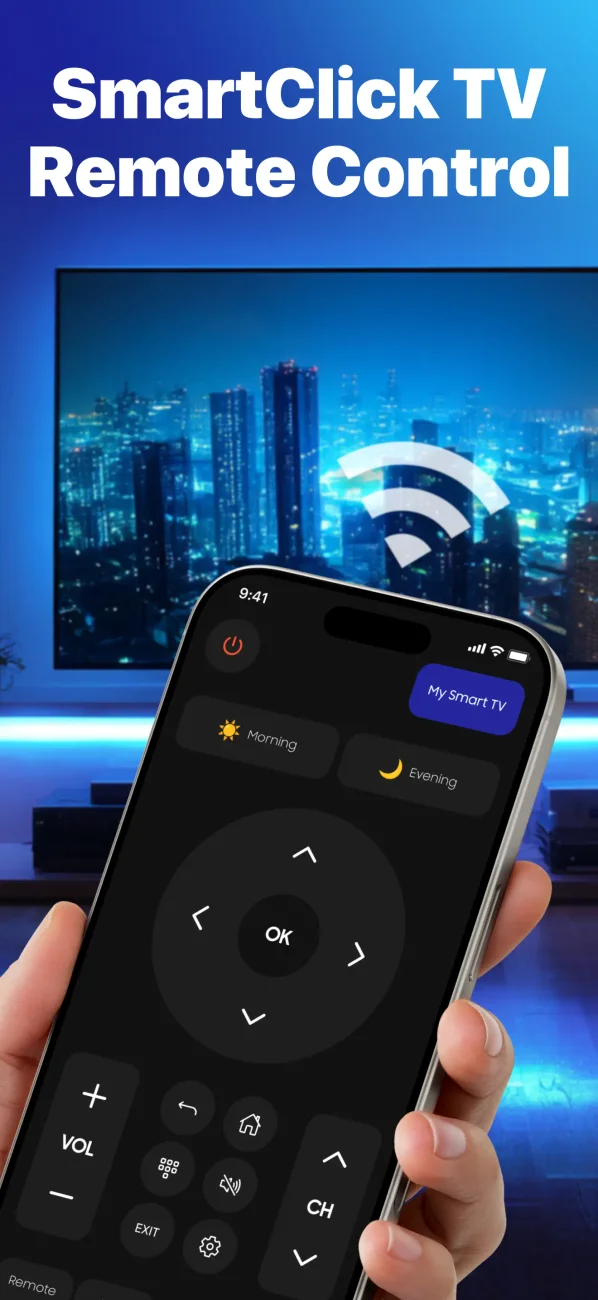
Experience smoother viewing with SmartClick TV Remote Control, turning your phone into a convenient tool for managing channels, sound, apps, and custom shortcuts from a smooth, thoughtfully arranged interface.
Core Features:
1. Universal Remote Screen: Control your Smart TV directly from your phone. Power on/off, change channels, adjust volume, mute, navigate menus, or return to Home — everything you need in one place.
2. Smart App Control: Browse and launch installed TV apps directly from your smartphone. Navigate effortlessly with arrow and OK buttons for smooth, fast interaction across your favorite content platforms.
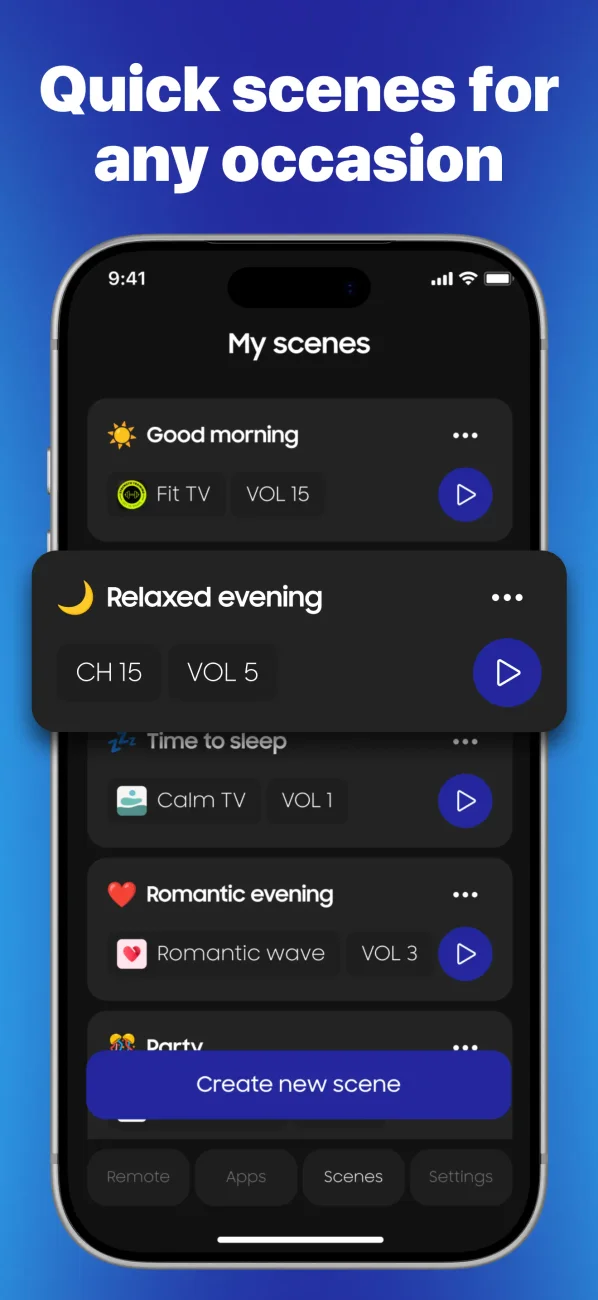
3. Quick Scenes: Automate your favorite actions with personalized “Scenes.” Combine multiple commands into one tap — for example:
• Quiet Evening — lower the volume three times and mute.
• Quick Channel Access — open the number pad, enter your favorite channel, and confirm.
• Energetic Morning — increase the volume and switch to the next channel.
• Return to TV — close all open menus and go back to live viewing.
4. My Scenes: View, edit, and organize your saved Scenes. Create new ones with custom steps, timing, and sequence order. Add your favorite Scenes to the main remote screen for instant access.
Premium Features:
• Launch apps on your Smart TV directly from your phone.
• Create unlimited custom Scenes.
Disclaimer:
The app supports working with Samsung Smart TVs.
This application is a third-party remote control and is not affiliated with Samsung Electronics Inc.
The Samsung name and brand are used solely to identify compatible devices.
Privacy Policy: https://docs.google.com/document/d/1id5dCl0GvnK5vz572PEjy13bRWzXHyVbohIT32-Ix1A/edit?usp=sharing
Term of Use: https://docs.google.com/document/d/1XXeKCTOgCgwuES0PWp71Lmo0fUzPjv0vhY8gjZ9PvV4/edit?usp=sharing
What’s new
Version 1.0.3 · Jul 7, 2026
Improved application productivity.
App privacy
What ELITE SOFTWARE AUTOMATION INTL LLC declares on the App Store about how this app handles data.
-
Data not collected
The developer does not collect any data from this app.
Privacy practices may vary, for example with the features you use or your age.
Information
- Seller
- ELITE SOFTWARE AUTOMATION INTL LLC
- Category
- Photo & Video
- Version
- 1.0.3
- Updated
- Jul 7, 2026
- Released
- Nov 25, 2025
- Size
- 13.9 MB
- Requires
- iOS 16.4 or later
- Age rating
- 4+
- Price
- Free
- In-app purchases
- Yes
- Languages
- English
- Copyright
- © ELITE SOFTWARE AUTOMATION INTL LLC
You might also like
-
 Smart Remote control for LGInstant TV Cast & Connect
-
 Cast to TV for ChromecastSeamless Screen Mirroring
-
 Tapaz AI: Photo Editor MakerCreative edits made simple
-
 AI Headshot – Photo Generator・Professional・Editor Headshots
-
 Screen Mirroring: Air Cast TVSmart View: Share & Mirror All
-
 TuneAI: Body & Face EditorSlim and Skinny
-
 Syntes.AI: Generate MagicGenerate Masterpiece Clips
-
 CartoonAI GPTAnime Filters, Toon Avatar
-
 SeeD.AI: Video Generator.Create Stunning AI Videos