
- Age rating4+
- CategoryUtilities
- DeveloperMorten Vinding
- LanguagesEnglish
- Size40.7 MB
Links to the official App Store page
Download.org hosts no file of Smith Designer. The button opens its official App Store page, published by Morten Vinding. Listing last checked on Nov 24, 2026.
Screenshots



About
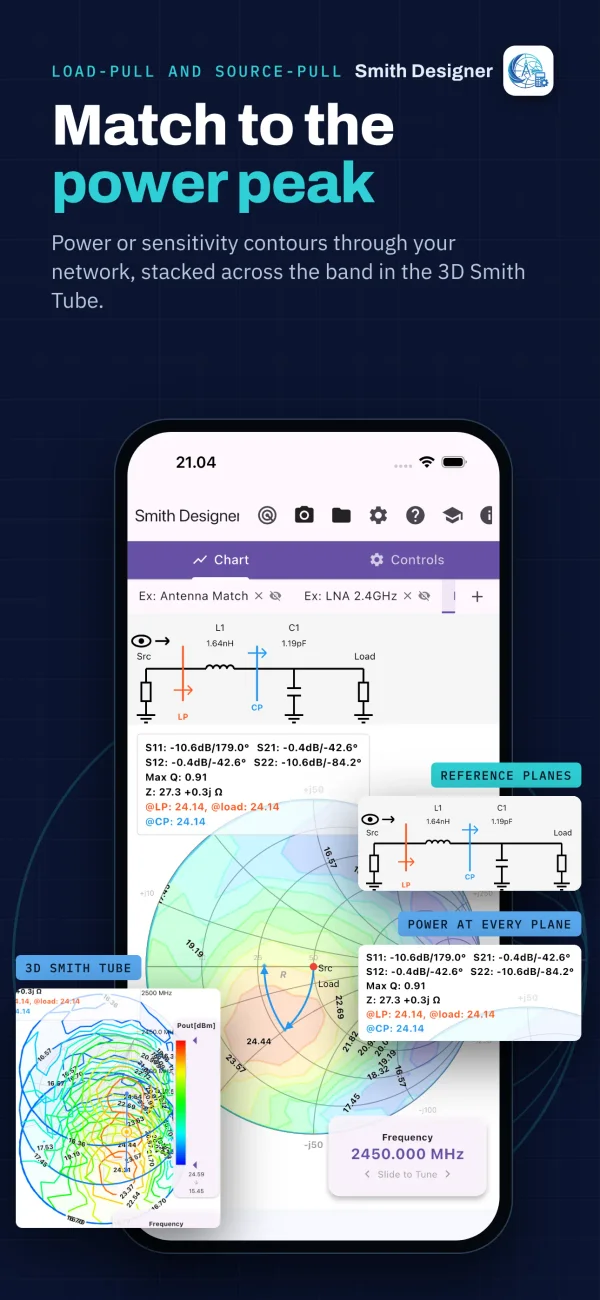
Smith Designer is a powerful and interactive Smith Chart tool for RF and Microwave professionals, students, and hobbyists. Design, analyze, and optimize impedance matching networks directly on your mobile device.
A Smith Designer Lite version is available.
Whether you are designing an antenna match, an amplifier interstage, or a filter, Smith Designer provides an intuitive interface to visualize impedance transformations in real-time.
Key Features:
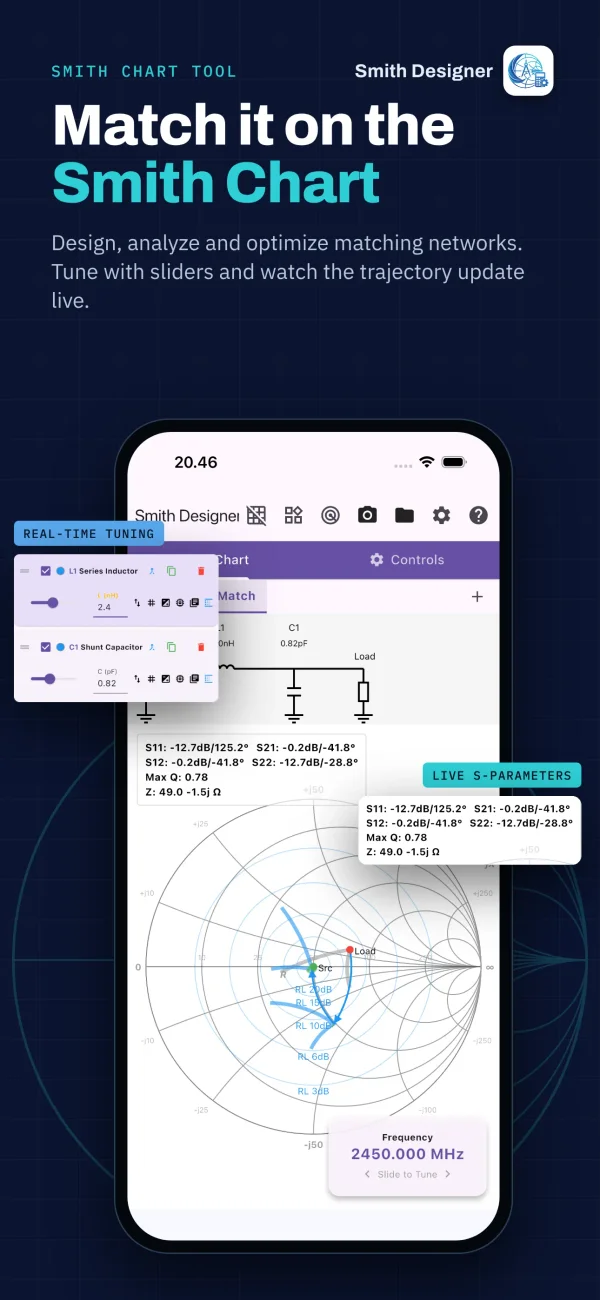
• Interactive Smith Chart: Visualize impedance trajectories as you add components. Toggle between Impedance (Z) and Admittance (Y) grids.
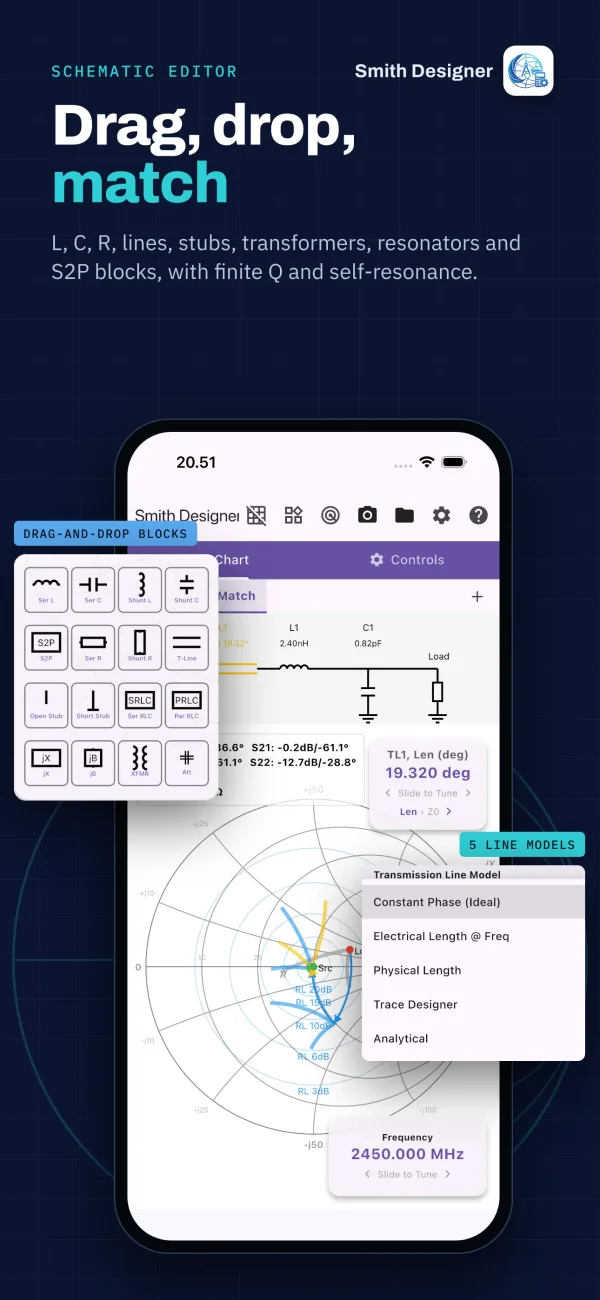
• Schematic Editor: Build matching networks using a drag-and-drop interface. Supports Series/Shunt Inductors, Capacitors, Resistors, series and parallel RLC, Transmission Lines (Series and shunt, Open/Short Stubs), Transformers, fixed jX and jB, and S2P blocks.
• Real-Time Tuning: Adjust component values using sliders or by dragging points directly on the Smith Chart to see immediate effects.
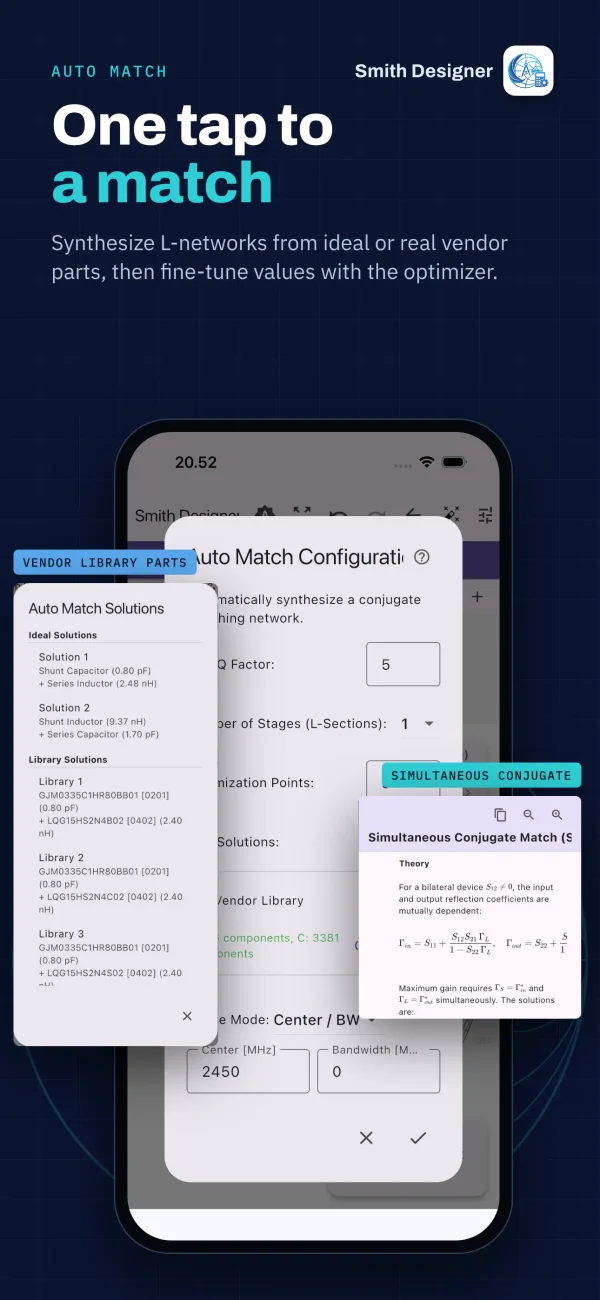
• Auto Match: Automatically synthesize L-network matching circuits to match a source to a load.
• Simultaneous Conjugate Matching for unconditionally stable devices, and provisions to help stabilize conditionally stable networks.
• Optimization: Built-in gradient descent optimizer to fine-tune component values for the best match.
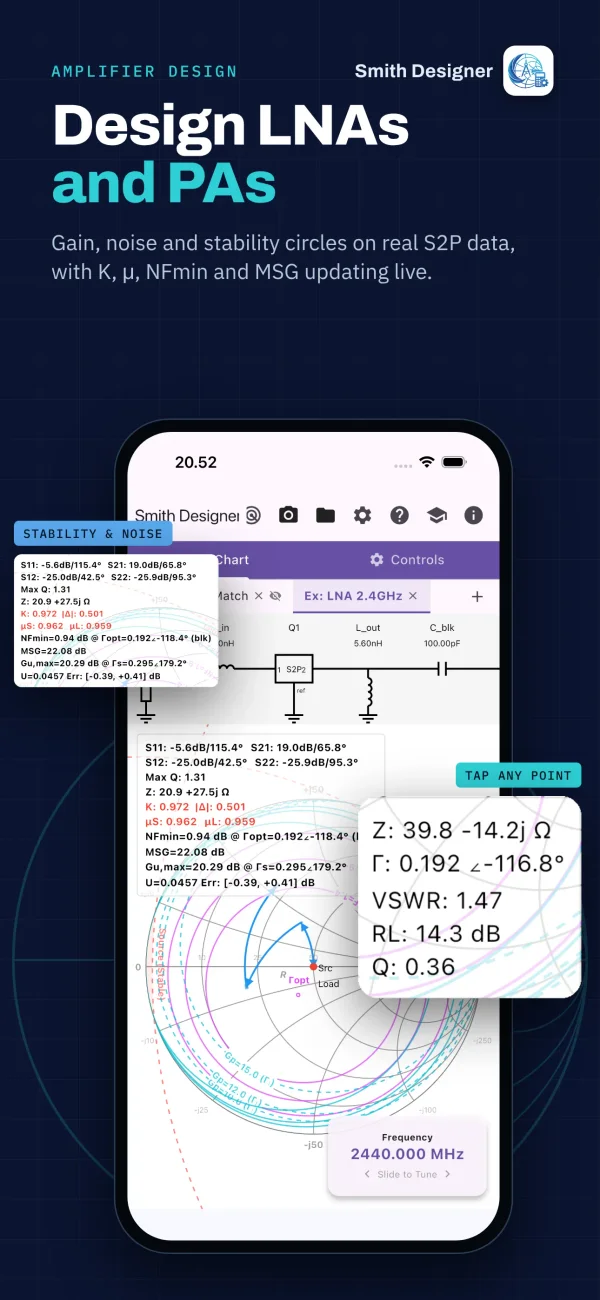
• Frequency Sweeps: Analyze your design over bandwidth. Plot S-Parameters (S11, S21, S12, S22), Gain (Ga, Gp, Gt), Noise Figure, Return Loss, and Group Delay.
• Monte Carlo Analysis: Simulate manufacturing tolerances. Define component variations (Uniform, Gaussian, Triangular) and visualize the spread on the Smith Chart to ensure design robustness.
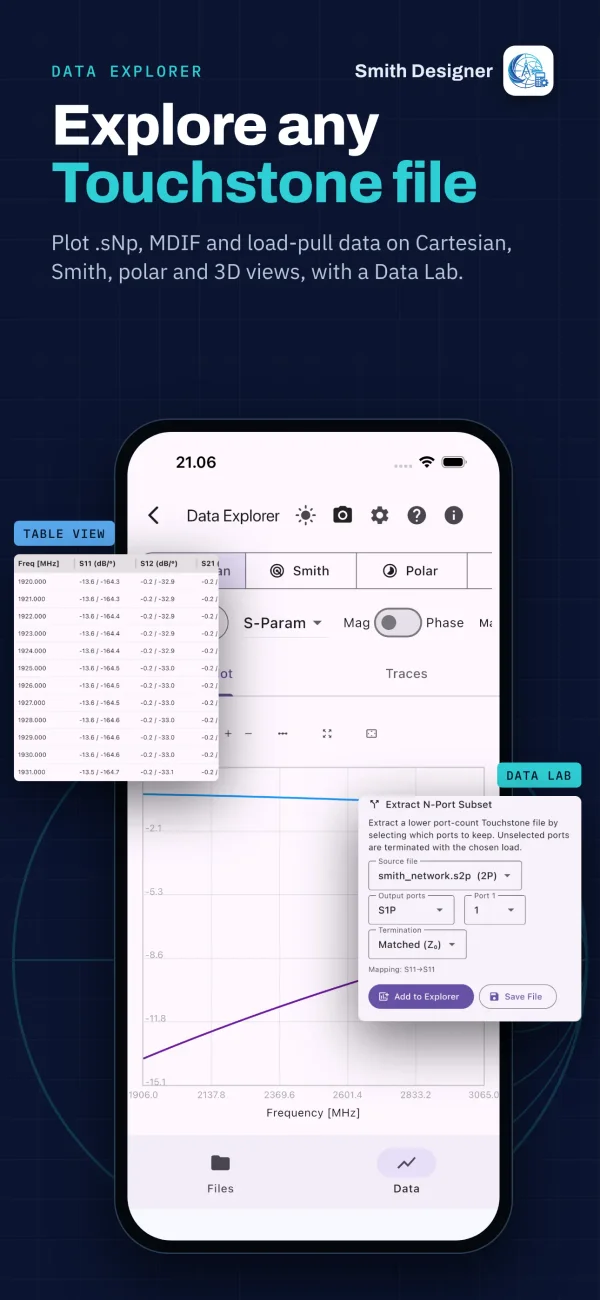
• S2P/Touchstone Support including noise data: Import .s2p files for S-parameter blocks and .s1p files for frequency-dependent source/load impedances.
• Vendor Libraries: Easily import and use component libraries (supports Murata LPB format, see https://www.murata.com/tool/data/librarydata).
• Comprehensive Overlays: Visualize VSWR circles, Constant Q arcs, Stability circles, and Noise circles (requires noise parameters).
• Load Pull Contours: Import multi-frequency Load Pull and MDIF files. Frequency interpolation (nearest, linear, cubic spline). Filled contours with 5 color maps. Reference/contour plane transforms through the matching network.
• Data Explorer to assess SnP data files, load-pull data files, antenna patterns and more.
Advanced Tools:
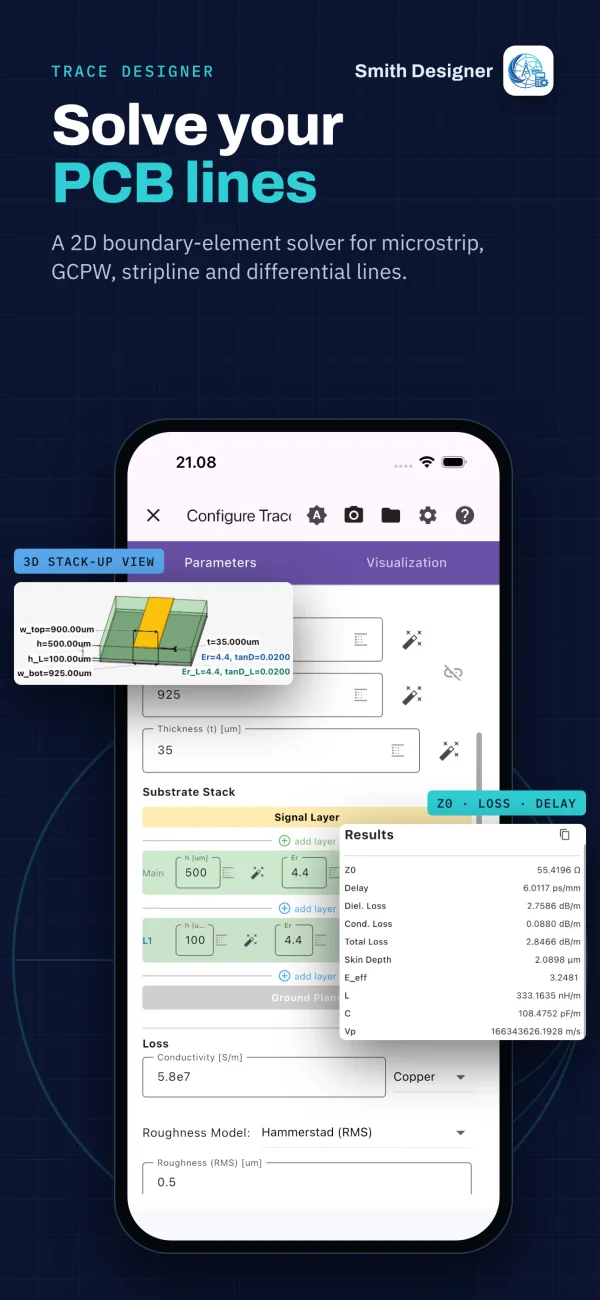
• Trace Designer: Full 2D Boundary Element Method solver for PCB transmission lines — Microstrip, GCPWG, Stripline, Differential, Coated, and Embedded variants. Multilayer substrates, trapezoidal traces, conductor roughness models, impedance synthesis, and experimental E-field visualization.
• Analytical Line Models: Closed-form Z₀, loss, and synthesis for Coaxial, Parallel Lines, Twisted Pair, Microstrip, Stripline, Grounded CPW, Rectangular Waveguide, and Circular Waveguide.
• Transmission Line Models: Constant Phase, Electrical Length, and Physical models with loss and velocity factor.
• Resonator & Attenuator Designers: Built-in calculators for common circuit blocks.
Export & Share:
• Export professional PDF reports with schematics, charts, and plots.
• Export designs as SPICE netlists for further simulation.
• Save high-resolution PNG/SVG images.
• Share project files to collaborate with others.
Perfect for RF engineering coursework, ham radio antenna tuning, and professional circuit design. Unlock the power of the Smith Chart in your pocket!
Contact:
For support or feature requests, please contact us.
(c) A3DComm
What’s new
Version 1.5.3574 · Nov 23, 2026
• Pin the Smith Chart sweep plot as a live window
• Point markers on Frequency Band curves
• Smith-plot markers drag along their trace, with a Set Frequency menu
• Point markers in live sweeps, shared with the full plot and saved
• Data Explorer: combine Touchstone files port to port
• Recolour traces; image exports keep the slider's range
App privacy
What Morten Vinding declares on the App Store about how this app handles data.
-
Data not collected
The developer does not collect any data from this app.
Privacy practices may vary, for example with the features you use or your age.
Information
- Seller
- Morten Vinding
- Category
- Utilities
- Version
- 1.5.3574
- Updated
- Nov 23, 2026
- Released
- Jun 24, 2026
- Size
- 40.7 MB
- Requires
- iOS 15.0 or later
- Age rating
- 4+
- Price
- $3.99
- Languages
- English
- Copyright
- © 2026 A3DComm
You might also like
-
 Vector Calculator PlusMathematics Vector Calculator
-
 IP WorkbenchThe Ultimate Subnet Calculator
-
 Handi-Talky CommanderAll-in-one HAM radio app
-
 Operational Amplifiers GuideOp-Amp Calculator Toolkit
-
 SYNO AssistantManage Your NAS Anywhere
-
 Ola RadioIntelligent Walkie-talkie
-
 Audio Function GeneratorFrequency and Signal Generator
-
 Jinx - System-Wide Ad BlockerBlock ads &Fast Private Secure
-
 DS camUtilities
-
 Grundfos GO: Your Pump ToolkitEasy Installer Guides & Tools