SmoothCapture
Demo Video & 3D Mockup Maker
Designed for iPhone
Free · In-app purchases
- Age rating4+
- CategoryPhoto & Video
- DeveloperVu Nguyen
- LanguagesEnglish
- Size79.0 MB
Links to the official App Store page
Download.org hosts no file of SmoothCapture. The button opens its official App Store page, published by Vu Nguyen. Listing last checked on Nov 17, 2026.
Screenshots

About
Turn a plain screen recording into a demo video people actually watch.
The recording is already in your camera roll. SmoothCapture adds the polish: a beautiful background, a real 3D iPhone around your screen, a smooth zoom on the part that matters, and music to carry it. Import, tap a few times, export. That is the whole job.
SHOW YOUR APP INSIDE A REAL 3D IPHONE
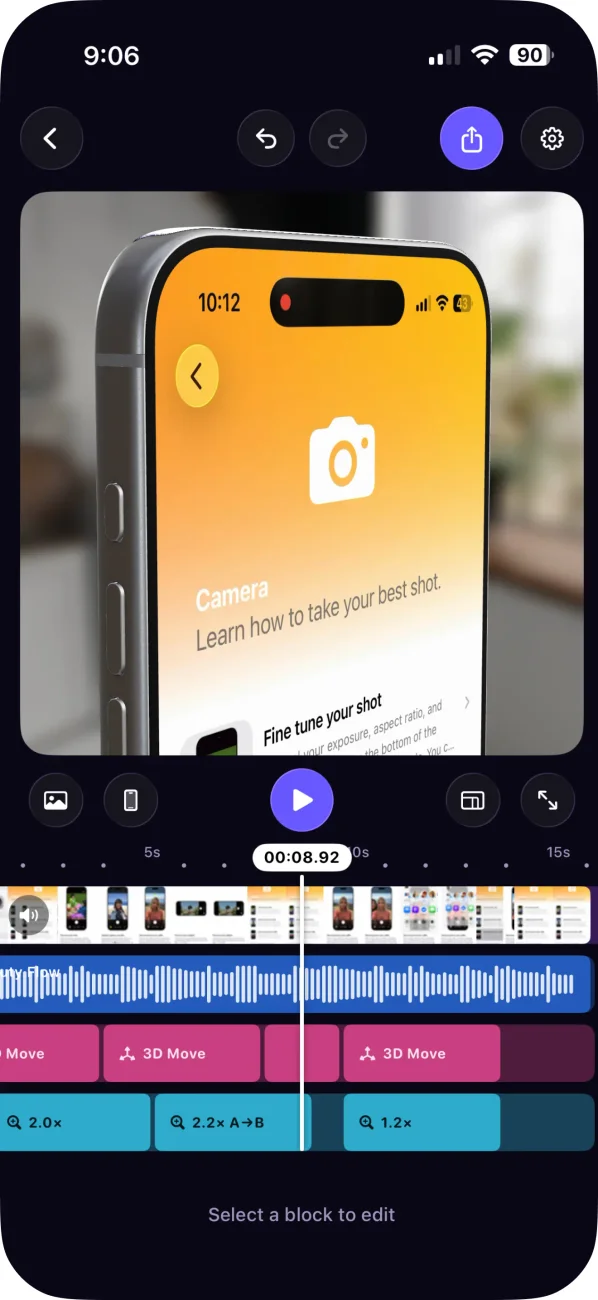
Your recording plays inside a lifelike 3D phone that you can spin and tilt to any angle. The metal catches the light and the glass reflects like the real thing. Prefer the classic look? Flat frames are there too.
BACKGROUNDS THAT MAKE IT POP
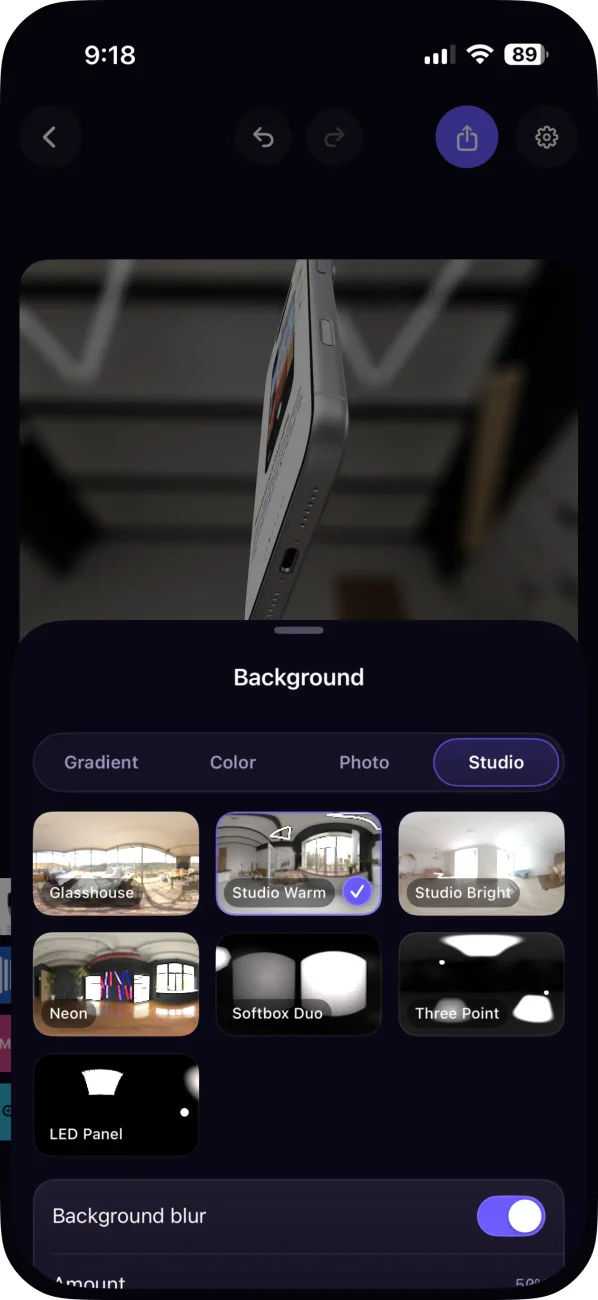
Dozens of hand-picked backgrounds, from soft gradients to nature and abstract art. Adjust the padding, corners and border until the framing looks right.
ZOOM AND MOTION, NO EDITING SKILLS NEEDED
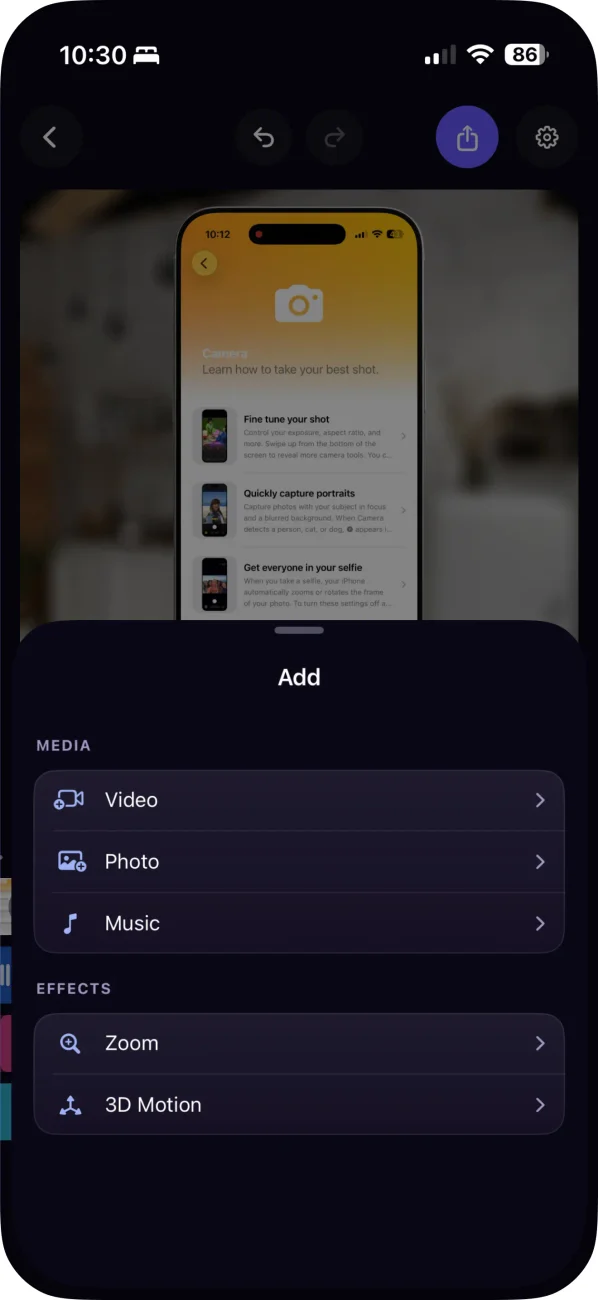
Drop a zoom on the timeline and it glides in and out by itself. Pan across the screen while zoomed in. Spin or tilt the phone with a simple joystick. Your video gets real movement without touching a keyframe.
CUT IT LIKE A PRO
Combine clips and photos in any order. Trim, reorder, speed up, mute, and fade between takes. Every clip keeps its own look, so each take can have its own style.
ADD MUSIC
Pick a track from the built-in library or bring your own. The waveform on the timeline makes it easy to line your cuts up with the beat.
EXPORT AND SHARE ANYWHERE
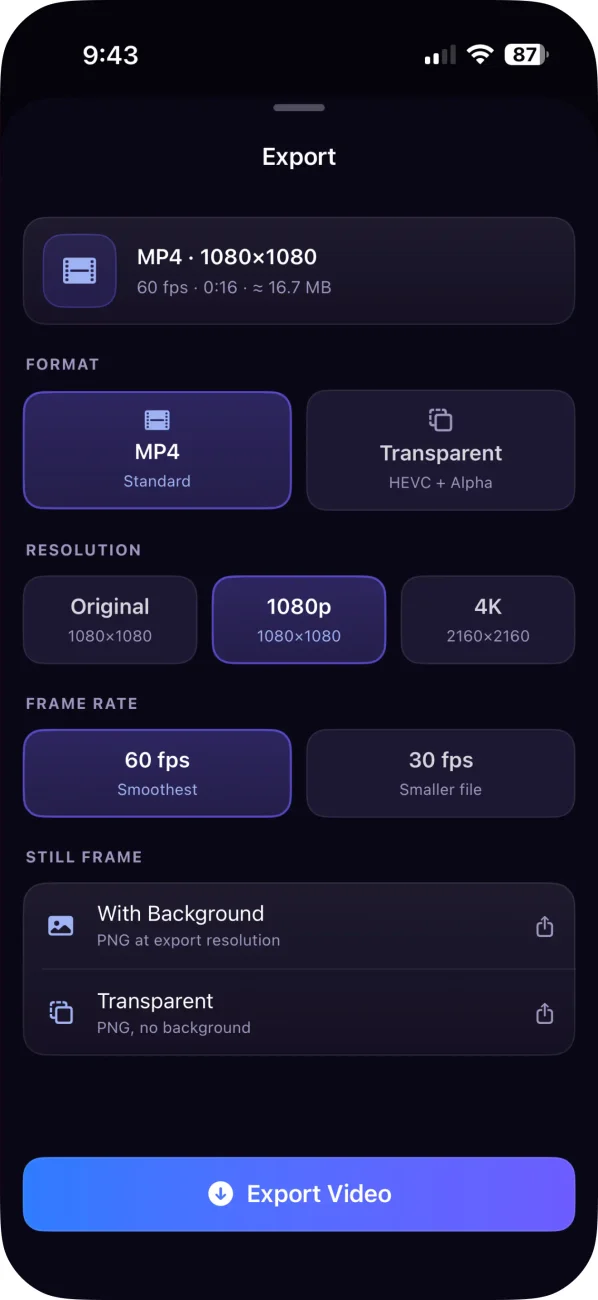
Export in the size and shape that fits where you are posting: the App Store, TikTok, X, YouTube, or a chat with your team. Save to Photos or share straight from the app.
START FROM ANYWHERE
Share a recording from Photos or Files into SmoothCapture and it opens as a project, ready to edit.
FREE TO TRY, NO WATERMARK
Importing and editing are free. Your first 3 exports are free too, in full quality with no watermark and nothing held back.
ONE PAYMENT, YOURS FOREVER
After that, unlimited exports are a single purchase of $29.00. Nothing renews, nothing expires, and there is nothing to cancel. This is a launch price and it will go up. Prices may vary by region. Payment is charged to your Apple Account at confirmation of purchase.
Terms of Use: https://www.smoothcapture.app/ios/terms
Privacy Policy: https://www.smoothcapture.app/ios/privacy
Please note: SmoothCapture is an editor, not a recorder. Record your screen with the built-in iOS screen recording control, then bring the clip here.
App privacy
What Vu Nguyen declares on the App Store about how this app handles data.
-
Data linked to you
May be collected and linked to your identity.
- Purchases
- Identifiers
Privacy practices may vary, for example with the features you use or your age.
Information
- Seller
- Vu Nguyen
- Category
- Photo & Video
- Version
- 1.0
- Updated
- Aug 11, 2026
- Released
- Aug 10, 2026
- Size
- 79.0 MB
- Requires
- iOS 18.0 or later
- Age rating
- 4+
- Price
- Free
- In-app purchases
- Yes
- Languages
- English
- Copyright
- © 2026 Vu Nguyen
You might also like
-
 Shotly - Screenshot EditorScreenshots & Video for Posts
-
 Video Editor: Trim, Cut & CropSlow Motion, Speed & Add Music
-
 MediaUtilityProTimeline video editor
-
 ClipPro: Video & Photo EditorCut, grade & export in 4K
-
 Dual Shot Recorder・Dual CameraRecord Video: Front & Back Cam
-
 Collage Maker Photo Editor ProPhoto Grid, Layout Maker Insta
-
 Creator Cam: TeleprompterDual Camera Video Recorder
-
 Blur Video - Mosaic AICensor Face & Video Background
-
 Scantic3D Scanning. Fully On-Device.
-
 Video UpscalerAI Photo & Video 4K Upscaler