- Age rating4+
- CategoryUtilities
- DeveloperBrandon Harris
- LanguagesEnglish
- Size14.3 MB
Links to the official App Store page
Download.org hosts no file of SMPW Scheduler. The button opens its official App Store page, published by Brandon Harris. Listing last checked on Nov 15, 2026.
Screenshots

About
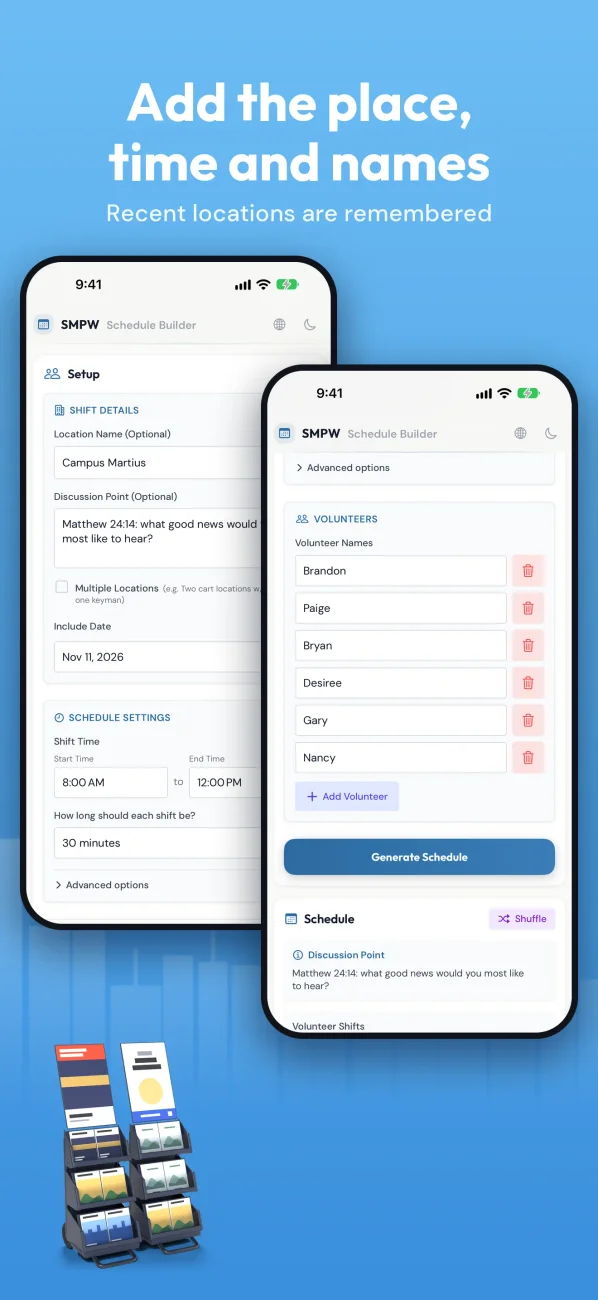
SMPW Scheduler is the fastest way to build a volunteer rotation.
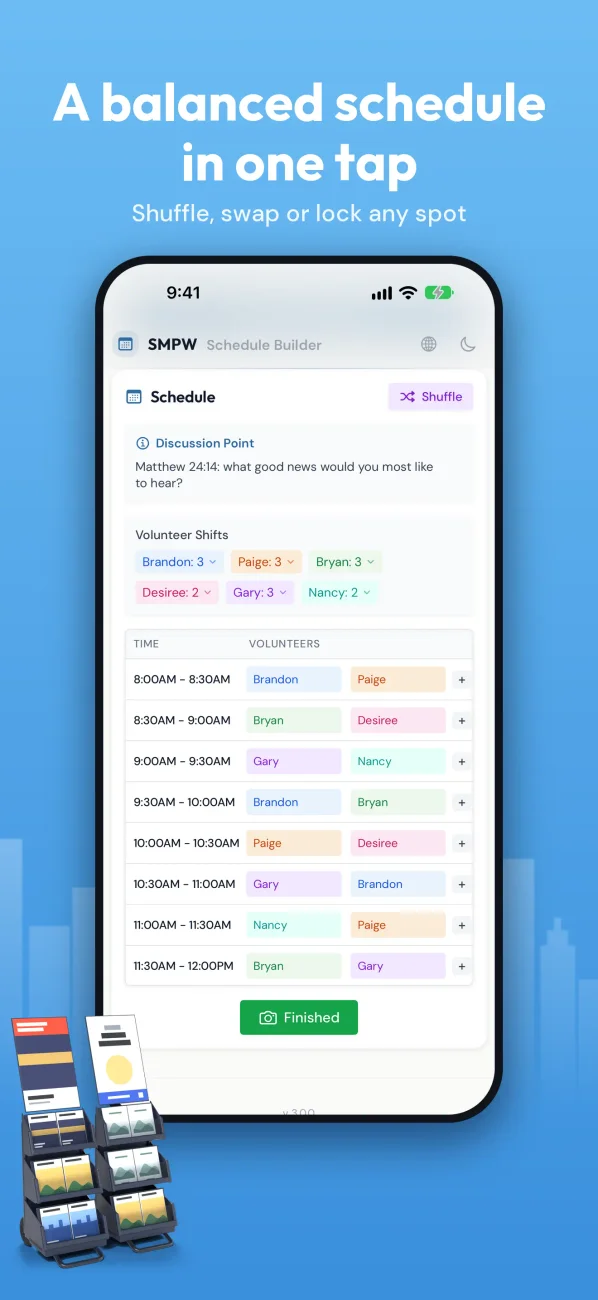
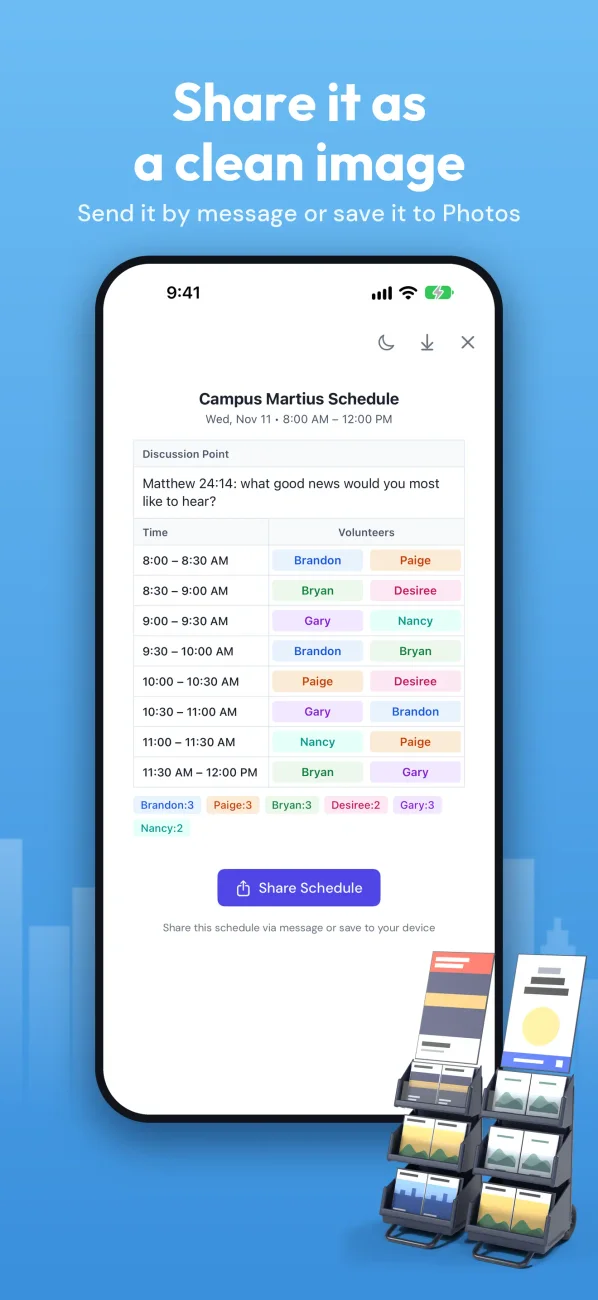
Add names, pick a start and end time, choose an interval, and tap Shuffle. You get a clean, color-coded schedule you can share as an image in one tap. No accounts, no logins, no syncing services to configure — open the app and go.
FEATURES
• Fast schedule generation — enter volunteers, set a time window, shuffle.
• Multiple locations — assign volunteers across two or more spots in a single schedule.
• Flexible time intervals — 15, 20, 30, 60 minutes, or a custom length.
• Optional date header and scriptural point line.
• Color-coded assignments for easy reading.
• Dark mode.
• One-tap share — sends the schedule as a PNG through Messages, Mail, or any other app. Recipients don't need the app installed.
• Save the image directly to Photos.
• Works fully offline.
PRIVACY
SMPW Scheduler does not collect personal information. No accounts, no analytics, no ads, no tracking. Every schedule you build stays on your device. The only network call the app ever makes is to increment a global counter that tracks how many schedules have been generated across all users — no names, no device info, no schedule contents.
SUPPORT
Questions or feedback? Email branleeharris@gmail.com.
What’s new
Version 3.0.0 · Nov 13, 2026
Version 3.0 is rebuilt as a native iPhone and iPad app. It is the same single screen, faster and smoother.
• Lock a spot so Shuffle leaves it where it is.
• Someone dropped off? Tap their name to replace them or take them off the schedule.
• The last schedule you finished stays one tap away for a week.
• Leave the app part-way through and your unfinished schedule is still there when you come back.
• Recent location names sync through iCloud.
• Laid out for iPhone Duo: setup on one side of the fold, the schedule on the other.
• New app icon.
Requires iOS 18 or later.
App privacy
What Brandon Harris declares on the App Store about how this app handles data.
-
Data not collected
The developer does not collect any data from this app.
Privacy practices may vary, for example with the features you use or your age.
Information
- Seller
- Brandon Harris
- Category
- Utilities
- Version
- 3.0.0
- Updated
- Nov 13, 2026
- Released
- Apr 21, 2026
- Size
- 14.3 MB
- Requires
- iOS 18.0 or later
- Age rating
- 4+
- Price
- Free
- Languages
- English
- Copyright
- © 2026 BLH Tech Solutions
You might also like
-
 Meeting Timer & StopwatchMidweek Meeting Timer
-
 Library+A helper for JW Library®
-
 JW Conf ListenerUtilities
-
 JW ConfUtilities
-
 Library MergerKeep your Libraries in sync
-
 Personal Bible TrainerUtilities
-
 Pop Out Timer Stopwatch ClockOn-screen floating above apps
-
 iWarmUUtilities
-
 Coverage MapCheck Your Cell Coverage
-
 PeopleFinders: People SearchPublic Records Lookup