
SMS Range: Spam Text Blocker
Block spam texts & calls
Designed for iPhone
Free · In-app purchases
- Age rating4+
- CategoryUtilities
- DeveloperRoger Guay
- LanguagesEnglish
- Size1.3 MB
Links to the official App Store page
Download.org hosts no file of SMS Range: Spam Text Blocker. The button opens its official App Store page, published by Roger Guay. Listing last checked on Nov 24, 2026.
Screenshots


About
Blocked a spam number, only to get the same text or call from a new number a few hours later?
Political campaigns and spammers send texts from large blocks of phone numbers. The area code and prefix stay the same; only the last four digits change. Block (555) 123-1234 on your iPhone and the next text arrives from (555) 123-5678.
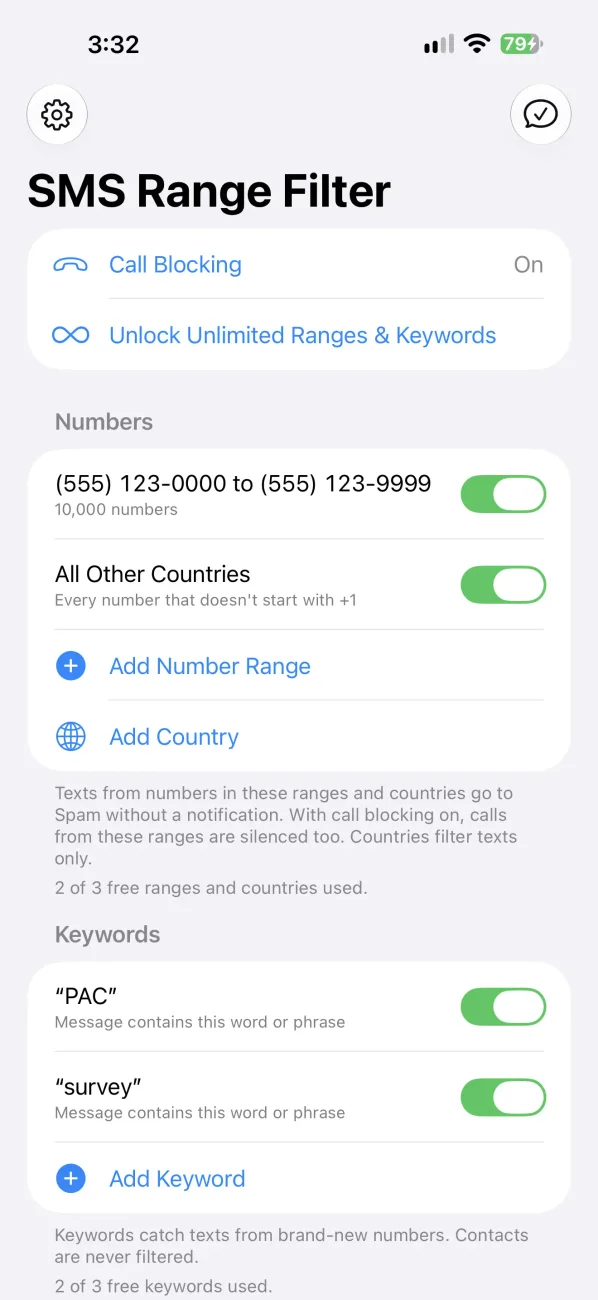
SMS Range Filter ends that game. Enter a range of numbers once, like (555) 123-0000 to (555) 123-9999, and every text from that range is sent to the Spam list in Messages, silently, with no notification. Turn on call blocking, and calls from that range don't ring either. Your phone stays quiet, and the next number in that block never gets through.
HOW IT WORKS
• Add a number range in seconds. Type one number and tap "Filter all of (555) 123-XXXX" to cover all 10,000 numbers in that block.
• Filter an entire area code when spam keeps coming from all over it.
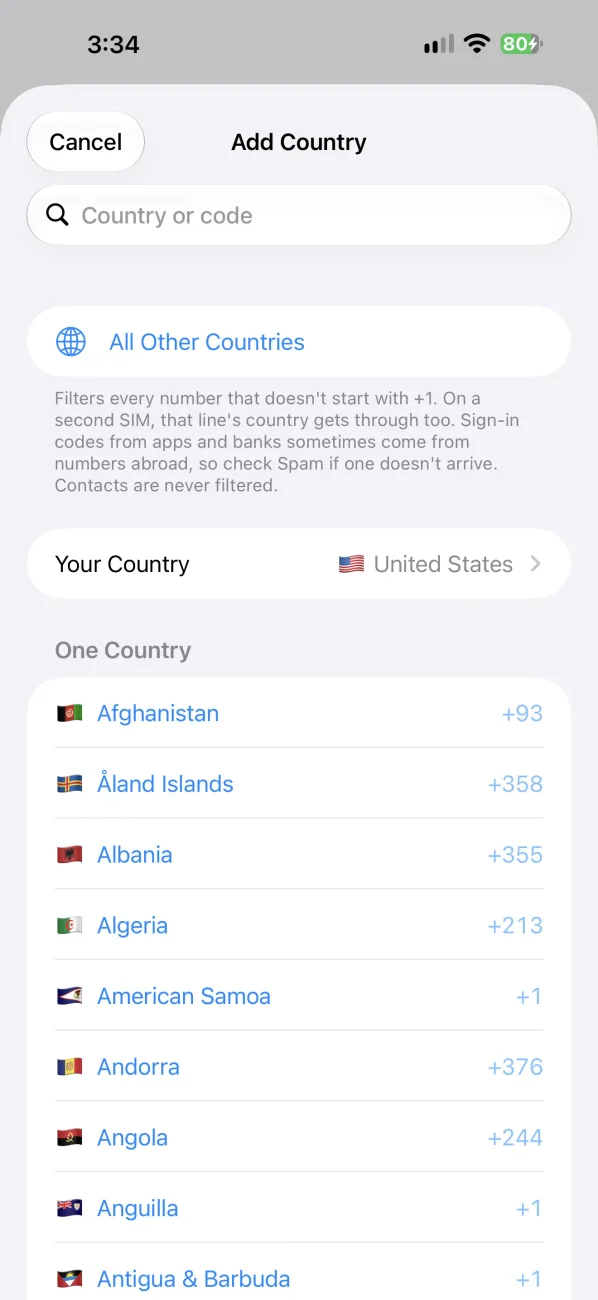
• Filter a whole country, or every country code but your own.
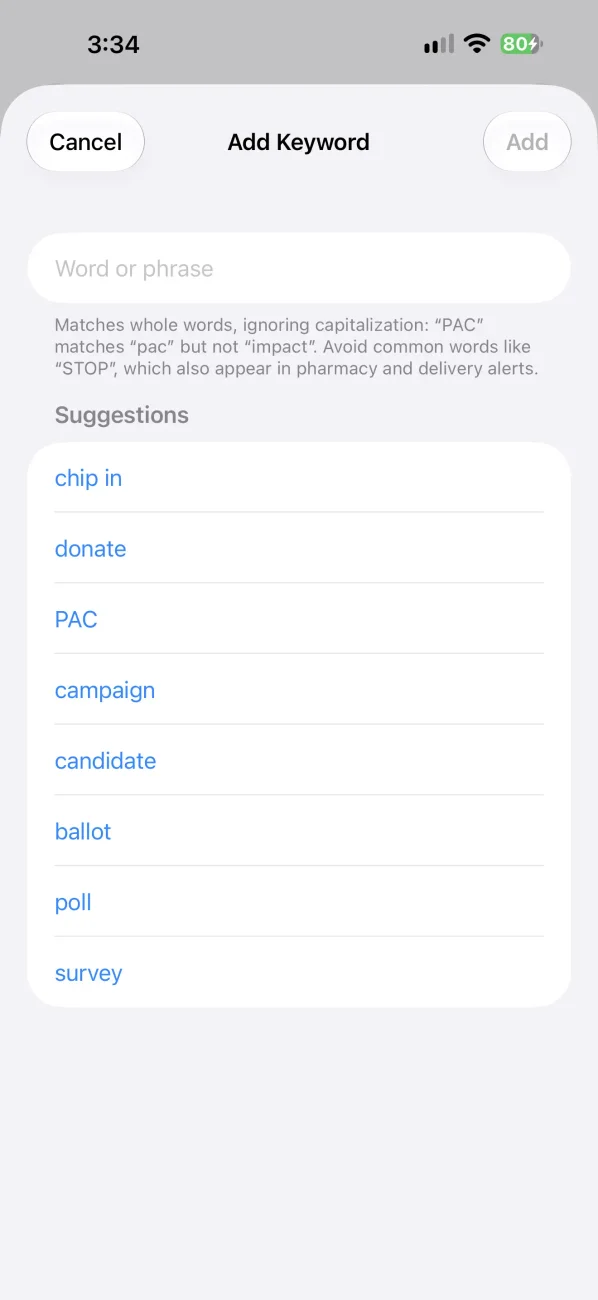
• Add keywords like "chip in" or "donate" to catch texts from brand-new numbers.
• Block calls from your number ranges too: turn on call blocking once, and calls from those numbers are silenced.
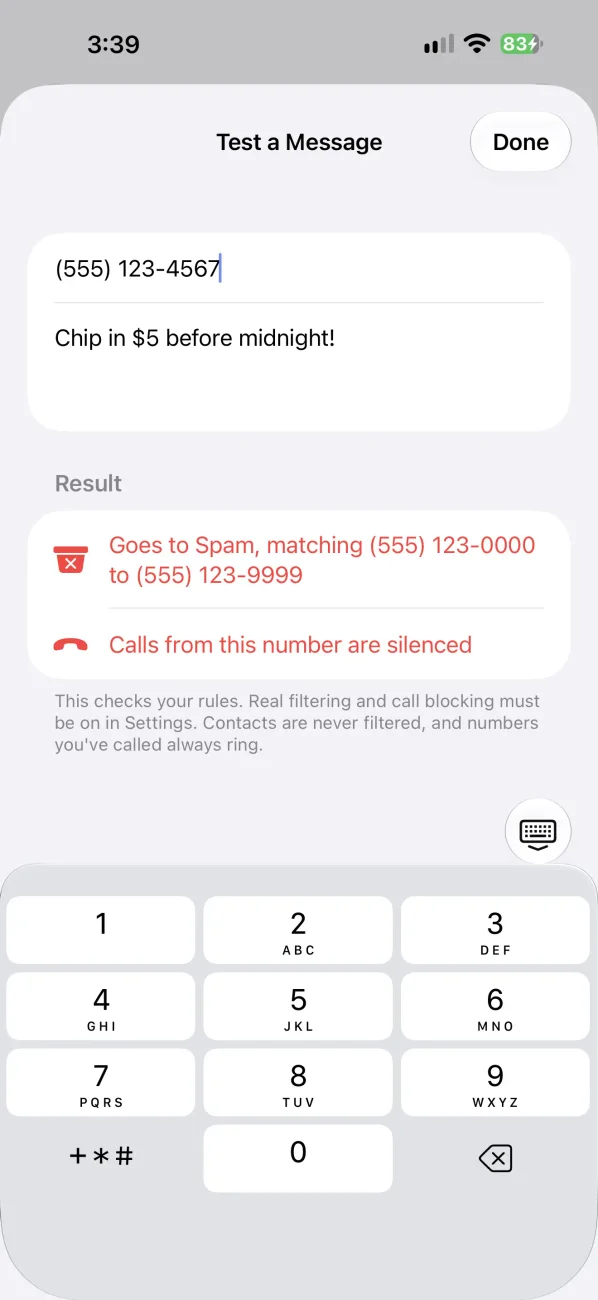
• Test any number or message in the app to see whether it would be filtered.
WHAT TO EXPECT
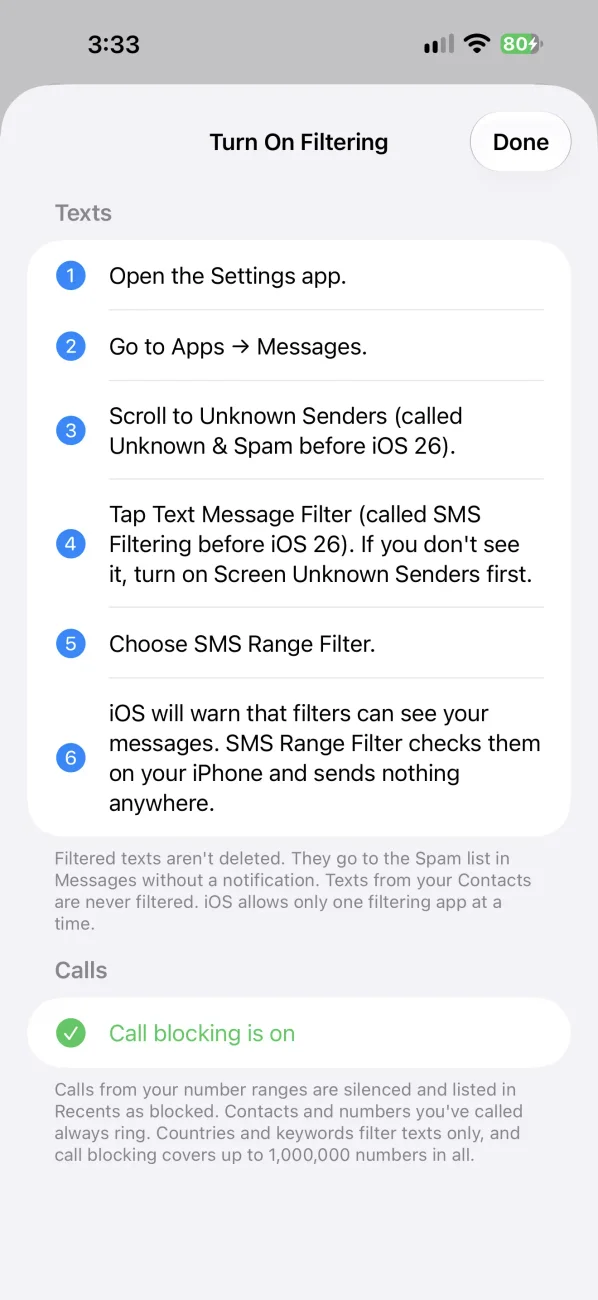
• Filtered texts go to the Spam list in Messages without a sound or notification. On iOS 17 and 18, the list is called Junk. iOS doesn't allow apps to delete texts, so you can still look through it if you ever need to.
• Texts from people in your Contacts are never filtered.
• Blocked calls don't ring and are listed in Recents as blocked. Calls from your Contacts, and from numbers you've called, always ring. Call blocking works with number ranges (up to 1,000,000 numbers in all); countries and keywords filter texts.
• Works with SMS and MMS texts from unknown senders. iPhone doesn't let filter apps see iMessages (blue bubbles), so those still come through.
• Number ranges work with phone numbers from any country, written with or without the + code. Keywords work on any text.
• Works on both lines if you have two SIMs or an eSIM.
• Supports Dark Mode, following your iPhone's appearance setting.
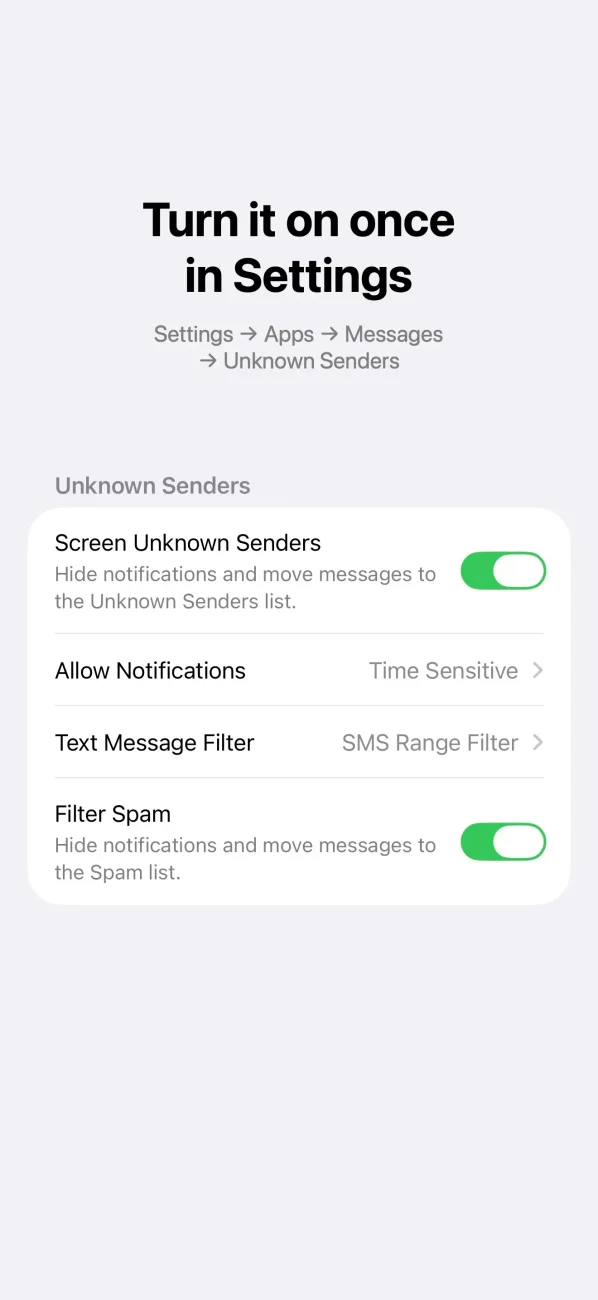
• Turn it on once in the Settings app, for texts and for calls. SMS Range Filter shows you how.
PRIVATE BY DESIGN
• No account, no servers, no tracking.
• Your rules stay on your iPhone, and messages and calls are checked on your device. Nothing is sent to us or anyone else.
PRICING
• Free: filter up to 3 number ranges or countries, and 3 keywords.
• Unlimited ranges, countries and keywords: $2.99 once. No subscription, ever.
• Family Sharing: one purchase unlocks unlimited ranges and keywords for everyone in your family group.
What’s new
Version 1.1.1 · Nov 23, 2026
• A refreshed unlock screen.
App privacy
What Roger Guay declares on the App Store about how this app handles data.
-
Data not collected
The developer does not collect any data from this app.
Privacy practices may vary, for example with the features you use or your age.
Information
- Seller
- Roger Guay
- Category
- Utilities
- Version
- 1.1.1
- Updated
- Nov 23, 2026
- Released
- Nov 10, 2026
- Size
- 1.3 MB
- Requires
- iOS 17.0 or later
- Age rating
- 4+
- Price
- Free
- In-app purchases
- Yes
- Languages
- English
- Copyright
- © 2026 Voussoir Software
You might also like
-
 Coordinate MeEnhanced GPS Information
-
 Novospace DriveCloud-Dateispeicher
-
 Lumis — Deaf & HoH AlarmUtilities
-
 PDF SecureDocument privacy protection
-
 TailWind SmartControl your garage doors
-
 MyConnectHomeUtilities
-
 Anchor ProBest anchoring companion
-
 Ooma SetupActivate and Reconfigure Telo
-
 T-Mobile Scam ShieldYour call control center.