
Snapdot - Template & Design
Notes, plans & layouts
Designed for iPhone, iPad, Mac
Free · In-app purchases
- Age rating12+
- CategoryProductivity
- Developer依雯 黄
- LanguagesEnglish+ 26 more
- Size57.1 MB
Links to the official App Store page
Download.org hosts no file of Snapdot - Template & Design. The button opens its official App Store page, published by 依雯 黄. Listing last checked on Nov 23, 2026.
Screenshots


About
Design pages with room for your ideas. Snapdot brings a precise, component-based canvas to Mac and iPad, with a compact editing experience on iPhone.
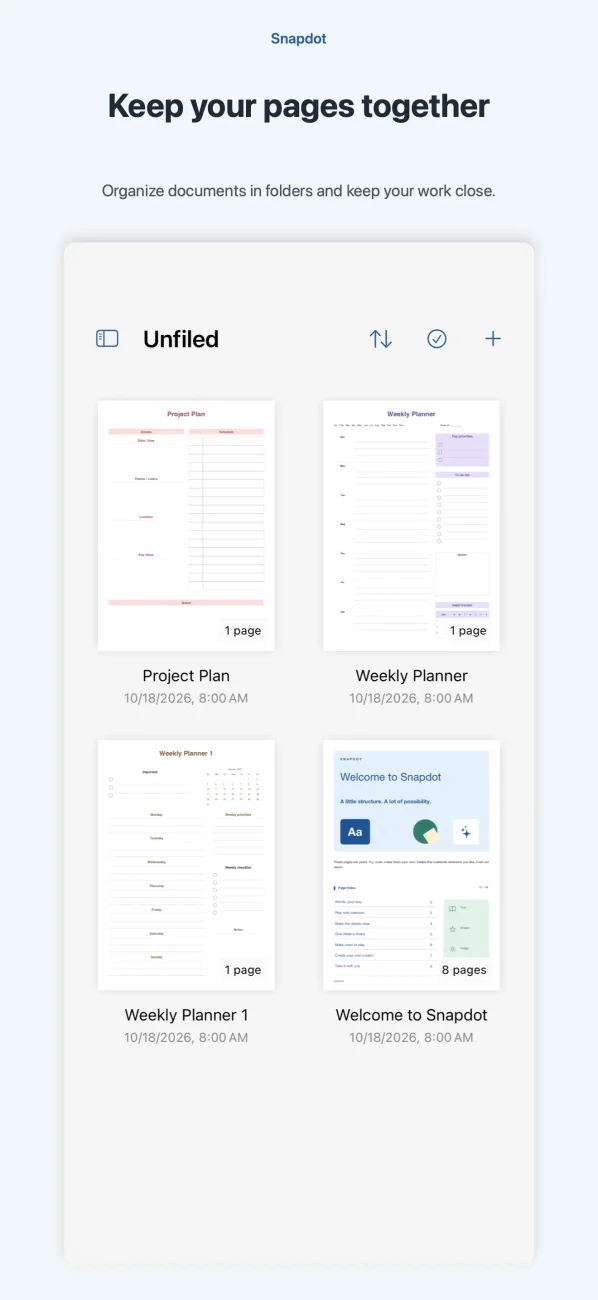
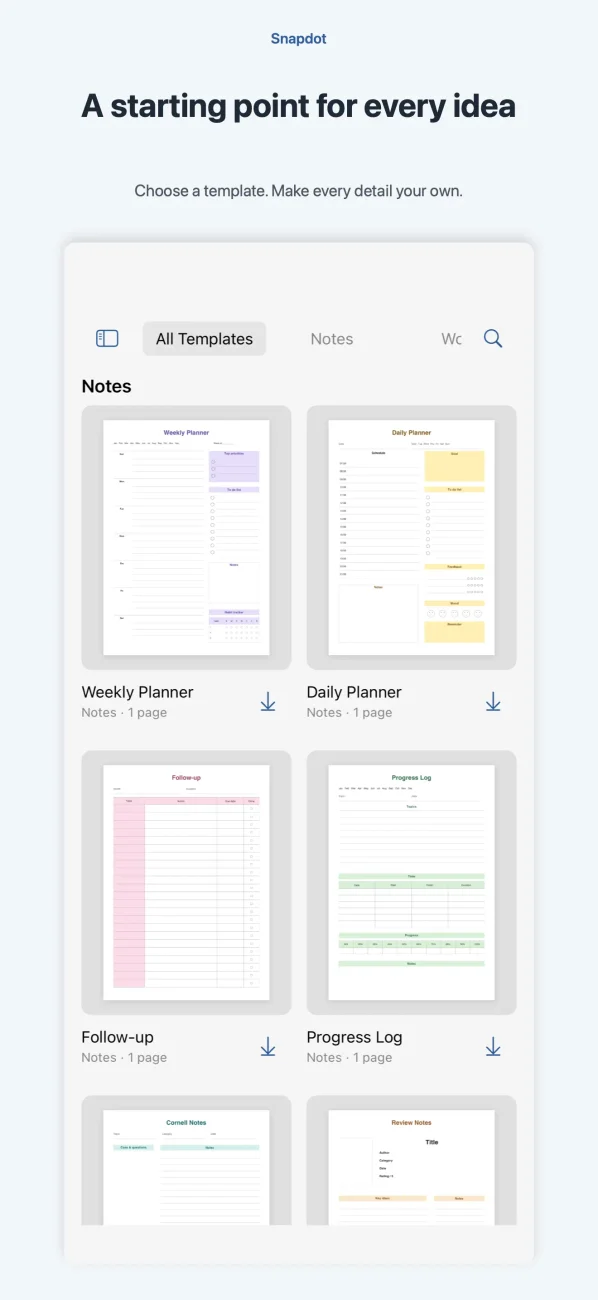
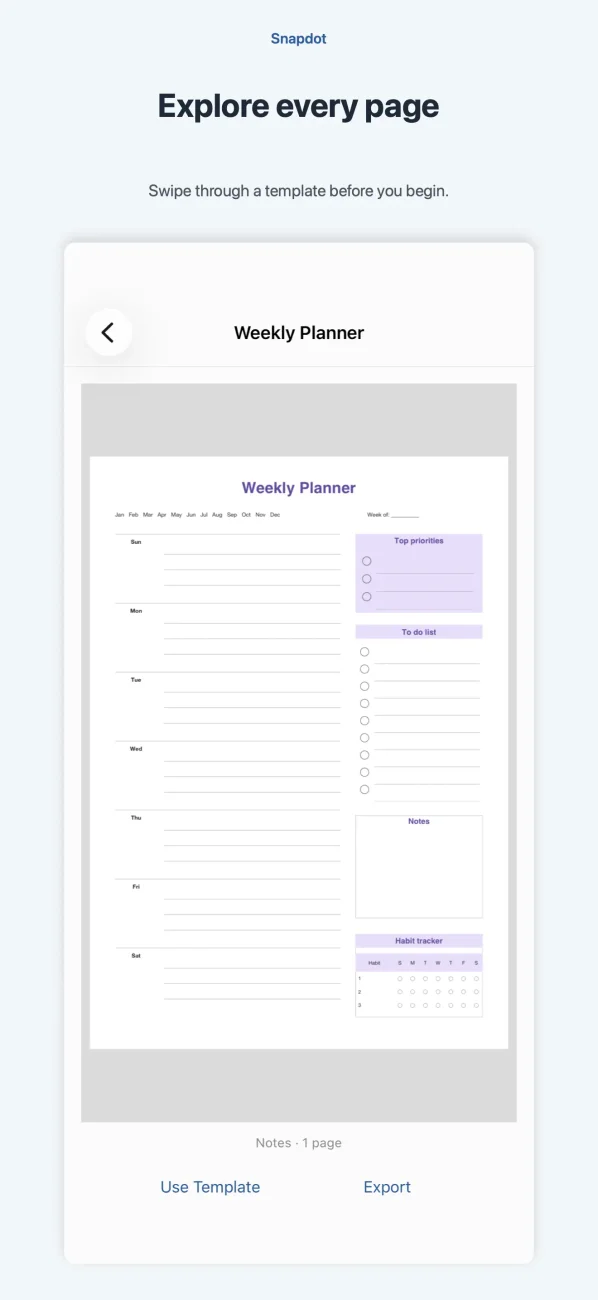
Start with a portrait or landscape blank page, or choose a design from the Template Library. Build plans, notes, checklists and reference pages with text, writing areas, calendars, tables, images and other components. Edit text directly on the canvas and refine content, styles and placement in the Inspector.
Move and resize freely. Use snap, guides and alignment to bring order to a page without forcing it into a fixed layout. Built-in themes keep typography, colors and spacing consistent.
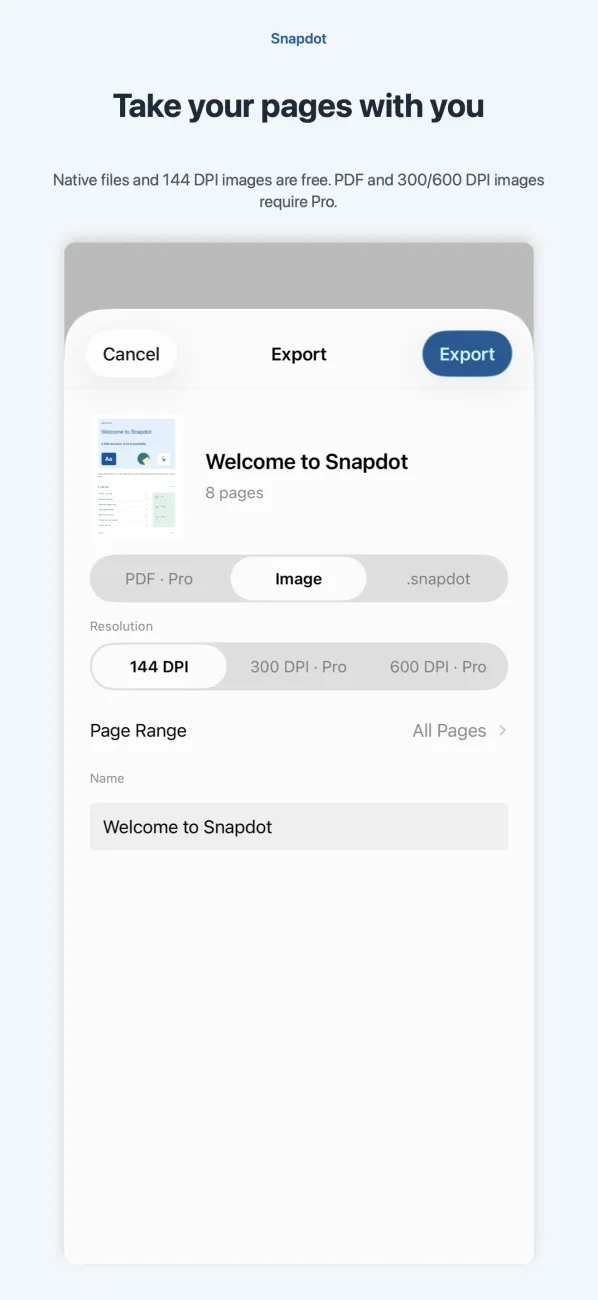
Keep documents in local folders. Import and export editable .snapdot files, and back up your notes with their folder hierarchy. Export selected pages as PDF or images: choose a save location on Mac, or share through the system sheet on iPad and iPhone. PDF files are ready to share or print with a compatible viewer.
Free includes basic canvas editing, built-in components and themes, template editing, native .snapdot export and 144 DPI PNG export. Optional Pro adds reusable custom components, custom themes, advanced appearance and canvas tools, all PDF exports, backup creation and 300/600 DPI PNG export. After Pro expires, existing advanced content remains intact and available for viewing, native .snapdot export and 144 DPI PNG export. Restoring backups is free.
No ads. Monthly and yearly Pro subscriptions provide the same tier of access. Localized prices and billing periods are shown before purchase. Apple handles payment; subscriptions renew automatically unless cancelled. Manage, cancel or restore purchases using your Apple account.
Unlock all Pro tools with a single purchase.
Terms of Use (Apple Standard EULA): https://www.apple.com/legal/internet-services/itunes/dev/stdeula/
What’s new
Version 1.2.0 · Nov 16, 2026
Work with different documents in separate windows on Mac and iPad. Each window keeps its own text focus and undo history, with protection against conflicting saves when the same document is opened again.
Improved reliability when editing text, using formatting tools, closing and reopening windows, and opening documents from Files. Reduced memory use during extended editing on iPhone and Mac.
App privacy
What 依雯 黄 declares on the App Store about how this app handles data.
-
Data not collected
The developer does not collect any data from this app.
Privacy practices may vary, for example with the features you use or your age.
Information
- Seller
- 依雯 黄
- Category
- Productivity
- Version
- 1.2.0
- Updated
- Nov 16, 2026
- Released
- Nov 6, 2026
- Size
- 57.1 MB
- Requires
- iOS 18.0 or later
- Age rating
- 12+
- Price
- Free
- In-app purchases
- Yes
- Languages
- English, Arabic, Czech, Danish, Dutch, Finnish, French, German, Greek, Hungarian, Indonesian, Italian + 15 more
- Copyright
- © 2026 CatCarp
You might also like
-
 PastelPlan - Calendar & ToDoTimeboxing: Daily Schedule
-
 Swipe CalendarCreate events quickly
-
 Time Tracking - TimenessPersonal Activity Tracker
-
 OnePage PPT: AI Slide MakerPresentation & Infographic
-
 SoloPen NotesWrite. Flip. Never Lose.
-
 Pentip: Notes, Sketch & PDFPro Notes, Sketch & PDF Markup
-
 WebEOCCrisis & Incident Management
-
 Templates for Google DocsDocs, Slides, and Sheets
-
 TimerTiTi - Timer for StudyProductivity
-
 Timelines Time TrackingPersonal & Work Hours Tracker