
- Age rating4+
- CategoryProductivity
- DeveloperChristopher Williams
- LanguagesEnglish
- Size2.0 MB
Links to the official App Store page
Download.org hosts no file of SnapPresenter Remote. The button opens its official App Store page, published by Christopher Williams. Listing last checked on Nov 20, 2026.
Screenshots
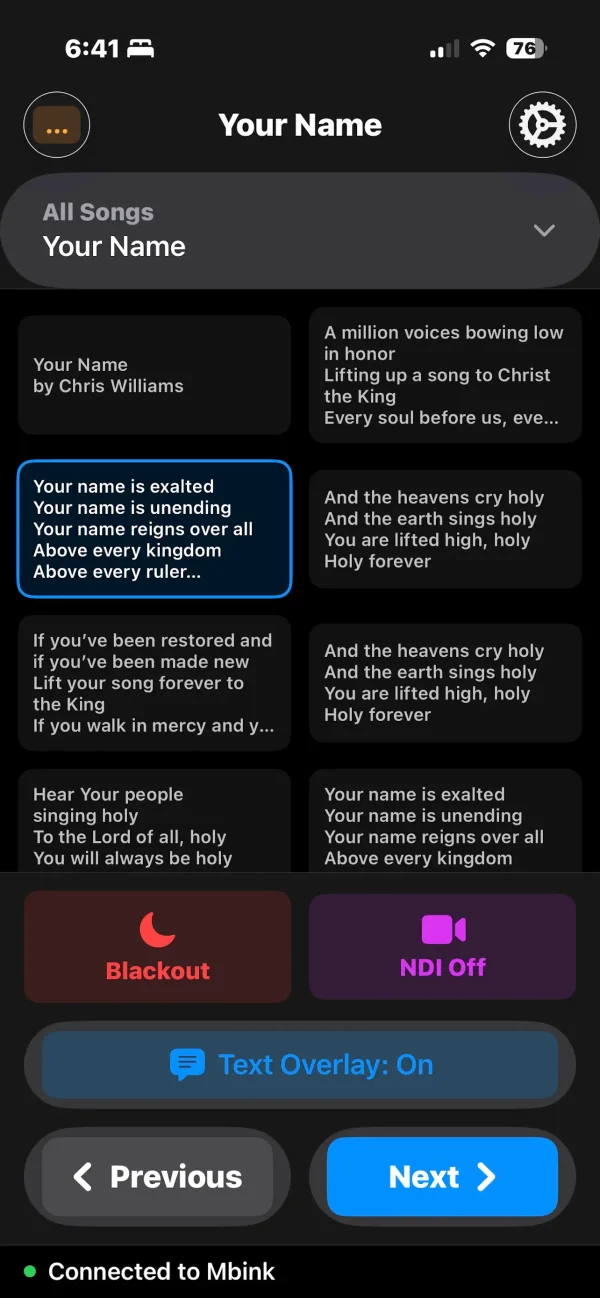

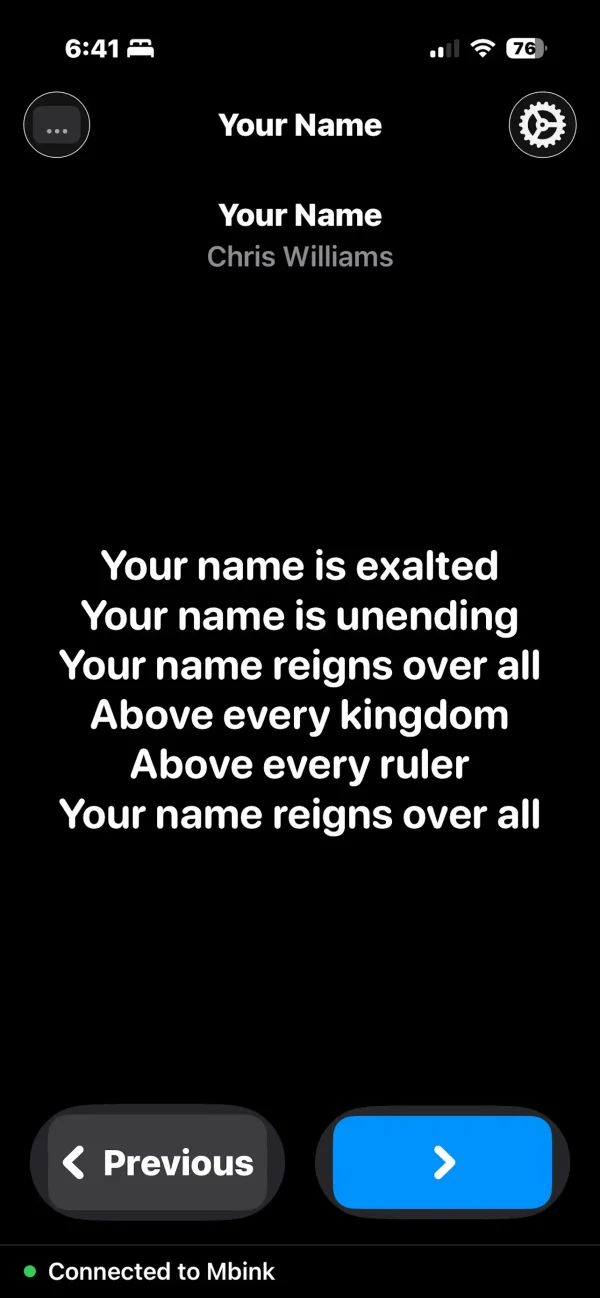
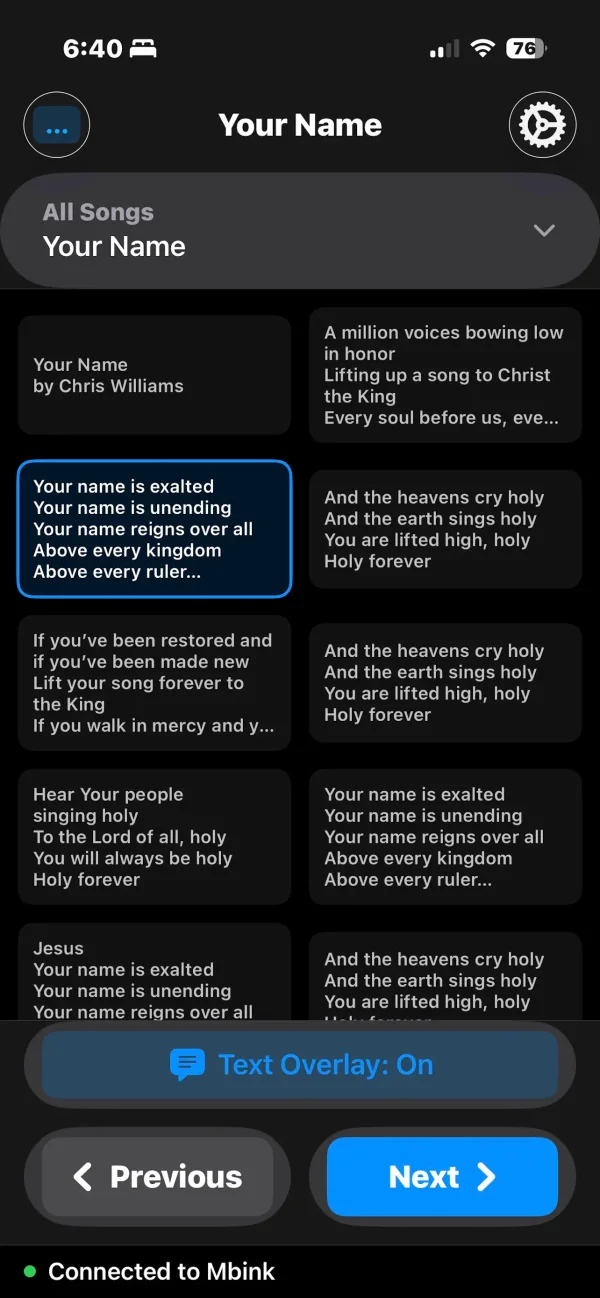
About
SnapPresenter Remote turns your iPhone into a wireless controller for SnapPresenter on Mac.
Control your lyric and slide presentations from anywhere in the room — advance slides, trigger blackouts, switch songs, toggle text overlays, and start or stop NDI streaming, all from your phone.
FEATURES
• Advance and go back slides remotely
• Instant blackout with one tap
• Switch songs and navigate setlists
• Toggle text overlay on/off
• Start and stop NDI streaming
• See current and upcoming slide content
• Master mode with full control
• Normal mode for standard operation
• Volunteer mode for simplified stage display
REQUIREMENTS
Requires SnapPresenter for Mac (available on the Mac App Store). Both devices must be on the same Wi-Fi network. Enable Remote Control in SnapPresenter's Settings to get started.
What’s new
Version 2.0 · Oct 26, 2026
Bug fixes and stability improvements.
App privacy
What Christopher Williams declares on the App Store about how this app handles data.
-
Data not collected
The developer does not collect any data from this app.
Privacy practices may vary, for example with the features you use or your age.
Information
- Seller
- Christopher Williams
- Category
- Productivity
- Version
- 2.0
- Updated
- Oct 26, 2026
- Released
- Mar 26, 2026
- Size
- 2.0 MB
- Requires
- iOS 17.0 or later
- Age rating
- 4+
- Price
- Free
- Languages
- English
- Copyright
- © 2026 Lumena Productions
You might also like
-
 Church PresenterPresent songs, Bible & slides
-
 magicPresenterElevate your slides.
-
 VidPrompter - TeleprompterRead Scripts & Record Video
-
 Praksha: Attendance TrackerTrack attendance effortlessly
-
 Sway: Dance Formation AppFormation Maker for Teams
-
 FreeShow RemoteCompanion remote for FreeShow
-
 WorshipStorm Projector ClassicProject with Planning Center
-
 AI Text to Speech - Read AloudListen Smarter. Read Faster.
-
 OpenNotes: Notes & PDF MarkupHandwriting, PDFs, no account
-
 OneScreen Share (Screen Share)Multi-screen interactive app