
- Age rating4+
- CategoryPhoto & Video
- DeveloperHIPOINT INC
- LanguagesEnglish
- Size234.5 MB
Links to the official App Store page
Download.org hosts no file of SnipBack. The button opens its official App Store page, published by HIPOINT INC. Listing last checked on Nov 23, 2026.
Screenshots

About
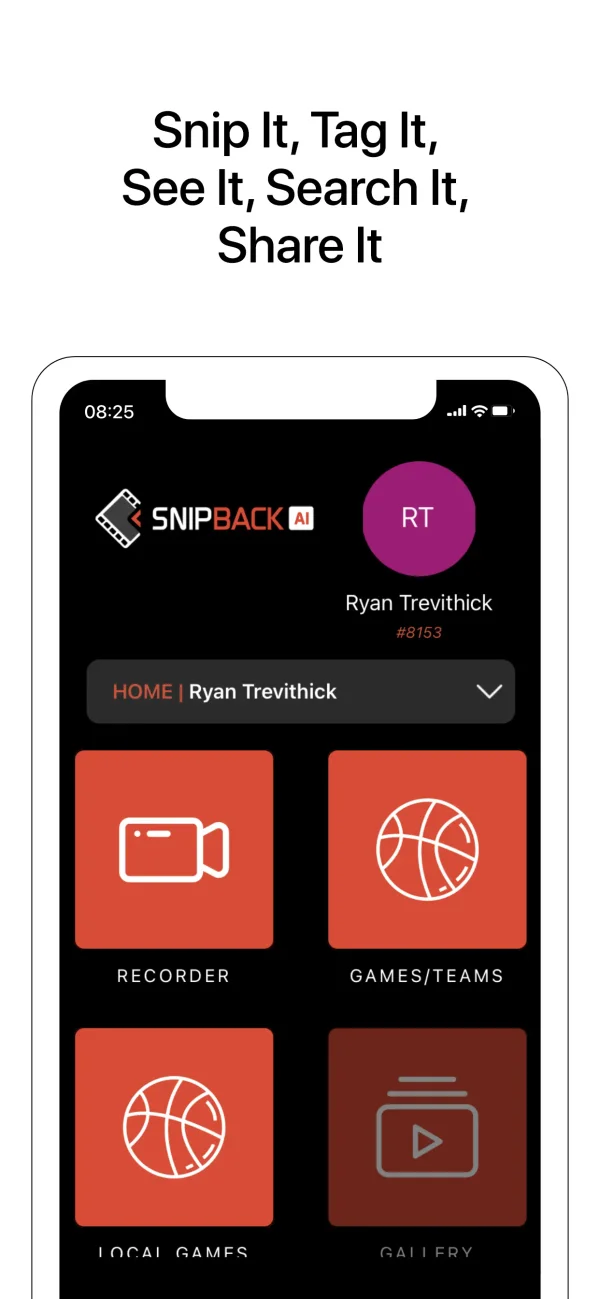
SnipBack is a powerful yet very easy to use multi-camera event recording system, with special AI (artificial intelligence) and CV (computer vision) features for basketball.
Simply setup as many iOS devices from various vantage points for an event as you’d like…our platform will record and upload to the cloud WHILE RECORDING, syncing all views automatically, and making the video available for streaming.
MULTI-VIEW RECORDING
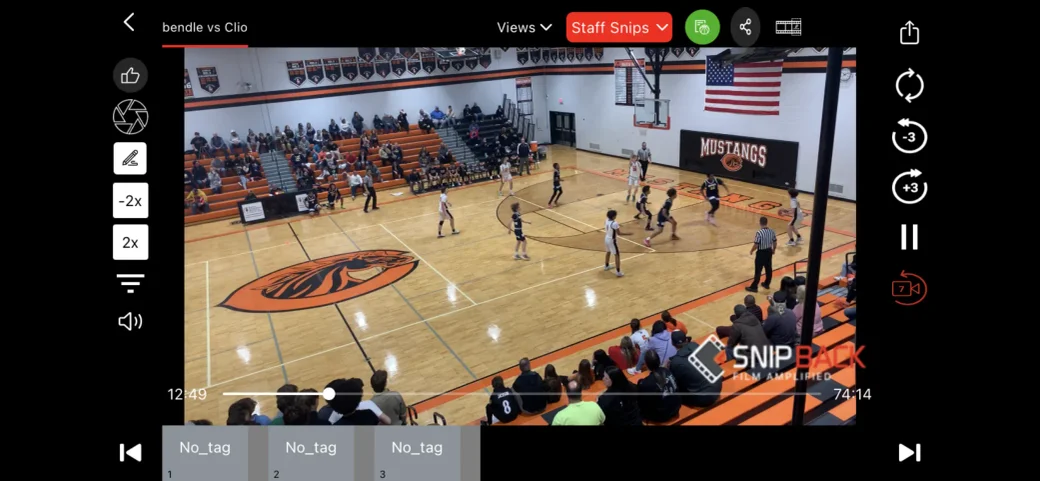
Just set the game/event name, then join as many recording devices as you’d like. SnipBack AI will take care of the rest. When watching recorded footage, you’ll easily be able to switch vantage points as all views are automatically synced.
TEAM SHARING
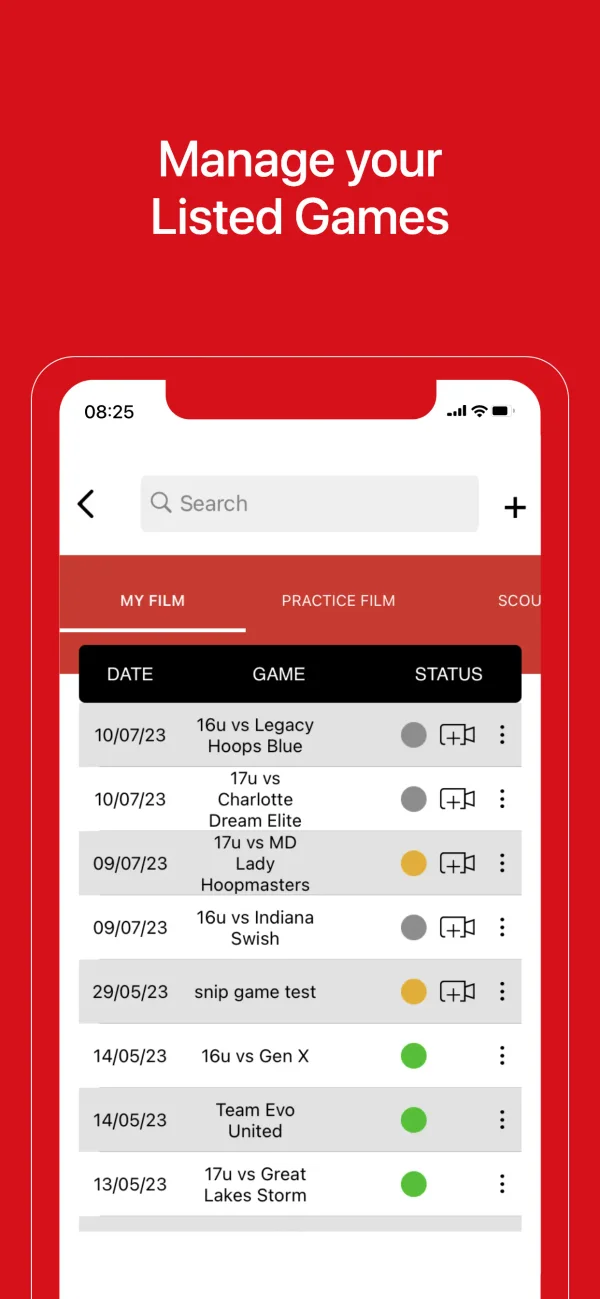
Associate a game/event with a team (or group), and then once uploaded, all team members will automatically have that game ready for streaming in their accounts.
PINNED WHITEBOARDS
Coaches, directors, or event organizers can easily record and pin a whiteboard session to a game/event. Just start a session, then speak, draw, and navigate through the video. Once done just stop the session, and then all team members will automatically see that pinned whiteboard in their accounts. Takes on demand learning to the next level.
REAL-TIME BOOKMARKS
Coaches, directors, and event organizers can easily set digital bookmarks real-time, either from a recording device or from any mobile phones. Simple tap the bookmark button, and then when playing the video easily jump to and review bookmarked footage. If recording via multiple devices, these bookmarks automatically synced across all vantage points.
ADVANCED STREAMING PLATFORM
All recordings are uploaded while recording (not afterwards), and as such footage is available to stream almost immediately (within 60 seconds).
BASKETBALL AI AND CV FEATURES
Utilize AI and CV for basketball, where all basketball footage is processed and made searchable. Users can easily create and view custom SnipReels, which are virtual videos broken down into play blocks. These blocks can be generated automatically by AI/CV or manually by coaches. Examples of some AI/CV blocks would be made shots, missed shots, made 3-pointers, assists, and turnovers just to name a few. Users scan share, link, or export any such block; they can even pin a custom whiteboard to a block.
AUDIENCE PARTICIPATION
Never before has it been so simple and secure for event participants to tap into any setup event cameras to get desired photos and videos for themselves. Once logged into an event with a special event code, they can simply tap their own bookmark button each time something they want footage for occurs (e.g. their kid just made a nice play). After that the desired footage from all vantage points automatically gets downloaded into their gallery….it’s that simple!
The Power of the SnipBack Recorder!
Introducing our exclusive patent pending SnipBack feature, which integrates DVR-like functionality within the record button. Just like with DVR’s, SnipBack allows you to go back in time to see what you’ve missed, and include that past video in your final clip!
Terms of Use :https://www.snipback.com/terms-of-use/
What’s new
Version 15.4.15 · Nov 21, 2026
Program picker
- On iPad, PROGRAM and SEASON in the top bar each open their own list.
- Programs show as a tree under their school and groups, each with its sport. Open or close a group, expand or collapse all, search by name, and see the path to your current program at the bottom.
Film player
- Switching camera views on a snip keeps your place instead of starting the snip over. If the other camera has no video for that snip, you stay on your view at the same moment and the player says so.
Charting
- Every charting screen shows a player's team jersey number, tagged players included.
Basketball charting
- Free throws go shot by shot: pick how many shots, then mark each one made or missed as it goes up. Only a missed last shot asks for the rebound, and an and-one is set up for you.
- Picking a rebounder no longer squeezes the court, and each team keeps its own side of the screen.
- Tap a placed shot spot again to clear it.
- New: media timeouts, violation types (shot clock, 5 seconds), charting the opponent as one team without players, and FLAG to mark plays to check later.
- The report shows free throws by shooting fouls, and-ones and technicals, and media timeouts by period.
Collections
- Filter By Tag offers every tag on the Collection's snips, charting values included, and no longer lists the Collection's own tag.
Move game
- Moving a game or practice to another program now asks which of that program's teams it belongs to.
Travel kits
- The Pilot Dashboard makes sessions in your program's sport, offline too, so the pilot and charting use the right sport.
Fixes
- Fixed a crash that could happen when opening the film player on iPad.
- The Remote's Start, Pause and End always reach the game you opened.
- A charted basketball game opened on another iPad, or after reinstalling the app, comes back exactly as it was charted.
App privacy
What HIPOINT INC declares on the App Store about how this app handles data.
-
Data not collected
The developer does not collect any data from this app.
Privacy practices may vary, for example with the features you use or your age.
Information
- Seller
- HiPOINT Technology Services, Inc
- Category
- Photo & Video
- Version
- 15.4.15
- Updated
- Nov 21, 2026
- Released
- Feb 13, 2017
- Size
- 234.5 MB
- Requires
- iOS 15.6 or later
- Age rating
- 4+
- Price
- Free
- In-app purchases
- Yes
- Languages
- English
- Copyright
- © HiPOINT Technology Services Inc.
You might also like
-
 Video Buffer Pre-Recorder 4KDual Camera Sports Highlights
-
 QwikCut AccessAccess your QwikCut video!
-
 Video Pre-RecorderRecord before pressing!
-
 ScoreCam - Embedded ScoreboardRecord & Live Stream Sports
-
 myMVP - Highlight RecorderSave Only The Best Moments
-
 XbotGoPhoto & Video
-
 ReplayNow: Record the last 30sInstant Replay Video Recorder
-
 Broadcaster from BoxCastA smarter way to stream
-
 Action ClipFeature Rich Highlight Editor
-
 QRControlSupport for GoPro™ Labs