Solar Explorer 3D
Surface Atlas & Mission Replay
Designed for iPhone, iPad
Free · In-app purchases
- Age rating4+
- CategoryEducation
- DeveloperShenzhen Qizhuan Technology Co., Ltd.
- LanguagesEnglish+ 9 more
- Size838.1 MB
Links to the official App Store page
Download.org hosts no file of Solar Explorer 3D. The button opens its official App Store page, published by Shenzhen Qizhuan Technology Co., Ltd. Listing last checked on Nov 15, 2026.
Screenshots


About
Embark on an immersive journey through the solar system!
Solar Explorer brings the solar system to life with a stunning 3D simulation based on real astronomical data, featuring 60+ celestial bodies and spacecraft. Experience the grandeur and mysteries of the universe in the palm of your hand.
Key Features
• Realistic Simulation – Explore the orbits of celestial bodies and spacecraft, along with the rotation of planets and moons, in an immersive 3D simulation.
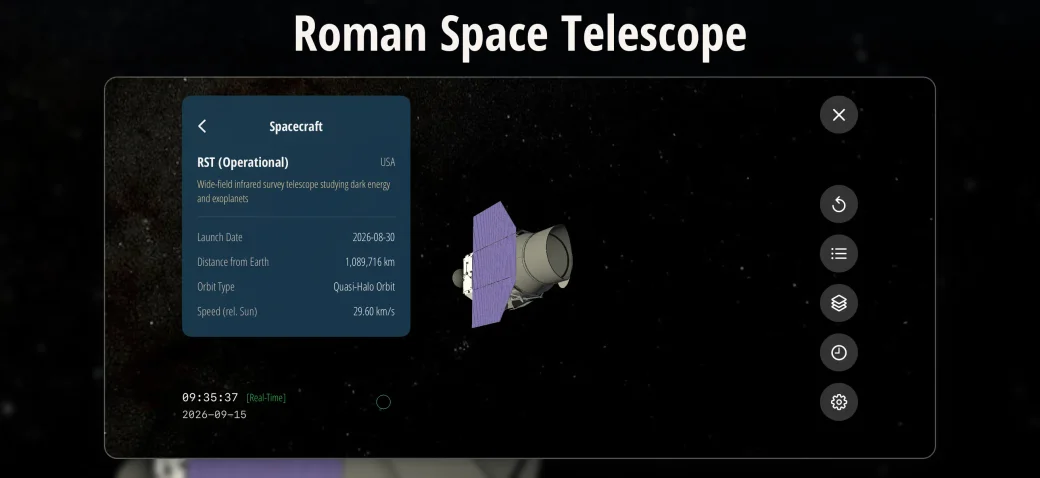
• Close-Up View – Observe surfaces and rotation up close, follow moons around their parent planets, and examine detailed 3D spacecraft models.
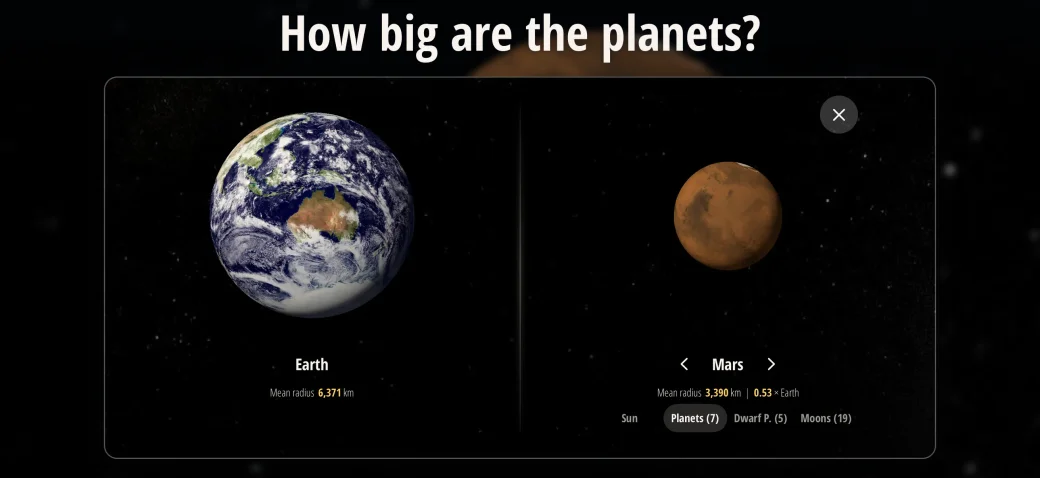
• Size Comparison – Compare the Sun, planets, dwarf planets, and major moons side by side at true scale to appreciate the differences in size between celestial bodies.
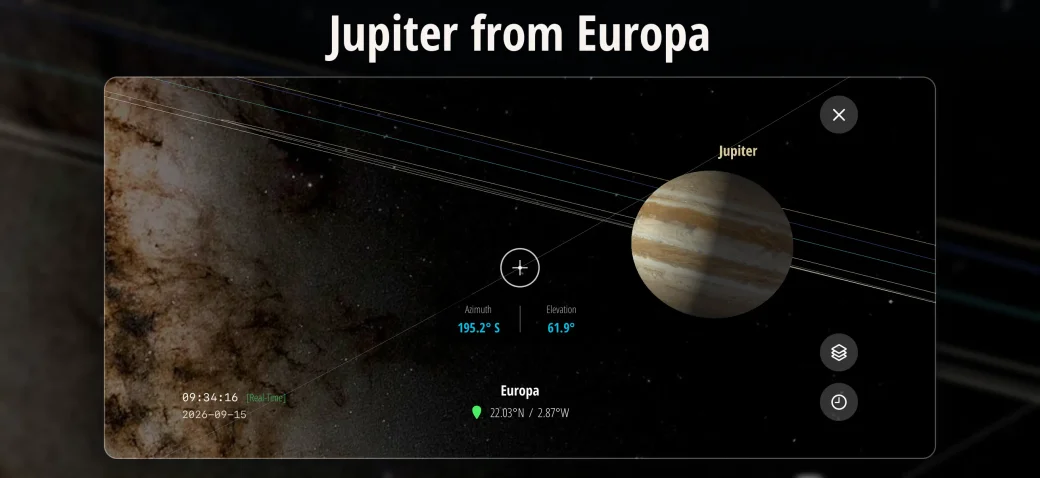
• Landing View – View a realistic starry sky and the Milky Way from selected surface locations on different celestial bodies.
• Time Acceleration – Speed up time or run it backward to explore how celestial bodies and spacecraft move.
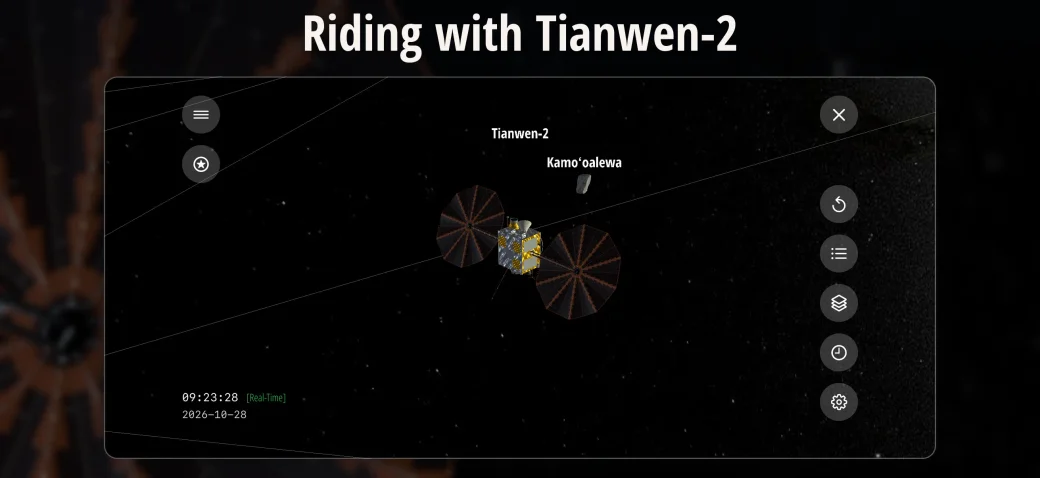
• Mission Replay – Replay selected space missions with trajectory overviews and close-ups of key events.
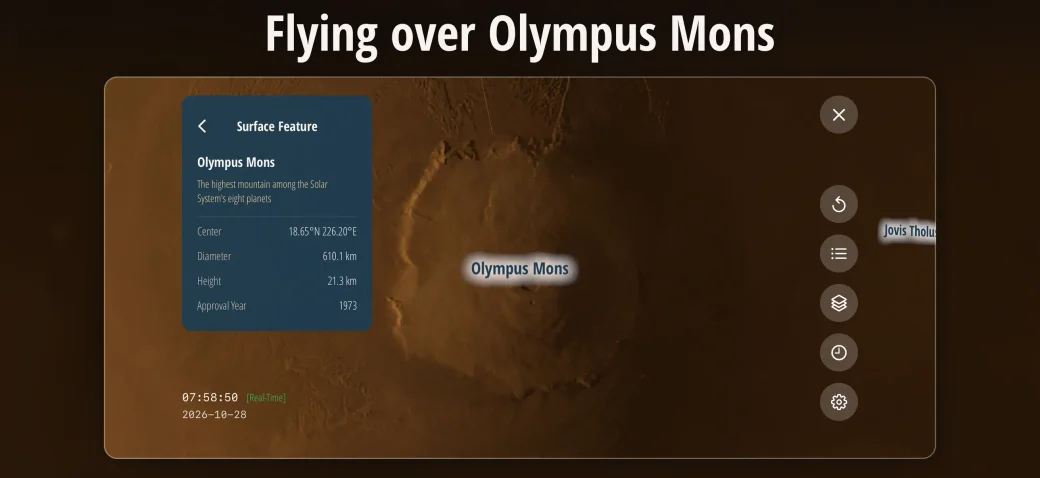
• Surface Features – Zoom in to discover surface features and place names on the Moon, Mars, and other celestial bodies.
Professional-Grade Experience
• Planet, moon, and spacecraft positions are calculated using astronomical data and celestial mechanics, with information panel data updated to match the simulation time.
• Inspect high-resolution surface textures up close and discover the varied landscapes of planets and moons.
• Examine detailed 3D spacecraft models, including all five probes that have traveled beyond Neptune’s orbit, and track their speed and distance from Earth as simulation time changes.
• Discover historic landing sites on the Moon, Mars, Venus, and other worlds, with details about landers and surface features.
• Landing view uses celestial mechanics and viewing geometry to recreate the local sky and celestial motion, reflecting effects such as the Moon’s tidal locking and Venus’s retrograde rotation.
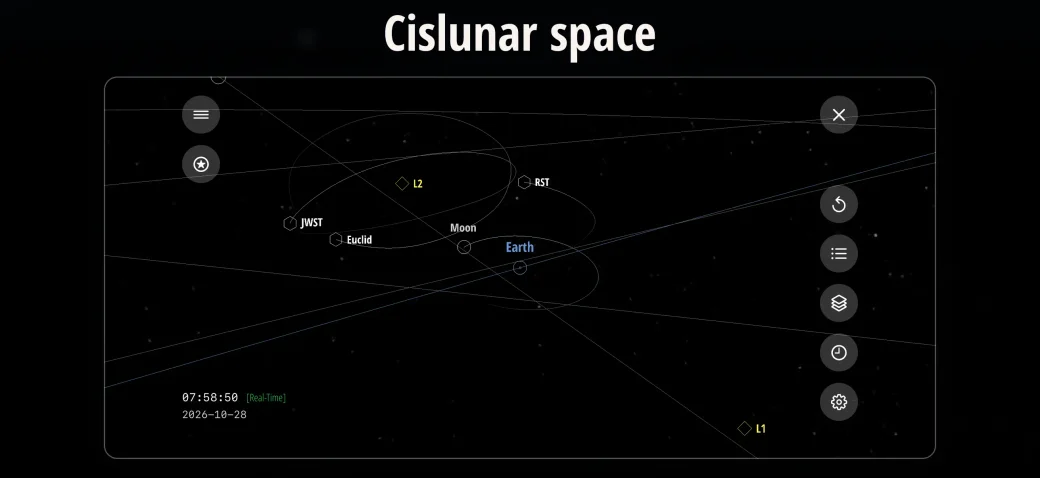
• The Earth-Moon view extends to the Sun-Earth Lagrange points L1 and L2, with orbital paths for space telescopes such as JWST, Roman, and Euclid.
• Enjoy detailed planetary rings, the Sun’s corona and glow, and sweeping views of the asteroid belt and Kuiper belt, along with shadows and transits.
Intuitive Controls
• Tap a celestial body or its name label to enter close-up view, or browse celestial bodies and spacecraft in the catalog.
• Drag with one finger to rotate the view, and pinch with two fingers to zoom.
• In close-up view, use the location picker to choose a target landing site. On Earth, you can also use your current location.
• Adjust the speed and direction of time in orbit view, close-up view, and landing view to observe rotation and orbital motion.
Whether you’re an astronomy enthusiast, an educator, or a curious explorer, Solar Explorer opens a gateway to the mysteries of the universe. Download now and begin your space adventure!
What’s new
Version 1.8.0 · Oct 30, 2026
- Added a Size Comparison feature that shows the Sun, planets, dwarf planets, and major moons on one screen at true scale, making their size differences easy to see at a glance.
- The mission playback interface has a new look: speed and distance are now shown on gauges, and the timeline follows the mission phases.
- Added support for the foldable iPhone Duo and for portrait orientation on iPad.
- The landing flow now lets you choose a landing site before entering the landing view; the entry point is in the Explore tab of the info panel.
- The distance panel in orbit view has a new Spacecraft category, showing the real-time distance from the Sun to major deep-space probes.
- Introduced a new app icon and launch screen.
- Updated data for some spacecraft and Mars rovers.
- Fixed some interface and text issues, and improved performance and stability.
App privacy
What Shenzhen Qizhuan Technology Co., Ltd. declares on the App Store about how this app handles data.
-
Data not linked to you
May be collected but is not linked to your identity.
- Location
- Identifiers
- Usage data
- Diagnostics
Privacy practices may vary, for example with the features you use or your age.
Information
- Seller
- Shenzhen Qizhuan Technology Co., Ltd
- Category
- Education
- Version
- 1.8.0
- Updated
- Oct 30, 2026
- Released
- Sep 24, 2025
- Size
- 838.1 MB
- Requires
- iOS 16.0 or later
- Age rating
- 4+
- Price
- Free
- In-app purchases
- Yes
- Languages
- English, French, German, Italian, Japanese, Korean, Portuguese, Simplified Chinese, Spanish, Traditional Chinese
- Copyright
- © 2023-2026 Qizhuan
You might also like
-
 Solar System - AR ViewPlanets in your room, in AR
-
 Solar System: AI ExplorerGuided 3D Space Exploration
-
 Teia - 3D Solar SystemEducation
-
 Solar System Planets: 3D SpaceYour Night Sky Guide App
-
 GPT Solar System ExplorerSpace AI guide with NASA
-
 Heliosphere - Solar SystemExplore Space Around You
-
 Solar System 3D: Planet GuideLearn Astronomy, Moons & Quiz
-
 3D Solar System TourEasy Planetarium on Smartphone
-
 Planets AR - Our Solar SystemSolar System in your Room!
-
 3D Solar System - Planets ViewAstronomy map: AR Sky observer