
Sonedia
Multitrack studio + transcript
Designed for iPhone, iPad, Mac
Free · In-app purchases
- Age rating4+
- CategoryMusic
- DeveloperIA COMPA LLC
- LanguagesEnglish+ 1 more
- Size27.8 MB
Links to the official App Store page
Download.org hosts no file of Sonedia. The button opens its official App Store page, published by IA COMPA LLC. Listing last checked on Nov 18, 2026.
Screenshots


About
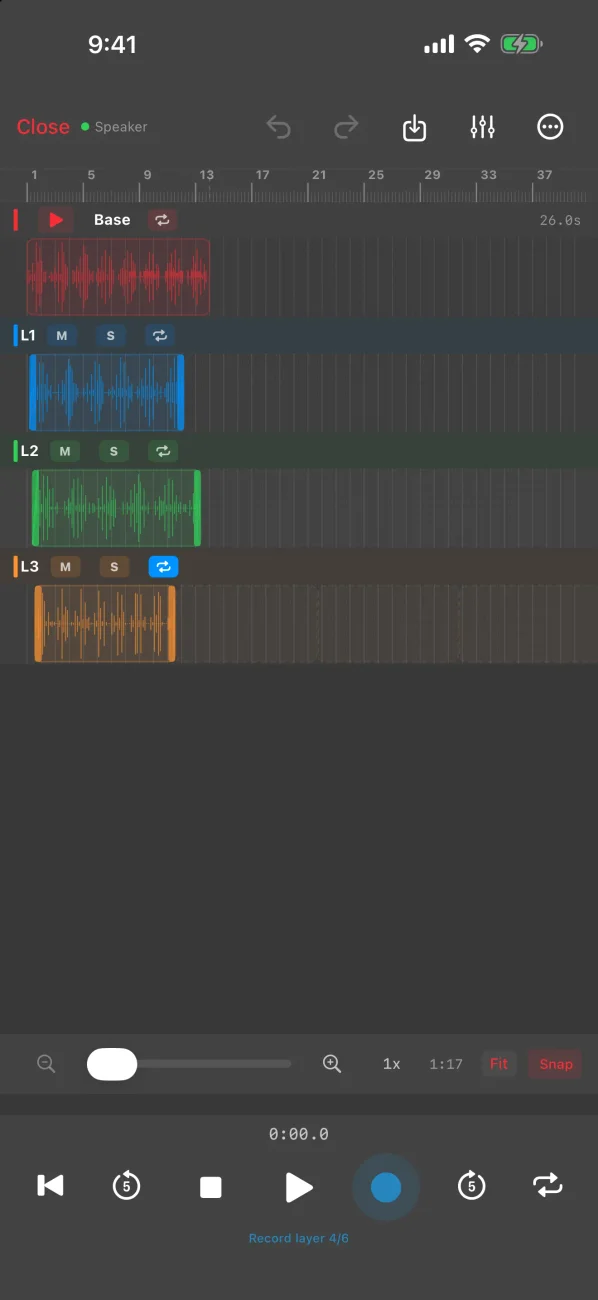
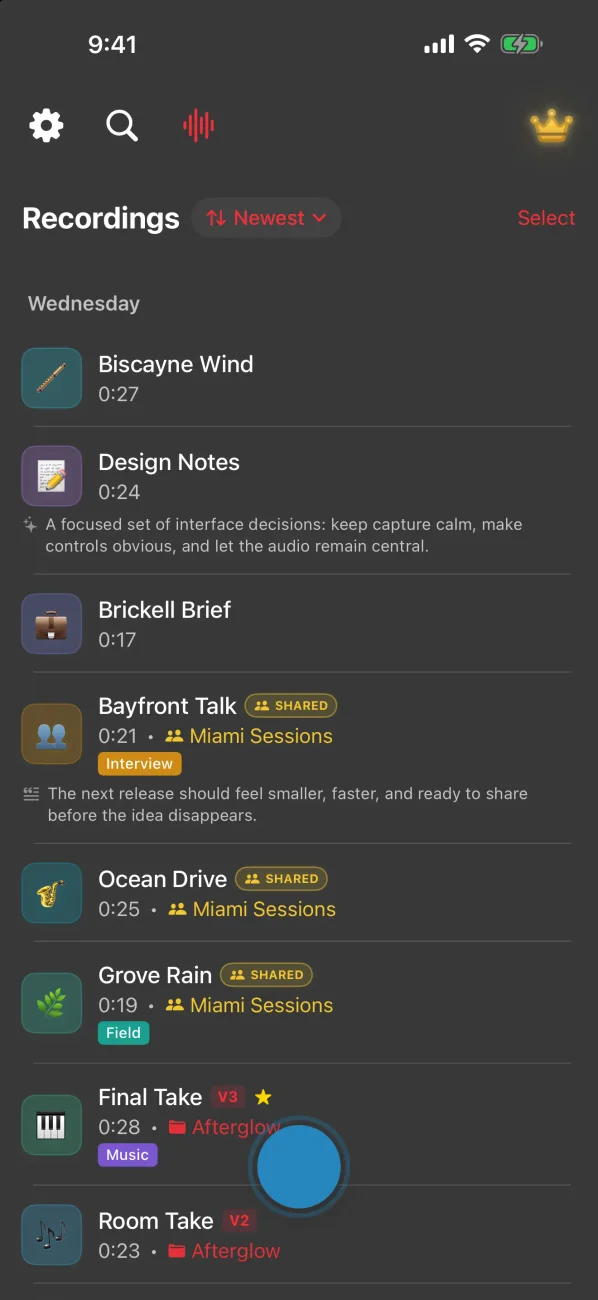
Sonedia is a pocket recording studio. Record, edit, overdub, mix, organize, collaborate, and export without a subscription.
Free for everyone:
- Base recording and playback with every quality preset, including lossless ALAC and uncompressed WAV
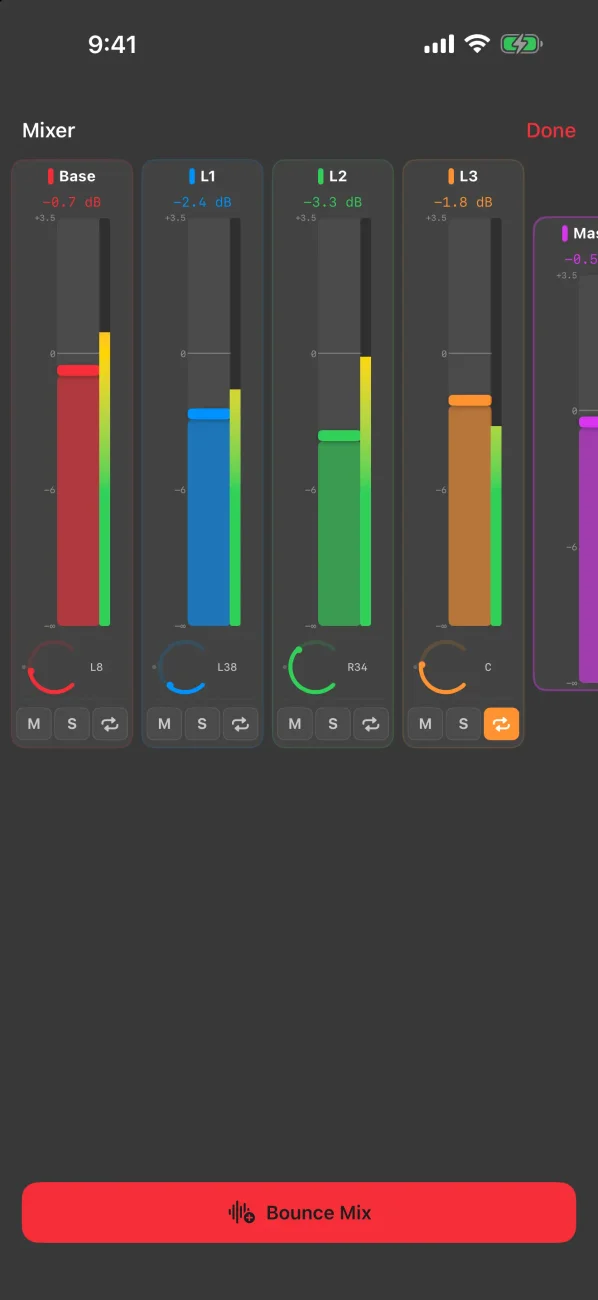
- Multi-track overdub with up to 6 synchronized layers, per-channel mixer, and stereo mixdown
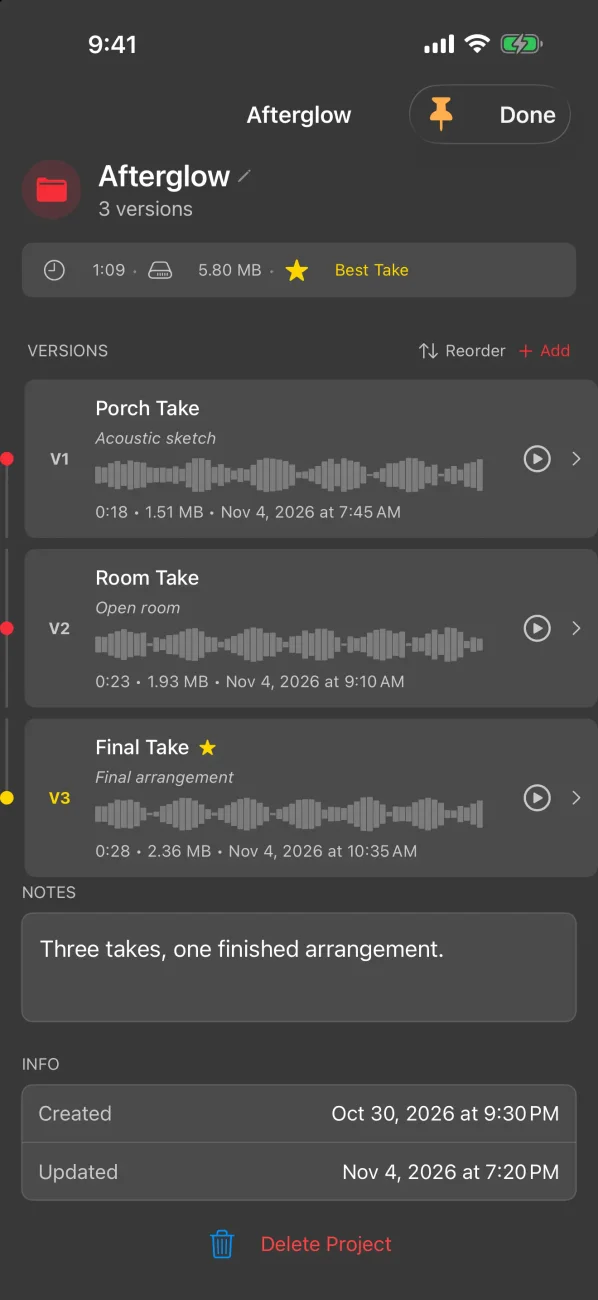
- Studio editing, 4-band EQ, effects monitoring, metronome, projects, versions, tags, and automatic icons
- Free smart naming using Apple/on-device intelligence when available — no paid AI minutes
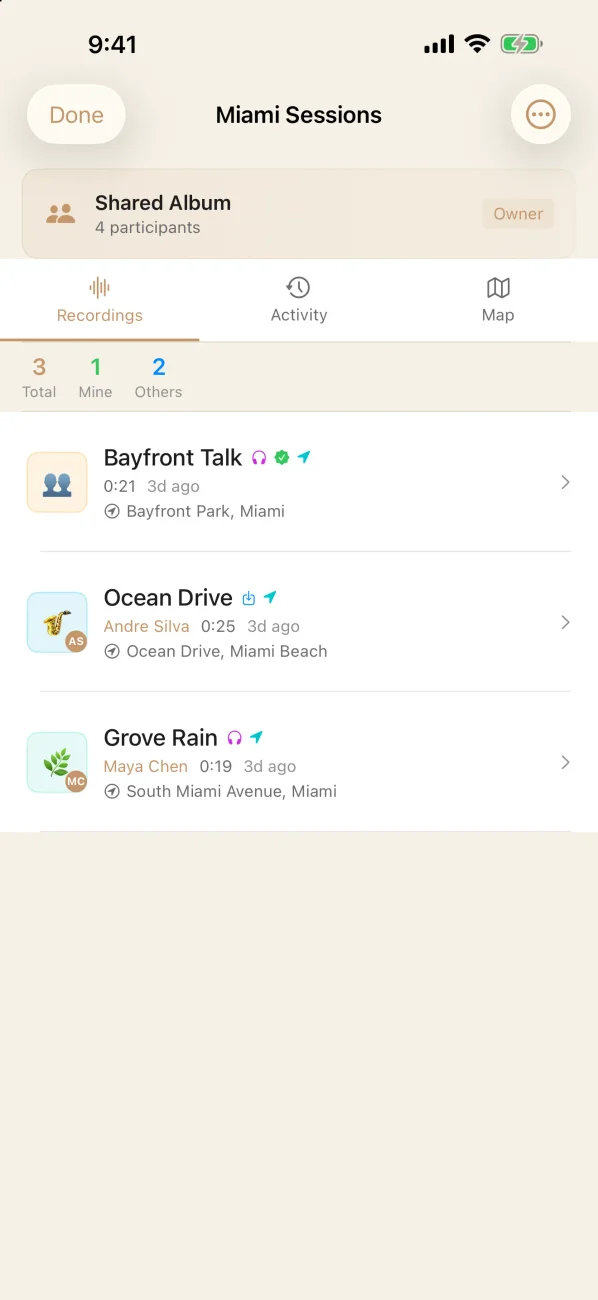
- Shared Albums with role-based collaboration
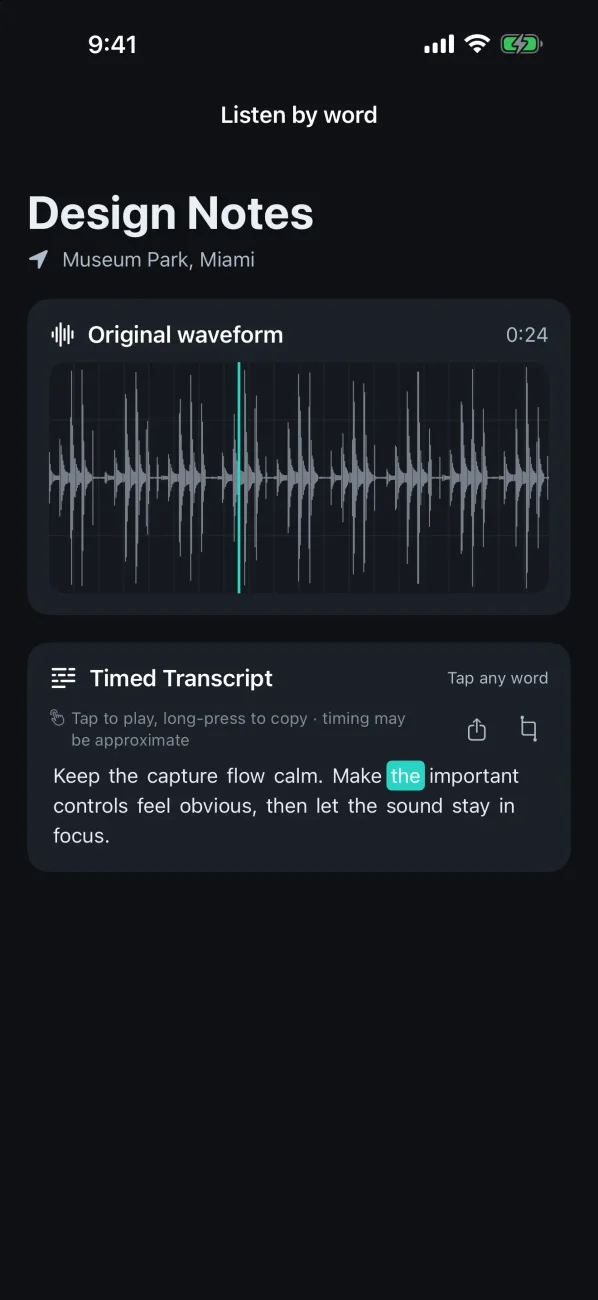
- Searchable transcripts — tap a recognized cue to play near its recognition time
- Tamper-evident proof receipts using on-device SHA-256 and a timestamp
- Multi-format export — WAV, M4A (AAC), and ALAC lossless
- Optional iCloud library sync using your Apple account
- Apple Watch capture with automatic transfer to iPhone
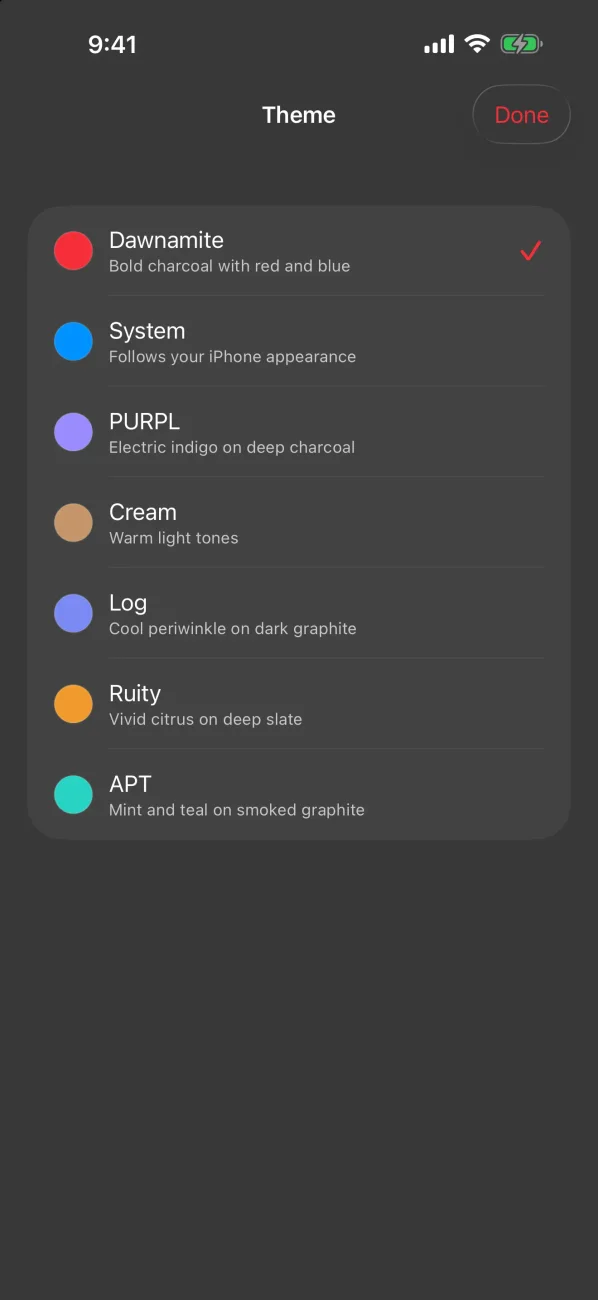
- 7 distinctive studio themes
Sonedia Pro is an optional auto-renewable subscription for Cloud AI Insights:
- Whole-recording analysis for substantially richer titles and more context-aware automatic icons than the free local path
- Structured summaries, key points, and action items
- Rich typed full-audio transcripts and music insights such as key, tempo, and sections when relevant
Basic Pro Monthly includes 60 minutes of optional Cloud AI audio processing per month. Premium Pro Monthly and Premium Pro Yearly include 220 Cloud AI audio minutes per month; the Premium plans differ only by billing period. Eligible new users receive 10 total trial AI audio minutes. Allowances are verified and enforced by Sonedia using StoreKit entitlement proof and App Attest, and unused minutes do not roll over. Apple displays the localized price and any eligible introductory offer before purchase.
Subscriptions renew automatically unless canceled at least 24 hours before the end of the current period. Payment is charged to your Apple Account, and you can manage or cancel in App Store subscription settings.
Privacy:
- Recording, playback, transcript search, and SHA-256 proof hashing run on-device; completing and verifying a proof requires connectivity so iCloud can store the receipt with an Apple server timestamp, and an offline proof remains pending
- Apple speech transcription runs on-device by default. If you explicitly enable or choose Apple server recognition, selected audio is sent to Apple and requires a network connection. Availability varies by device and language
- iCloud sync is optional and uses your own Apple account
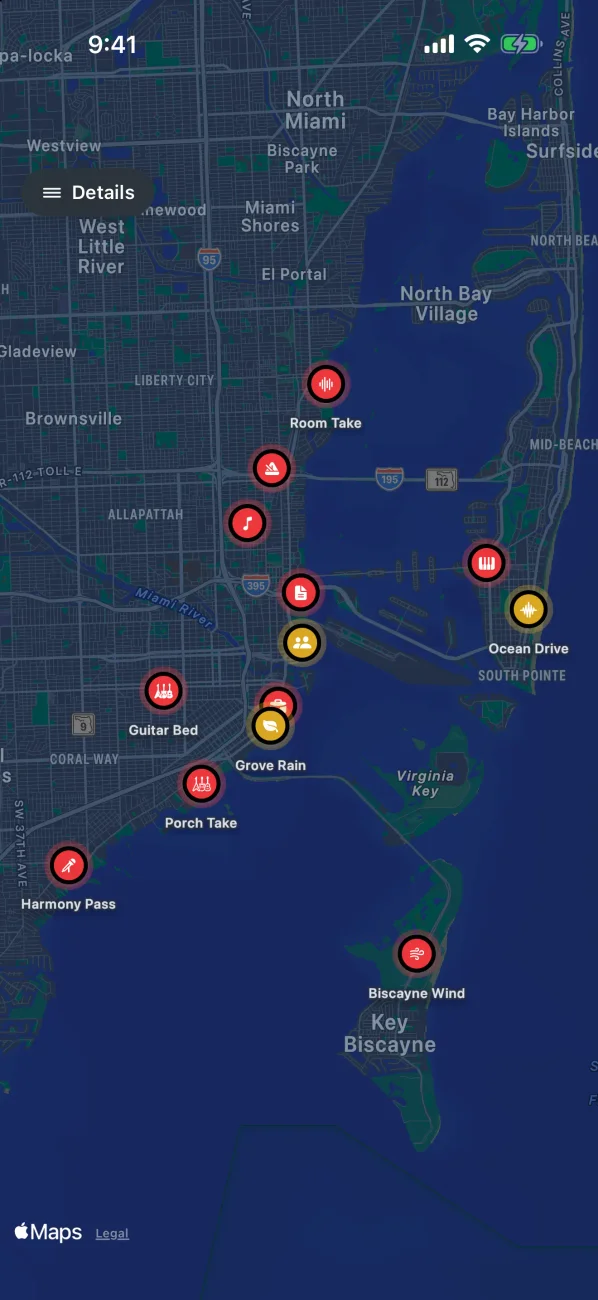
- If you attach precise location to a recording, that coordinate can sync with the recording and can be visible to participants when you share it in a Shared Album
- Free smart naming and automatic icons stay on Apple/on-device paths and never call Sonedia's AI service. Only when a paid user enables AI Insights with explicit consent is the selected audio securely uploaded for temporary cloud processing; entitlement and usage limits are verified by Sonedia, provider files are deleted after processing, and the app contains no provider API key
- Sonedia maintains no separate hosted recording library and runs no advertising analytics or tracking
What’s new
Version 1.6 · Nov 9, 2026
Sonedia 1.6 keeps the look you know and makes every take smarter.
• Tap any word in a transcript to play from that moment; words light up in sync as you listen
• Hummed parts show as one "(humming)" marker instead of "da-da-da", and with Cloud AI, sounds like a dog barking appear right in the transcript
• Enhance now cleans up background noise and levels your voice, gently on music
• Trims, cuts and Remove Silent Parts keep your transcript and markers in step with the audio
• Skip Silence and Remove Silent Parts adapt to the room's background noise
• A mini player stays at the bottom while you read notes and transcripts
• Sonedia Pro: sharper Cloud AI titles, icons that match what was heard, and short notes for humming takes
• The AI minutes card shows what you've used this month and when your minutes reset, on every plan
• Subscribing turns on the smart features for you
• New recordings are verified automatically when iCloud Sync is on
• The calendar shows how many takes you recorded each day, and the tag manager can merge and search tags
• The sort menu is easier to reach, rows show more of each transcript, and search explains each match
• Smoother Settings and more reliable sync across iPhone, iPad and Apple Watch
The complete local studio remains free; Sonedia Pro adds optional Cloud AI Insights.
App privacy
What IA COMPA LLC declares on the App Store about how this app handles data.
-
Data not linked to you
May be collected but is not linked to your identity.
- Location
- User content
- Identifiers
Privacy practices may vary, for example with the features you use or your age.
Information
- Seller
- IA COMPA LLC
- Category
- Music
- Version
- 1.6
- Updated
- Nov 9, 2026
- Released
- Jul 29, 2026
- Size
- 27.8 MB
- Requires
- iOS 17.0 or later
- Age rating
- 4+
- Price
- Free
- In-app purchases
- Yes
- Languages
- English, Spanish
- Copyright
- © 2026 IA COMPA LLC
You might also like
-
 SoundipityGenerative MIDI instrument
-
 midi-sinkInk marbling, played with MIDI
-
 Hexapad - Beat MakerPlay beats on honeycomb pads
-
 WaveCraft-Vocal Remover StudioRecord, Mix & Split Vocals
-
 SongWheelNostalgic retro music player
-
 Music Maker SMusic Maker audio creation app
-
 95 LoFi: Generative Beat MakerChaos-driven Chillhop Studio
-
 DrumFlowPlay Handpan & Tongue Drum
-
 Micah SynthPolyphonic Musical Synthesizer
-
 Ocarina Pocket: Tabs & TunerPlay Songs & Fingering Chart