Sorto: Smart Email Assistant
A Calm Daily Briefing
Designed for iPhone, iPad, Mac
In-app purchases
- Age rating4+
- CategoryProductivity
- Developerehsan azish
- LanguagesEnglish
- Size9.9 MB
Links to the official App Store page
Download.org hosts no file of Sorto: Smart Email Assistant. The button opens its official App Store page, published by ehsan azish. Listing last checked on Nov 23, 2026.
Screenshots
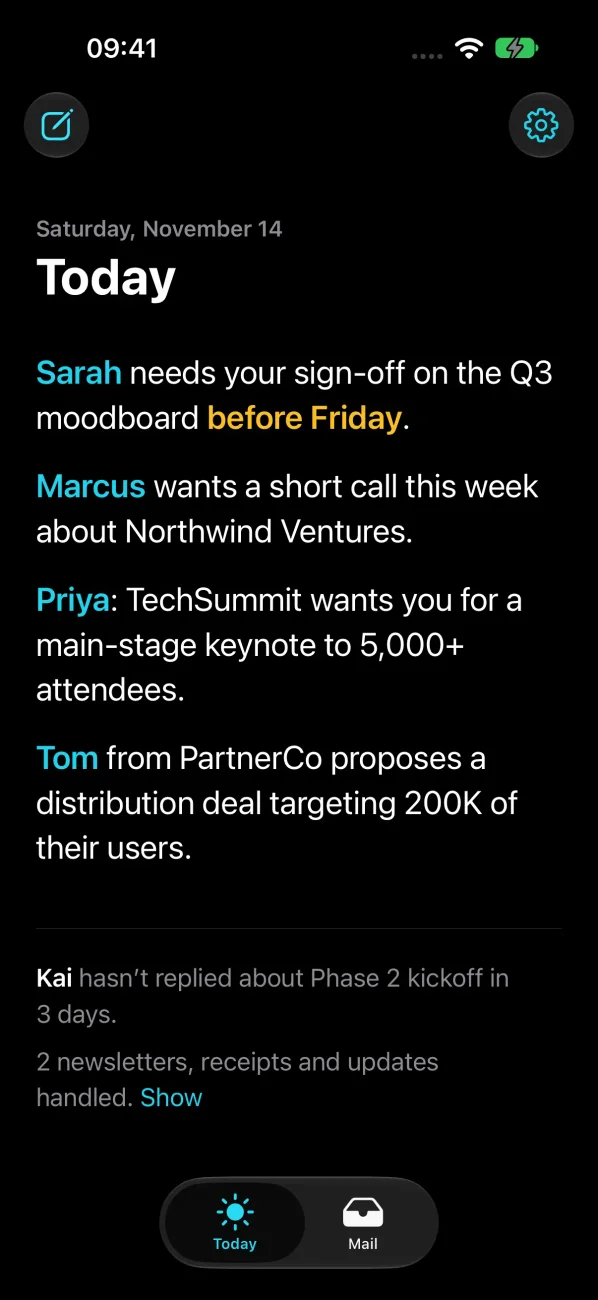
About
A calmer way to keep up with email.
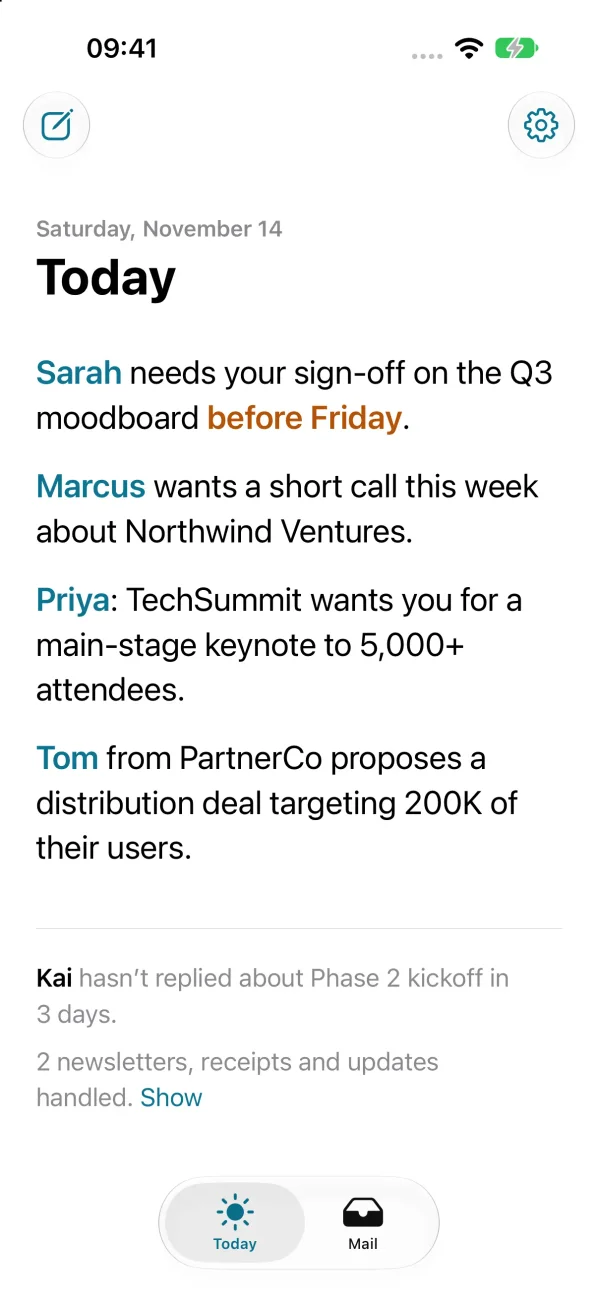
Sorto turns your inbox into a short daily Briefing: who needs you, what is waiting for a reply, and what can stay quietly out of the way. Read the original, reply, mark Done, or come back Later—all in a clean, native app for iPhone, iPad and Mac.
START WITH TODAY
A readable overview brings important conversations together. On supported Apple Intelligence devices, on-device summaries and suggested replies help you understand messages faster. The original email is always available, and you review every reply before sending.
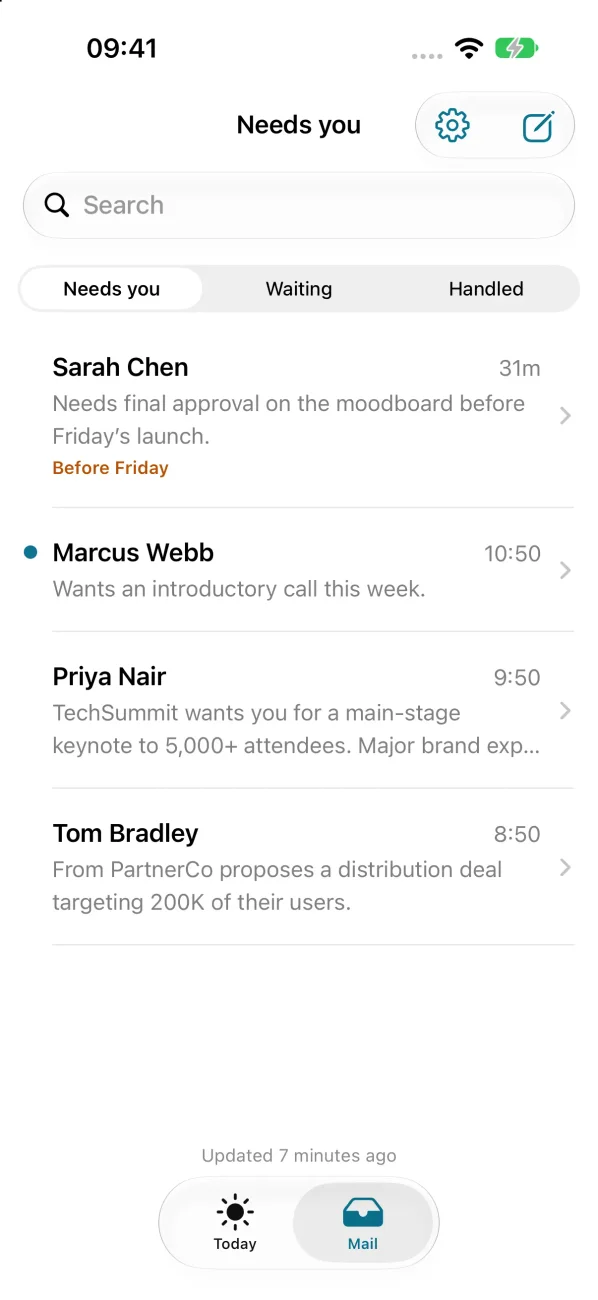
THREE SIMPLE LANES
• Needs you: conversations that may need a response or action
• Waiting: conversations where you are waiting for someone else
• Handled: updates, newsletters and completed items
Search your mail, switch accounts, and open any conversation when you need more detail.
KEEP YOUR DEVICES TOGETHER
Optional private iCloud sync carries your Sorto decisions, checklists, tracked conversations and account setup between your devices. Optional iCloud Keychain sharing can carry compatible password-based sign-ins. Mail downloads directly from your email provider; some accounts may require signing in again on each device.
PROMISES & FOLLOW-UPS
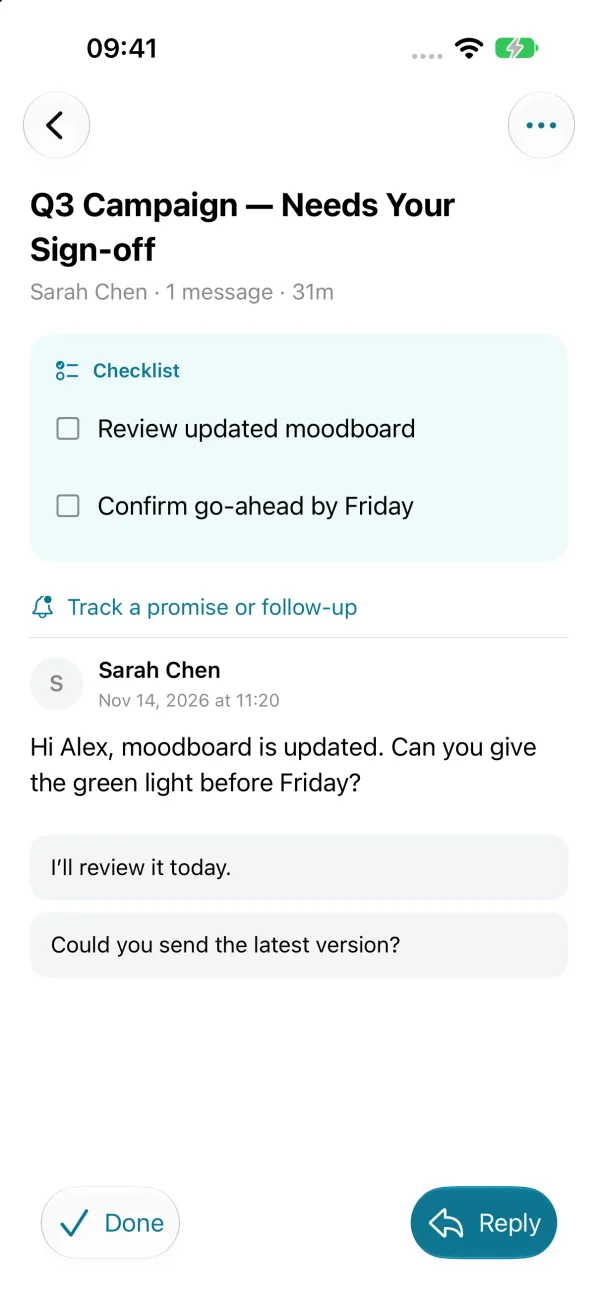
Track a commitment from a sent email, choose a reminder date, and return to the original conversation. Three active trackers are included. Optional Sorto Plus unlocks unlimited active trackers. Your existing email features remain available without Plus, and ending a subscription does not delete your mail or trackers.
PRIVATE ON-DEVICE INTELLIGENCE
Email analysis runs on your device. Sorto does not send your mailbox to 3Nsofts servers or third-party AI services. Credentials are protected with Keychain. Optional device sync uses your private iCloud database.
CONNECT YOUR MAIL
• Gmail with a Google App Password
• iCloud Mail with an Apple app-specific password
• Other compatible IMAP/SMTP accounts
NOTIFICATIONS AT YOUR PACE
Choose new-mail or needs-you alerts. On Mac, Sorto listens for new mail on supported IMAP servers while it is running, even with its window closed. On iPhone and iPad, background checks run when the system allows; instant background alerts are not guaranteed. Optional scheduled briefing reminders invite you back without claiming unread mail has already been checked.
GOOD TO KNOW
AI features require a compatible device and supported Apple Intelligence configuration. Sorto's Done/Archive state organizes mail in Sorto; it does not move or delete messages on your provider's server.
Sorto Plus is an optional auto-renewing monthly or yearly subscription. Prices and any eligible free trial are shown before purchase. Payment is charged to your Apple Account; subscriptions renew unless canceled at least 24 hours before the current period ends. Manage or cancel in your Apple Account subscription settings.
Privacy: https://3nsofts.com/sorto/privacy
Terms: https://3nsofts.com/sorto/terms
What’s new
Version 2.2 · Nov 18, 2026
Meet the calmer Sorto.
• A new Today Briefing puts conversations that need you into a readable daily overview.
• Simple Needs you, Waiting and Handled lanes replace the old dashboard and filters.
• Cleaner conversations, clearer checklists, and a prominent Reply action.
• A native Mac app with a sidebar, keyboard shortcuts and a proper Settings window.
• Optional iCloud sync for decisions, checklists, trackers and account setup, plus compatible sign-in sharing through iCloud Keychain.
• Optional promise and follow-up tracking: three active trackers included, with unlimited tracking through Sorto Plus.
• Improved new-mail delivery on Mac, lighter background checks on iPhone and iPad, and optional scheduled briefing reminders.
• Faster mailbox indexing and more resilient on-device processing.
Your mail stays connected directly to your provider, and AI analysis stays on your device. Background mail checks on iPhone and iPad remain controlled by the system.
App privacy
What ehsan azish declares on the App Store about how this app handles data.
-
Data not collected
The developer does not collect any data from this app.
Privacy practices may vary, for example with the features you use or your age.
Information
- Seller
- ehsan azish
- Category
- Productivity
- Version
- 2.2
- Updated
- Nov 18, 2026
- Released
- Apr 29, 2026
- Size
- 9.9 MB
- Requires
- iOS 26.0 or later
- Age rating
- 4+
- In-app purchases
- Yes
- Languages
- English
- Copyright
- © Ehsan Azish
You might also like
-
 Inbox Imp: AI Email OrganizerTriage for Gmail and Outlook
-
 Flint Mail: One InboxEvery address, one calm inbox
-
 MailPulseEmail Follow-Up Workspace
-
 Saymail: AI Email ClientOnly the email that matters
-
 SortaMail: Email ClientEmail in chat-style threads
-
 Impression JournalLocation-Aware Memory Keeper
-
 Skyline Cloud MailEmail, calendar & contacts
-
 CortextAI: AI WorkspaceOn-Device AI for Work and Life
-
 Otto: AI Email & CalendarSecretary & Meeting Scheduler
-
 MejlEmail-AI that sounds like you