
- Age rating4+
- CategoryProductivity
- DeveloperSTEVEN COFFEY
- LanguagesEnglish
- Size11.2 MB
Links to the official App Store page
Download.org hosts no file of MailPulse. The button opens its official App Store page, published by STEVEN COFFEY. Listing last checked on Nov 18, 2026.
Screenshots



About
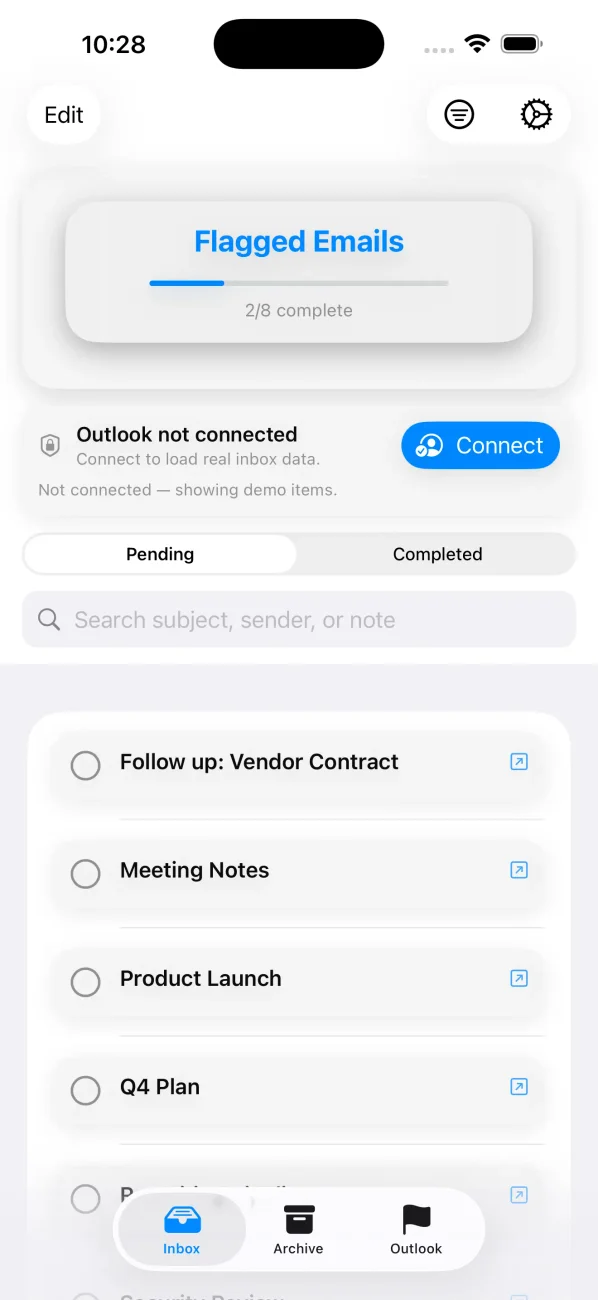
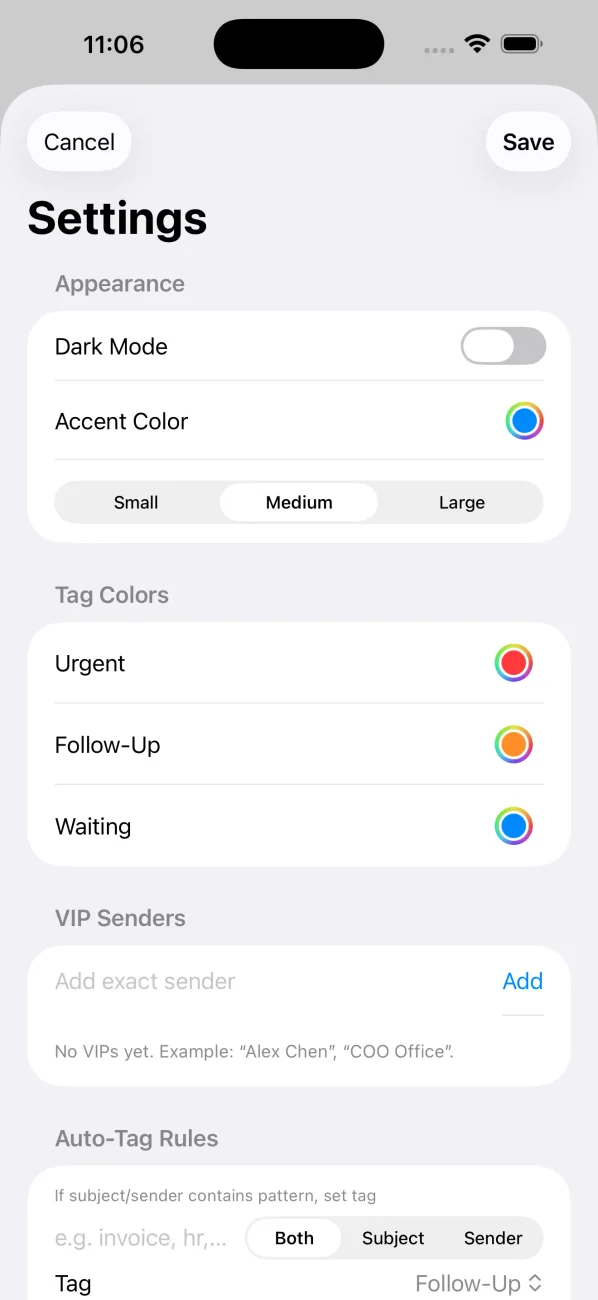
MailPulse is a focused productivity workspace designed to help you stay on top of important follow-ups using flagged Outlook emails.
Flag messages in Outlook, then use MailPulse as your daily command center to review, organize, and complete follow-ups without losing track of what matters most.
Key features:
• Live read-only view of flagged Outlook emails
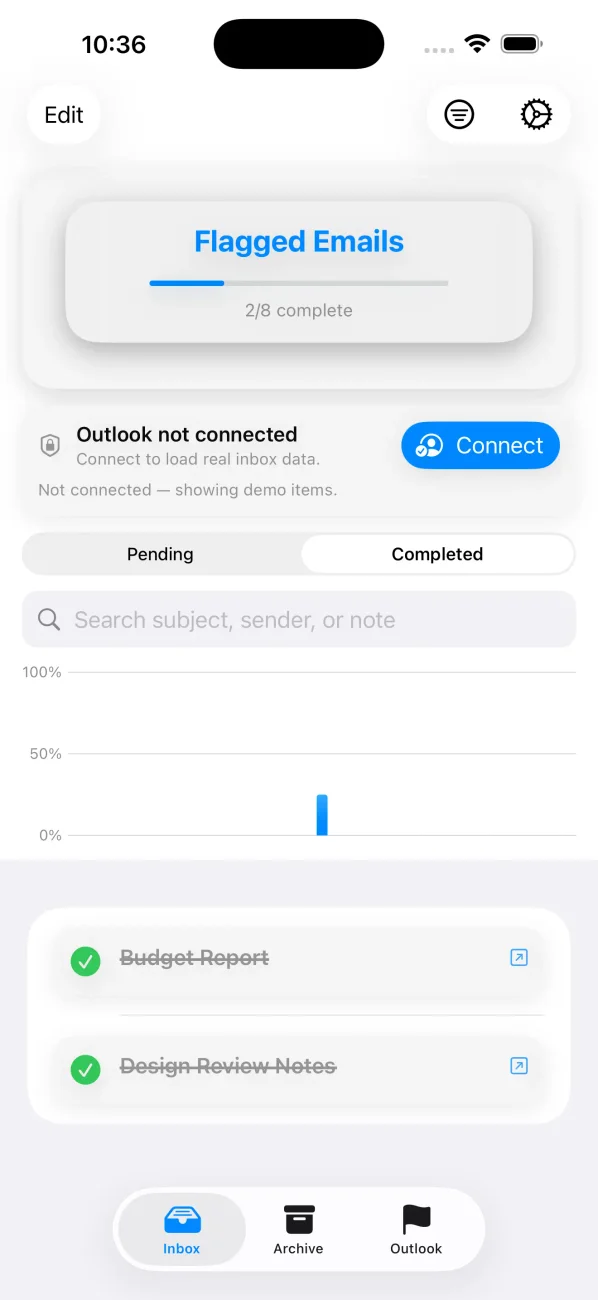
• Personal dashboard for tracking pending and completed follow-ups
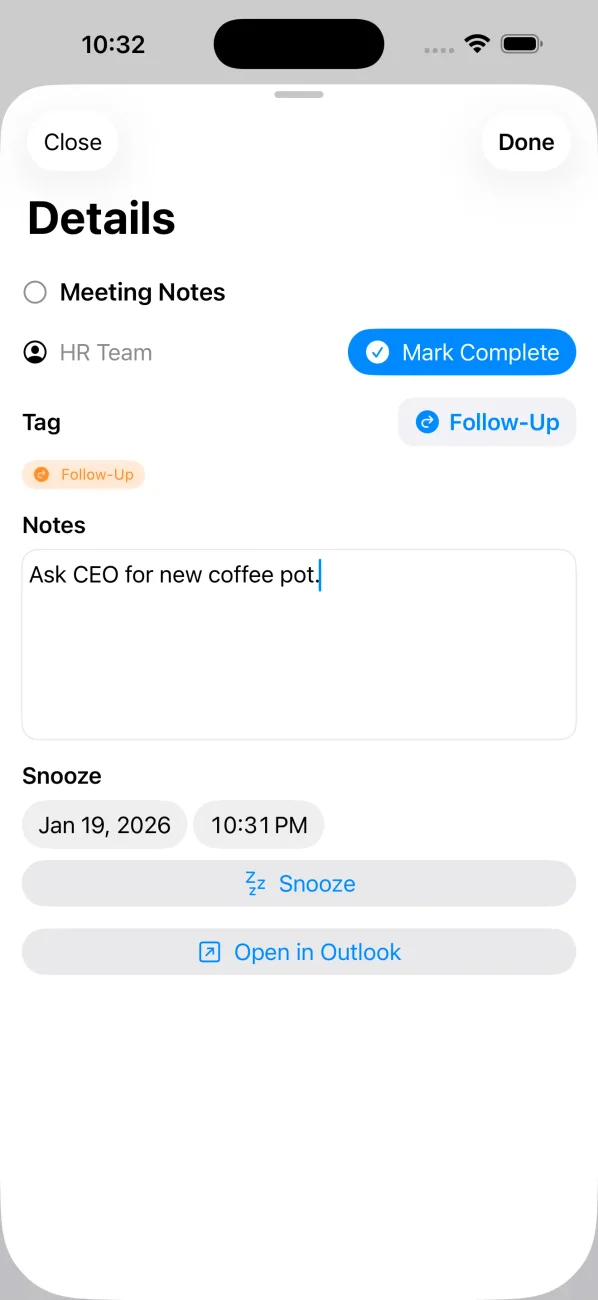
• Add notes, tags, and reminders to important messages
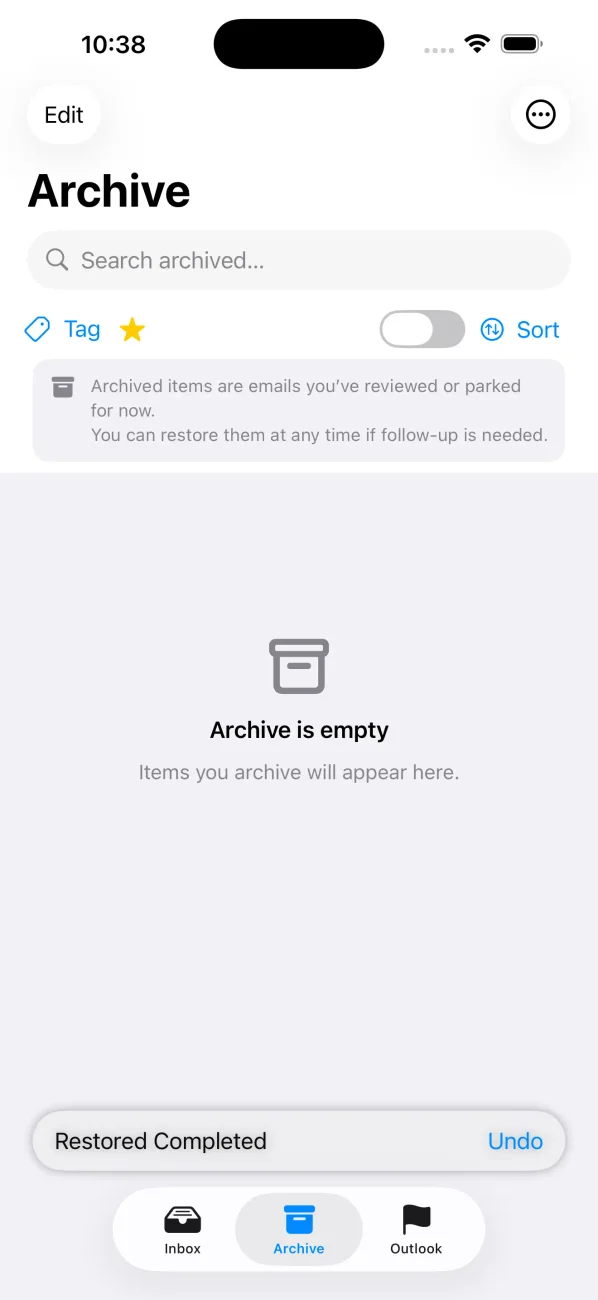
• Archive and restore follow-ups as your work progresses
• Daily reminder notifications to keep you on track
MailPulse connects securely using Microsoft Entra ID and Microsoft Graph. The app requests read-only access to your mailbox and does not send, modify, or delete any emails.
All notes, tags, reminders, and preferences are stored locally on your device. No email content or personal data is stored on any external server.
Whether you’re managing client responses, internal follow-ups, or time-sensitive requests, MailPulse helps you turn flagged emails into a clear, organized workflow.
What’s new
Version 1.1.4 · Feb 8, 2026
• Daily Digest notifications are now more reliable and reflect your most up-to-date flagged emails
• Improved notification clarity with a calmer, more informative summary
• App icon badge now updates automatically as tasks are completed, archived, or snoozed
• Appearance settings now respect system Light/Dark mode instantly and consistently
• Fixed an issue that could cause the Settings screen to stutter while scrolling
• General stability improvements and performance polish
App privacy
What STEVEN COFFEY declares on the App Store about how this app handles data.
-
Data not collected
The developer does not collect any data from this app.
Privacy practices may vary, for example with the features you use or your age.
Information
- Seller
- STEVEN COFFEY
- Category
- Productivity
- Version
- 1.1.4
- Updated
- Feb 8, 2026
- Released
- Jan 28, 2026
- Size
- 11.2 MB
- Requires
- iOS 17.6 or later
- Age rating
- 4+
- Price
- Free
- Languages
- English
- Copyright
- © 2026 Steven Coffey
You might also like
-
 60d MemoYour data, your Google Drive
-
 Sorto: Smart Email AssistantA Calm Daily Briefing
-
 Bubble Mail: Email as ChatEmail that feels like chat
-
 Jovra: JMAP Mail ClientYour Mail, Private & Simple
-
 AI Emaily - Unified AI InboxYour inbox runs itself quietly
-
 Meron Mail: Email & RSSUnified Inbox & Kanban Boards
-
 MaxxSouth MailProductivity
-
 Calendar Sync App: View & EditAll-in-one Calendar Manager
-
 Calendar+ 2: Planner WidgetAI Day Schedule & Agenda
-
 My Diary - Diary With LockSecure Diaries