- Age rating17+
- CategoryUtilities
- Developerheekyung moon
- LanguagesEnglish
- Size93.2 MB
Links to the official App Store page
Download.org hosts no file of Sound Amplifier +. The button opens its official App Store page, published by heekyung moon. Listing last checked on Nov 23, 2026.
Screenshots
About
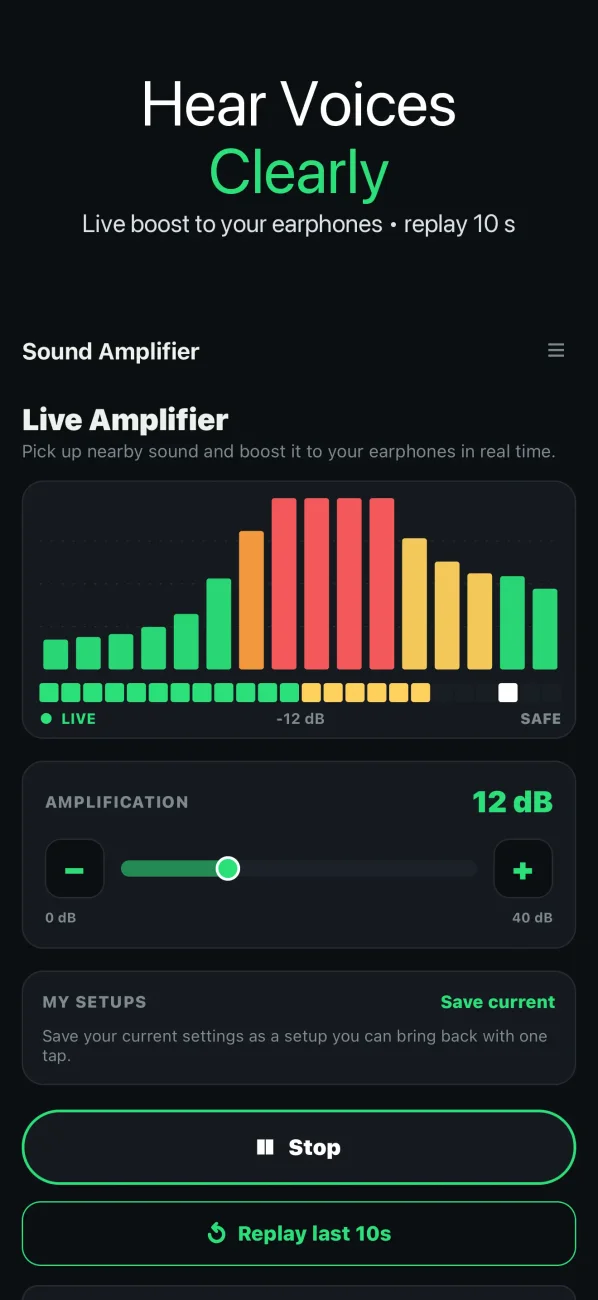
Sound Amplifier picks up the voices and sounds around you with your phone's microphone and plays them into your earphones in real time — so a soft-spoken friend, the TV across the room or a lecture from the back row comes through more clearly.
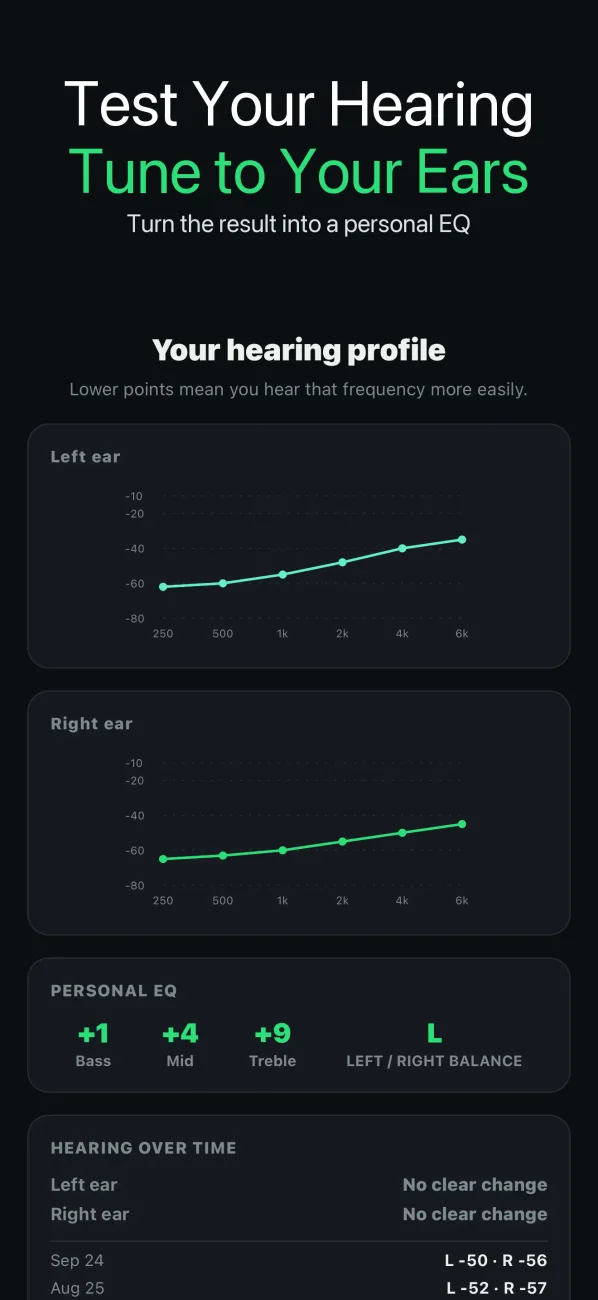
Missed what someone just said? Tap Replay last 10s to hear the last 10 seconds again. Want the sound shaped for your own ears? Take the short Hearing Test and a personal EQ is built from your answers.
Please note: Sound Amplifier is an everyday assistive listening tool. It is not a medical hearing aid and it does not diagnose hearing loss.
LISTEN
• Live amplification from 0 to +40 dB, with a live level meter
• Replay the last 10 seconds — kept in memory only and cleared when you stop
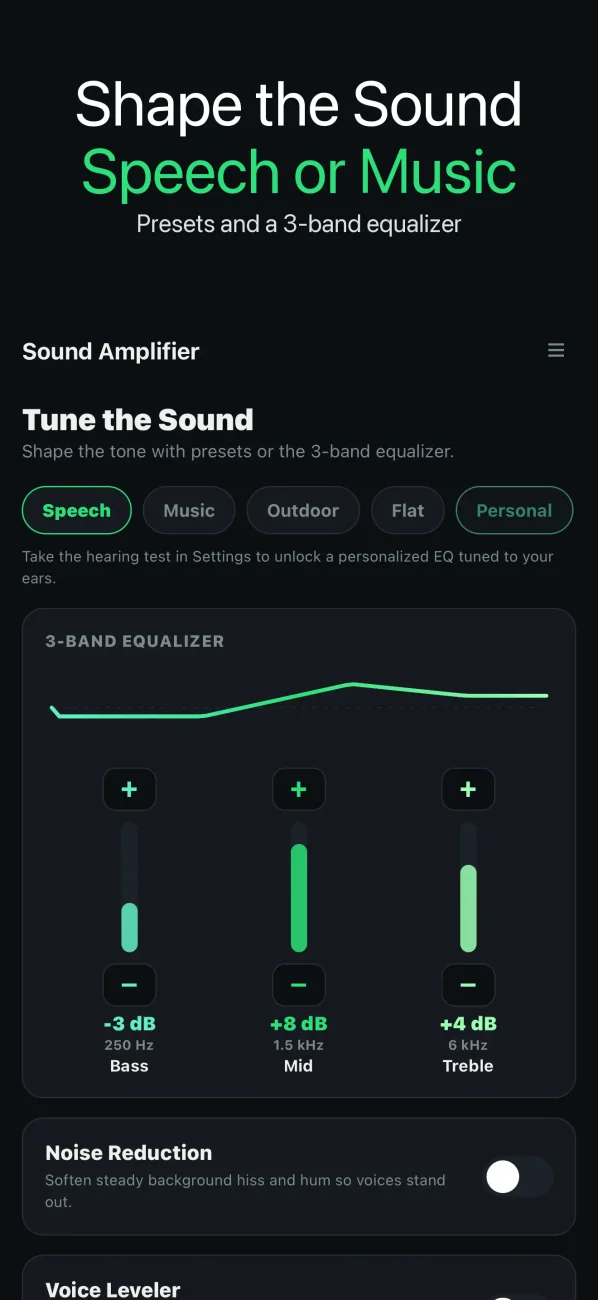
• Voice leveller that evens out loud and soft voices automatically
• Noise reduction that cuts low rumble from air conditioning, traffic and wind
TUNE
• 3-band equalizer: bass, mid and treble, each ±12 dB
• Presets for Speech, Music, Outdoor and Flat
• A Personal preset created from your Hearing Test
• Left/right balance for when one ear needs more
HEARING TEST
• Soft tones at 250, 500, 1,000, 2,000, 4,000 and 6,000 Hz, one ear at a time
• Turn the result into a personal EQ with one tap
• Hearing over time: compare later tests with your first one (changes under 10 dB are shown as no change)
• Earphones or headphones are required, because each ear is tested separately
MY SETUPS
• Save up to 8 named setups — TV, restaurant, lecture — and bring one back with a tap
SAFETY
• A safety limiter caps loud peaks at a level you choose (-18 to 0 dBFS)
• The app will not amplify through the phone's own speaker, where the microphone would pick the sound up again and howl
• If your earphones disconnect, amplifying stops and a card explains why; reconnect them and tap Resume
GOOD FOR
• TV dialogue without turning the room volume up for everyone
• Conversations in cafés, restaurants and family dinners
• Lectures, sermons, meetings and guided tours
• Birdsong and quiet sounds on a walk
Tips: start with low amplification and raise it slowly. Wired earphones have the shortest delay; Bluetooth earphones work too but add a little lag.
If you are worried about your hearing, please talk to a hearing professional.
What’s new
Version 1.0.25 · Nov 19, 2026
• On your first tap of “Start Amplifying”, sound now comes through right after you allow the microphone, instead of the “Audio output couldn't start” message.
• Coming back to Sound Amplifier from “Developer's other apps” in the menu now lands you on the menu you left, with your boost and tone settings unchanged.
App privacy
What heekyung moon declares on the App Store about how this app handles data.
-
Data used to track you
May be used to track you across apps and websites owned by other companies.
- Identifiers
- Usage data
-
Data not linked to you
May be collected but is not linked to your identity.
- Identifiers
- Usage data
- Diagnostics
Privacy practices may vary, for example with the features you use or your age.
Information
- Seller
- heekyung moon
- Category
- Utilities
- Version
- 1.0.25
- Updated
- Nov 19, 2026
- Released
- Jun 24, 2026
- Size
- 93.2 MB
- Requires
- iOS 16.4 or later
- Age rating
- 17+
- Price
- Free
- Languages
- English
- Copyright
- © 2026 Moon
You might also like
-
 Ear Spy - Super HearingHear Clear From Distance
-
 Spy Hearing: Sound AmplifierLive Listening Device
-
 Ear SpyHearing Amplifier & Hear Aid
-
 Hear Boost: Sound AmplifierBoost volume for conversations
-
 Hear from Another RoomListen clearly at a distance.
-
 Sound Amplifier: Hear BoostSuper Hearing Volume Booster
-
 ClearTone: Sound AmplifierUtilities
-
 Hear Through WallsListen from another room
-
 Microphone Amplifier: Live MicSound Booster, Noise Reduction
-
 Voice AmplifyAmplify soft, quiet voices