
- Age rating4+
- CategoryProductivity
- DeveloperDavid Grigg
- LanguagesEnglish
- Size4.4 MB
Links to the official App Store page
Download.org hosts no file of Sound Script. The button opens its official App Store page, published by David Grigg. Listing last checked on Nov 24, 2026.
Screenshots

About
General annotation apps weren’t built for sound departments. This one was.
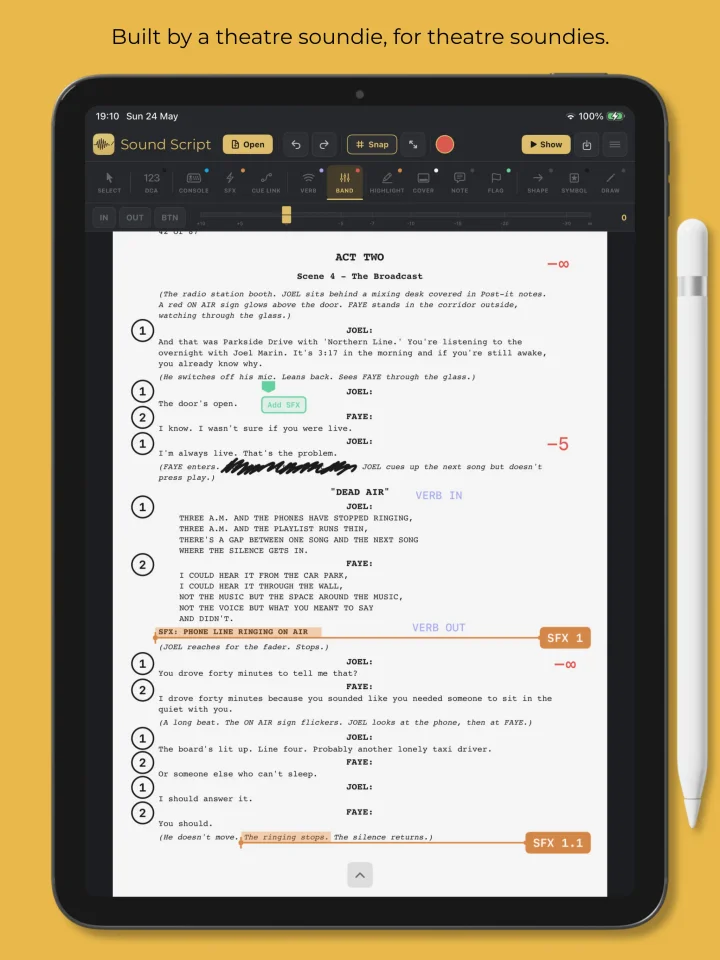
Import a PDF, mark it up with purpose-built theatre sound tools, then run your show directly from the app.
MARKUP TOOLS
DCA Assignments:
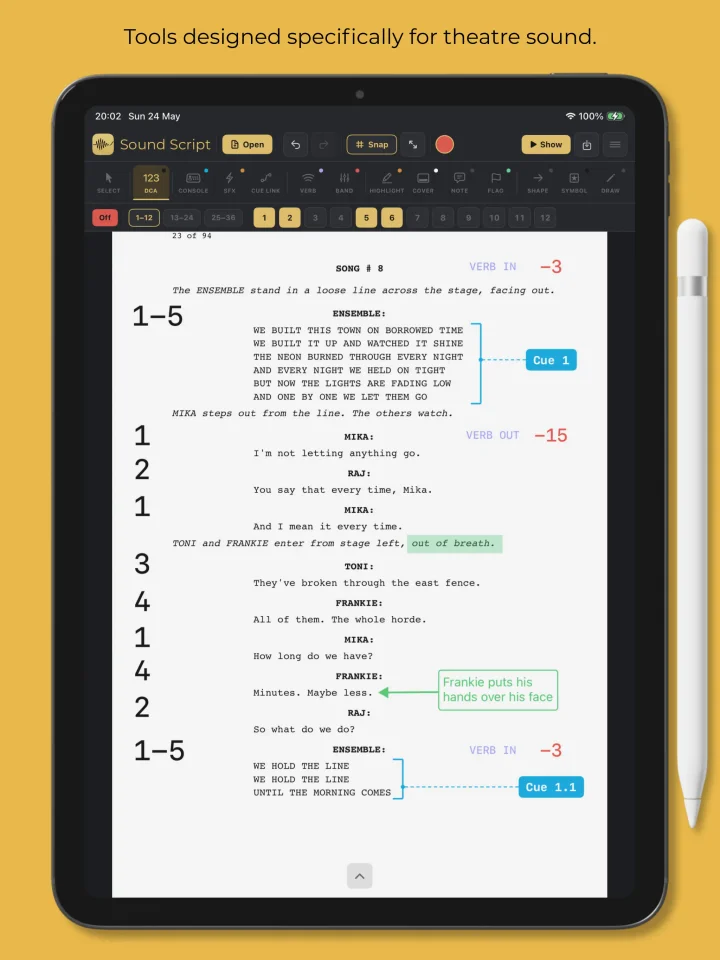
Mark DCA assignments right where they happen in the script. Choose from plain or circled numbers. Independent On and Off layers let you mark mute moments separately from mic-on moments.
Console Cues:
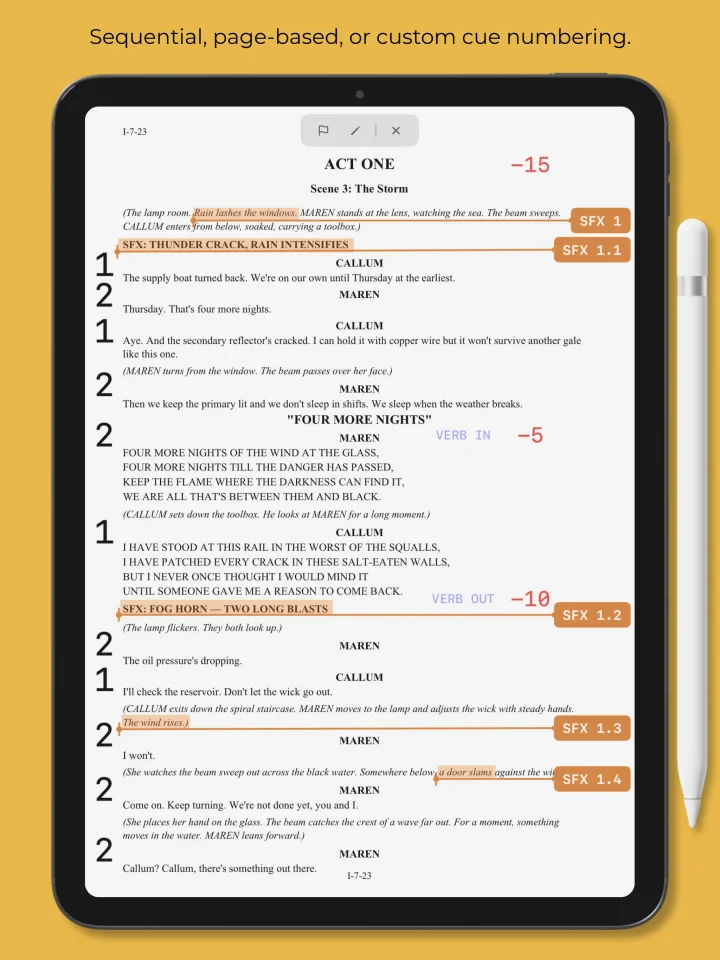
Place and number your console cues directly on the script. Choose from sequential, page-based, or custom labels.
SFX Cues:
A separate cue track for your QLab or playback system, independent of your console cues.
Cue Links:
Draw lines or brackets from cues to their go-points, or place a break line beneath a cue. Each link stays attached to its parent cue.
Verb Levels:
Mark reverb levels and changes.
Band Levels:
Place fader level markers on the page to show where band levels change. Pair with symbols to show swells, fades and other movements.
Highlights:
Colour-mark dialogue, lyrics, or stage directions so they stand out at a glance.
Cover:
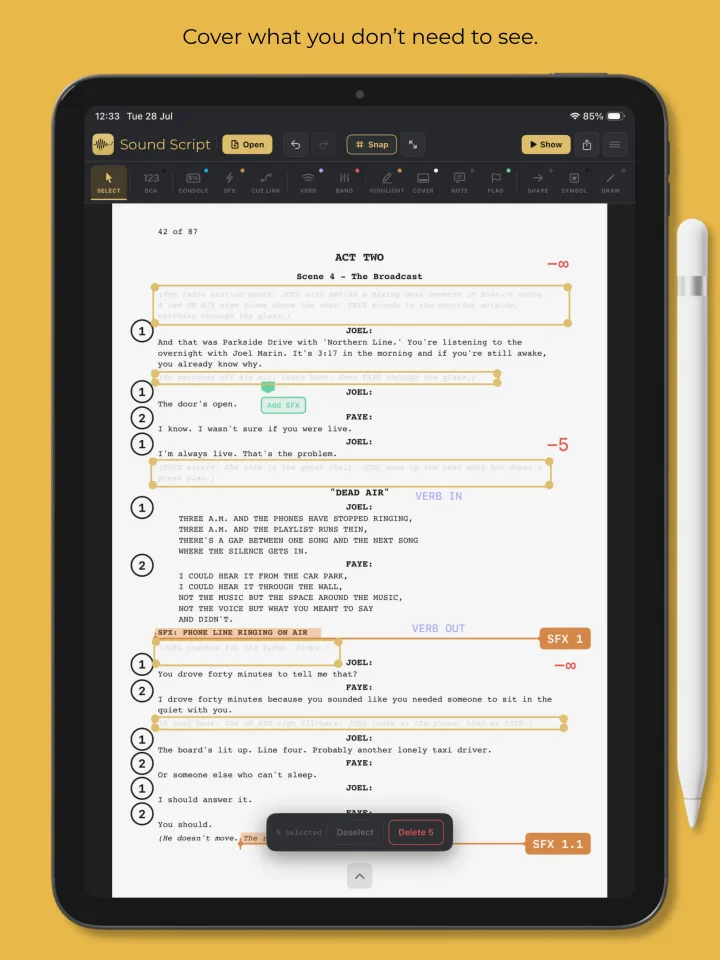
Hide stage directions, scene notes, or anything else you don’t want on the page. Covers stay transparent while you’re editing, then become solid in Show Mode and exports.
Notes:
Add floating text notes for reminders, warnings, or operator instructions. Choose plain or boxed notes and resize each independently.
Flags:
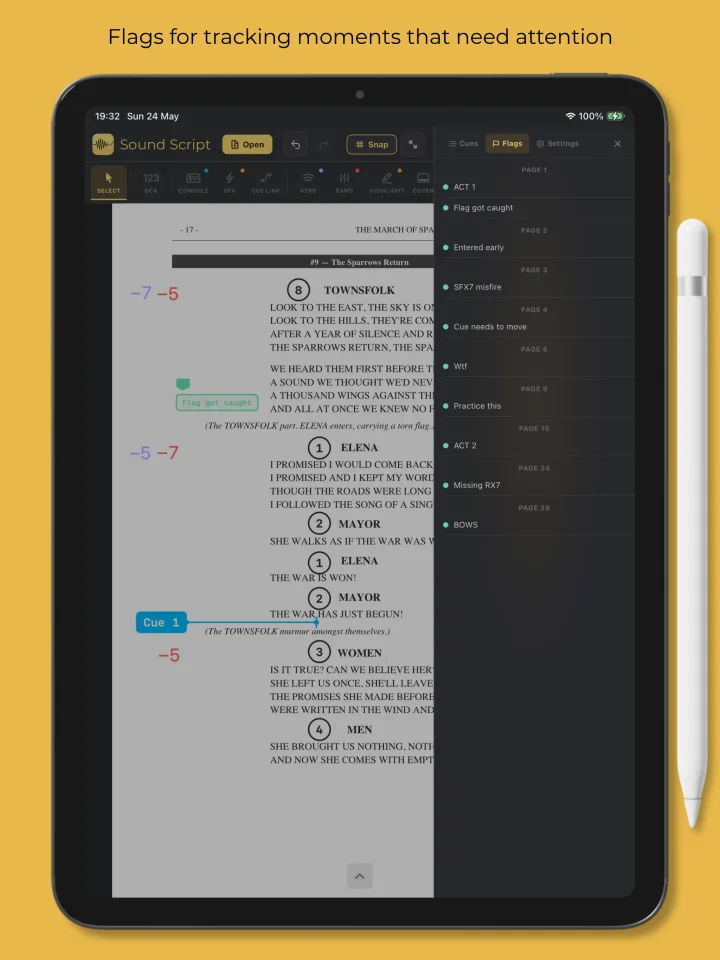
Drop colour-coded markers at key moments in the script. After a rehearsal or show, open the Flags list to jump straight back to every point you flagged. Perfect for tracking notes, reminders and moments that need attention.
Shapes:
Frame, group, or point to content on the page with rectangles, circles, lines, arrows and brackets.
Symbols:
Place common symbols directly onto the script, including standby and go markers, mic kills, swell and fade arrows.
Freehand Drawing:
Sketch, underline, write, or scribble anywhere on the page. Choose from thin, medium or thick stroke widths, and use the eraser to clean up.
SHOW MODE
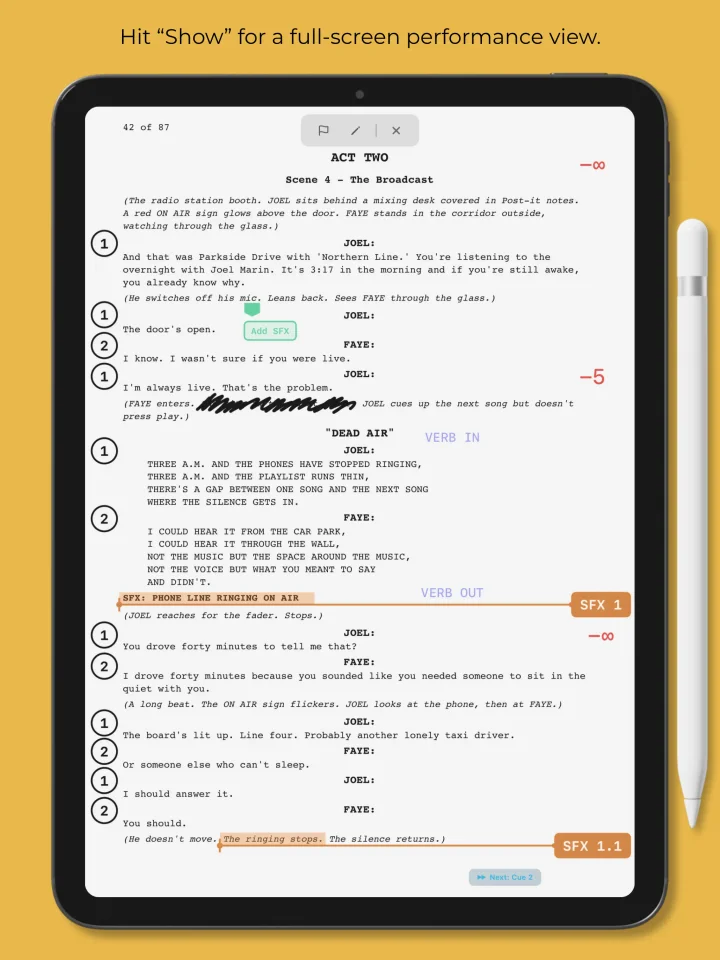
When it’s showtime, switch to Show Mode for a clean, full-screen performance view. Editing tools are hidden so there’s nothing to accidentally tap during a show. A Next Cue indicator previews the next cue on the following page. Quick Flags and freehand drawing remain available for live notes during the performance.
MIDI PAGE TURNING
Assign any MIDI message to page forward and back using the built-in Learn function. Connect any MIDI controller and keep your hands on the desk where they belong.
KEYBOARD SHORTCUTS
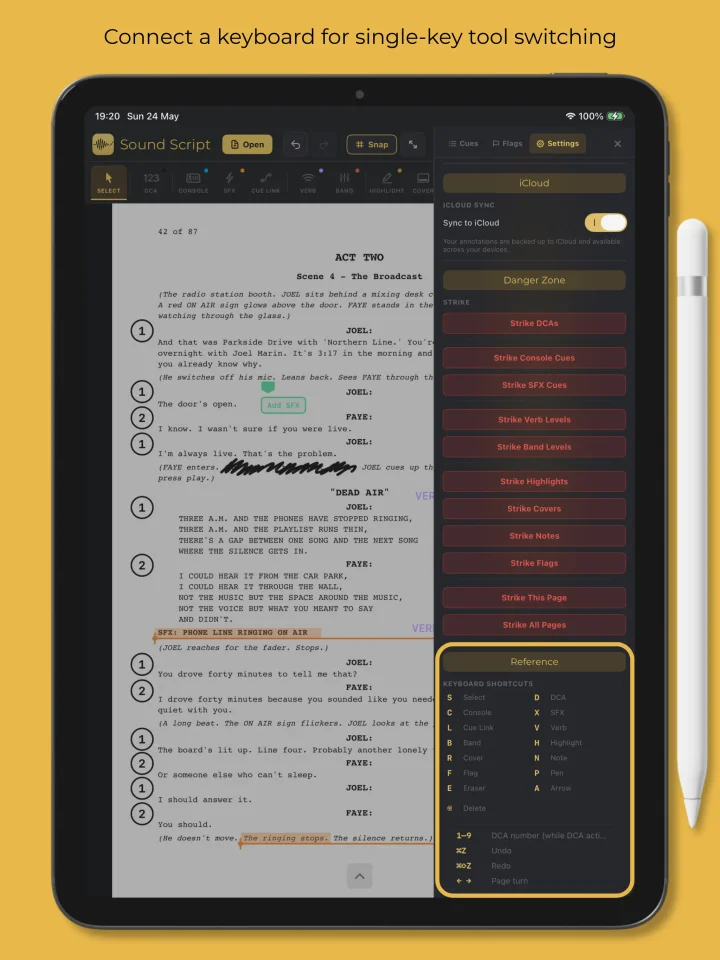
Connect a hardware keyboard for single-key tool switching, DCA chip toggles, delete, page turning, and ⌘Z undo/redo. Full shortcut list in Settings.
SMART PLACEMENT
Annotations snap-align to nearby items as you place and drag them, keeping your markup clean and consistent without slowing you down.
YOUR SCRIPTS
Every script you open lives in one place. Search, sort, rename, duplicate, share or delete scripts from your library, with page thumbnails to help you find what you’re looking for. Deleted scripts stay in Recently Deleted for 30 days.
EXPORT
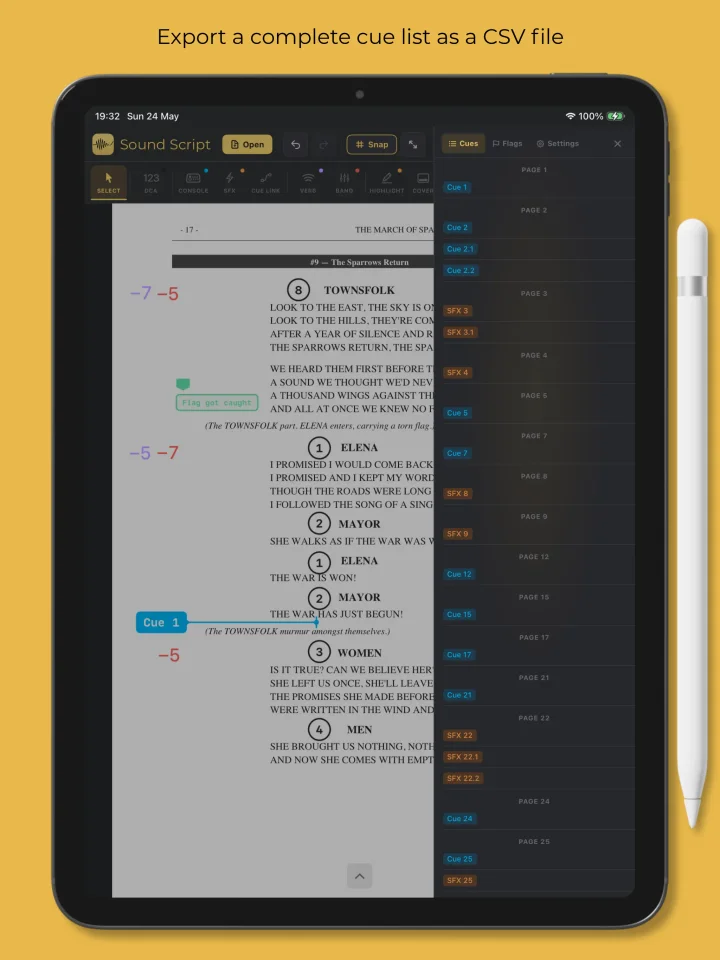
Export your script as a fully editable Sound Script Bundle to share with another Sound Script user, a baked PDF with every annotation permanently stamped onto the page, or a CSV cue list for your team.
BACKUPS
Sound Script automatically creates rolling backups as you work, so you can restore an earlier version at any time. Turn on iCloud Backup to keep your scripts and markup backed up across your devices.
CUSTOMISATION
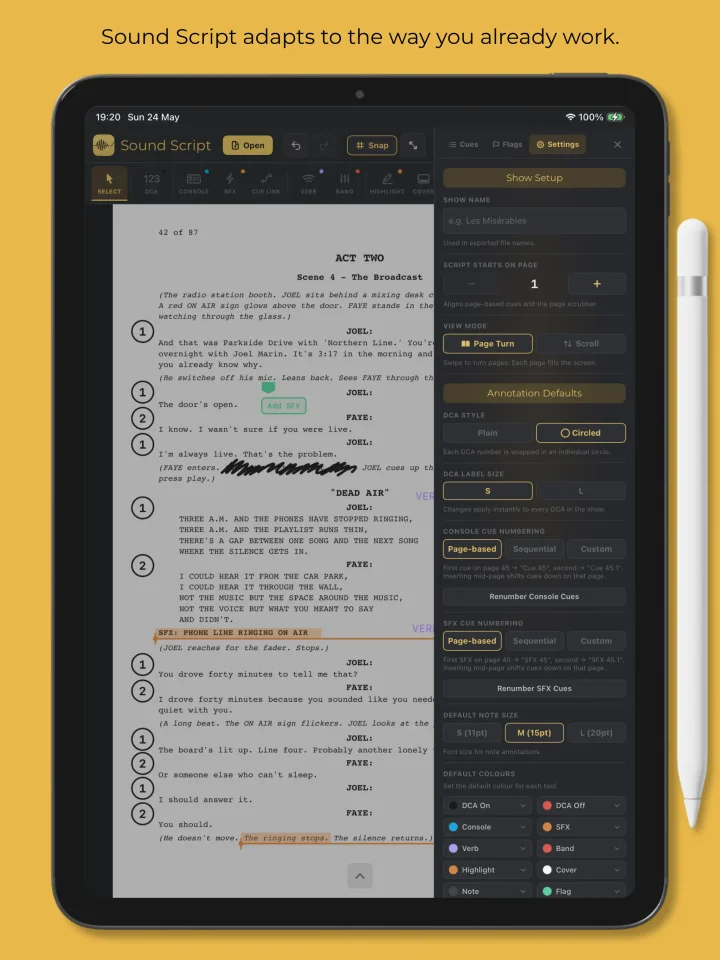
Set default colours for every tool to match your personal markup style. Adjust note font sizes and DCA display style. Choose continuous scroll or page-turn view. Set the page your script body starts on so cue numbers and the scrubber align with your script. Sound Script adapts to the way you already work.
Built by a theatre soundie, for theatre soundies.
What’s new
Version 1.2.5 · Nov 15, 2026
V1.2.5
A round of fixes for cues, marks, MIDI and Settings.
CUES:
Deleting a cue could cause the next cue placed on the same page to reuse its number (for example, two SFX 10.1 cues). New cues now take the next free number, and deleting a cue won't change any other cue numbers.
Custom cue labels, such as LX 3.50, now stay unchanged when other cues are added around them.
MARKS:
Highlights, covers and shapes now start exactly where your Pencil touches. Previously, they could start slightly inside the touch point, leaving the top or left edge of a word uncovered.
MIDI:
MIDI Learn now stops listening when you leave Settings, preventing accidental assignments from subsequent MIDI messages.
A new "Last received" line in Settings shows the most recent MIDI message your iPad detected, making it easier to check that your pedal is connected.
SETTINGS:
Fixed a crash when opening Settings on some iPads running iPadOS 18.
Settings, Cues and Flags now always open at the top of the list. Previously, Settings could open partway down in the Danger Zone.
App privacy
What David Grigg declares on the App Store about how this app handles data.
-
Data not collected
The developer does not collect any data from this app.
Privacy practices may vary, for example with the features you use or your age.
Information
- Seller
- David Grigg
- Category
- Productivity
- Version
- 1.2.5
- Updated
- Nov 15, 2026
- Released
- Apr 22, 2026
- Size
- 4.4 MB
- Requires
- iOS 18 or later
- Age rating
- 4+
- Price
- $19.99
- Languages
- English
- Copyright
- © 2026 David Grigg
You might also like
-
 onCuea scene partner in your pocket
-
 Eos NotesProductivity
-
 PowerPoint RemoteProductivity
-
 Priyo: Simple Priority ListEisenhower Matrix. Prioritize.
-
 Kaizen - Tasks & CalendarAI Planner, Tasks & Time Block
-
 tablereadProductivity
-
 Deckset: Your Notes to SlidesPresentations Made Simple
-
 NoteCalc - Notepad CalculatorCalculate while you write note
-
 Whiteboard Infinite PDF CanvasDrawing, Diagrams & Markup
-
 Lognote: Notes & NotepadTimestamped Daily Journal