SoundTick
Radio for SoundTouch Speakers
Designed for iPhone, iPad
Free · In-app purchases
- Age rating4+
- CategoryMusic
- DeveloperSankalita Das
- LanguagesEnglish
- Size27.8 MB
Links to the official App Store page
Download.org hosts no file of SoundTick. The button opens its official App Store page, published by Sankalita Das. Listing last checked on Nov 17, 2026.
Screenshots



About
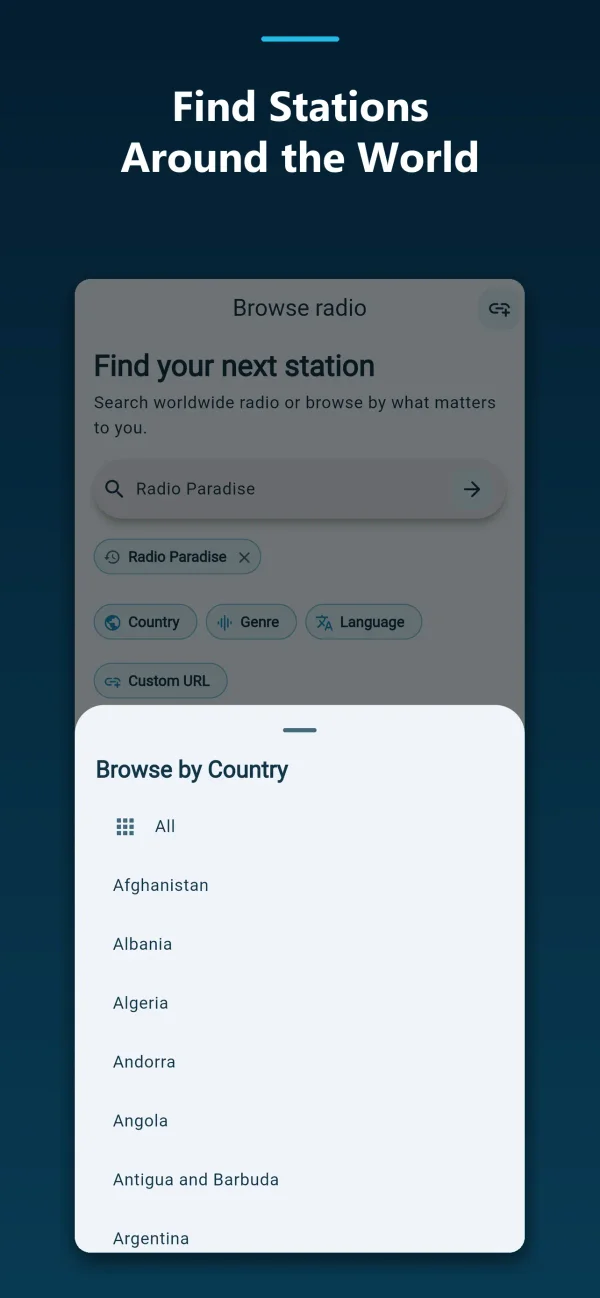
SoundTick is an independent app for compatible Bose SoundTouch Wi-Fi speakers. Discover internet radio stations from around the world, play them directly on your speakers, save favourites and presets, and control multiple speakers from your iPhone.
SoundTick communicates with compatible SoundTouch speakers on your local network, making it simple to continue enjoying internet radio on speakers you already own.
INTERNET RADIO
• Search and browse internet radio stations from around the world
• Play stations directly on compatible Bose SoundTouch speakers
• Quickly return to stations you listen to regularly
• Save unlimited favourite stations
PRESETS & FAVOURITES
Keep your favourite listening choices close at hand.
• Create and manage up to 10 SoundTick presets
• Save unlimited favourite stations
• Quickly select the station you want to play
SOUNDTOUCH SPEAKER CONTROL
SoundTick automatically looks for compatible speakers on your local network.
• Automatically discover compatible SoundTouch speakers
• Control playback
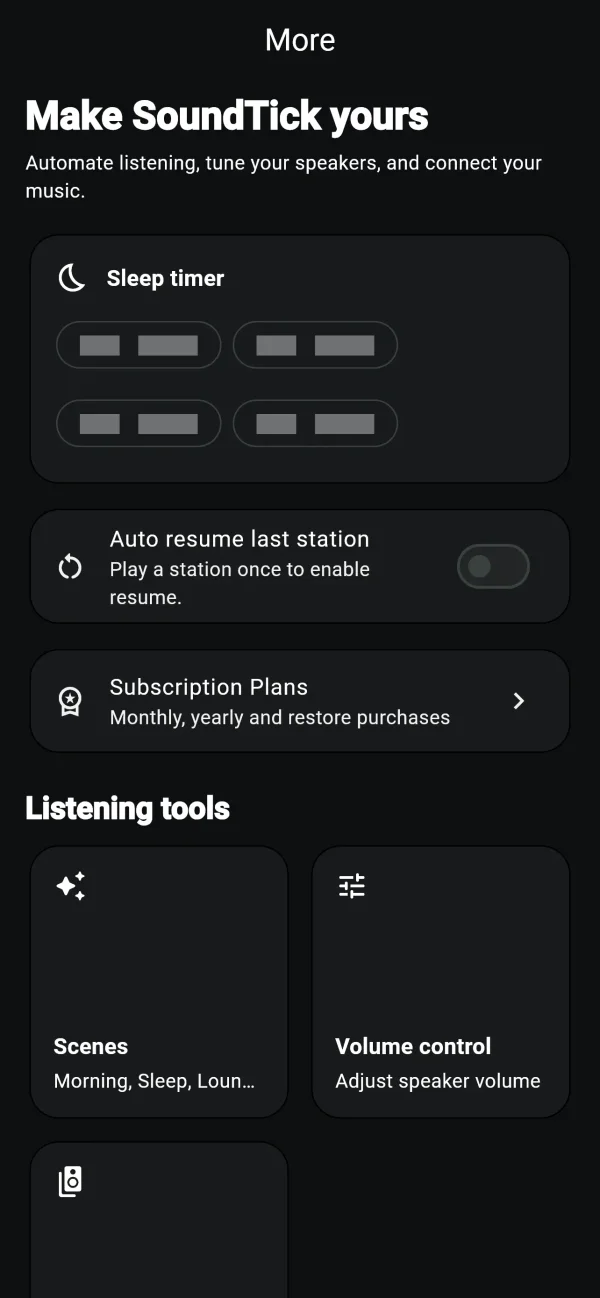
• Adjust speaker volume
• Discover and control multiple speakers from one app
MULTIROOM CONTROL
Have SoundTouch speakers in more than one room?
• Discover multiple compatible speakers
• Group and ungroup speakers
• Control grouped speakers from one place
• Adjust group volume conveniently from your iPhone
60 DAYS OF COMPLIMENTARY ACCESS
SoundTick includes 60 days of complete access when you first obtain the app from the App Store.
• No payment details are required to begin
• No subscription is started automatically
• No automatic renewal during the complimentary-access period
• Explore all SoundTick features before deciding whether to subscribe
After the 60-day complimentary period ends, a monthly or yearly subscription is required to continue using SoundTick.
Subscriptions are purchased through your Apple Account and can be managed or cancelled at any time in your App Store subscription settings.
COMPATIBILITY
SoundTick currently supports compatible Bose SoundTouch Wi-Fi speakers.
Your iPhone and SoundTouch speakers must be connected to the same local network for speaker discovery and control.
Compatibility and functionality may vary depending on:
• SoundTouch speaker model and firmware
• Local Wi-Fi and network configuration
• Internet connectivity
• Availability and compatibility of third-party radio streams
A compatible Wi-Fi speaker and internet connection are required.
INDEPENDENT APP
SoundTick is an independent application and is not affiliated with, endorsed by, sponsored by, or developed by Bose Corporation.
Bose and SoundTouch are trademarks of their respective owners.
Terms of Use (EULA):
https://www.apple.com/legal/internet-services/itunes/dev/stdeula/
What’s new
Version 1.0.1 · Sep 5, 2026
Setting up your SoundTouch speaker just got easier.
SoundTick can now help set up compatible Bose SoundTouch speakers and connect them to your chosen Wi-Fi network—all from within the app.
• Set up a compatible SoundTouch speaker
• Select and connect it to your home Wi-Fi
• Discover the speaker once setup is complete
• Start listening with SoundTick
We've also included reliability and performance improvements.
App privacy
What Sankalita Das declares on the App Store about how this app handles data.
-
Data not collected
The developer does not collect any data from this app.
Privacy practices may vary, for example with the features you use or your age.
Information
- Seller
- Sankalita Das
- Category
- Music
- Version
- 1.0.1
- Updated
- Sep 5, 2026
- Released
- Aug 25, 2026
- Size
- 27.8 MB
- Requires
- iOS 17.0 or later
- Age rating
- 4+
- Price
- Free
- In-app purchases
- Yes
- Languages
- English
- Copyright
- © 2026 Sankalita
You might also like
-
 TouchStream RadioFor speakers you already own
-
 ReTouch for SoundTouchRemote, Radio & Multiroom
-
 ST RemoteRadio for your old speakers
-
 SoundBridge RadioInternet radio player
-
 ST Remote ProControl your SoundTouch
-
 Doghouse PsychobillyMusic
-
 Mast for SoundTouch speakersBose SoundTouch speaker remote
-
 BestNet RadioMusic
-
 XSound Remote for BoseSoundTouch speaker Controller
-
 Atmosphere by kollekt.fmMusic