
TouchStream Radio
For speakers you already own
Designed for iPhone, iPad, iPod touch
$14.99
- Age rating4+
- CategoryMusic
- DeveloperPalmi Lord
- LanguagesEnglish
- Size60.4 MB
Links to the official App Store page
Download.org hosts no file of TouchStream Radio. The button opens its official App Store page, published by Palmi Lord. Listing last checked on Nov 26, 2026.
Screenshots


About
TouchStream Radio
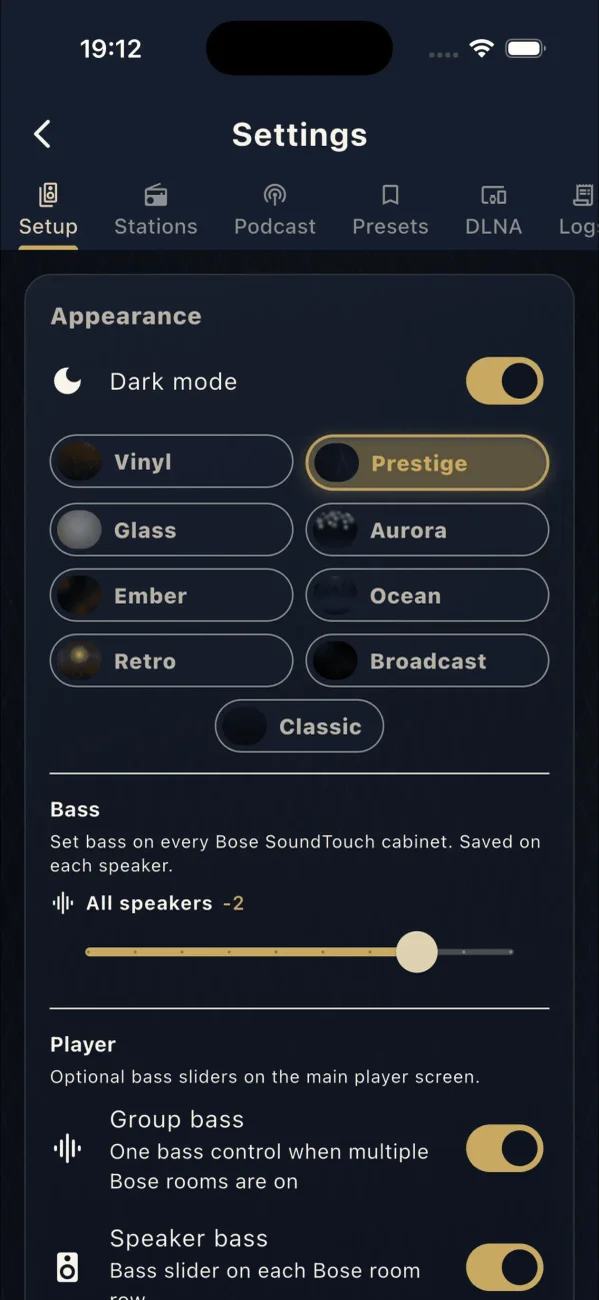
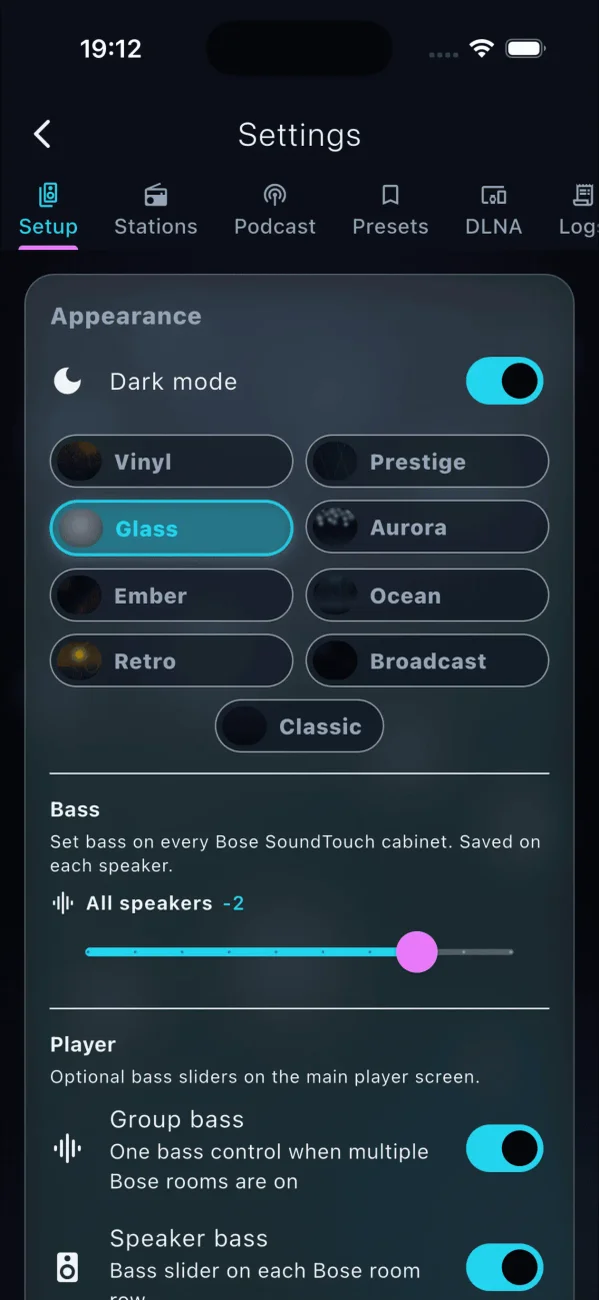
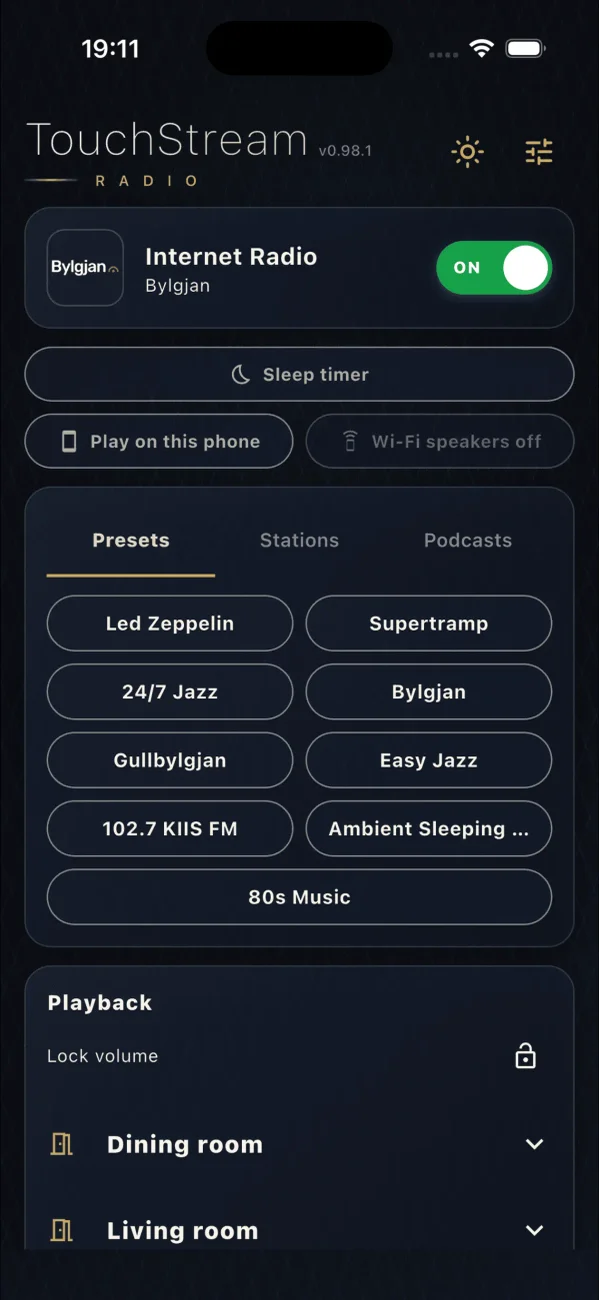
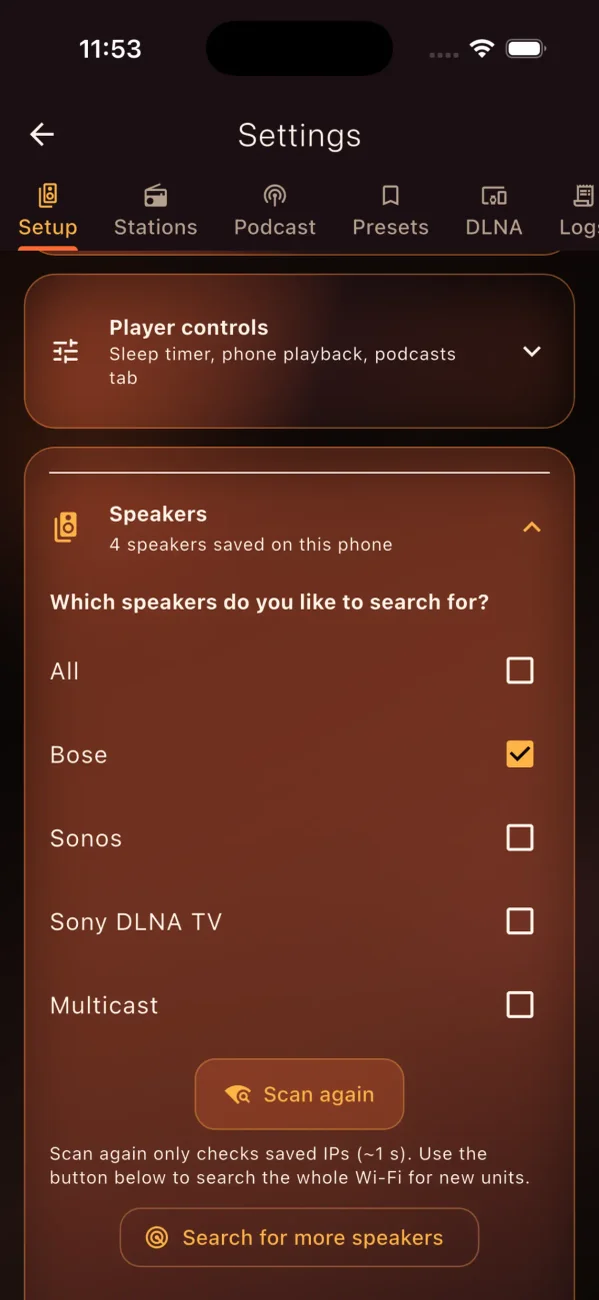
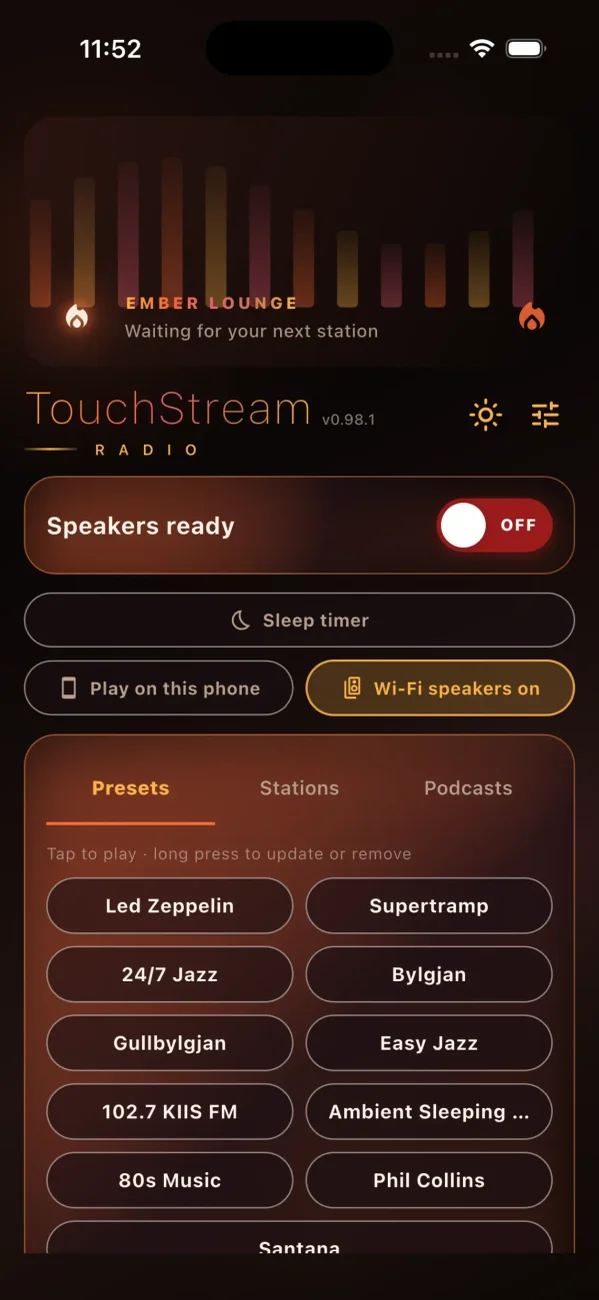
Turn your iPhone / Ipad into a multi-room remote for Sonos , Bose speakers on your home Wi‑Fi. Play the same station in every room with same brand , adjust volume per speaker, switch stations quickly, and keep rooms in sync — without a cloud account.
TouchStream Radio is built for people who still love their Sonos , Bose system and want a fast, modern controller on iPhone and iPad.
MULTI-ROOM MADE SIMPLE • Play internet radio on one speaker or every room at once
• Turn rooms on or off without losing the rest of the group
• Per-speaker volume sliders — set the kitchen louder, the bedroom softer
• Re-sync when rooms drift apart on live radio
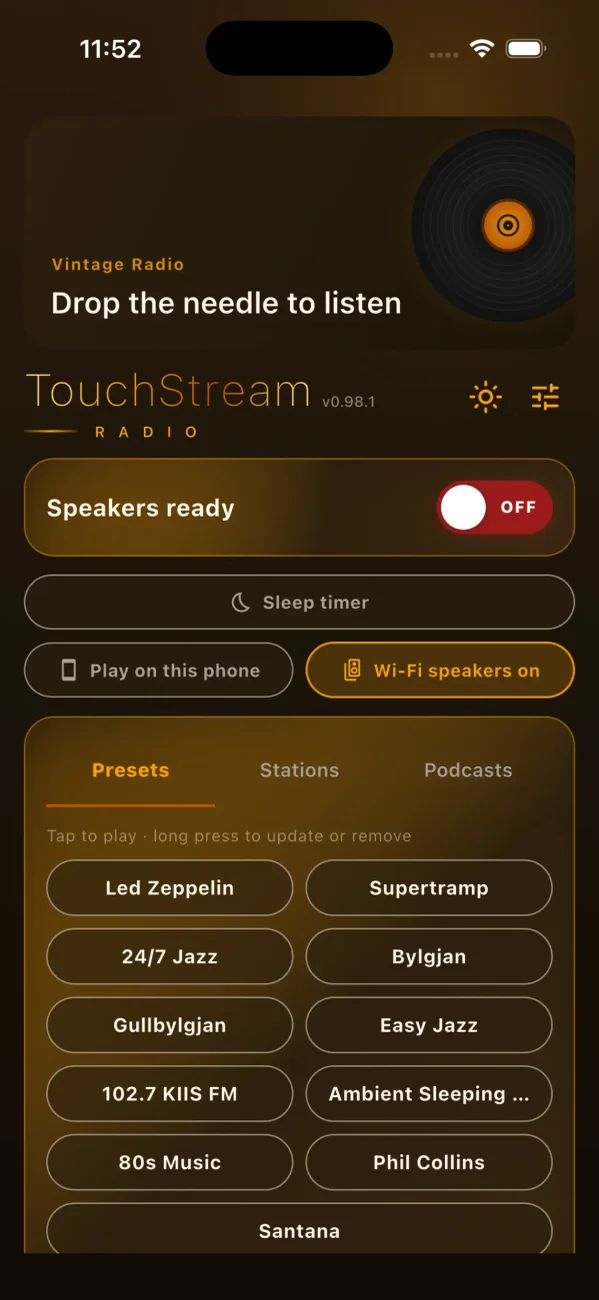
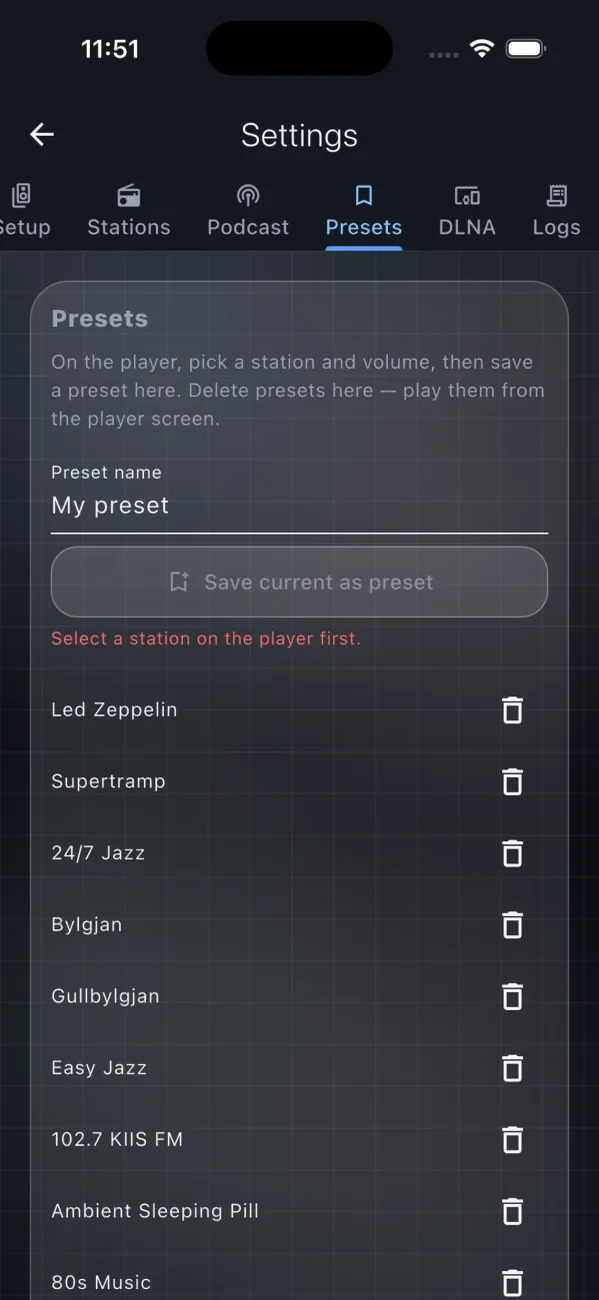
• Saved presets for your favorite stations and speaker groups
STATIONS & MUSIC • Built-in station library — tap and play
• Add your own streams and organize stations your way
• Radio Browser presets for more stations worldwide
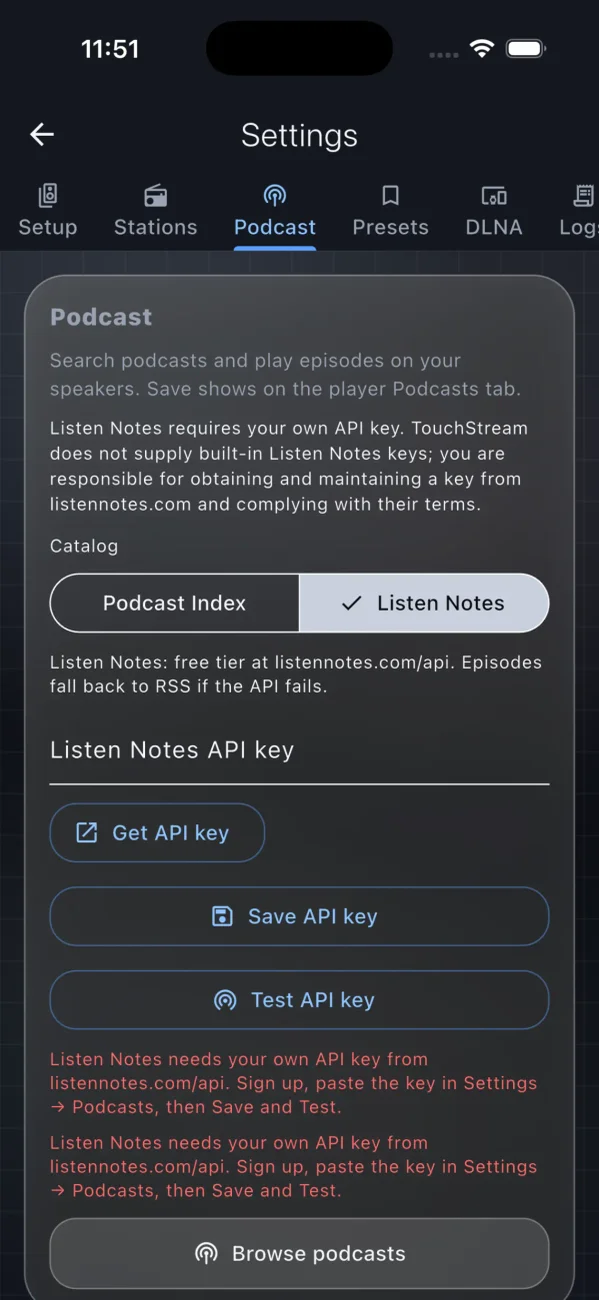
• Podcasts — browse, subscribe, and play on your speakers
• Local music and NAS playback for files on your home network
DESIGNED FOR YOUR HOME NETWORK • Automatic speaker discovery on Wi‑Fi
• Optional location profiles — recall speaker lists per network
• Fast station switching while music is already playing
• Landscape and portrait layouts for Pad
• Optional playback on this iPhone when you are away from home speakers
ALSO SUPPORTS •
• DLNA and compatible smart TVs
• Google Cast targets where configured
Compatibility varies by model and network. Multi-room sync works best with matching Bose SoundTouch cabinets on the same Wi‑Fi.
PRIVACY & CONTROL • No account required for station only Podcast
• Speaker control stays on your local network
• You choose which rooms are on, which stations play, and which streams you add
GETTING STARTED
Connect iPhone / Ipad to the same Wi‑Fi as your speakers
Allow Local Network access when prompted
Find speakers will start automatically
Go to settings and rename / configure your speakers per room
Double Tap a station to save to preset or for one-touch listening
REQUIREMENTS • iPhone or iPad on the same Wi‑Fi as compatible speakers
• Bose Wifi speakers reachable on your home network
• Internet access for streaming radio and podcasts
IMPORTANT TouchStream Radio is developed by Migvantar. It is not sponsored, endorsed, or authorized by Bose Corporation or Sonos, Inc. Bose®, SoundTouch®, Sonos®, and other marks are trademarks of their respective owners, used only to describe compatibility.
SUPPORT Privacy Policy and support: migvantar.is
Questions: info@migvantar.is
What’s new
Version 1.0.7 · Nov 26, 2026
Repeat. On Pop, Rock, Hiphop, or Other, drag the stations into order. Double-tap one and choose Repeat. A gold mark shows on that station and the ones above it. When Play next ends, those stations start again from the top. Only one repeat at a time.
Volume. The phone volume sits under the category chips, and on My Radio. The lock is on that same row. AirPlay and Playback sit under the volume, above the stations.
Home screen. The card can show up to four saved stations. Tap one to open the app and play it. Build 33 did not have this card.
App privacy
What Palmi Lord declares on the App Store about how this app handles data.
-
Data not collected
The developer does not collect any data from this app.
Privacy practices may vary, for example with the features you use or your age.
Information
- Seller
- Palmi Lord
- Category
- Music
- Version
- 1.0.7
- Updated
- Nov 26, 2026
- Released
- Sep 18, 2026
- Size
- 60.4 MB
- Requires
- iOS 15.0 or later
- Age rating
- 4+
- Price
- $14.99
- Languages
- English
- Copyright
- © migvantar.is
You might also like
-
 SoundTickRadio for SoundTouch Speakers
-
 ReTouch for SoundTouchRemote, Radio & Multiroom
-
 SoundBridge RadioInternet radio player
-
 L-20 ControlMusic
-
 Radio Paradisean eclectic musical adventure
-
 Singing Machine KaraokeCreating Joy Through Music
-
 MarshallMusic
-
 Guitar Tuner - ChromaticTuner for Guitar Bass Ukulele
-
 Spark: Chords, Backing TracksThe Smartest Practice Amp
-
 KaraFun: Karaoke, Battle, QuizSing, Play & Enjoy